Acer Nitro V 16 AI (2025) 16"
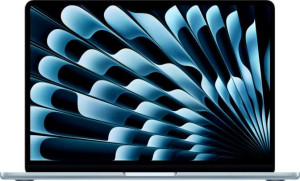
Apple MacBook Air (2025) 13.6" Apple M4 (10-core CPU) / 16GB RAM / 256GB SSD

Acer Nitro V 16 AI (2025) 16" Apple MacBook Air (2025) 13.6" Apple M4 (10-core CPU) / 16GB RAM / 256GB SSD

Overview

Welcome to our in-depth specification showdown between the Acer Nitro V 16 AI (2025) 16″ and the Apple MacBook Air (2025) 13.6″ M4. These two laptops represent fundamentally different philosophies: one built for gaming muscle and expansive connectivity, the other engineered for ultra-portable productivity. From display refresh rates and RAM capacity to port selection and chassis size, this comparison examines every key battleground to help you find the machine that truly fits your needs.

Common Features

  • Both laptops feature a backlit keyboard.
  • Neither laptop is weather-sealed or splashproof.
  • Neither laptop has a rugged build.
  • Both use an LCD, LED-backlit, IPS display type.
  • Neither laptop has a touch screen.
  • Neither laptop has an anti-reflection coating on the display.
  • Both laptops use flash storage.
  • Both use an NVMe SSD.
  • Both support multithreading.
  • Both use DDR5 memory.
  • Neither laptop supports XeSS (XMX).
  • Both support 64-bit computing.
  • Neither laptop has USB 3.2 Gen 2 ports (USB-C).
  • Neither laptop has USB 3.2 Gen 2 ports (USB-A).
  • Neither laptop has USB 4 20Gbps ports.
  • Neither laptop has Thunderbolt 3 ports.
  • Both laptops have a USB Type-C port.
  • Both laptops support Wi-Fi, including Wi-Fi 6E (802.11ax), Wi-Fi 6 (802.11ax), Wi-Fi 5 (802.11ac), and Wi-Fi 4 (802.11n).
  • Both laptops have Bluetooth version 5.3.
  • Both laptops have sleep-and-charge USB ports.
  • Both laptops have stereo speakers.
  • Both laptops have a 3.5 mm audio jack.
  • No stylus is included with either laptop.
  • Neither laptop uses 3D facial recognition.
  • Both laptops support voice commands.
  • Both laptops have a front camera.
  • Neither laptop has an S/PDIF Out port.
  • Neither laptop has a gyroscope.
  • Both laptops have integrated graphics.
  • Both laptops have the NX bit.

Main Differences

  • The Acer Nitro V 16 AI (2025) 16″ is designed for gaming, while the Apple MacBook Air (2025) 13.6″ Apple M4 (10-core CPU) / 16GB RAM / 256GB SSD is designed for productivity.
  • Weight is 2440 g on the Acer Nitro V 16 AI (2025) 16″ and 1240 g on the Apple MacBook Air (2025) 13.6″ Apple M4 (10-core CPU) / 16GB RAM / 256GB SSD.
  • The Apple MacBook Air (2025) 13.6″ Apple M4 (10-core CPU) / 16GB RAM / 256GB SSD uses a fanless design, while the Acer Nitro V 16 AI (2025) 16″ does not.
  • Volume is 2384.64 cm³ on the Acer Nitro V 16 AI (2025) 16″ and 718.96 cm³ on the Apple MacBook Air (2025) 13.6″ Apple M4 (10-core CPU) / 16GB RAM / 256GB SSD.
  • Width is 360 mm on the Acer Nitro V 16 AI (2025) 16″ and 304 mm on the Apple MacBook Air (2025) 13.6″ Apple M4 (10-core CPU) / 16GB RAM / 256GB SSD.
  • Height is 276 mm on the Acer Nitro V 16 AI (2025) 16″ and 215 mm on the Apple MacBook Air (2025) 13.6″ Apple M4 (10-core CPU) / 16GB RAM / 256GB SSD.
  • Thickness is 24 mm on the Acer Nitro V 16 AI (2025) 16″ and 11 mm on the Apple MacBook Air (2025) 13.6″ Apple M4 (10-core CPU) / 16GB RAM / 256GB SSD.
  • Screen size is 16″ on the Acer Nitro V 16 AI (2025) 16″ and 13.6″ on the Apple MacBook Air (2025) 13.6″ Apple M4 (10-core CPU) / 16GB RAM / 256GB SSD.
  • Resolution is 1920 x 1200 px on the Acer Nitro V 16 AI (2025) 16″ and 2560 x 1664 px on the Apple MacBook Air (2025) 13.6″ Apple M4 (10-core CPU) / 16GB RAM / 256GB SSD.
  • Pixel density is 141 ppi on the Acer Nitro V 16 AI (2025) 16″ and 224 ppi on the Apple MacBook Air (2025) 13.6″ Apple M4 (10-core CPU) / 16GB RAM / 256GB SSD.
  • Refresh rate is 180Hz on the Acer Nitro V 16 AI (2025) 16″ and 60Hz on the Apple MacBook Air (2025) 13.6″ Apple M4 (10-core CPU) / 16GB RAM / 256GB SSD.
  • The Acer Nitro V 16 AI (2025) 16″ supports up to 4 external displays, while the Apple MacBook Air (2025) 13.6″ Apple M4 (10-core CPU) / 16GB RAM / 256GB SSD supports up to 2.
  • RAM is 32GB on the Acer Nitro V 16 AI (2025) 16″ and 16GB on the Apple MacBook Air (2025) 13.6″ Apple M4 (10-core CPU) / 16GB RAM / 256GB SSD.
  • Internal storage is 1024GB on the Acer Nitro V 16 AI (2025) 16″ and 256GB on the Apple MacBook Air (2025) 13.6″ Apple M4 (10-core CPU) / 16GB RAM / 256GB SSD.
  • CPU speed is 10 x 2 GHz on the Acer Nitro V 16 AI (2025) 16″ and 4 x 4.05 GHz & 6 x 2.75 GHz on the Apple MacBook Air (2025) 13.6″ Apple M4 (10-core CPU) / 16GB RAM / 256GB SSD.
  • CPU thread count is 20 on the Acer Nitro V 16 AI (2025) 16″ and 10 on the Apple MacBook Air (2025) 13.6″ Apple M4 (10-core CPU) / 16GB RAM / 256GB SSD.
  • Maximum memory amount is 256GB on the Acer Nitro V 16 AI (2025) 16″ and 24GB on the Apple MacBook Air (2025) 13.6″ Apple M4 (10-core CPU) / 16GB RAM / 256GB SSD.
  • Semiconductor size is 4 nm on the Acer Nitro V 16 AI (2025) 16″ and 3 nm on the Apple MacBook Air (2025) 13.6″ Apple M4 (10-core CPU) / 16GB RAM / 256GB SSD.
  • The Apple MacBook Air (2025) 13.6″ Apple M4 (10-core CPU) / 16GB RAM / 256GB SSD has 2 USB 4 40Gbps ports, while the Acer Nitro V 16 AI (2025) 16″ has none.
  • The Apple MacBook Air (2025) 13.6″ Apple M4 (10-core CPU) / 16GB RAM / 256GB SSD has 2 Thunderbolt 4 ports, while the Acer Nitro V 16 AI (2025) 16″ has none.
  • The Acer Nitro V 16 AI (2025) 16″ has 1 USB 3.2 Gen 1 port (USB-C), while the Apple MacBook Air (2025) 13.6″ Apple M4 (10-core CPU) / 16GB RAM / 256GB SSD has none.
  • The Acer Nitro V 16 AI (2025) 16″ has 3 USB 3.2 Gen 1 ports (USB-A), while the Apple MacBook Air (2025) 13.6″ Apple M4 (10-core CPU) / 16GB RAM / 256GB SSD has none.
  • An HDMI output is present on the Acer Nitro V 16 AI (2025) 16″ but not available on the Apple MacBook Air (2025) 13.6″ Apple M4 (10-core CPU) / 16GB RAM / 256GB SSD.
  • An external memory slot is present on the Acer Nitro V 16 AI (2025) 16″ but not available on the Apple MacBook Air (2025) 13.6″ Apple M4 (10-core CPU) / 16GB RAM / 256GB SSD.
  • The Acer Nitro V 16 AI (2025) 16″ has 1 RJ45 (Ethernet) port, while the Apple MacBook Air (2025) 13.6″ Apple M4 (10-core CPU) / 16GB RAM / 256GB SSD has none.
  • Battery size is 76 Wh on the Acer Nitro V 16 AI (2025) 16″ and 53.8 Wh on the Apple MacBook Air (2025) 13.6″ Apple M4 (10-core CPU) / 16GB RAM / 256GB SSD.
  • A MagSafe power adapter is supported on the Apple MacBook Air (2025) 13.6″ Apple M4 (10-core CPU) / 16GB RAM / 256GB SSD but not on the Acer Nitro V 16 AI (2025) 16″.
  • Ray tracing support is present on the Acer Nitro V 16 AI (2025) 16″ but not available on the Apple MacBook Air (2025) 13.6″ Apple M4 (10-core CPU) / 16GB RAM / 256GB SSD.
  • DLSS support is present on the Acer Nitro V 16 AI (2025) 16″ but not available on the Apple MacBook Air (2025) 13.6″ Apple M4 (10-core CPU) / 16GB RAM / 256GB SSD.
  • Dolby Atmos support is present on the Apple MacBook Air (2025) 13.6″ Apple M4 (10-core CPU) / 16GB RAM / 256GB SSD but not on the Acer Nitro V 16 AI (2025) 16″.
  • A fingerprint scanner is present on the Apple MacBook Air (2025) 13.6″ Apple M4 (10-core CPU) / 16GB RAM / 256GB SSD but not on the Acer Nitro V 16 AI (2025) 16″.
  • Number of microphones is 1 on the Acer Nitro V 16 AI (2025) 16″ and 3 on the Apple MacBook Air (2025) 13.6″ Apple M4 (10-core CPU) / 16GB RAM / 256GB SSD.
  • ECC memory support is present on the Acer Nitro V 16 AI (2025) 16″ but not available on the Apple MacBook Air (2025) 13.6″ Apple M4 (10-core CPU) / 16GB RAM / 256GB SSD.
  • Maximum memory bandwidth is 405.8 GB/s on the Acer Nitro V 16 AI (2025) 16″ and 120 GB/s on the Apple MacBook Air (2025) 13.6″ Apple M4 (10-core CPU) / 16GB RAM / 256GB SSD.
  • The Apple MacBook Air (2025) 13.6″ Apple M4 (10-core CPU) / 16GB RAM / 256GB SSD uses big.LITTLE technology, while the Acer Nitro V 16 AI (2025) 16″ does not.
  • Maximum RAM speed is 7500 MHz on the Acer Nitro V 16 AI (2025) 16″ and 6400 MHz on the Apple MacBook Air (2025) 13.6″ Apple M4 (10-core CPU) / 16GB RAM / 256GB SSD.
Specs Comparison
Acer Nitro V 16 AI (2025) 16"

Acer Nitro V 16 AI (2025) 16"

Apple MacBook Air (2025) 13.6" Apple M4 (10-core CPU) / 16GB RAM / 256GB SSD

Apple MacBook Air (2025) 13.6" Apple M4 (10-core CPU) / 16GB RAM / 256GB SSD

Design:
Type Gaming Productivity
weight 2440 g 1240 g
Uses a fanless design
Has a backlit keyboard
volume 2384.64 cm³ 718.96 cm³
width 360 mm 304 mm
height 276 mm 215 mm
thickness 24 mm 11 mm
is weather-sealed (splashproof)
has a rugged build

The most striking difference between these two machines is their physical footprint and philosophy. The Acer Nitro V 16 is a dedicated gaming laptop with a 2440 g weight and a 24 mm thick chassis, resulting in a volume of roughly 2385 cm³. The MacBook Air 13.6″, by contrast, weighs just 1240 g — nearly half — and measures only 11 mm thin, occupying a volume under 720 cm³. In real-world terms, the Nitro V will feel substantial in a backpack and demands a dedicated bag, while the MacBook Air slips into almost any bag without a second thought.

The fanless design of the MacBook Air is a meaningful design choice: it means zero mechanical noise at all times, achieved by relying entirely on passive cooling. The Nitro V uses active cooling (fans), which is expected for a gaming-class machine that manages higher sustained thermal loads, but it does mean audible fan noise during heavy workloads. Both laptops share a backlit keyboard, and neither is weather-sealed or ruggedized, so neither has an advantage in durability against the elements.

For users who prioritize portability and understated design, the MacBook Air has a decisive edge — it is dramatically lighter, thinner, and quieter. The Nitro V′s larger, heavier build is a deliberate trade-off suited to its gaming identity, where the extra volume accommodates more powerful internals and cooling hardware. If portability is a priority, the MacBook Air wins this category outright; if desk-bound gaming use is the norm, the Nitro V′s size is an acceptable compromise.

Display:
screen size 16" 13.6"
resolution 1920 x 1200 px 2560 x 1664 px
pixel density 141 ppi 224 ppi
Display type LCD, LED-backlit, IPS LCD, LED-backlit, IPS
has a touch screen
refresh rate 180Hz 60Hz
has anti-reflection coating
supported displays 4 2

These two displays make fundamentally different trade-offs. The Acer Nitro V 16 opts for a larger 16″ panel at a modest 1920 x 1200 resolution, yielding a pixel density of just 141 ppi — workable, but text and fine detail will appear noticeably softer up close. The MacBook Air 13.6″ packs a 2560 x 1664 resolution into a smaller screen, pushing pixel density to 224 ppi. At that density, individual pixels are essentially invisible at normal viewing distances, resulting in noticeably crisper text, sharper images, and more refined UI rendering.

The refresh rate story flips the advantage. At 180Hz, the Nitro V′s display refreshes three times as often as the MacBook Air′s 60Hz panel. In fast-paced gaming, a higher refresh rate directly translates to smoother motion, reduced ghosting, and a more responsive feel — this is a core reason gaming laptops prioritize it. For productivity, creative work, or media consumption, 60Hz is perfectly adequate, but the gap is genuinely felt in any game or fast-scrolling context. Neither display carries an anti-reflection coating, so both will struggle equally under bright ambient lighting.

The Nitro V also supports up to 4 external displays versus the MacBook Air′s 2, making it more capable as a multi-monitor workstation hub. Overall, neither product dominates outright: the MacBook Air′s display wins on sharpness and pixel quality, while the Nitro V has a clear edge in refresh rate and external display flexibility. The right choice depends squarely on whether the user prioritizes visual fidelity and reading comfort, or smooth motion and gaming responsiveness.

Performance:
RAM 32GB 16GB
Uses flash storage
internal storage 1024GB 256GB
CPU speed 10 x 2 GHz 4 x 4.05 & 6 x 2.75 GHz
CPU threads 20 threads 10 threads
Is an NVMe SSD
uses multithreading
maximum memory amount 256GB 24GB
DDR memory version 5 5
semiconductor size 4 nm 3 nm
has XeSS (XMX)
Supports 64-bit

RAM and storage figures tell a clear story on paper: the Acer Nitro V 16 ships with 32GB of RAM and a 1TB NVMe SSD, doubling the MacBook Air′s 16GB and quadrupling its 256GB storage. For gaming, content creation, or running multiple memory-hungry applications simultaneously, the Nitro V′s headroom is a tangible advantage. The MacBook Air′s 256GB base storage is notably tight by modern standards — local game libraries, video projects, or even a well-stocked photo archive can fill it quickly. The Nitro V also supports up to 256GB maximum RAM versus the MacBook Air′s hard ceiling of 24GB, making the Acer significantly more future-proof for memory-intensive workloads.

CPU architecture is where the comparison gets nuanced. The Nitro V lists 10 cores at a uniform 2 GHz, while the MacBook Air′s M4 uses a heterogeneous design: 4 performance cores at 4.05 GHz paired with 6 efficiency cores at 2.75 GHz. Raw clock speed on the M4′s performance cores is roughly double that of the Nitro V′s cores. This asymmetric architecture means the MacBook Air can burst through single-threaded tasks — responsive UI, compiling, launching apps — with considerably more punch, while leaning on its efficiency cores for lighter work to preserve battery life. The Nitro V′s 20 threads give it an edge in heavily parallelized workloads, but sustained multi-core performance depends heavily on thermal headroom, which favors the actively cooled Nitro V in long sessions.

Both chips are manufactured on leading-edge nodes — 4 nm for the Nitro V′s CPU and 3 nm for the M4 — confirming that neither is working with outdated silicon. On balance, the Nitro V holds a clear advantage in raw memory capacity and storage space, while the MacBook Air counters with a more sophisticated CPU design that prioritizes peak single-core speed. Users who need bulk RAM and storage will favor the Nitro V; those who prioritize snappy responsiveness in a constrained footprint will find the M4′s architecture compelling.

Connectivity:
USB 3.2 Gen 2 ports (USB-C) 0 0
USB 3.2 Gen 2 ports (USB-A) 0 0
USB 4 20Gbps ports 0 0
USB 4 40Gbps ports 0 2
Thunderbolt 4 ports 0 2
USB 3.2 Gen 1 ports (USB-C) 1 0
USB 3.2 Gen 1 ports (USB-A) 3 0
Thunderbolt 3 ports 0 0
has an HDMI output
Has USB Type-C
supports Wi-Fi
Wi-Fi version Wi-Fi 6E (802.11ax), Wi-Fi 6 (802.11ax), Wi-Fi 5 (802.11ac), Wi-Fi 4 (802.11n) Wi-Fi 6E (802.11ax), Wi-Fi 6 (802.11ax), Wi-Fi 5 (802.11ac), Wi-Fi 4 (802.11n)
has an external memory slot
Bluetooth version 5.3 5.3
RJ45 ports 1 0
HDMI ports 1 0
DisplayPort outputs 0 0
USB 2.0 ports 0 0
has AirPlay
mini DisplayPort outputs 0 0
has a VGA connector

Port selection is where these two machines reveal their intended audiences most clearly. The Acer Nitro V 16 leans into plug-and-play convenience with three USB-A 3.2 Gen 1 ports, a dedicated HDMI output, an RJ45 Ethernet jack, and an external memory card slot — meaning most peripherals, displays, and accessories connect directly without any adapter. For a desk-bound gaming or general-purpose setup, this is genuinely friction-free.

The MacBook Air takes the opposite approach: it offers just two Thunderbolt 4 / USB4 40Gbps ports and nothing else beyond a headphone jack. Those ports are dramatically faster — up to 40 Gbps versus the Nitro V′s USB 3.2 Gen 1 ceiling of 5 Gbps — and each can simultaneously handle data, display output, and charging. However, the complete absence of USB-A, HDMI, Ethernet, and a card reader means most users will need a hub or dock from day one, adding cost and a point of failure. The Nitro V′s ports are slower but far more universally compatible out of the box.

Both laptops match on wireless: identical Wi-Fi 6E support and Bluetooth 5.3 ensure parity in range, stability, and modern device compatibility. On wired connectivity overall, neither product is strictly superior — the Nitro V wins on port variety and legacy compatibility, while the MacBook Air wins on raw transfer speed and bandwidth per port. Users who value a dongle-free desk will strongly prefer the Nitro V; those who already live in a Thunderbolt ecosystem or prioritize fast external storage will find the MacBook Air′s two ports sufficient.

Battery:
battery size 76 Wh 53.8 Wh
Has sleep-and-charge USB ports
Has a MagSafe power adapter

Battery capacity alone can be misleading, and this comparison is a prime example. The Acer Nitro V 16 carries a larger 76 Wh battery versus the MacBook Air′s 53.8 Wh — a 41% greater energy reserve on paper. However, battery life is determined by the balance between capacity and consumption, not capacity alone. A gaming laptop with active cooling and a high-refresh display will draw significantly more power under load than a fanless ultrabook, so the Nitro V′s larger pack is largely compensating for its higher energy demands rather than indicating proportionally longer runtime.

On the charging side, both laptops support sleep-and-charge USB ports, allowing them to top up other devices even when closed. The meaningful differentiator here is the MacBook Air′s MagSafe power adapter — a magnetic connector that detaches cleanly if the cable is snagged, protecting both the port and the laptop from accidental drops. The Nitro V lacks this, relying on a conventional connector that stays firmly seated but offers no such safety mechanism.

Given that the provided specs contain no runtime figures, a definitive battery life verdict cannot be drawn from capacity numbers alone. What is clear is that the MacBook Air has a practical charging convenience advantage with MagSafe, while the Nitro V′s larger 76 Wh pack reflects the energy appetite of its gaming hardware. On the specs available here, the two are evenly matched in charging flexibility, with MagSafe giving the MacBook Air a modest but real edge in everyday usability.

Features:
release date October 2025 March 2025
has stereo speakers
has a socket for a 3.5 mm audio jack
supports ray tracing
supports DLSS
has Dolby Atmos
Stylus included
Has a fingerprint scanner
number of microphones 1 3
Uses 3D facial recognition
has voice commands
has a front camera
Has S/PDIF Out port
has a gyroscope
has GPS
has an accelerometer
has a compass
Has an optical disc drive

Gaming-specific features set the Nitro V apart in one clear area: it supports both ray tracing and DLSS, two GPU-accelerated rendering technologies that enhance visual realism and performance in compatible games. The MacBook Air supports neither, which is consistent with its productivity-oriented identity. For anyone intending to game seriously, this is a meaningful capability gap in the Nitro V′s favor.

Away from gaming, the MacBook Air pulls ahead on everyday usability features. Its fingerprint scanner enables fast, secure biometric login without typing a password — a convenience the Nitro V entirely lacks. The audio setup also differs: the MacBook Air includes Dolby Atmos support and a 3-microphone array, compared to the Nitro V′s single microphone and no Atmos certification. Three microphones translate to better voice pickup, improved noise isolation during calls, and more accurate voice command recognition. Dolby Atmos adds a layer of spatial audio processing that benefits both media consumption and video calls.

Shared features — stereo speakers, a 3.5mm jack, voice commands, and a front camera — keep the two on equal footing for baseline audio and communication tasks. On balance, the MacBook Air holds the broader feature advantage for everyday use, with its fingerprint scanner, superior microphone array, and Dolby Atmos support. The Nitro V′s edge is narrower but targeted: ray tracing and DLSS are meaningful additions specifically for gamers, and of no relevance to anyone outside that context.

Miscellaneous:
Supports ECC memory
maximum memory bandwidth 405.8 GB/s 120 GB/s
Type Laptop, Desktop Laptop, Desktop
Uses big.LITTLE technology
Has integrated graphics
RAM speed (max) 7500 MHz 6400 MHz
Has NX bit

Memory bandwidth is the standout figure here, and the gap is substantial. The Acer Nitro V 16 reaches a maximum of 405.8 GB/s, more than three times the MacBook Air′s 120 GB/s. High memory bandwidth is critical for GPU-intensive tasks — the faster data can be fed to the processor, the less it sits idle waiting for input. For gaming, 3D rendering, and parallel compute workloads, this headroom matters. The Nitro V also supports ECC memory, a feature that detects and corrects single-bit memory errors in real time; while rarely relevant for gaming or general productivity, it is valuable in data-sensitive or professional computational workloads where silent data corruption is unacceptable.

The MacBook Air counters with big.LITTLE technology — the same heterogeneous core architecture noted in its CPU design, where high-performance and efficiency cores operate in tandem. This allows the system to dynamically match compute resources to workload demands, preserving battery life during light tasks while unleashing full performance when needed. The Nitro V does not use this approach, running a uniform core configuration instead. Both laptops share integrated graphics and NX bit support, the latter being a standard security feature that prevents certain classes of malicious code execution.

Taken together, the Nitro V holds a decisive edge in raw memory bandwidth and ECC support — advantages that serve high-throughput and reliability-demanding scenarios. The MacBook Air′s big.LITTLE architecture is its meaningful differentiator here, enabling intelligent power management that a uniform-core design cannot replicate. These are largely complementary strengths aimed at different priorities: throughput and data integrity versus adaptive efficiency.

Comparison Summary & Verdict

After reviewing every specification, the two laptops serve clearly distinct audiences. The Acer Nitro V 16 AI (2025) 16″ stands out with its 32GB of RAM, 1TB of storage, 180Hz display, ray tracing and DLSS support, broader port selection including HDMI, Ethernet, and USB-A, and a larger 76Wh battery — making it the stronger choice for gamers and power users who need raw capacity and connectivity. The Apple MacBook Air (2025) 13.6″ M4, on the other hand, wins decisively on portability and refinement: at just 1240g and 11mm thin, it offers a sharper 224 ppi display, a fanless silent design, Thunderbolt 4 ports, Dolby Atmos, a fingerprint scanner, and a 3nm chip — all in a remarkably compact form. Neither is a universal winner; your ideal pick comes down to whether you prioritize gaming performance and versatility or silent, lightweight everyday productivity.

Acer Nitro V 16 AI (2025) 16
Buy Acer Nitro V 16 AI (2025) 16" if...

Buy the Acer Nitro V 16 AI (2025) 16″ if you want a gaming-focused laptop with a high 180Hz refresh rate, 32GB of RAM, 1TB of storage, ray tracing support, and versatile connectivity including HDMI, Ethernet, and multiple USB-A ports.

Apple MacBook Air (2025) 13.6
Buy Apple MacBook Air (2025) 13.6" Apple M4 (10-core CPU) / 16GB RAM / 256GB SSD if...

Buy the Apple MacBook Air (2025) 13.6″ Apple M4 (10-core CPU) / 16GB RAM / 256GB SSD if you prioritize an ultra-lightweight fanless design, a sharper high-density display, Thunderbolt 4 connectivity, and a compact portable form factor for everyday productivity.