Acer Nitro V 16 AI (2025) 16"
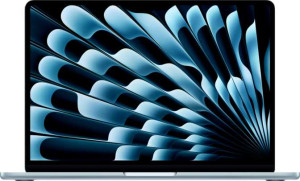
Apple MacBook Air (2025) 13.6" Apple M4 (10-core CPU / 8-core GPU) / 16GB RAM / 256GB SSD

Acer Nitro V 16 AI (2025) 16" Apple MacBook Air (2025) 13.6" Apple M4 (10-core CPU / 8-core GPU) / 16GB RAM / 256GB SSD

Overview

Welcome to this in-depth comparison between the Acer Nitro V 16 AI (2025) 16″ and the Apple MacBook Air (2025) 13.6″ M4 — two laptops that could hardly be more different in philosophy. From display refresh rates and GPU capabilities to port selection and chassis size, these machines target distinct audiences with distinct priorities. Read on to discover how they stack up across design, performance, connectivity, and more.

Common Features

  • Both laptops feature a backlit keyboard.
  • Neither laptop is weather-sealed or splashproof.
  • Neither laptop has a rugged build.
  • Both use an LCD, LED-backlit, IPS display type.
  • Neither laptop has a touch screen.
  • Both laptops come with 32GB of RAM.
  • Both use flash storage in the form of an NVMe SSD.
  • Both support multithreading.
  • Both use DDR5 memory.
  • Both support 64-bit processing.
  • Neither laptop has any USB 3.2 Gen 2 ports (USB-C or USB-A).
  • Neither laptop has any USB 4 20Gbps or Thunderbolt 3 ports.
  • Both laptops have a USB Type-C port.
  • Both support Wi-Fi 6E (802.11ax), Wi-Fi 6 (802.11ax), Wi-Fi 5 (802.11ac), and Wi-Fi 4 (802.11n).
  • Both have Bluetooth version 5.3.
  • Both laptops have sleep-and-charge USB ports.
  • Both have stereo speakers and a 3.5mm audio jack.
  • Neither laptop includes a stylus.
  • Neither laptop uses 3D facial recognition.
  • Both support voice commands and have a front camera.
  • Neither laptop has an S/PDIF Out port or a gyroscope.
  • Both laptops have integrated graphics.
  • Both have the NX bit feature.

Main Differences

  • The Acer Nitro V 16 AI (2025) 16″ is categorized as a Gaming laptop, while the Apple MacBook Air (2025) 13.6″ Apple M4 (10-core CPU / 8-core GPU) / 16GB RAM / 256GB SSD is a Productivity laptop.
  • Weight is 2440 g on the Acer Nitro V 16 AI (2025) 16″ and 1240 g on the Apple MacBook Air (2025) 13.6″ Apple M4 (10-core CPU / 8-core GPU) / 16GB RAM / 256GB SSD.
  • The Acer Nitro V 16 AI (2025) 16″ uses an active cooling fan, while the Apple MacBook Air (2025) 13.6″ Apple M4 (10-core CPU / 8-core GPU) / 16GB RAM / 256GB SSD uses a fanless design.
  • Volume is 2384.64 cm³ on the Acer Nitro V 16 AI (2025) 16″ and 718.96 cm³ on the Apple MacBook Air (2025) 13.6″ Apple M4 (10-core CPU / 8-core GPU) / 16GB RAM / 256GB SSD.
  • Screen size is 16″ on the Acer Nitro V 16 AI (2025) 16″ and 13.6″ on the Apple MacBook Air (2025) 13.6″ Apple M4 (10-core CPU / 8-core GPU) / 16GB RAM / 256GB SSD.
  • Resolution is 1920 x 1200 px on the Acer Nitro V 16 AI (2025) 16″ and 2560 x 1664 px on the Apple MacBook Air (2025) 13.6″ Apple M4 (10-core CPU / 8-core GPU) / 16GB RAM / 256GB SSD.
  • Pixel density is 141 ppi on the Acer Nitro V 16 AI (2025) 16″ and 224 ppi on the Apple MacBook Air (2025) 13.6″ Apple M4 (10-core CPU / 8-core GPU) / 16GB RAM / 256GB SSD.
  • Refresh rate is 180Hz on the Acer Nitro V 16 AI (2025) 16″ and 60Hz on the Apple MacBook Air (2025) 13.6″ Apple M4 (10-core CPU / 8-core GPU) / 16GB RAM / 256GB SSD.
  • An anti-reflection coating is present on the Apple MacBook Air (2025) 13.6″ Apple M4 (10-core CPU / 8-core GPU) / 16GB RAM / 256GB SSD but not available on the Acer Nitro V 16 AI (2025) 16″.
  • Supported external displays are 4 on the Acer Nitro V 16 AI (2025) 16″ and 2 on the Apple MacBook Air (2025) 13.6″ Apple M4 (10-core CPU / 8-core GPU) / 16GB RAM / 256GB SSD.
  • Internal storage is 1024GB on the Acer Nitro V 16 AI (2025) 16″ and 2048GB on the Apple MacBook Air (2025) 13.6″ Apple M4 (10-core CPU / 8-core GPU) / 16GB RAM / 256GB SSD.
  • CPU speed is 10 x 2 GHz on the Acer Nitro V 16 AI (2025) 16″ and 4 x 4.05 GHz & 6 x 2.75 GHz on the Apple MacBook Air (2025) 13.6″ Apple M4 (10-core CPU / 8-core GPU) / 16GB RAM / 256GB SSD.
  • CPU threads are 20 on the Acer Nitro V 16 AI (2025) 16″ and 10 on the Apple MacBook Air (2025) 13.6″ Apple M4 (10-core CPU / 8-core GPU) / 16GB RAM / 256GB SSD.
  • Maximum memory amount is 256GB on the Acer Nitro V 16 AI (2025) 16″ and 24GB on the Apple MacBook Air (2025) 13.6″ Apple M4 (10-core CPU / 8-core GPU) / 16GB RAM / 256GB SSD.
  • Semiconductor size is 4 nm on the Acer Nitro V 16 AI (2025) 16″ and 3 nm on the Apple MacBook Air (2025) 13.6″ Apple M4 (10-core CPU / 8-core GPU) / 16GB RAM / 256GB SSD.
  • The Acer Nitro V 16 AI (2025) 16″ has 2 USB 4 40Gbps ports and 2 Thunderbolt 4 ports absent, while the Apple MacBook Air (2025) 13.6″ Apple M4 (10-core CPU / 8-core GPU) / 16GB RAM / 256GB SSD has 2 USB 4 40Gbps ports and 2 Thunderbolt 4 ports.
  • The Acer Nitro V 16 AI (2025) 16″ has 1 USB 3.2 Gen 1 USB-C port and 3 USB 3.2 Gen 1 USB-A ports, while the Apple MacBook Air (2025) 13.6″ Apple M4 (10-core CPU / 8-core GPU) / 16GB RAM / 256GB SSD has none of these.
  • An HDMI output is present on the Acer Nitro V 16 AI (2025) 16″ but not available on the Apple MacBook Air (2025) 13.6″ Apple M4 (10-core CPU / 8-core GPU) / 16GB RAM / 256GB SSD.
  • An external memory slot is present on the Acer Nitro V 16 AI (2025) 16″ but not available on the Apple MacBook Air (2025) 13.6″ Apple M4 (10-core CPU / 8-core GPU) / 16GB RAM / 256GB SSD.
  • An RJ45 (Ethernet) port is present on the Acer Nitro V 16 AI (2025) 16″ but not available on the Apple MacBook Air (2025) 13.6″ Apple M4 (10-core CPU / 8-core GPU) / 16GB RAM / 256GB SSD.
  • Battery size is 76 Wh on the Acer Nitro V 16 AI (2025) 16″ and 53.8 Wh on the Apple MacBook Air (2025) 13.6″ Apple M4 (10-core CPU / 8-core GPU) / 16GB RAM / 256GB SSD.
  • A MagSafe power adapter is supported on the Apple MacBook Air (2025) 13.6″ Apple M4 (10-core CPU / 8-core GPU) / 16GB RAM / 256GB SSD but not on the Acer Nitro V 16 AI (2025) 16″.
  • Ray tracing support is present on the Acer Nitro V 16 AI (2025) 16″ but not available on the Apple MacBook Air (2025) 13.6″ Apple M4 (10-core CPU / 8-core GPU) / 16GB RAM / 256GB SSD.
  • DLSS support is present on the Acer Nitro V 16 AI (2025) 16″ but not available on the Apple MacBook Air (2025) 13.6″ Apple M4 (10-core CPU / 8-core GPU) / 16GB RAM / 256GB SSD.
  • Dolby Atmos support is present on the Apple MacBook Air (2025) 13.6″ Apple M4 (10-core CPU / 8-core GPU) / 16GB RAM / 256GB SSD but not available on the Acer Nitro V 16 AI (2025) 16″.
  • A fingerprint scanner is present on the Apple MacBook Air (2025) 13.6″ Apple M4 (10-core CPU / 8-core GPU) / 16GB RAM / 256GB SSD but not available on the Acer Nitro V 16 AI (2025) 16″.
  • Number of microphones is 1 on the Acer Nitro V 16 AI (2025) 16″ and 3 on the Apple MacBook Air (2025) 13.6″ Apple M4 (10-core CPU / 8-core GPU) / 16GB RAM / 256GB SSD.
  • ECC memory support is present on the Acer Nitro V 16 AI (2025) 16″ but not available on the Apple MacBook Air (2025) 13.6″ Apple M4 (10-core CPU / 8-core GPU) / 16GB RAM / 256GB SSD.
  • Maximum memory bandwidth is 405.8 GB/s on the Acer Nitro V 16 AI (2025) 16″ and 120 GB/s on the Apple MacBook Air (2025) 13.6″ Apple M4 (10-core CPU / 8-core GPU) / 16GB RAM / 256GB SSD.
  • big.LITTLE heterogeneous CPU technology is used on the Apple MacBook Air (2025) 13.6″ Apple M4 (10-core CPU / 8-core GPU) / 16GB RAM / 256GB SSD but not on the Acer Nitro V 16 AI (2025) 16″.
  • Maximum RAM speed is 7500 MHz on the Acer Nitro V 16 AI (2025) 16″ and 6400 MHz on the Apple MacBook Air (2025) 13.6″ Apple M4 (10-core CPU / 8-core GPU) / 16GB RAM / 256GB SSD.
Specs Comparison
Acer Nitro V 16 AI (2025) 16"

Acer Nitro V 16 AI (2025) 16"

Apple MacBook Air (2025) 13.6" Apple M4 (10-core CPU / 8-core GPU) / 16GB RAM / 256GB SSD

Apple MacBook Air (2025) 13.6" Apple M4 (10-core CPU / 8-core GPU) / 16GB RAM / 256GB SSD

Design:
Type Gaming Productivity
weight 2440 g 1240 g
Uses a fanless design
Has a backlit keyboard
volume 2384.64 cm³ 718.96 cm³
width 360 mm 304 mm
height 276 mm 215 mm
thickness 24 mm 11 mm
is weather-sealed (splashproof)
has a rugged build

The most striking difference in this group is size and weight. The Acer Nitro V 16 AI weighs 2440 g and occupies a volume of 2384.64 cm³, while the MacBook Air 13.6″ comes in at just 1240 g with a volume of 718.96 cm³ — roughly one-third the bulk. In practical terms, carrying the Nitro V daily in a backpack is a noticeably heavier commitment, whereas the MacBook Air is light enough to feel almost inconsequential. The Nitro V′s 24 mm thickness versus the MacBook Air′s 11 mm also means the latter slips into a sleeve or bag far more easily.

Beyond portability, the two machines take fundamentally different engineering approaches. The Nitro V is purpose-built as a gaming laptop, which typically implies active cooling with fans — and the spec confirms it does not use a fanless design. The MacBook Air, classified as a productivity machine, uses a fanless design, meaning completely silent operation at all times. This is a meaningful lifestyle difference: the MacBook Air will never spin up fan noise during a video call or a quiet work session, while the Nitro V will generate audible airflow under load. Both laptops share a backlit keyboard and neither is weather-sealed or ruggedized, so those factors are a wash.

For design, the MacBook Air 13.6″ holds a clear advantage for anyone who prioritizes portability and silent operation. The Nitro V′s larger, heavier chassis is an inherent trade-off of its gaming-oriented identity, and users who need to move between locations frequently will feel that weight difference every day. The Nitro V′s size is more justifiable as a desktop-replacement gaming machine than as a travel companion.

Display:
screen size 16" 13.6"
resolution 1920 x 1200 px 2560 x 1664 px
pixel density 141 ppi 224 ppi
Display type LCD, LED-backlit, IPS LCD, LED-backlit, IPS
has a touch screen
refresh rate 180Hz 60Hz
has anti-reflection coating
supported displays 4 2

These two displays serve genuinely different masters. The Nitro V 16 AI leads with a 180Hz refresh rate, which delivers noticeably smoother motion in fast-paced games and reduces input lag — a tangible advantage for the gaming use case the machine is built around. The MacBook Air counters with a far sharper panel: its 2560 x 1664 resolution on a 13.6″ screen yields 224 ppi, compared to just 141 ppi on the Nitro V′s 16″ panel. That gap is visible to the naked eye — text and fine detail look crisper on the MacBook Air, which matters more for productivity and content work than for gaming.

One underrated differentiator is the MacBook Air′s anti-reflection coating, which the Nitro V lacks. In bright environments or near windows, a reflective screen forces users to reposition or dim surroundings, while a treated panel maintains legibility without compromise. For a productivity machine used in varied lighting, this is a meaningful real-world advantage. On the other hand, the Nitro V supports up to 4 external displays versus the MacBook Air′s 2, making it the stronger choice for users who want an expansive multi-monitor desktop setup.

Neither display wins outright — the verdict depends entirely on use case. The Nitro V 16 AI has the clear edge for gaming thanks to its high refresh rate and broader multi-monitor support. The MacBook Air pulls ahead for everyday productivity work, offering a sharper, more polished viewing experience with better glare resistance. Both are IPS LCD panels with no touch support, so those aspects are evenly matched.

Performance:
RAM 32GB 32GB
Uses flash storage
internal storage 1024GB 2048GB
CPU speed 10 x 2 GHz 4 x 4.05 & 6 x 2.75 GHz
CPU threads 20 threads 10 threads
Is an NVMe SSD
uses multithreading
maximum memory amount 256GB 24GB
DDR memory version 5 5
semiconductor size 4 nm 3 nm
Supports 64-bit

Both machines ship with 32GB of RAM and NVMe SSDs, so day-to-day responsiveness starts from an equal footing. Where they diverge is CPU architecture. The Nitro V 16 AI runs 10 uniform cores at 2 GHz with 20 threads via multithreading, while the MacBook Air takes a hybrid approach — 4 performance cores at 4.05 GHz paired with 6 efficiency cores at 2.75 GHz. That asymmetric design means the MacBook Air can throw serious single-core speed at demanding tasks while the efficiency cores handle lighter background work, a fundamentally different strategy than the Nitro V′s balanced multi-core layout. The MacBook Air also edges ahead on process node, at 3 nm versus 4 nm, which generally translates to better performance-per-watt.

Storage tells a similar story of trade-offs. The MacBook Air doubles the Nitro V with 2048GB of internal storage versus 1024GB — a notable advantage for users accumulating large media libraries or working with big project files. However, the Nitro V′s maximum memory ceiling of 256GB dwarfs the MacBook Air′s cap of 24GB, making the Nitro V far more relevant for memory-intensive professional workloads like large virtual machines, data analysis, or extensive compilation tasks that can outgrow modest RAM limits.

There is no single winner here — the two chips are architected for different strengths. The MacBook Air holds an advantage in raw CPU clock speed and storage capacity for typical use. The Nitro V offers a dramatically higher memory ceiling, which becomes critical in specialized, RAM-heavy workflows. Users who will never push beyond 24GB of RAM will find the MacBook Air′s configuration more than sufficient; those who need headroom well beyond that should take the Nitro V′s expandability seriously.

Connectivity:
USB 3.2 Gen 2 ports (USB-C) 0 0
USB 3.2 Gen 2 ports (USB-A) 0 0
USB 4 20Gbps ports 0 0
USB 4 40Gbps ports 0 2
Thunderbolt 4 ports 0 2
USB 3.2 Gen 1 ports (USB-C) 1 0
USB 3.2 Gen 1 ports (USB-A) 3 0
Thunderbolt 3 ports 0 0
has an HDMI output
Has USB Type-C
supports Wi-Fi
Wi-Fi version Wi-Fi 6E (802.11ax), Wi-Fi 6 (802.11ax), Wi-Fi 5 (802.11ac), Wi-Fi 4 (802.11n) Wi-Fi 6E (802.11ax), Wi-Fi 6 (802.11ax), Wi-Fi 5 (802.11ac), Wi-Fi 4 (802.11n)
has an external memory slot
Bluetooth version 5.3 5.3
RJ45 ports 1 0
HDMI ports 1 0
DisplayPort outputs 0 0
has AirPlay
mini DisplayPort outputs 0 0
has a VGA connector

The connectivity philosophies here could not be more different. The Nitro V 16 AI is built for plug-and-play versatility out of the box: it offers 3 USB-A ports, a dedicated RJ45 ethernet port, a full-size HDMI output, and an external memory card slot. For a user who wants to connect a mouse, headset, USB drive, and a monitor without a single adapter, the Nitro V delivers that immediately. The MacBook Air, by contrast, carries only 2 Thunderbolt 4 / USB 4 40Gbps ports and no legacy connectors whatsoever — no USB-A, no HDMI, no ethernet, no card reader. Anyone coming from a world of standard peripherals will need a hub or dock on day one.

That said, the MacBook Air′s port quality is meaningfully higher. Thunderbolt 4 at 40Gbps supports fast external storage, high-resolution displays, and daisy-chaining — capabilities the Nitro V′s USB 3.2 Gen 1 ports (capped at 5Gbps) simply cannot match. For professionals moving large files to external SSDs or driving demanding peripherals, the bandwidth difference is real. Both laptops share identical wireless credentials — Wi-Fi 6E and Bluetooth 5.3 — so neither has an edge there.

Which connectivity setup wins depends entirely on workflow. The Nitro V has a clear practical advantage for users who need immediate compatibility with a wide range of everyday devices without extra accessories. The MacBook Air is the better choice for those invested in a high-bandwidth Thunderbolt ecosystem, but it demands adapters for almost everything else — a meaningful hidden cost and inconvenience to factor in.

Battery:
battery size 76 Wh 53.8 Wh
Has sleep-and-charge USB ports
Has a MagSafe power adapter

Raw battery capacity favors the Nitro V 16 AI by a significant margin — 76 Wh versus the MacBook Air′s 53.8 Wh, a difference of roughly 41%. On paper, that larger cell should translate to longer unplugged sessions. However, battery capacity alone does not determine real-world runtime; power consumption matters just as much. A gaming laptop with a discrete GPU and active cooling typically draws far more watts under any meaningful load, which can offset a larger battery quickly. The MacBook Air′s fanless, efficiency-oriented design is built to sip power, meaning its smaller pack may deliver competitive or even longer endurance in typical productivity tasks — though the provided specs do not include runtime figures to confirm this directly.

On charging convenience, the MacBook Air adds MagSafe — a magnetic charging connector that detaches safely if the cable is snagged, protecting both the port and the laptop from being pulled off a surface. Both machines support sleep-and-charge USB ports, so either can top up a phone or peripheral while the laptop itself is off or sleeping, a useful but increasingly standard feature.

Given only these specs, neither product holds an unambiguous battery advantage. The Nitro V carries more stored energy, which matters for users who need a large buffer during extended sessions away from an outlet. The MacBook Air counters with a smarter charging experience via MagSafe and the inherent efficiency of its architecture — making the smaller battery less of a liability than the raw numbers suggest.

Features:
release date October 2025 March 2025
has stereo speakers
has a socket for a 3.5 mm audio jack
supports ray tracing
supports DLSS
has Dolby Atmos
Stylus included
Has a fingerprint scanner
number of microphones 1 3
Uses 3D facial recognition
has voice commands
has a front camera
Has S/PDIF Out port
has a gyroscope
has GPS
has an accelerometer
has a compass
Has an optical disc drive

Gaming-specific features set the Nitro V 16 AI apart in one clear area: it supports both ray tracing and DLSS, technologies that enhance visual realism and use AI-based upscaling to boost frame rates in compatible titles. The MacBook Air supports neither, which is consistent with its productivity identity but confirms it is not oriented toward GPU-intensive gaming workloads. For anyone buying primarily to game, these capabilities on the Nitro V are meaningful differentiators.

Audio and security tell a different story. The MacBook Air includes Dolby Atmos support for a more immersive spatial audio experience, and its 3-microphone array is a notable step up from the Nitro V′s single microphone — on video calls or voice recordings, more microphones generally means better noise isolation and clearer pickup. The MacBook Air also adds a fingerprint scanner, offering fast biometric login that the Nitro V lacks entirely. Both laptops share stereo speakers, a 3.5mm audio jack, a front camera, and voice command support, so those features are a draw.

Across this group, neither laptop dominates universally — each leads in its own lane. The Nitro V holds the edge for gaming feature support with ray tracing and DLSS. The MacBook Air is the stronger everyday machine here, offering a richer audio experience with Dolby Atmos, a more capable microphone setup for communication, and the convenience of fingerprint-based authentication — advantages that add up meaningfully for productivity-focused users.

Miscellaneous:
Supports ECC memory
maximum memory bandwidth 405.8 GB/s 120 GB/s
Type Laptop, Desktop Laptop, Desktop
Uses big.LITTLE technology
Has integrated graphics
RAM speed (max) 7500 MHz 6400 MHz
Has NX bit

Memory bandwidth is the standout figure here, and the gap is substantial. The Nitro V 16 AI reaches a maximum of 405.8 GB/s, more than three times the MacBook Air′s 120 GB/s. Higher memory bandwidth means the CPU and GPU can move data in and out of RAM faster, which benefits tasks like rendering, simulation, and gaming where large volumes of data need to be processed in rapid succession. This advantage aligns with the Nitro V′s gaming and high-throughput identity. The Nitro V also supports ECC memory — error-correcting code RAM that detects and fixes single-bit memory errors automatically — a feature the MacBook Air lacks. For most consumer use cases this is irrelevant, but it becomes meaningful in workloads where data integrity is critical, such as scientific computing or financial modeling.

The MacBook Air counters with big.LITTLE technology — its hybrid core architecture that assigns workloads dynamically between performance and efficiency cores. This is the same design principle noted in the Performance group, and it underpins the MacBook Air′s ability to stay power-efficient across varied tasks. The Nitro V does not use this approach, relying instead on its uniform core layout. Both laptops include integrated graphics and NX bit support, so those aspects are evenly matched.

For this group, the Nitro V holds a technical edge in raw memory throughput and ECC support — advantages that matter most in data-intensive or reliability-critical workloads. The MacBook Air′s big.LITTLE implementation is a meaningful architectural strength, but it speaks more to efficiency than peak throughput. Users pushing memory-bandwidth-hungry applications will find the Nitro V′s specifications more capable on paper.

Comparison Summary & Verdict

After a thorough look at every spec, it is clear that these two laptops serve very different masters. The Acer Nitro V 16 AI (2025) 16″ stands out for gamers and power users who need a 180Hz display, ray tracing and DLSS support, a broad port selection including HDMI, RJ45, and USB-A, plus a generous maximum memory ceiling of 256GB. The Apple MacBook Air (2025) 13.6″ M4, on the other hand, wins decisively for professionals and everyday users who value its featherlight 1240 g build, a stunning 224 ppi high-resolution display, a fanless silent design, Thunderbolt 4 connectivity, and a best-in-class Dolby Atmos audio experience. Choose the Acer if gaming performance and versatile I/O top your list; choose the MacBook Air if portability, display quality, and silent efficiency are what matter most.

Acer Nitro V 16 AI (2025) 16
Buy Acer Nitro V 16 AI (2025) 16" if...

Buy the Acer Nitro V 16 AI (2025) 16″ if you want a gaming-focused laptop with a 180Hz display, ray tracing and DLSS support, versatile ports including HDMI, RJ45, and USB-A, and a high maximum memory capacity of 256GB.

Apple MacBook Air (2025) 13.6
Buy Apple MacBook Air (2025) 13.6" Apple M4 (10-core CPU / 8-core GPU) / 16GB RAM / 256GB SSD if...

Buy the Apple MacBook Air (2025) 13.6″ Apple M4 (10-core CPU / 8-core GPU) / 16GB RAM / 256GB SSD if you prioritize a lightweight fanless design, a sharper high-resolution display, Thunderbolt 4 connectivity, and features like Dolby Atmos and a fingerprint scanner for everyday productivity.