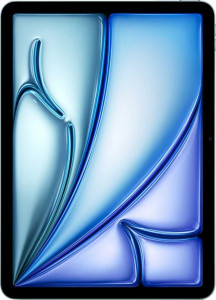
Apple iPad Air 11 (2025) Wi-Fi 128GB
Huawei MatePad Pro 12.2 (2025)

Apple iPad Air 11 (2025) Wi-Fi 128GB Huawei MatePad Pro 12.2 (2025)

Overview

Welcome to our in-depth comparison of the Apple iPad Air 11 (2025) Wi-Fi 128GB and the Huawei MatePad Pro 12.2 (2025) — two premium tablets that take very different approaches to the modern slate experience. From their contrasting display technologies and raw processing philosophies to their camera systems and battery strategies, these two devices each make a compelling case for a distinct type of user. Read on to see how they stack up across every major specification.

Common Features

  • Neither product includes a stylus in the box.
  • Neither product has a detachable keyboard.
  • Neither product has a backlit keyboard.
  • Neither product offers water resistance.
  • Both products have anti-reflection coating on their displays.
  • Both products feature a touch screen.
  • Neither product uses branded damage-resistant glass.
  • Neither product has a sapphire glass display.
  • Neither product has an external memory slot.
  • Both products support 64-bit processing.
  • Both products use big.LITTLE CPU technology.
  • Both products have integrated graphics.
  • Both products have 8 CPU threads.
  • Neither product supports ECC memory.
  • Both products have TrustZone security.
  • Both products have a front camera.
  • Both products have a built-in HDR mode.
  • Both products support touch autofocus.
  • Both products use a CMOS sensor.
  • Neither product has a front-facing LED flash.
  • Neither product shoots 360° panoramas.
  • Neither product has built-in optical image stabilization.
  • Neither product has 3D photo/video recording capabilities.
  • Both products have stereo speakers.
  • Neither product has a 3.5 mm audio jack.
  • Neither product has a built-in radio.
  • Neither product supports wireless charging.
  • Both products have a battery level indicator.
  • Both products have a rechargeable battery.
  • Neither product has a removable battery.
  • Both products have camera and microphone privacy options.
  • Both products support split screen.
  • Both products have dark mode.
  • Both products have a battery health check feature.
  • Both products feature a USB Type-C port.
  • Neither product has a cellular module.
  • Both products have a child lock feature.
  • Neither product has an HDMI output.

Main Differences

  • Weight is 460 g on Apple iPad Air 11 (2025) Wi-Fi 128GB and 508 g on Huawei MatePad Pro 12.2 (2025).
  • Thickness is 6.1 mm on Apple iPad Air 11 (2025) Wi-Fi 128GB and 5.5 mm on Huawei MatePad Pro 12.2 (2025).
  • Width is 247.6 mm on Apple iPad Air 11 (2025) Wi-Fi 128GB and 271.3 mm on Huawei MatePad Pro 12.2 (2025).
  • Height is 178.5 mm on Apple iPad Air 11 (2025) Wi-Fi 128GB and 182.5 mm on Huawei MatePad Pro 12.2 (2025).
  • Tilt sensitivity support is present on Apple iPad Air 11 (2025) Wi-Fi 128GB but not available on Huawei MatePad Pro 12.2 (2025).
  • Screen size is 11″ on Apple iPad Air 11 (2025) Wi-Fi 128GB and 12.2″ on Huawei MatePad Pro 12.2 (2025).
  • Resolution is 2360 x 1640 px on Apple iPad Air 11 (2025) Wi-Fi 128GB and 2800 x 1840 px on Huawei MatePad Pro 12.2 (2025).
  • Pixel density is 264 ppi on Apple iPad Air 11 (2025) Wi-Fi 128GB and 275 ppi on Huawei MatePad Pro 12.2 (2025).
  • Display type is IPS LCD on Apple iPad Air 11 (2025) Wi-Fi 128GB and OLED/AMOLED on Huawei MatePad Pro 12.2 (2025).
  • Refresh rate is 60Hz on Apple iPad Air 11 (2025) Wi-Fi 128GB and 144Hz on Huawei MatePad Pro 12.2 (2025).
  • Typical brightness is 500 nits on Apple iPad Air 11 (2025) Wi-Fi 128GB and 2000 nits on Huawei MatePad Pro 12.2 (2025).
  • An e-paper display mode is available on Huawei MatePad Pro 12.2 (2025) but not on Apple iPad Air 11 (2025) Wi-Fi 128GB.
  • Internal storage is 128GB on Apple iPad Air 11 (2025) Wi-Fi 128GB and 512GB on Huawei MatePad Pro 12.2 (2025).
  • RAM is 8GB on Apple iPad Air 11 (2025) Wi-Fi 128GB and 12GB on Huawei MatePad Pro 12.2 (2025).
  • The chipset is Apple M3 on Apple iPad Air 11 (2025) Wi-Fi 128GB and HiSilicon Kirin 9000S on Huawei MatePad Pro 12.2 (2025).
  • CPU speed is 8 x 3.4 GHz on Apple iPad Air 11 (2025) Wi-Fi 128GB and 1 x 2.62 & 3 x 2.15 & 4 x 1.53 GHz on Huawei MatePad Pro 12.2 (2025).
  • Semiconductor size is 3 nm on Apple iPad Air 11 (2025) Wi-Fi 128GB and 5 nm on Huawei MatePad Pro 12.2 (2025).
  • Maximum memory bandwidth is 100 GB/s on Apple iPad Air 11 (2025) Wi-Fi 128GB and 44 GB/s on Huawei MatePad Pro 12.2 (2025).
  • Thermal Design Power (TDP) is 20W on Apple iPad Air 11 (2025) Wi-Fi 128GB and 6W on Huawei MatePad Pro 12.2 (2025).
  • Main camera resolution is 12 MP on Apple iPad Air 11 (2025) Wi-Fi 128GB and 50 & 8 MP on Huawei MatePad Pro 12.2 (2025).
  • Front camera resolution is 12MP on Apple iPad Air 11 (2025) Wi-Fi 128GB and 8MP on Huawei MatePad Pro 12.2 (2025).
  • Maximum video recording is 2160p at 60 fps on Apple iPad Air 11 (2025) Wi-Fi 128GB and 2160p at 30 fps on Huawei MatePad Pro 12.2 (2025).
  • A camera flash is available on Huawei MatePad Pro 12.2 (2025) but not on Apple iPad Air 11 (2025) Wi-Fi 128GB.
  • In-camera panorama creation is supported on Apple iPad Air 11 (2025) Wi-Fi 128GB but not on Huawei MatePad Pro 12.2 (2025).
  • A BSI sensor is present on Apple iPad Air 11 (2025) Wi-Fi 128GB but not on Huawei MatePad Pro 12.2 (2025).
  • Manual white balance is available on Huawei MatePad Pro 12.2 (2025) but not on Apple iPad Air 11 (2025) Wi-Fi 128GB.
  • Continuous autofocus during video recording is supported on Huawei MatePad Pro 12.2 (2025) but not on Apple iPad Air 11 (2025) Wi-Fi 128GB.
  • Manual ISO control is available on Huawei MatePad Pro 12.2 (2025) but not on Apple iPad Air 11 (2025) Wi-Fi 128GB.
  • A video light is present on Huawei MatePad Pro 12.2 (2025) but not on Apple iPad Air 11 (2025) Wi-Fi 128GB.
  • Front camera aperture is f/2.4 on Apple iPad Air 11 (2025) Wi-Fi 128GB and f/2.0 on Huawei MatePad Pro 12.2 (2025).
  • Serial shot mode is supported on Apple iPad Air 11 (2025) Wi-Fi 128GB but not on Huawei MatePad Pro 12.2 (2025).
  • Battery capacity is 7606 mAh on Apple iPad Air 11 (2025) Wi-Fi 128GB and 10100 mAh on Huawei MatePad Pro 12.2 (2025).
  • Fast charging is supported on Apple iPad Air 11 (2025) Wi-Fi 128GB but not on Huawei MatePad Pro 12.2 (2025).
  • Wi-Fi 6E support is present on Apple iPad Air 11 (2025) Wi-Fi 128GB but not on Huawei MatePad Pro 12.2 (2025), while Wi-Fi 7 support is present on Huawei MatePad Pro 12.2 (2025) but not on Apple iPad Air 11 (2025) Wi-Fi 128GB.
  • 5G support is present on Apple iPad Air 11 (2025) Wi-Fi 128GB but not available on Huawei MatePad Pro 12.2 (2025).
  • Multi-user system support is available on Huawei MatePad Pro 12.2 (2025) but not on Apple iPad Air 11 (2025) Wi-Fi 128GB.
  • Direct OS updates are available on Apple iPad Air 11 (2025) Wi-Fi 128GB but not on Huawei MatePad Pro 12.2 (2025).
  • GPS is present on Huawei MatePad Pro 12.2 (2025) but not on Apple iPad Air 11 (2025) Wi-Fi 128GB.
  • USB version is 3.1 on Apple iPad Air 11 (2025) Wi-Fi 128GB and 3.2 on Huawei MatePad Pro 12.2 (2025).
  • Bluetooth version is 5.3 on Apple iPad Air 11 (2025) Wi-Fi 128GB and 5.2 on Huawei MatePad Pro 12.2 (2025).
  • A barometer is present on Apple iPad Air 11 (2025) Wi-Fi 128GB but not on Huawei MatePad Pro 12.2 (2025).
Specs Comparison
Apple iPad Air 11 (2025) Wi-Fi 128GB

Apple iPad Air 11 (2025) Wi-Fi 128GB

Huawei MatePad Pro 12.2 (2025)

Huawei MatePad Pro 12.2 (2025)

Design:
weight 460 g 508 g
thickness 6.1 mm 5.5 mm
width 247.6 mm 271.3 mm
height 178.5 mm 182.5 mm
volume 269.59926 cm³ 272.317375 cm³
Stylus included
Has a detachable keyboard
Has a backlit keyboard
water resistance None None
Has tilt sensitivity

In terms of physical footprint, the Huawei MatePad Pro 12.2 is the larger device, with a wider and taller chassis reflecting its bigger display, while the iPad Air 11 is noticeably more compact. Despite this size difference, their overall volumes are nearly identical — 269.6 cm³ vs 272.3 cm³ — meaning both manufacturers have engineered their respective slabs with similarly tight efficiency. Where they diverge more meaningfully is in the thickness-versus-weight trade-off: the MatePad Pro is impressively thin at 5.5 mm compared to the iPad Air's 6.1 mm, giving it a sleeker, more premium feel in hand. However, the iPad Air is significantly lighter at 460 g versus the MatePad Pro's 508 g — a 48 g difference that becomes noticeable during extended one-handed use or long reading sessions.

Neither tablet offers any water or dust resistance, and neither ships with a stylus or a keyboard in the box, so those factors are a draw. The one standout differentiator in this group is tilt sensitivity: the iPad Air supports it, while the MatePad Pro does not. For users who plan to use a compatible stylus for sketching or note-taking, tilt sensitivity enables more natural shading and pressure variation — it is a meaningful creative advantage, not a superficial spec.

Overall, the iPad Air 11 holds the design edge for most users: it is lighter, which matters more day-to-day than a 0.6 mm thickness gap, and its tilt sensitivity support adds genuine value for stylus-oriented workflows. The MatePad Pro's slimmer profile is a real aesthetic win, but it cannot fully offset the weight penalty. If portability and stylus fidelity are priorities, the iPad Air comes out ahead on design.

Display:
screen size 11" 12.2"
resolution 2360 x 1640 px 2800 x 1840 px
pixel density 264 ppi 275 ppi
Display type IPS, LCD OLED/AMOLED
refresh rate 60Hz 144Hz
has branded damage-resistant glass
has anti-reflection coating
brightness (typical) 500 nits 2000 nits
has a touch screen
Has sapphire glass display
Has an e-paper display

The display category is where the gap between these two tablets becomes most pronounced. The MatePad Pro 12.2 uses an OLED/AMOLED panel, while the iPad Air 11 relies on an IPS LCD — a fundamental technology difference that affects nearly every visual experience. OLED produces true blacks and per-pixel lighting, resulting in richer contrast and more vibrant colors, whereas IPS LCD delivers accurate, consistent color reproduction but cannot match OLED's depth. Compounding this, the MatePad Pro's peak brightness of 2000 nits dwarfs the iPad Air's 500 nits, making outdoor use in direct sunlight a dramatically different experience in favor of the Huawei.

The refresh rate divide is equally significant. The MatePad Pro's 144Hz panel makes scrolling, animations, and stylus input feel exceptionally fluid, while the iPad Air's 60Hz display — unchanged from older generations — feels comparatively static once you have experienced higher refresh rates. On resolution, the MatePad Pro also leads with 2800 x 1840 px at 275 ppi versus 2360 x 1640 px at 264 ppi, though this difference is marginal at normal viewing distances. A more unique spec is the MatePad Pro's e-paper display mode, which simulates the low-strain appearance of e-ink screens — a niche but genuine benefit for long reading sessions.

Both tablets share anti-reflection coatings and neither uses branded damage-resistant glass, so those points cancel out. The verdict here is unambiguous: the MatePad Pro 12.2 holds a commanding display advantage, driven by its OLED technology, vastly superior brightness, and smoother refresh rate. The iPad Air's IPS panel is perfectly capable for everyday use, but users who prioritize screen quality — especially for media consumption, creative work, or outdoor usage — will find the Huawei's display in a different class.

Performance:
internal storage 128GB 512GB
RAM 8GB 12GB
Chipset (SoC) name Apple M3 HiSilicon Kirin 9000S
GPU name Apple M3 GPU Mali-G57
CPU speed 8 x 3.4 GHz 1 x 2.62 & 3 x 2.15 & 4 x 1.53 GHz
has an external memory slot
semiconductor size 3 nm 5 nm
Supports 64-bit
Uses big.LITTLE technology
Has integrated graphics
CPU threads 8 threads 8 threads
Supports ECC memory
Has TrustZone
Thermal Design Power (TDP) 20W 6W
maximum memory bandwidth 100 GB/s 44 GB/s

At the heart of this comparison lies a decisive silicon gap. The iPad Air 11 is powered by Apple's M3 chip, built on a cutting-edge 3 nm process, while the MatePad Pro 12.2 runs on the HiSilicon Kirin 9000S at 5 nm. A smaller fabrication node generally means more transistors per unit area, translating to better performance-per-watt. This is reinforced starkly by the memory bandwidth figures: the M3 delivers 100 GB/s versus the Kirin's 44 GB/s — more than double — which has direct real-world impact on tasks like video editing, image processing, and any workload that moves large amounts of data between CPU and memory rapidly.

The CPU architecture comparison further illustrates the divide. The M3 runs all 8 cores at a unified 3.4 GHz with big.LITTLE efficiency management, whereas the Kirin 9000S uses a more fragmented tri-cluster layout with its fastest core peaking at just 2.62 GHz. The MatePad Pro does counter with more RAM — 12 GB versus 8 GB — and considerably more base storage at 512 GB versus 128 GB, which are meaningful practical advantages for users managing large local libraries or heavy multitasking. The Kirin's much lower 6W TDP compared to the M3's 20W suggests it is designed around thermal efficiency rather than peak throughput, making it better suited for sustained light workloads without throttling.

The performance edge belongs clearly to the iPad Air 11. The M3's superior process node, dramatically higher memory bandwidth, and faster clock speeds point to a chip in a different performance tier. The MatePad Pro's RAM and storage advantages are real and useful, but they do not close the raw compute gap. Users prioritizing processing power for demanding apps, creative workflows, or future-proofing will find the iPad Air the stronger choice here.

Cameras:
megapixels (main camera) 12 MP 50 & 8 MP
megapixels (front camera) 12MP 8MP
video recording (main camera) 2160 x 60 fps 2160 x 30 fps
has a flash
has a front camera
has a built-in HDR mode
can create panoramas in-camera
has touch autofocus
has a BSI sensor
has manual white balance
has a CMOS sensor
has continuous autofocus when recording movies
Has a front-facing LED flash
has manual ISO
has a video light
wide aperture (front camera) 2.4f 2f
Shoots 360° panorama
has a serial shot mode
has built-in optical image stabilization
has 3D photo/video recording capabilities
Has a dual-tone LED flash
has manual focus
Has a RGB LED flash
has manual exposure
has manual shutter speed

Camera systems on tablets are rarely a primary purchase driver, but the differences here are substantial enough to matter for certain users. The MatePad Pro 12.2 fields a dual rear camera setup — a 50 MP main sensor paired with an 8 MP secondary — giving it both higher resolution capture and the compositional flexibility of a second lens. The iPad Air 11 counters with a single 12 MP rear shooter, which on paper looks outgunned, though raw megapixels alone do not tell the full story. What does reinforce the MatePad Pro's video edge is continuous autofocus during recording, a flash, and a video light — practical tools for documenting, scanning, or shooting in variable lighting that the iPad Air simply lacks.

The iPad Air hits back in a few targeted ways. Its rear camera supports 4K at 60fps video recording versus the MatePad Pro's cap of 4K at 30fps — a meaningful difference for anyone capturing smooth motion footage. It also includes a BSI sensor, which improves light-gathering efficiency, and supports in-camera panoramas and a serial shot mode. On the front camera, the roles partially reverse: the iPad Air's 12 MP selfie camera significantly outresolves the MatePad Pro's 8 MP front sensor, which matters for video calls and front-facing content creation. The MatePad Pro's front aperture of f/2.0 is slightly wider than the iPad Air's f/2.4, admitting more light per pixel despite the resolution gap.

Neither tablet has optical image stabilization, so both share that limitation. On balance, the MatePad Pro 12.2 holds the broader camera advantage — its higher-resolution main sensor, dual-camera system, flash, video light, and continuous autofocus make it more versatile for rear-camera tasks. The iPad Air reclaims ground with its superior front camera and higher video frame rate, making it the stronger choice specifically for video calls and smooth footage capture. Users who lean on their tablet's rear camera most will favor the MatePad Pro; those prioritizing video calls or high-framerate recording will prefer the iPad Air.

Audio:
has stereo speakers
has a socket for a 3.5 mm audio jack
Has a radio

The audio specs for these two tablets are identical across every available data point. Both feature stereo speakers, both omit a 3.5 mm headphone jack, and neither includes a radio. Wired headphone users will need a USB-C adapter or Bluetooth headphones on either device — a now-common trade-off at the premium end of the tablet market.

This is a clear tie based on the provided data. There is no differentiator to analyze here, and declaring an edge for either product would go beyond what the specs support.

Battery:
battery power 7606 mAh 10100 mAh
Supports fast charging
has wireless charging
has a battery level indicator
has a rechargeable battery
has a removable battery

Battery capacity is where the MatePad Pro 12.2 asserts a clear numerical lead, packing a 10,100 mAh cell against the iPad Air 11's 7,606 mAh — a difference of roughly 33%. All else being equal, a larger battery means more time between charges, which is a straightforward advantage for heavy users, travelers, or anyone away from an outlet for extended periods. That said, real-world battery life is also shaped by display technology, processor efficiency, and screen-on time, so the raw mAh gap does not map one-to-one to usage hours.

The more nuanced trade-off is in charging. The iPad Air supports fast charging, meaning when it does need a top-up, it gets back to usable levels significantly faster. The MatePad Pro notably lacks this feature, so despite its larger reservoir, refilling it takes longer — a meaningful inconvenience for users who rely on quick charges between uses. Neither tablet offers wireless charging, so both require a wired connection regardless.

On balance, the MatePad Pro 12.2 holds the battery edge for users who prioritize longevity and want to go as long as possible between charges. The iPad Air 11 counters with fast charging, which favors users who charge frequently and value speed of recovery over raw capacity. Which advantage matters more depends squarely on usage habits: the MatePad Pro suits endurance-first users, while the iPad Air rewards those who prefer shorter, faster top-ups.

Connectivity & Features:
release date March 2025 May 2025
Wi-Fi version Wi-Fi 6 (802.11ax), Wi-Fi 5 (802.11ac), Wi-Fi 4 (802.11n), Wi-Fi 6E (802.11ax) Wi-Fi 4 (802.11n), Wi-Fi 5 (802.11ac), Wi-Fi 6 (802.11ax), Wi-Fi 7 (802.11be)
has camera/microphone privacy options
supports split screen
has dark mode
has battery health check
Has USB Type-C
has a cellular module
has 5G support
is a multi-user system
gets direct OS updates
has GPS
has a child lock
has an HDMI output
has NFC
Has a fingerprint scanner
USB version 3.1 3.2
Supports widgets
Bluetooth version 5.3 5.2
has a gyroscope
has a compass
supports Wi-Fi
Has sharing intents
Has customizable notifications
Uses 3D facial recognition
supports Galileo
Has a barometer
has an accelerometer
has voice commands
Has an iris scanner
Has a built-in projector
supports Ethernet
Has an infrared sensor
Tracks the current position of a mobile device

Wireless connectivity reveals one of the more forward-looking differences between these two tablets. The MatePad Pro 12.2 supports Wi-Fi 7 (802.11be), the latest generation standard offering higher throughput and lower latency on compatible routers, while the iPad Air 11 tops out at Wi-Fi 6E — still an excellent standard, but one generation behind. In the other direction, the iPad Air edges ahead on Bluetooth 5.3 versus the MatePad Pro's 5.2, a minor but real improvement in connection stability and efficiency. The MatePad Pro also steps up to USB 3.2 compared to the iPad Air's USB 3.1, meaning faster wired data transfers when moving large files to external drives or connected devices.

Beyond raw connectivity specs, two software and ecosystem differences stand out. The MatePad Pro is a multi-user system, allowing different accounts and profiles on the same device — a practical feature for shared households or workplaces. The iPad Air does not support this. Conversely, the iPad Air receives direct OS updates, meaning it gets new software features and security patches promptly from Apple. The MatePad Pro does not have this designation, which can translate to delayed or limited update support — a longer-term consideration for users who care about software longevity and security. The iPad Air also includes a barometer and built-in GPS is absent, whereas the MatePad Pro has GPS but lacks a barometer — the GPS advantage is more universally useful for navigation and location-aware apps.

This group ends in a nuanced split rather than a clean win. The MatePad Pro 12.2 leads on Wi-Fi generation, USB speed, GPS, and multi-user support. The iPad Air 11 counters with direct OS updates — arguably the most consequential long-term differentiator — along with a marginally newer Bluetooth version and a barometer. Users who prioritize network future-proofing and shared device use will lean toward the MatePad Pro; those who value timely software support and tighter ecosystem integration will find the iPad Air the more dependable long-term choice.

Comparison Summary & Verdict

After examining every specification, the two tablets emerge as strong contenders for quite different audiences. The Apple iPad Air 11 (2025) Wi-Fi 128GB excels for users who value a lighter, more portable form factor, the raw power of the Apple M3 chip with its 100 GB/s memory bandwidth, fast charging, and the reliability of direct OS updates. Its tilt-sensitive stylus support and higher-fps video recording also appeal to creatives. The Huawei MatePad Pro 12.2 (2025), on the other hand, wins on the multimedia front with its stunning 144Hz OLED display, 2000-nit brightness, a much larger 10100 mAh battery, a versatile 50 MP main camera, Wi-Fi 7 connectivity, and a multi-user system. Choose the iPad Air for performance and ecosystem trust; choose the MatePad Pro for screen quality and endurance.

Apple iPad Air 11 (2025) Wi-Fi 128GB
Buy Apple iPad Air 11 (2025) Wi-Fi 128GB if...

Buy the Apple iPad Air 11 (2025) Wi-Fi 128GB if you want class-leading chip performance, a lighter and thinner design, fast charging, and the peace of mind that comes with direct OS updates.

Huawei MatePad Pro 12.2 (2025)
Buy Huawei MatePad Pro 12.2 (2025) if...

Buy the Huawei MatePad Pro 12.2 (2025) if you prioritize a large, vivid 144Hz OLED display with exceptional brightness, a bigger battery for longer use, and a more versatile multi-lens camera system.