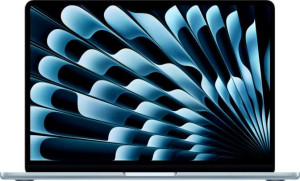
Apple MacBook Air (2025) 13.6" Apple M4 (10-core CPU) / 16GB RAM / 256GB SSD
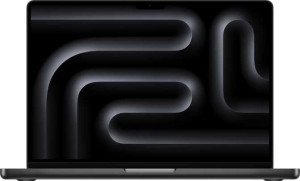
Apple MacBook Pro (2025) 14"

Apple MacBook Air (2025) 13.6" Apple M4 (10-core CPU) / 16GB RAM / 256GB SSD Apple MacBook Pro (2025) 14"

Common Features

  • Both products are designed for productivity.
  • Both products have a backlit keyboard.
  • Neither product is weather-sealed.
  • Neither product has a rugged build.
  • Both products use flash storage.
  • Both products use multithreading.
  • Both products support 64-bit architecture.
  • Both products have DDR5 memory.
  • Both products use a 3 nm semiconductor.
  • Both products have stereo speakers.
  • Both products have a 12MP front camera.
  • Both products support Dolby Atmos.
  • Both products have a fingerprint scanner.
  • Both products support Wi-Fi.
  • Both products have USB Type-C ports.
  • Both products have sleep-and-charge USB ports.
  • Both products have a MagSafe power adapter.
  • Both products use integrated graphics.
  • Both products support HMP technology.
  • Both products have TrustZone.

Main Differences

  • Apple MacBook Air (2025) 13.6″ Apple M4 (10-core CPU) / 16GB RAM / 256GB SSD weighs 1240 g, while Apple MacBook Pro (2025) 14″ weighs 1550 g.
  • Apple MacBook Air (2025) 13.6″ Apple M4 (10-core CPU) / 16GB RAM / 256GB SSD uses a fanless design, while Apple MacBook Pro (2025) 14″ does not.
  • Apple MacBook Air (2025) 13.6″ Apple M4 (10-core CPU) / 16GB RAM / 256GB SSD has a volume of 718.96 cm³, while Apple MacBook Pro (2025) 14″ has a volume of 1034.28 cm³.
  • Apple MacBook Air (2025) 13.6″ Apple M4 (10-core CPU) / 16GB RAM / 256GB SSD is 304 mm wide, while Apple MacBook Pro (2025) 14″ is 312 mm wide.
  • Apple MacBook Air (2025) 13.6″ Apple M4 (10-core CPU) / 16GB RAM / 256GB SSD is 215 mm high, while Apple MacBook Pro (2025) 14″ is 221 mm high.
  • Apple MacBook Air (2025) 13.6″ Apple M4 (10-core CPU) / 16GB RAM / 256GB SSD has a thickness of 11 mm, while Apple MacBook Pro (2025) 14″ has a thickness of 15 mm.
  • Apple MacBook Air (2025) 13.6″ Apple M4 (10-core CPU) / 16GB RAM / 256GB SSD has a 13.6″ display, while Apple MacBook Pro (2025) 14″ has a 14.2″ display.
  • Apple MacBook Air (2025) 13.6″ Apple M4 (10-core CPU) / 16GB RAM / 256GB SSD has a resolution of 2560 x 1664 px, while Apple MacBook Pro (2025) 14″ has a resolution of 3024 x 1964 px.
  • Apple MacBook Air (2025) 13.6″ Apple M4 (10-core CPU) / 16GB RAM / 256GB SSD has a pixel density of 224 ppi, while Apple MacBook Pro (2025) 14″ has a pixel density of 253 ppi.
  • Apple MacBook Air (2025) 13.6″ Apple M4 (10-core CPU) / 16GB RAM / 256GB SSD uses an LCD, LED-backlit, IPS display, while Apple MacBook Pro (2025) 14″ uses a Mini-LED display.
  • Apple MacBook Air (2025) 13.6″ Apple M4 (10-core CPU) / 16GB RAM / 256GB SSD has a typical brightness of 500 nits, while Apple MacBook Pro (2025) 14″ has a typical brightness of 1000 nits.
  • Apple MacBook Air (2025) 13.6″ Apple M4 (10-core CPU) / 16GB RAM / 256GB SSD has a 60Hz refresh rate, while Apple MacBook Pro (2025) 14″ has a 120Hz refresh rate.
  • Apple MacBook Air (2025) 13.6″ Apple M4 (10-core CPU) / 16GB RAM / 256GB SSD has 16GB RAM, while Apple MacBook Pro (2025) 14″ has 32GB RAM.
  • Apple MacBook Air (2025) 13.6″ Apple M4 (10-core CPU) / 16GB RAM / 256GB SSD has 256GB internal storage, while Apple MacBook Pro (2025) 14″ has 4096GB internal storage.
  • Apple MacBook Air (2025) 13.6″ Apple M4 (10-core CPU) / 16GB RAM / 256GB SSD has a CPU speed of 4 x 4.05 & 6 x 2.75 GHz, while Apple MacBook Pro (2025) 14″ has a CPU speed of 4 x 4.6 & 6 x 3.2 GHz.
  • Apple MacBook Air (2025) 13.6″ Apple M4 (10-core CPU) / 16GB RAM / 256GB SSD supports a maximum of 24GB of memory, while Apple MacBook Pro (2025) 14″ supports a maximum of 64GB of memory.
  • Apple MacBook Air (2025) 13.6″ Apple M4 (10-core CPU) / 16GB RAM / 256GB SSD has 2 USB 4 40Gbps ports, while Apple MacBook Pro (2025) 14″ has 4 USB 4 40Gbps ports.
  • Apple MacBook Air (2025) 13.6″ Apple M4 (10-core CPU) / 16GB RAM / 256GB SSD has 2 Thunderbolt 4 ports, while Apple MacBook Pro (2025) 14″ has 4 Thunderbolt 4 ports.
  • Apple MacBook Air (2025) 13.6″ Apple M4 (10-core CPU) / 16GB RAM / 256GB SSD does not have an HDMI output, while Apple MacBook Pro (2025) 14″ has an HDMI output.
  • Apple MacBook Air (2025) 13.6″ Apple M4 (10-core CPU) / 16GB RAM / 256GB SSD does not have an external memory slot, while Apple MacBook Pro (2025) 14″ has an external memory slot.
  • Apple MacBook Air (2025) 13.6″ Apple M4 (10-core CPU) / 16GB RAM / 256GB SSD has a battery life of 18 hours, while Apple MacBook Pro (2025) 14″ has a battery life of 16 hours.
  • Apple MacBook Air (2025) 13.6″ Apple M4 (10-core CPU) / 16GB RAM / 256GB SSD has a battery size of 53.8 Wh, while Apple MacBook Pro (2025) 14″ has a battery size of 72.4 Wh.
  • Apple MacBook Air (2025) 13.6″ Apple M4 (10-core CPU) / 16GB RAM / 256GB SSD does not use 3D facial recognition, while Apple MacBook Pro (2025) 14″ uses 3D facial recognition.
  • Apple MacBook Air (2025) 13.6″ Apple M4 (10-core CPU) / 16GB RAM / 256GB SSD has a maximum memory bandwidth of 120 GB/s, while Apple MacBook Pro (2025) 14″ has a maximum memory bandwidth of 153 GB/s.
  • Apple MacBook Air (2025) 13.6″ Apple M4 (10-core CPU) / 16GB RAM / 256GB SSD has 28000 million transistors, while Apple MacBook Pro (2025) 14″ has 38000 million transistors.
Specs Comparison
Apple MacBook Air (2025) 13.6" Apple M4 (10-core CPU) / 16GB RAM / 256GB SSD

Apple MacBook Air (2025) 13.6" Apple M4 (10-core CPU) / 16GB RAM / 256GB SSD

Apple MacBook Pro (2025) 14"

Apple MacBook Pro (2025) 14"

Design:
Type Productivity Productivity
weight 1240 g 1550 g
Uses a fanless design
Has a backlit keyboard
volume 718.96 cm³ 1034.28 cm³
width 304 mm 312 mm
height 215 mm 221 mm
thickness 11 mm 15 mm
is weather-sealed (splashproof)
has a rugged build

The Apple MacBook Air (2025) and the Apple MacBook Pro (2025) both belong to the productivity category, but their designs vary in several key aspects. The MacBook Air is lighter, weighing 1240 g, while the MacBook Pro is heavier at 1550 g. This difference in weight could impact portability, with the MacBook Air being the more travel-friendly option.

Both laptops feature a backlit keyboard, ensuring ease of use in low-light environments. The MacBook Air, however, has a fanless design, making it completely silent during operation. In contrast, the MacBook Pro uses an active cooling system, which may result in more noise but potentially better heat dissipation during heavy tasks.

When it comes to physical size, the MacBook Air is more compact with a volume of 718.96 cm³, and it measures 304 mm in width, 215 mm in height, and 11 mm in thickness. The MacBook Pro, on the other hand, has a larger volume of 1034.28 cm³, and it is slightly bigger at 312 mm in width, 221 mm in height, and 15 mm in thickness. Neither device is weather-sealed or rugged, and both lack features like splashproof design or a rugged build.

Display:
screen size 13.6" 14.2"
resolution 2560 x 1664 px 3024 x 1964 px
pixel density 224 ppi 253 ppi
Display type LCD, LED-backlit, IPS Mini-LED
has a touch screen
brightness (typical) 500 nits 1000 nits
refresh rate 60Hz 120Hz
has anti-reflection coating
supported displays 2 2

The display specifications of the Apple MacBook Air (2025) and Apple MacBook Pro (2025) differ in several notable ways. The MacBook Air features a 13.6″ LCD, LED-backlit, IPS display with a resolution of 2560 x 1664 px and a pixel density of 224 ppi. Meanwhile, the MacBook Pro has a larger 14.2″ Mini-LED display with a higher resolution of 3024 x 1964 px and a greater pixel density of 253 ppi, providing potentially more detailed visuals.

Both laptops have a maximum brightness of 500 nits (MacBook Air) and 1000 nits (MacBook Pro) for typical usage, with the MacBook Pro offering significantly higher brightness. This could make the Pro's display more suitable for use in bright environments. Additionally, both displays support up to two external displays, though neither has a touch screen or an anti-reflection coating.

In terms of refresh rate, the MacBook Air operates at a standard 60Hz, while the MacBook Pro supports a faster 120Hz refresh rate, which could result in smoother motion, especially during video playback or gaming.

Performance:
RAM 16GB 32GB
Uses flash storage
internal storage 256GB 4096GB
CPU speed 4 x 4.05 & 6 x 2.75 GHz 4 x 4.6 & 6 x 3.2 GHz
CPU threads 10 threads 10 threads
Is an NVMe SSD
uses multithreading
maximum memory amount 24GB 64GB
DDR memory version 5 5
semiconductor size 3 nm 3 nm
has XeSS (XMX)
Supports 64-bit

The Apple MacBook Air (2025) and Apple MacBook Pro (2025) differ significantly in their performance specifications. The MacBook Air is equipped with 16GB of RAM, while the MacBook Pro has double the memory at 32GB. This means the MacBook Pro is better suited for handling larger datasets or more intensive multitasking.

In terms of storage, the MacBook Air features a 256GB NVMe SSD, while the MacBook Pro offers a much larger 4096GB NVMe SSD, providing vastly more internal storage for files and applications. Both devices use flash storage, ensuring fast data access and transfer speeds.

Regarding the CPUs, the MacBook Air has a 10-core CPU with 4 cores clocked at 4.05 GHz and 6 cores at 2.75 GHz, whereas the MacBook Pro has a slightly faster CPU, with 4 cores at 4.6 GHz and 6 cores at 3.2 GHz. Both models use multithreading, and they support 64-bit architecture. The MacBook Air has a maximum memory capacity of 24GB, while the MacBook Pro can handle up to 64GB of memory. Both products use the same 3 nm semiconductor size and are equipped with DDR5 memory, ensuring efficient and modern processing power.

Connectivity:
USB 3.2 Gen 2 ports (USB-C) 0 0
USB 3.2 Gen 2 ports (USB-A) 0 0
USB 4 20Gbps ports 0 0
USB 4 40Gbps ports 2 4
Thunderbolt 4 ports 2 4
USB 3.2 Gen 1 ports (USB-C) 0 0
USB 3.2 Gen 1 ports (USB-A) 0 0
Thunderbolt 3 ports 0 0
has an HDMI output
Has USB Type-C
supports Wi-Fi
Wi-Fi version Wi-Fi 6E (802.11ax), Wi-Fi 6 (802.11ax), Wi-Fi 5 (802.11ac), Wi-Fi 4 (802.11n) Wi-Fi 6E (802.11ax), Wi-Fi 6 (802.11ax), Wi-Fi 5 (802.11ac), Wi-Fi 4 (802.11n)
has an external memory slot
Bluetooth version 5.3 5.3
RJ45 ports 0 0
HDMI ports 0 1
DisplayPort outputs 0 0
USB 2.0 ports 0 0
has AirPlay
mini DisplayPort outputs 0 0
has a VGA connector

The connectivity options on the Apple MacBook Air (2025) and Apple MacBook Pro (2025) differ in several areas. Both devices support USB Type-C, but the MacBook Air has 2 Thunderbolt 4 ports and 2 USB 4 40Gbps ports, while the MacBook Pro offers 4 Thunderbolt 4 ports and 4 USB 4 40Gbps ports, providing more overall connectivity options for the Pro.

Both laptops support Wi-Fi 6E (802.11ax), Wi-Fi 6 (802.11ax), Wi-Fi 5 (802.11ac), and Wi-Fi 4 (802.11n), ensuring robust wireless connectivity. They also both have Bluetooth 5.3 and support AirPlay, though the MacBook Pro additionally includes an HDMI output and an external memory slot, features the MacBook Air lacks. The MacBook Pro has 1 HDMI port, while the MacBook Air does not have any HDMI output.

Neither laptop has USB 2.0, RJ45, DisplayPort, mini DisplayPort, or VGA connectors. The MacBook Air does not include an external memory slot, while the MacBook Pro offers one for additional storage expansion.

Battery:
Battery life 18 hours 16 hours
battery size 53.8 Wh 72.4 Wh
Has sleep-and-charge USB ports
Has a MagSafe power adapter

The Apple MacBook Air (2025) and Apple MacBook Pro (2025) have different battery specifications. The MacBook Air offers a longer battery life of 18 hours, compared to the MacBook Pro's 16 hours. However, the MacBook Pro features a larger battery size at 72.4 Wh, while the MacBook Air has a 53.8 Wh battery.

Both laptops have sleep-and-charge USB ports and come with a MagSafe power adapter, ensuring convenient charging options. Despite the differences in battery size and life, both models offer similar power management features, which should support their daily use.

Overall, while the MacBook Air offers a slightly longer battery life, the MacBook Pro has a larger battery to support its other features and potentially handle more demanding tasks.

Features:
release date March 2025 October 2025
has stereo speakers
has a socket for a 3.5 mm audio jack
megapixels (front camera) 12MP 12MP
supports ray tracing
supports DLSS
has Dolby Atmos
Stylus included
Has a fingerprint scanner
number of microphones 3 3
Uses 3D facial recognition
has voice commands
has a front camera
Has S/PDIF Out port
has a gyroscope
has GPS
has an accelerometer
has a compass
Has an optical disc drive

The Apple MacBook Air (2025) and Apple MacBook Pro (2025) share many features, including stereo speakers, a 3.5 mm audio jack, a 12MP front camera, Dolby Atmos support, and three microphones. Both laptops also have a fingerprint scanner for added security and support voice commands.

While both models do not support ray tracing or DLSS, the MacBook Air lacks 3D facial recognition, which is included in the MacBook Pro. Both models do not have a stylus, an S/PDIF Out port, a gyroscope, GPS, an accelerometer, a compass, or an optical disc drive.

Overall, the MacBook Air and MacBook Pro are quite similar in terms of features, with the main difference being the MacBook Pro’s inclusion of 3D facial recognition.

Miscellaneous:
Type Laptop, Desktop Laptop
Supports ECC memory
maximum memory bandwidth 120 GB/s 153 GB/s
Uses HMP
Has TrustZone
Has NX bit
Has integrated graphics
number of transistors 28000 million 38000 million
Uses big.LITTLE technology
RAM speed (max) 6400 MHz 6400 MHz

The Apple MacBook Air (2025) and Apple MacBook Pro (2025) share many key technical features but differ in a few areas. Both devices are laptops, with the MacBook Air also classified as a desktop. Neither supports ECC memory. The MacBook Air has a maximum memory bandwidth of 120 GB/s, while the MacBook Pro offers a higher bandwidth at 153 GB/s.

Both models use HMP (heterogeneous multi-processing), TrustZone, and NX bit technology, and they come with integrated graphics. They also both employ big.LITTLE technology, which optimizes performance by utilizing different core types. The MacBook Air has 28,000 million transistors, while the MacBook Pro has slightly more with 38,000 million transistors, indicating a higher potential for processing power in the Pro.

Both laptops support a maximum RAM speed of 6400 MHz, ensuring high-speed memory performance. Overall, the main differences lie in the maximum memory bandwidth and the number of transistors, with the MacBook Pro slightly ahead in both areas.

Comparison Summary

This is a specification comparison between Apple MacBook Air (2025) 13.6″ Apple M4 (10-core CPU) / 16GB RAM / 256GB SSD and Apple MacBook Pro (2025) 14″. Both products share features like a backlit keyboard, stereo speakers, and a 12MP front camera. However, they differ in key aspects such as weight, with the MacBook Air being lighter at 1240 g compared to the MacBook Pro's 1550 g. The MacBook Air has a smaller display size of 13.6″, while the Pro has a 14.2″ display. The MacBook Air has 16GB of RAM and 256GB of storage, whereas the MacBook Pro offers 32GB of RAM and 4096GB of storage. Additionally, the MacBook Pro features HDMI output and an external memory slot, which the MacBook Air lacks.