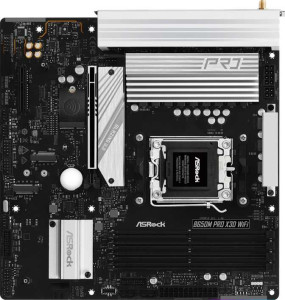
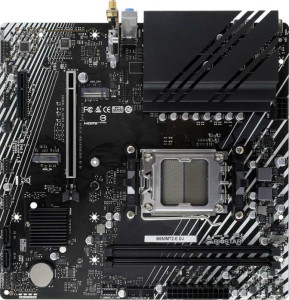
Both boards share a strong common foundation: the AM5 socket, a Micro-ATX form factor, identical 244 mm height, HDMI 2.1 output, overclocking support, and a 3-year warranty. For users building a compact AMD Ryzen system, either board fits the same cases and supports the same CPU lineup. The chipset, however, is a meaningful dividing line — the Biostar B850MT2-E DJ runs on the B850 platform, which is a newer generation than the B650 found on the ASRock B650M Pro X3D Wi-Fi, and generally implies broader support for next-generation features and improved memory bandwidth capabilities.
Where the ASRock pulls clearly ahead is connectivity: it includes built-in Wi-Fi and Bluetooth, which the Biostar entirely lacks. For a desktop build without easy access to an Ethernet run, this is a significant real-world advantage — adding Wi-Fi after the fact requires a PCIe adapter or USB dongle, adding cost and occupying a slot or port. The ASRock also adds RGB lighting, relevant to aesthetics-focused builders. On the flip side, the Biostar offers an easier BIOS reset experience (Easy to reset BIOS: YES vs. NO on the ASRock), which is a practical edge for overclockers who may need to recover from a failed settings change quickly and without external tools.
Overall, the ASRock B650M Pro X3D Wi-Fi holds a clear connectivity advantage thanks to integrated Wi-Fi and Bluetooth — features that carry a tangible cost and convenience premium. The Biostar B850MT2-E DJ counters with a newer chipset and easier BIOS recovery, making it a stronger pick for wired, no-frills builds where futureproofing and BIOS accessibility matter more than wireless convenience.