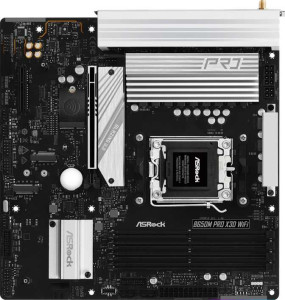
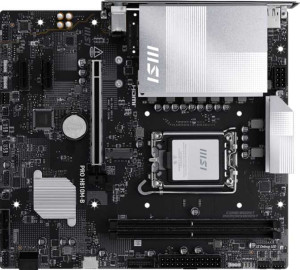
The most fundamental difference between these two boards is their CPU platform: the ASRock B650M Pro X3D Wi-Fi targets AMD's AM5 ecosystem, while the MSI Pro H810M-B is built for Intel's LGA 1851 socket. This means they are not interchangeable — your CPU choice determines which board is even an option. Beyond platform, both share the same Micro-ATX form factor, a single CPU socket, no integrated CPU or graphics, identical HDMI 2.1 output, RGB lighting, and a matching 3-year warranty, making them roughly equivalent in those respects.
Where the ASRock pulls ahead in features, it offers Bluetooth connectivity alongside Wi-Fi (the MSI only has Wi-Fi), and it is rated as easy to overclock — a meaningful advantage for enthusiasts who want to push their AMD processor further. The MSI counters with a dual BIOS, which provides a hardware-level safety net if a firmware flash goes wrong, adding a layer of resilience the ASRock lacks. Neither board supports easy BIOS reset, so both are on equal footing there. The ASRock is also slightly larger at 244 × 244 mm versus the MSI's 220 × 243.8 mm, a minor but real consideration for compact builds.
Overall, the ASRock B650M Pro X3D Wi-Fi has a broader feature set within this general info group — Bluetooth, overclocking support, and a competitive footprint — making it the stronger all-rounder on paper. The MSI's dual BIOS is a useful reliability feature, but it is unlikely to outweigh the ASRock's connectivity and tuning advantages for most users. That said, the platform decision remains paramount: neither board is ″better″ in a vacuum if it does not support your chosen CPU.