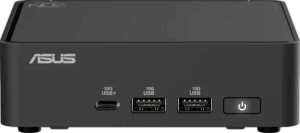
Asus NUC 14 Pro
Asus NUC 15 Pro

Asus NUC 14 Pro Asus NUC 15 Pro

Overview

Welcome to our in-depth comparison of the Asus NUC 14 Pro and the Asus NUC 15 Pro, two compact powerhouses that share the same physical footprint yet diverge significantly under the hood. From CPU performance and RAM capacity to graphics architecture and connectivity options, these two mini PCs take notably different approaches to delivering desktop-class computing in a small form factor. Read on to see how they stack up across every key specification.

Common Features

  • Both products include an NVMe SSD.
  • Both products share the same dimensions: 112 mm thickness, 37 mm height, and 117 mm width, resulting in a volume of 484.848 cm³.
  • Both CPUs have a Thermal Design Power (TDP) of 28W.
  • Integrated graphics are present on both products.
  • Both CPUs feature 24 MB of L3 cache.
  • Neither CPU has an unlocked multiplier.
  • Both CPUs support 64-bit processing.
  • Both CPUs have a maximum temperature of 110 °C.
  • Both GPUs have a base clock speed of 300 MHz and a turbo clock speed of 2250 MHz.
  • Both GPUs support PCI Express (PCIe) version 5.
  • Both GPUs have 64 texture mapping units (TMUs), 1024 shading units, and 32 render output units (ROPs).
  • Both GPUs support DirectX 12 Ultimate and OpenGL 4.6.
  • Both products use DDR5 memory.
  • Wi-Fi is supported on both products.
  • Bluetooth is available on both products.
  • Both products have 1 USB 2.0 port, 3 USB 3.2 Gen 2 ports (USB-A), and 2 USB 4 40Gbps ports.
  • Neither product has USB 3.2 Gen 1 ports (USB-A), USB 4 20Gbps ports, or USB 3.2 Gen 1 ports (USB-C).
  • Both products support a maximum memory amount of 96 GB across 2 memory channels.
  • Both products use a BGA 2049 CPU socket and share the same instruction sets: MMX, F16C, FMA3, AES, AVX, AVX2, SSE 4.1, and SSE 4.2.
  • ECC memory is not supported on either product.

Main Differences

  • SSD storage capacity is 1000 GB on Asus NUC 14 Pro and 2000 GB on Asus NUC 15 Pro.
  • The form factor is Micro-ATX on Asus NUC 14 Pro and Mini-ITX on Asus NUC 15 Pro.
  • CPU base clock speed is 6 × 1.4 GHz & 8 × 0.9 GHz on Asus NUC 14 Pro and 6 × 2 GHz & 8 × 1.5 GHz on Asus NUC 15 Pro.
  • Turbo clock speed is 4.8 GHz on Asus NUC 14 Pro and 5.1 GHz on Asus NUC 15 Pro.
  • CPU thread count is 22 on Asus NUC 14 Pro and 16 on Asus NUC 15 Pro.
  • Multithreading is supported on Asus NUC 14 Pro but not available on Asus NUC 15 Pro.
  • Clock multiplier is 38 on Asus NUC 14 Pro and 20 on Asus NUC 15 Pro.
  • GPU semiconductor size is 7 nm on Asus NUC 14 Pro and 3 nm on Asus NUC 15 Pro.
  • RAM capacity is 32 GB on Asus NUC 14 Pro and 96 GB on Asus NUC 15 Pro.
  • RAM speed is 5600 MHz on Asus NUC 14 Pro and 6400 MHz on Asus NUC 15 Pro.
  • Wi-Fi 7 (802.11be) support is present on Asus NUC 15 Pro but not available on Asus NUC 14 Pro.
  • Bluetooth version is 5.3 on Asus NUC 14 Pro and 5.4 on Asus NUC 15 Pro.
  • USB 3.2 Gen 2 ports (USB-C) count is 0 on Asus NUC 14 Pro and 1 on Asus NUC 15 Pro.
  • USB 3.2 Gen 2x2 port is present on Asus NUC 14 Pro but not available on Asus NUC 15 Pro.
  • DisplayPort outputs total 1 on Asus NUC 14 Pro and 2 on Asus NUC 15 Pro.
  • PassMark result (multi-core) is 24879 on Asus NUC 14 Pro and 30756 on Asus NUC 15 Pro.
  • PassMark result (single-core) is 3468 on Asus NUC 14 Pro and 4373 on Asus NUC 15 Pro.
  • PassMark result (overclocked) is 24880 on Asus NUC 14 Pro and 30494 on Asus NUC 15 Pro.
  • The GPU is the Arc Xe-LPG 128EU on Asus NUC 14 Pro and the Arc 140T on Asus NUC 15 Pro.
  • Maximum supported RAM speed is 7467 MHz on Asus NUC 14 Pro and 8400 MHz on Asus NUC 15 Pro.
Specs Comparison
Asus NUC 14 Pro

Asus NUC 14 Pro

Asus NUC 15 Pro

Asus NUC 15 Pro

General info:
SSD storage capacity 1000GB 2000GB
form factor Micro-ATX Mini-ITX
release date February 2025 February 2025
Is an NVMe SSD
thickness 112 mm 112 mm
height 37 mm 37 mm
width 117 mm 117 mm
volume 484.848 cm³ 484.848 cm³

The Asus NUC 14 Pro and NUC 15 Pro share identical physical dimensions — 112 mm × 117 mm × 37 mm — and an identical volume of 484.848 cm³, meaning they occupy exactly the same footprint on a desk or in a rack mount. For users planning an upgrade or a deployment where space is constrained, this is a meaningful consistency: swapping one for the other requires no changes to mounting or enclosure.

The most notable difference in this group is the form factor: the NUC 14 Pro is classified as Micro-ATX, while the NUC 15 Pro is classified as Mini-ITX. Although the physical dimensions are identical here, the form factor designation can influence motherboard compatibility, expansion options, and ecosystem fit depending on the use case. The second meaningful differentiator is SSD storage capacity — the NUC 14 Pro ships with 1000 GB, while the NUC 15 Pro doubles that to 2000 GB. Both use NVMe SSDs, so the speed profile is comparable; the NUC 15 Pro simply offers substantially more space for local data, applications, or workloads without requiring an upgrade.

On the whole, the NUC 15 Pro holds a clear advantage in this group: double the onboard storage is a practical benefit for power users and professionals, and the Mini-ITX classification may offer broader ecosystem compatibility. The NUC 14 Pro remains competitive for users whose storage needs are modest and whose environment is already standardized around Micro-ATX.

CPU:
Thermal Design Power (TDP) 28W 28W
CPU speed 6 x 1.4 & 8 x 0.9 GHz 6 x 2 & 8 x 1.5 GHz
turbo clock speed 4.8GHz 5.1GHz
CPU threads 22 threads 16 threads
Has integrated graphics
uses multithreading
L3 cache 24 MB 24 MB
clock multiplier 38 20
Has an unlocked multiplier
Supports 64-bit
CPU temperature 110 °C 110 °C

Both the NUC 14 Pro and NUC 15 Pro operate within the same 28W TDP envelope and share a 24 MB L3 cache, so thermal behavior and memory-level latency are on equal footing. The meaningful divergence lies in clock speeds and core architecture. The NUC 15 Pro runs its cores at notably higher base frequencies — 6 × 2 GHz and 8 × 1.5 GHz versus the NUC 14 Pro's 6 × 1.4 GHz and 8 × 0.9 GHz — and reaches a higher turbo peak of 5.1 GHz compared to 4.8 GHz. Within the same power budget, that translates to more throughput per watt in everyday and sustained workloads.

The thread count tells a more nuanced story. The NUC 14 Pro offers 22 threads with multithreading enabled, while the NUC 15 Pro provides 16 threads without multithreading support. For heavily parallelized tasks — video encoding, compilation, virtual machines — the NUC 14 Pro's higher logical core count can be a genuine asset. The NUC 15 Pro, by contrast, favors raw per-core speed, which benefits gaming, single-threaded applications, and latency-sensitive workloads.

The edge here depends on the use case. For pure clock performance and single-threaded responsiveness, the NUC 15 Pro leads with its higher base and boost clocks. For workloads that scale with thread count, the NUC 14 Pro's 22-thread configuration provides a compensating advantage. Users running parallel or server-style tasks should lean toward the NUC 14 Pro; those prioritizing snappy, high-frequency performance will find the NUC 15 Pro the stronger choice.

Graphics card:
GPU clock speed 300 MHz 300 MHz
GPU turbo 2250 MHz 2250 MHz
PCI Express (PCIe) version 5 5
texture mapping units (TMUs) 64 64
shading units 1024 1024
render output units (ROPs) 32 32
DirectX version DirectX 12 Ultimate DirectX 12 Ultimate
OpenGL version 4.6 4.6
OpenCL version 3 3
semiconductor size 7 nm 3 nm
supported displays 4 4

Across virtually every GPU specification in this group, the NUC 14 Pro and NUC 15 Pro are identical: the same 300 MHz base / 2250 MHz turbo clock, the same 1024 shading units, 64 TMUs, 32 ROPs, PCIe 5, and full DirectX 12 Ultimate support. For practical purposes — gaming capability, compute workloads, multi-display output up to four screens — these two machines will deliver equivalent graphical performance.

The sole differentiator is the GPU's semiconductor process node: the NUC 14 Pro uses a 7 nm fabrication process, while the NUC 15 Pro moves to 3 nm. A smaller node typically means the same logical design runs with greater energy efficiency and produces less heat. Within a constrained thermal envelope like a compact NUC chassis, this matters: the NUC 15 Pro's GPU is more likely to sustain its turbo clocks longer under load without thermal throttling, and may contribute to lower overall system temperatures.

Given that all rendering-output specs are tied, the NUC 15 Pro holds a narrow but real advantage in this group purely due to the more advanced process node. Users who push the integrated GPU in sustained workloads — extended gaming sessions, GPU-accelerated compute tasks, or multi-display creative work — are more likely to notice the efficiency benefit. For light or intermittent GPU use, the two machines are effectively equal.

Memory:
RAM 32GB 96GB
RAM speed 5600 MHz 6400 MHz
DDR memory version 5 5

Memory is where the gap between these two machines becomes most dramatic. Both use DDR5, but the similarities end there. The NUC 14 Pro ships with 32 GB of RAM running at 5600 MHz, while the NUC 15 Pro comes configured with a substantial 96 GB at 6400 MHz — three times the capacity and meaningfully faster bandwidth.

The real-world implications are significant. 32 GB is comfortable for mainstream productivity, light virtualization, and everyday multitasking, but it can become a bottleneck for memory-intensive workloads like large virtual machine stacks, in-memory databases, professional video editing, or AI/ML inference tasks. At 96 GB, the NUC 15 Pro moves into workstation territory, capable of handling workloads that would force the NUC 14 Pro to rely on slower disk-based swap. The speed bump from 5600 MHz to 6400 MHz further widens the gap, improving throughput for tasks that are sensitive to memory bandwidth, including the integrated GPU which draws from the same pool.

The NUC 15 Pro wins this group decisively. The combination of triple the RAM capacity and faster clock speed gives it a commanding advantage for any demanding or professional use case. The NUC 14 Pro's 32 GB is adequate for general use, but users with workloads that scale with memory will find the NUC 15 Pro in a different class entirely.

Connectivity:
Wi-Fi version Wi-Fi 6E (802.11ax), Wi-Fi 6 (802.11ax), Wi-Fi 5 (802.11ac), Wi-Fi 4 (802.11n) Wi-Fi 6E (802.11ax), Wi-Fi 7 (802.11be), Wi-Fi 6 (802.11ax), Wi-Fi 5 (802.11ac), Wi-Fi 4 (802.11n)
supports Wi-Fi
Has Bluetooth
Bluetooth version 5.3 5.4
USB 2.0 ports 1 1
USB 3.2 Gen 2 ports (USB-A) 3 3
USB 3.2 Gen 1 ports (USB-A) 0 0
USB 3.2 Gen 2 ports (USB-C) 0 1
USB 4 40Gbps ports 2 2
USB 4 20Gbps ports 0 0
USB 3.2 Gen 2x2 ports 1 0
USB 3.2 Gen 1 ports (USB-C) 0 0
Thunderbolt 4 ports 2 2
Thunderbolt 3 ports 0 0
DisplayPort outputs 1 2
HDMI version HDMI 2.1 HDMI 2.1
HDMI ports 2 2
RJ45 ports 1 1
has a socket for a 3.5 mm audio jack
has a VGA connector
Has S/PDIF Out port

Wired and wireless foundations are largely shared between the two machines — both offer Thunderbolt 4 (×2), USB 4 40Gbps (×2), three USB-A 3.2 Gen 2 ports, dual HDMI 2.1, a single RJ45, and a 3.5 mm audio jack. For most connectivity scenarios, these two NUCs are on equal footing. The differences, though incremental, are worth noting for users who push the boundaries of their I/O setup.

On the wireless side, the NUC 15 Pro adds Wi-Fi 7 (802.11be) and upgrades Bluetooth to version 5.4, versus the NUC 14 Pro's top-tier Wi-Fi 6E and Bluetooth 5.3. Wi-Fi 7 brings significantly higher theoretical throughput and improved multi-link operation, which benefits environments with congested airspace or high-bandwidth wireless demands. The Bluetooth bump is minor in practice, but reflects the newer platform. On the wired display front, the NUC 15 Pro gains an extra DisplayPort output (two vs. one) and adds a USB-C 3.2 Gen 2 port, while the NUC 14 Pro substitutes a USB 3.2 Gen 2×2 port — useful for high-speed storage but less flexible than a USB-C connector.

The NUC 15 Pro takes the edge in connectivity, primarily through Wi-Fi 7 support and the additional DisplayPort output. The latter is particularly meaningful for users running three or more displays, where having more native video outputs reduces reliance on adapters or docks. Neither machine is lacking, but the NUC 15 Pro is the more future-proof option for users who prioritize wireless performance and display flexibility.

Benchmarks:
PassMark result 24879 30756
PassMark result (single) 3468 4373
PassMark result (overclocked) 24880 30494

The benchmark results put concrete numbers on what the CPU specs suggested: the NUC 15 Pro outperforms the NUC 14 Pro across every measured dimension. In the multi-threaded PassMark test, the NUC 15 Pro scores 30,756 against the NUC 14 Pro's 24,879 — a gap of roughly 24%. That margin is large enough to be felt in real workloads: faster compilation, quicker exports, more headroom for concurrent applications, and smoother performance under sustained load.

The single-threaded result is equally telling. The NUC 15 Pro achieves 4,373 versus 3,468 for the NUC 14 Pro — a ~26% lead. Single-threaded performance governs responsiveness in everyday tasks: application launch times, UI snappiness, browser performance, and any software that does not scale across cores. A gap of this size is consistently perceptible in day-to-day use, not just in synthetic tests. Notably, the NUC 15 Pro's overclocked score of 30,494 is marginally below its stock result, suggesting the overclocked configuration offers no meaningful uplift — a pattern that also holds for the NUC 14 Pro, where the overclocked score of 24,880 is virtually identical to stock.

The NUC 15 Pro wins this group clearly, with a consistent ~25% performance advantage in both multi-threaded and single-threaded scenarios. For users making a purchase decision on raw compute capability, the benchmarks decisively favor the NUC 15 Pro.

Miscellaneous:
maximum memory amount 96GB 96GB
GPU name Arc Xe-LPG 128EU Arc 140T
CPU socket BGA 2049 BGA 2049
Type Laptop Laptop
instruction sets MMX, F16C, FMA3, AES, AVX, AVX2, SSE 4.1, SSE 4.2 MMX, F16C, FMA3, AES, AVX, AVX2, SSE 4.1, SSE 4.2
Has NX bit
GPU execution units 8 8
Supports ECC memory
memory channels 2 2
RAM speed (max) 7467 MHz 8400 MHz
Uses big.LITTLE technology
Uses flash storage

Structurally, these two machines share the same foundation: identical CPU socket, dual memory channels, the same supported instruction sets, and a shared maximum memory ceiling of 96 GB — consistent with what was confirmed in the memory group. Neither supports ECC memory, so both are aimed at consumer and prosumer workloads rather than mission-critical server deployments. The shared use of big.LITTLE technology and flash storage similarly reflects a common platform philosophy prioritizing efficiency and responsiveness.

Two specs stand out as differentiators. First, the GPU naming: the NUC 14 Pro carries the Arc Xe-LPG 128EU, while the NUC 15 Pro features the Arc 140T — both with the same 8 execution units, meaning the architectural count is identical, but the newer Arc 140T branding on the NUC 15 Pro aligns with the more advanced 3 nm process node noted in the GPU group. Second, the maximum supported RAM speed differs: the NUC 14 Pro tops out at 7467 MHz, while the NUC 15 Pro reaches 8400 MHz. This headroom matters for users who plan to upgrade RAM in the future and want to extract maximum memory bandwidth from faster kits.

The NUC 15 Pro holds a modest edge here, primarily through its higher maximum RAM speed ceiling, which provides greater upgrade flexibility down the line. The GPU naming difference is noted but does not shift the balance given identical execution unit counts. For users planning to max out the platform over time, the NUC 15 Pro's higher memory frequency ceiling is a meaningful forward-looking advantage.

Comparison Summary & Verdict

After examining every specification, the choice between these two compact PCs becomes clear based on your priorities. The Asus NUC 14 Pro is a solid pick for users who value multithreading support, a lower entry cost, and proven connectivity via USB 3.2 Gen 2x2, while still delivering respectable performance with a PassMark score of 24,879. The Asus NUC 15 Pro, on the other hand, is the stronger machine in nearly every measurable dimension: it offers a 3 nm GPU, a substantial 96 GB of DDR5 RAM at 6400 MHz, faster turbo clock speeds of 5.1 GHz, Wi-Fi 7 support, Bluetooth 5.4, two DisplayPort outputs, and a considerably higher PassMark score of 30,756. If you need maximum performance and future-proof connectivity in the same compact chassis, the NUC 15 Pro is the clear upgrade path.

Asus NUC 14 Pro
Buy Asus NUC 14 Pro if...

Buy the Asus NUC 14 Pro if you need multithreading support and a more modest storage and RAM configuration, making it a practical choice for everyday compact desktop use.

Asus NUC 15 Pro
Buy Asus NUC 15 Pro if...

Buy the Asus NUC 15 Pro if you demand top-tier performance, with 96 GB of faster DDR5 RAM, a 3 nm GPU, Wi-Fi 7, dual DisplayPort outputs, and a significantly higher PassMark score for demanding workloads.