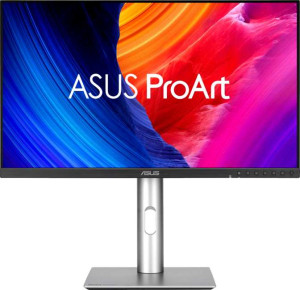
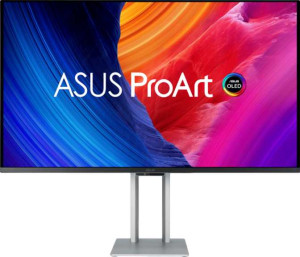
The most fundamental divide between these two monitors is their panel technology. The PA32QCV uses an IPS LCD panel, while the PA32UCDM deploys a QD-OLED panel — and this single distinction cascades into nearly every other display characteristic. OLED delivers per-pixel illumination, meaning blacks are true black rather than backlight bleed, and contrast is theoretically infinite. The QD (Quantum Dot) layer on top further enriches color saturation. The IPS panel, by contrast, trades absolute contrast for more predictable, uniform brightness across the screen — a real-world advantage in bright studio environments where OLED's reflective tendencies can be an issue, though both panels share a matte anti-glare coating that mitigates this somewhat.
Where the PA32QCV fights back decisively is in raw resolution and pixel density. Its 6016 x 3384 (6K) resolution at 218 ppi means significantly sharper rendering of fine text, intricate vector work, or high-resolution photo retouching compared to the PA32UCDM's 4K (3840 x 2160) at 140 ppi. On a 31.5″ screen, that 78 ppi gap is clearly perceptible at normal viewing distances. However, the PA32UCDM counters with a 240Hz refresh rate and a near-instantaneous 0.1 ms response time, versus the PA32QCV's 60Hz and 5 ms. For a professional content creation monitor, 60Hz is workable, but 240Hz provides dramatically smoother motion — relevant for video editors previewing high-frame-rate content or anyone using the display for motion work.
In conclusion, the two monitors serve overlapping but distinct professional needs. The PA32QCV holds a clear edge in sharpness and resolution, making it the stronger choice for print, photography, or any discipline where pixel-level precision matters most. The PA32UCDM holds a clear edge in display technology, motion performance, and contrast, making it preferable for video production, color-critical work demanding deep blacks, and workflows involving motion. Neither is universally superior — the right choice depends squarely on which dimension of display quality matters most to the user's primary workload.