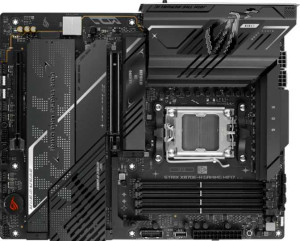
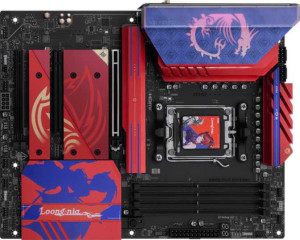
At their core, both the Asus ROG Strix X870E-H and the MSI B850 MLG Edition share the same fundamental platform: the AM5 socket, a standard ATX form factor with nearly identical physical dimensions, and identical connectivity credentials including Wi-Fi 7 support across all generations (802.11n through 802.11be) and Bluetooth 5.4. Both also carry HDMI 2.1 output, a 3-year warranty, and user-friendly features like easy BIOS reset and overclocking support — making them equally accessible to enthusiasts who want control without complexity.
The single most consequential difference in this group is the chipset: the Asus runs AMD's X870 while the MSI is built on B850. In practical terms, the X870 is AMD's upper-tier chipset, typically offering more PCIe lanes, greater connectivity headroom, and broader support for high-bandwidth peripherals and storage configurations. The B850 is a capable mid-range chipset that still supports overclocking and modern I/O, but it represents a step down in platform scalability. For users who plan to push the platform to its limits — multiple NVMe drives, high-lane-count GPUs, or USB4 expansion — this distinction matters. The other notable difference is aesthetic: the MSI features RGB lighting, while the Asus does not, which is a personal preference rather than a performance factor.
Overall, the Asus ROG Strix X870E-H has a clear platform advantage in this group due to its higher-tier X870 chipset, which offers greater expandability and headroom for demanding builds. The MSI B850 MLG Edition is nearly its equal in connectivity and usability features, and adds RGB aesthetics, but trails in raw platform capability. If chipset tier is a priority — and for high-end builds it often is — the Asus holds the edge here.