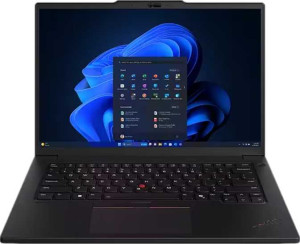
Asus VivoBook S 14 (M3407) 14"
Lenovo ThinkPad P14s Gen 5 14" (Ultra 7 155H / 32GB RAM / 1TB)

Asus VivoBook S 14 (M3407) 14" Lenovo ThinkPad P14s Gen 5 14" (Ultra 7 155H / 32GB RAM / 1TB)

Common Features

  • Both products have a backlit keyboard.
  • Both products have an HDMI output.
  • Both products support Wi-Fi.
  • Both products have stereo speakers.
  • Both products have a socket for a 3.5 mm audio jack.
  • Both products use flash storage.
  • Both products are equipped with an NVMe SSD.
  • Both products use DDR5 memory.
  • Both products have PCIe 4.0 support.
  • Both products support 64-bit architecture.
  • Both products have a fingerprint scanner.
  • Both products support multithreading.
  • Both products have 32 render output units (ROPs).
  • Both products support OpenGL version 4.6.
  • Both products have integrated graphics.
  • Both products support MMX, F16C, FMA3, AES, AVX, AVX2, SSE 4.1, and SSE 4.2 instruction sets.
  • Both products have 2 memory channels.
  • Both products have a maximum RAM size of 32GB.
  • Both products have sleep-and-charge USB ports.

Main Differences

  • Asus VivoBook S 14 (M3407) 14″ weighs 1390 g while Lenovo ThinkPad P14s Gen 5 14″ (Ultra 7 155H / 32GB RAM / 1TB) weighs 1610 g.
  • Asus VivoBook S 14 (M3407) 14″ has a volume of 1264.41 cm³, while Lenovo ThinkPad P14s Gen 5 14″ (Ultra 7 155H / 32GB RAM / 1TB) has a volume of 1370.5503 cm³.
  • Asus VivoBook S 14 (M3407) 14″ has a width of 315 mm, whereas Lenovo ThinkPad P14s Gen 5 14″ (Ultra 7 155H / 32GB RAM / 1TB) has a width of 325.5 mm.
  • Asus VivoBook S 14 (M3407) 14″ is 223 mm tall, while Lenovo ThinkPad P14s Gen 5 14″ (Ultra 7 155H / 32GB RAM / 1TB) is 227.6 mm tall.
  • Asus VivoBook S 14 (M3407) 14″ is 18 mm thick, while Lenovo ThinkPad P14s Gen 5 14″ (Ultra 7 155H / 32GB RAM / 1TB) is 18.5 mm thick.
  • Asus VivoBook S 14 (M3407) 14″ has a 14″ screen size, while Lenovo ThinkPad P14s Gen 5 14″ (Ultra 7 155H / 32GB RAM / 1TB) has a 14.5″ screen size.
  • Asus VivoBook S 14 (M3407) 14″ has a pixel density of 161 ppi, while Lenovo ThinkPad P14s Gen 5 14″ (Ultra 7 155H / 32GB RAM / 1TB) has a pixel density of 189 ppi.
  • Asus VivoBook S 14 (M3407) 14″ does not have an anti-reflection coating, whereas Lenovo ThinkPad P14s Gen 5 14″ (Ultra 7 155H / 32GB RAM / 1TB) has an anti-reflection coating.
  • Asus VivoBook S 14 (M3407) 14″ has an internal storage of 1024GB, while Lenovo ThinkPad P14s Gen 5 14″ (Ultra 7 155H / 32GB RAM / 1TB) has an internal storage of 1000GB.
  • Asus VivoBook S 14 (M3407) 14″ has a CPU speed of 8 x 4 GHz, while Lenovo ThinkPad P14s Gen 5 14″ (Ultra 7 155H / 32GB RAM / 1TB) has a CPU speed of 6 x 1.4 & 8 x 0.9 GHz.
  • Asus VivoBook S 14 (M3407) 14″ has 16 CPU threads, while Lenovo ThinkPad P14s Gen 5 14″ (Ultra 7 155H / 32GB RAM / 1TB) has 22 CPU threads.
  • Asus VivoBook S 14 (M3407) 14″ supports DirectX 12, while Lenovo ThinkPad P14s Gen 5 14″ (Ultra 7 155H / 32GB RAM / 1TB) supports DirectX 12 Ultimate.
  • Asus VivoBook S 14 (M3407) 14″ has a GPU clock speed of 800 MHz, while Lenovo ThinkPad P14s Gen 5 14″ (Ultra 7 155H / 32GB RAM / 1TB) has a GPU clock speed of 300 MHz.
  • Asus VivoBook S 14 (M3407) 14″ has a maximum memory amount of 32GB, while Lenovo ThinkPad P14s Gen 5 14″ (Ultra 7 155H / 32GB RAM / 1TB) has a maximum memory amount of 96GB.
  • Asus VivoBook S 14 (M3407) 14″ has a turbo clock speed of 5.2GHz, while Lenovo ThinkPad P14s Gen 5 14″ (Ultra 7 155H / 32GB RAM / 1TB) has a turbo clock speed of 4.8GHz.
  • Asus VivoBook S 14 (M3407) 14″ has a GPU turbo speed of 2800 MHz, while Lenovo ThinkPad P14s Gen 5 14″ (Ultra 7 155H / 32GB RAM / 1TB) has a GPU turbo speed of 2250 MHz.
  • Asus VivoBook S 14 (M3407) 14″ has 1 memory slot, while Lenovo ThinkPad P14s Gen 5 14″ (Ultra 7 155H / 32GB RAM / 1TB) has 2 memory slots.
  • Asus VivoBook S 14 (M3407) 14″ uses a 4 nm semiconductor size, while Lenovo ThinkPad P14s Gen 5 14″ (Ultra 7 155H / 32GB RAM / 1TB) uses a 7 nm semiconductor size.
  • Asus VivoBook S 14 (M3407) 14″ has a PassMark result of 31104, while Lenovo ThinkPad P14s Gen 5 14″ (Ultra 7 155H / 32GB RAM / 1TB) has a PassMark result of 24879.
  • Asus VivoBook S 14 (M3407) 14″ has a single PassMark result of 3970, while Lenovo ThinkPad P14s Gen 5 14″ (Ultra 7 155H / 32GB RAM / 1TB) has a single PassMark result of 3468.
  • Asus VivoBook S 14 (M3407) 14″ has 2 USB 3.2 Gen 1 ports (USB-A), while Lenovo ThinkPad P14s Gen 5 14″ (Ultra 7 155H / 32GB RAM / 1TB) has 0 USB 3.2 Gen 1 ports (USB-A).
  • Asus VivoBook S 14 (M3407) 14″ has 2 USB 3.2 Gen 1 ports (USB-C), while Lenovo ThinkPad P14s Gen 5 14″ (Ultra 7 155H / 32GB RAM / 1TB) has 0 USB 3.2 Gen 1 ports (USB-C).
  • Asus VivoBook S 14 (M3407) 14″ supports Wi-Fi 6 (802.11ax), while Lenovo ThinkPad P14s Gen 5 14″ (Ultra 7 155H / 32GB RAM / 1TB) supports Wi-Fi 6E (802.11ax).
  • Asus VivoBook S 14 (M3407) 14″ does not have an RJ45 port, while Lenovo ThinkPad P14s Gen 5 14″ (Ultra 7 155H / 32GB RAM / 1TB) has an RJ45 port.
  • Asus VivoBook S 14 (M3407) 14″ has a battery size of 70 Wh, while Lenovo ThinkPad P14s Gen 5 14″ (Ultra 7 155H / 32GB RAM / 1TB) has a battery size of 75 Wh.
  • Asus VivoBook S 14 (M3407) 14″ has 1 microphone, while Lenovo ThinkPad P14s Gen 5 14″ (Ultra 7 155H / 32GB RAM / 1TB) has 2 microphones.
  • Asus VivoBook S 14 (M3407) 14″ does not have a fingerprint scanner, while Lenovo ThinkPad P14s Gen 5 14″ (Ultra 7 155H / 32GB RAM / 1TB) has a fingerprint scanner.
Specs Comparison
Asus VivoBook S 14 (M3407) 14"

Asus VivoBook S 14 (M3407) 14"

Lenovo ThinkPad P14s Gen 5 14" (Ultra 7 155H / 32GB RAM / 1TB)

Lenovo ThinkPad P14s Gen 5 14" (Ultra 7 155H / 32GB RAM / 1TB)

Design:
weight 1390 g 1610 g
Uses a fanless design
Has a backlit keyboard
volume 1264.41 cm³ 1370.5503 cm³
width 315 mm 325.5 mm
height 223 mm 227.6 mm
thickness 18 mm 18.5 mm
is weather-sealed (splashproof)
has a rugged build

The Asus VivoBook S 14 (M3407) and the Lenovo ThinkPad P14s Gen 5 are both 14-inch laptops, but they differ slightly in design aspects. The VivoBook S 14 weighs 1390 g, which is lighter than the ThinkPad P14s Gen 5 at 1610 g. While both laptops do not feature a fanless design, they both come with a backlit keyboard. In terms of dimensions, the VivoBook is 315 mm wide, 223 mm tall, and 18 mm thick, whereas the ThinkPad is slightly larger with a width of 325.5 mm, height of 227.6 mm, and thickness of 18.5 mm. The volume of the VivoBook S 14 is 1264.41 cm³, while the ThinkPad's volume is 1370.5503 cm³, indicating the ThinkPad takes up slightly more space.

Neither laptop is weather-sealed or rugged, so both are susceptible to environmental wear. The thickness and dimensions are relatively similar, with the VivoBook being a touch smaller and lighter. Despite these differences, neither laptop offers additional protection against water or impact, meaning they share similar durability limitations.

Overall, the two laptops are comparable in design with the main differences being the weight and slightly larger size of the ThinkPad P14s Gen 5.

Display:
screen size 14" 14.5"
resolution 1920 x 1200 px 1920 x 1200 px
pixel density 161 ppi 189 ppi
has a touch screen
refresh rate 60Hz 60Hz
has anti-reflection coating
supported displays 4 4

The Asus VivoBook S 14 (M3407) and Lenovo ThinkPad P14s Gen 5 both feature 14-inch displays, though there are some differences in their specifications. The VivoBook has a 14″ screen with a resolution of 1920 x 1200 px and a pixel density of 161 ppi. In comparison, the ThinkPad has a slightly larger 14.5″ screen, also with a 1920 x 1200 px resolution, but with a higher pixel density of 189 ppi. Both laptops offer the same refresh rate of 60Hz and neither features a touchscreen. The ThinkPad stands out with its anti-reflection coating, which is not present on the VivoBook.

Both laptops support up to four displays, providing similar multi-display capabilities. The screen size difference is the main distinguishing factor in terms of physical display, with the ThinkPad offering a bit more screen real estate, while the VivoBook has a slightly lower pixel density, which might affect sharpness when compared side by side.

Overall, the display specifications of both models are similar, with the key differences being the ThinkPad’s higher pixel density, slightly larger screen, and the presence of anti-reflection coating.

Performance:
RAM 32GB 32GB
Uses flash storage
internal storage 1024GB 1000GB
CPU speed 8 x 4 GHz 6 x 1.4 & 8 x 0.9 GHz
CPU threads 16 threads 22 threads
Is an NVMe SSD
DirectX version DirectX 12 DirectX 12 Ultimate
GPU clock speed 800 MHz 300 MHz
uses multithreading
maximum memory amount 32GB 96GB
DDR memory version 5 5
turbo clock speed 5.2GHz 4.8GHz
GPU turbo 2800 MHz 2250 MHz
memory slots 1 2
PCI Express (PCIe) version 4 4
semiconductor size 4 nm 7 nm
Supports 64-bit

The Asus VivoBook S 14 (M3407) and Lenovo ThinkPad P14s Gen 5 both offer powerful performance, though they differ in some key specifications. Both laptops are equipped with 32GB of RAM and use flash storage, with the VivoBook having 1024GB of internal storage and the ThinkPad offering 1000GB. Both devices use NVMe SSDs, ensuring fast storage access.

The CPU architecture differs between the two, with the VivoBook featuring an 8-core CPU running at 4 GHz, with 16 threads and a turbo clock speed of 5.2GHz. In contrast, the ThinkPad has a more complex CPU setup, with 6 cores running at 1.4 GHz and 8 cores at 0.9 GHz, resulting in 22 threads overall. Its turbo clock speed is slightly lower at 4.8GHz. Both laptops use multithreading and support DirectX 12, but the ThinkPad supports the more advanced DirectX 12 Ultimate. The VivoBook’s GPU operates at 800 MHz, while the ThinkPad’s GPU is clocked at a lower 300 MHz, with the VivoBook offering a GPU turbo speed of 2800 MHz compared to the ThinkPad’s 2250 MHz.

Both laptops support 64-bit processing and have PCI Express 4.0, ensuring fast data throughput. The VivoBook has a single memory slot with a maximum memory capacity of 32GB, while the ThinkPad supports two memory slots and can handle up to 96GB of RAM, though it currently comes with 32GB. The VivoBook is built with a 4 nm semiconductor size, while the ThinkPad uses a slightly larger 7 nm semiconductor.

Benchmarks:
PassMark result 31104 24879
PassMark result (single) 3970 3468

The Asus VivoBook S 14 (M3407) and the Lenovo ThinkPad P14s Gen 5 differ in their benchmark results. The VivoBook has a PassMark result of 31104, which is higher than the ThinkPad's score of 24879. In terms of single-core performance, the VivoBook also leads with a result of 3970, compared to the ThinkPad's 3468.

Both laptops show significant performance, but the VivoBook achieves higher overall and single-core scores, indicating it may have a performance advantage in certain tasks.

These benchmark results suggest the VivoBook might offer slightly better performance than the ThinkPad in general and single-core processing, although both products are capable in their own right.

Connectivity:
USB 3.2 Gen 2 ports (USB-C) 0 0
USB 3.2 Gen 2 ports (USB-A) 0 0
USB 4 20Gbps ports 0 0
USB 4 40Gbps ports 0 2
Thunderbolt 4 ports 0 2
USB 3.2 Gen 1 ports (USB-C) 2 0
USB 3.2 Gen 1 ports (USB-A) 2 2
Thunderbolt 3 ports 0 0
has an HDMI output
Has USB Type-C
supports Wi-Fi
Wi-Fi version Wi-Fi 6 (802.11ax), Wi-Fi 5 (802.11ac), Wi-Fi 4 (802.11n) Wi-Fi 6E (802.11ax), Wi-Fi 6 (802.11ax), Wi-Fi 5 (802.11ac), Wi-Fi 4 (802.11n)
has an external memory slot
Bluetooth version 5.3 5.3
RJ45 ports 0 1
HDMI ports 1 1
HDMI version HDMI 2.1 HDMI 2.1
DisplayPort outputs 0 0
has AirPlay
mini DisplayPort outputs 0 0
has a VGA connector

The Asus VivoBook S 14 (M3407) and Lenovo ThinkPad P14s Gen 5 offer several connectivity options, with some key differences. Both laptops feature USB Type-C ports, but the VivoBook has 2 USB 3.2 Gen 1 (USB-C) ports, while the ThinkPad does not provide any USB 3.2 Gen 1 Type-C ports. The ThinkPad, however, supports 2 USB 4 40Gbps ports and 2 Thunderbolt 4 ports, which the VivoBook lacks entirely. In contrast, the VivoBook has 2 USB 3.2 Gen 1 (USB-A) ports, while the ThinkPad matches this with 2 USB 3.2 Gen 1 (USB-A) ports as well.

Both laptops come with an HDMI 2.1 output and support Wi-Fi, but the Wi-Fi versions differ slightly. The VivoBook supports Wi-Fi 6 (802.11ax), Wi-Fi 5 (802.11ac), and Wi-Fi 4 (802.11n), while the ThinkPad supports Wi-Fi 6E (802.11ax), Wi-Fi 6 (802.11ax), Wi-Fi 5 (802.11ac), and Wi-Fi 4 (802.11n), offering a more advanced Wi-Fi 6E version.

Additional connectivity features are mostly similar. Both laptops have Bluetooth 5.3, an HDMI port, and support AirPlay. The ThinkPad has an RJ45 port for wired Ethernet, while the VivoBook does not. Neither laptop has an external memory slot, mini DisplayPort output, or VGA connector.

Battery:
battery size 70 Wh 75 Wh
Has sleep-and-charge USB ports
Has a MagSafe power adapter

The Asus VivoBook S 14 (M3407) and Lenovo ThinkPad P14s Gen 5 both offer solid battery features. The VivoBook has a 70 Wh battery, while the ThinkPad comes with a slightly larger 75 Wh battery. Both models include sleep-and-charge USB ports, allowing for convenient charging even when the laptops are in sleep mode. Neither laptop includes a MagSafe power adapter, meaning both use traditional charging methods.

Overall, the key difference between the two in this category is the battery size, with the ThinkPad offering a slightly higher capacity.

Both laptops are equipped with the same sleep-and-charge feature, but neither offers the additional MagSafe functionality.

Features:
release date May 2025 March 2025
has stereo speakers
has a socket for a 3.5 mm audio jack
supports ray tracing
supports DLSS
has Dolby Atmos
Stylus included
Has a fingerprint scanner
number of microphones 1 2
Uses 3D facial recognition
has voice commands
has a front camera
Has S/PDIF Out port
has a gyroscope
has GPS
has an accelerometer
has a compass
Has an optical disc drive

The Asus VivoBook S 14 (M3407) and Lenovo ThinkPad P14s Gen 5 share several features, but also have a few differences. Both laptops are equipped with stereo speakers and a 3.5 mm audio jack socket. Neither supports ray tracing or DLSS, and neither has Dolby Atmos. Both laptops include a front camera and 3D facial recognition, but the ThinkPad includes an additional microphone, with two microphones compared to the VivoBook's one.

The VivoBook does not have a fingerprint scanner, while the ThinkPad includes one. Both laptops lack a stylus and voice command functionality. In terms of additional sensors, neither has a gyroscope, GPS, accelerometer, or compass. Both models also lack an optical disc drive and an S/PDIF Out port.

Overall, the main differences in features between these two models are the additional microphone and fingerprint scanner on the ThinkPad.

Miscellaneous:
clock multiplier 40 38
Type Laptop, Desktop Laptop
Uses big.LITTLE technology
instruction sets MMX, F16C, FMA3, AES, AVX, AVX2, SSE 4.1, SSE 4.2 MMX, F16C, FMA3, AES, AVX, AVX2, SSE 4.1, SSE 4.2
Has an unlocked multiplier
Has NX bit
L3 cache 16 MB 24 MB
render output units (ROPs) 32 32
texture mapping units (TMUs) 48 64
shading units 768 1024
OpenCL version 2.1 3
OpenGL version 4.6 4.6
GPU name Radeon 780M Arc Xe-LPG 128EU
Has integrated graphics
Supports ECC memory
memory channels 2 2
RAM speed (max) 7500 MHz 7467 MHz
CPU temperature 100 °C 110 °C
Thermal Design Power (TDP) 45W 28W

The Asus VivoBook S 14 (M3407) and Lenovo ThinkPad P14s Gen 5 have some notable differences in their miscellaneous specifications. The VivoBook features a clock multiplier of 40, while the ThinkPad has a slightly lower multiplier of 38. The VivoBook does not use big.LITTLE technology, while the ThinkPad does. Both models share the same instruction sets, including MMX, F16C, FMA3, AES, AVX, AVX2, SSE 4.1, and SSE 4.2, and neither has an unlocked multiplier. Both laptops also support the NX bit, which is designed for enhanced security.

In terms of cache and GPU, the VivoBook has a 16 MB L3 cache, while the ThinkPad has a larger 24 MB L3 cache. The VivoBook is equipped with a Radeon 780M GPU with 768 shading units, 32 ROPs, and 48 TMUs, whereas the ThinkPad uses an Arc Xe-LPG 128EU GPU with 1024 shading units, 32 ROPs, and 64 TMUs. Both laptops support OpenCL version 2.1 and OpenGL version 4.6.

Regarding thermal performance, the VivoBook has a higher maximum CPU temperature of 100 °C, while the ThinkPad reaches a slightly higher maximum CPU temperature of 110 °C. The VivoBook has a higher TDP of 45W, compared to the ThinkPad's 28W, which may indicate a difference in power consumption. The RAM speed on both devices is almost identical, with the VivoBook supporting up to 7500 MHz and the ThinkPad supporting up to 7467 MHz. Both laptops have dual memory channels and do not support ECC memory.

Comparison Summary

This is a specification comparison between the Asus VivoBook S 14 (M3407) 14″ and Lenovo ThinkPad P14s Gen 5 14″ (Ultra 7 155H / 32GB RAM / 1TB). Both models feature a backlit keyboard, stereo speakers, and support Wi-Fi. The Asus VivoBook S 14 (M3407) 14″ is lighter at 1390 g, whereas the Lenovo ThinkPad P14s Gen 5 14″ (Ultra 7 155H / 32GB RAM / 1TB) weighs 1610 g. The Asus model has a turbo clock speed of 5.2GHz, while the Lenovo model's turbo speed is 4.8GHz. The Asus VivoBook has a single memory slot, whereas the Lenovo ThinkPad has two. Additionally, the Asus model supports Wi-Fi 6 (802.11ax), while the Lenovo ThinkPad supports Wi-Fi 6E (802.11ax).