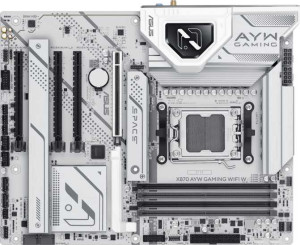
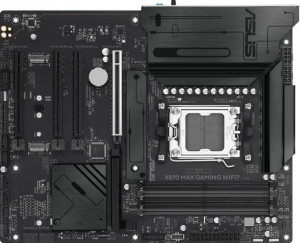
Both the Asus X870 AYW Gaming Wi-Fi W and the Asus X870 Max Gaming Wi-Fi7 share a strong common foundation: the AM5 socket, X870 chipset, identical ATX dimensions (244 × 305 mm), HDMI 2.1 output, overclocking support, RGB lighting, and a 3-year warranty. For most buyers, this means both boards are targeting the same platform and use-case tier, with no meaningful difference in physical footprint or core compatibility.
The two most impactful differentiators lie in wireless connectivity and firmware resilience. The Max Gaming Wi-Fi7 supports Wi-Fi 7 (802.11be) and Wi-Fi 6E in addition to the older Wi-Fi 4/5/6 standards, while the AYW Gaming Wi-Fi W tops out at Wi-Fi 6 (802.11ax). In practice, Wi-Fi 7 delivers substantially higher throughput and lower latency — especially relevant as Wi-Fi 7 routers become more common — making the Max a noticeably more future-proof choice for wireless users. The Max also edges ahead on Bluetooth 5.4 versus 5.2, which brings modest improvements in connection stability and power efficiency. Conversely, the AYW Gaming Wi-Fi W includes dual BIOS, a hardware-level safety net that lets the board recover from a failed firmware flash without additional tools — a feature the Max Gaming Wi-Fi7 lacks entirely.
On balance, the Asus X870 Max Gaming Wi-Fi7 holds a clear edge for users who prioritize cutting-edge wireless performance, while the AYW Gaming Wi-Fi W counters with dual BIOS — a meaningful advantage for overclockers or anyone who frequently updates firmware and wants a built-in recovery option. If wireless capability is the priority, the Max wins this group; if firmware safety is paramount, the AYW has a tangible advantage.