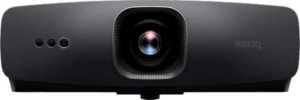
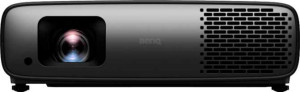
In terms of physical design, the two projectors share the same 420 mm width and 310 mm depth, but the W4100i is meaningfully more compact overall: it stands 10 mm shorter and displaces roughly 1,300 cm³ less volume than the W2720i. More notably, the W4100i comes in at 6,100 g versus the W2720i's 6,500 g — a 400 g difference that, while modest on paper, can matter when ceiling-mounting or repositioning the unit frequently.
On the power side, the two diverge in an interesting way: the W4100i consumes 330 W during operation compared to the W2720i's 290 W. This 40 W gap suggests the W4100i likely drives a brighter or more demanding optical engine, which makes its lighter and smaller chassis all the more impressive from an engineering standpoint. Neither unit uses a laser light source, and both share identical 20,000-hour lamp life in standard mode and 30,000 hours in eco mode — meaning long-term maintenance costs and replacement intervals are equal across both models.
Both projectors also include a dedicated smartphone app and carry the same 3-year warranty, so there is no edge to be found in software ecosystem or post-purchase coverage. On general characteristics alone, the W4100i holds a slight physical advantage — it is lighter and more compact despite drawing more power — making it marginally easier to install and live with in tight spaces. The W2720i's lower power draw is a real-world benefit for energy-conscious users, but it is the only trade-off favoring it in this category.