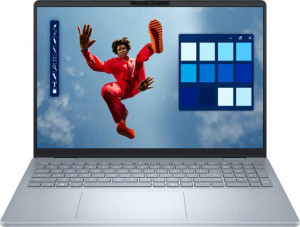
Dell 16 Plus DB16250 (2025) 16"
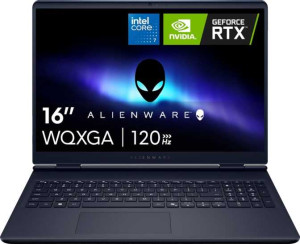
Dell Alienware 16 Aurora (2025) 16" (Core 7 240H / RTX 5050 Laptop / 16GB RAM / 1TB)

Dell 16 Plus DB16250 (2025) 16" Dell Alienware 16 Aurora (2025) 16" (Core 7 240H / RTX 5050 Laptop / 16GB RAM / 1TB)

Overview

When comparing the Dell 16 Plus DB16250 (2025) 16″ and the Dell Alienware 16 Aurora (2025) 16″ (Core 7 240H / RTX 5050 Laptop / 16GB RAM / 1TB), two very different philosophies emerge from the same brand. Both share a QHD+ display and Wi-Fi 7 support, yet they diverge sharply on GPU capability, chassis weight, and intended use case. This side-by-side breakdown explores their design, performance, connectivity, and features to help you make the right choice.

Common Features

  • Neither product uses a fanless design.
  • Both products have a backlit keyboard.
  • Both products share the same width of 356 mm.
  • Neither product is weather-sealed or splashproof.
  • Neither product has a rugged build.
  • Both products have a 16″ screen size.
  • Both products share the same resolution of 2560 x 1600 px.
  • Neither product has a touch screen.
  • Both products have a typical brightness of 300 nits.
  • Both products have an anti-reflection coating.
  • Both products use flash storage.
  • Both products use an NVMe SSD.
  • Both products support DirectX 12 Ultimate.
  • Both products use multithreading.
  • Both products use DDR5 memory.
  • Both products support PCI Express (PCIe) version 5.
  • XeSS (XMX) support is not available on either product.
  • Both products support 64-bit.
  • Neither product has any USB 3.2 Gen 2 ports (USB-A).
  • Neither product has any USB 4 20Gbps ports.
  • Neither product has any USB 3.2 Gen 1 ports (USB-C).
  • Neither product has any Thunderbolt 3 ports.
  • Both products have an HDMI output.
  • Both products have USB Type-C.
  • Both products support Wi-Fi, including Wi-Fi 7, Wi-Fi 6E, Wi-Fi 6, Wi-Fi 5, and Wi-Fi 4.
  • Both products have sleep-and-charge USB ports.
  • Neither product has a MagSafe power adapter.
  • Both products have stereo speakers.
  • Both products have a 3.5 mm audio jack socket.
  • Neither product includes a stylus.
  • Both products have one microphone.
  • Neither product uses 3D facial recognition.
  • Neither product has voice commands.
  • Both products have a front camera.
  • Neither product has an S/PDIF Out port.
  • Both products are laptops.
  • Both products share the same instruction sets: MMX, F16C, FMA3, AES, AVX, AVX2, SSE 4.1, SSE 4.2.
  • Neither product has an unlocked multiplier.
  • Both products have the NX bit.
  • Both products have a maximum CPU temperature of 100 °C.
  • Both products support OpenCL version 3.
  • Both products support OpenGL version 4.6.
  • Both products have integrated graphics.

Main Differences

  • The device type is Productivity for Dell 16 Plus DB16250 (2025) 16″ and Gaming for Dell Alienware 16 Aurora (2025) 16″ (Core 7 240H / RTX 5050 Laptop / 16GB RAM / 1TB).
  • Weight is 1870 g on Dell 16 Plus DB16250 (2025) 16″ and 2490 g on Dell Alienware 16 Aurora (2025) 16″ (Core 7 240H / RTX 5050 Laptop / 16GB RAM / 1TB).
  • Volume is 1424 cm³ on Dell 16 Plus DB16250 (2025) 16″ and 2075.48 cm³ on Dell Alienware 16 Aurora (2025) 16″ (Core 7 240H / RTX 5050 Laptop / 16GB RAM / 1TB).
  • Height is 250 mm on Dell 16 Plus DB16250 (2025) 16″ and 265 mm on Dell Alienware 16 Aurora (2025) 16″ (Core 7 240H / RTX 5050 Laptop / 16GB RAM / 1TB).
  • Thickness is 16 mm on Dell 16 Plus DB16250 (2025) 16″ and 22 mm on Dell Alienware 16 Aurora (2025) 16″ (Core 7 240H / RTX 5050 Laptop / 16GB RAM / 1TB).
  • Supported displays are 3 on Dell 16 Plus DB16250 (2025) 16″ and 4 on Dell Alienware 16 Aurora (2025) 16″ (Core 7 240H / RTX 5050 Laptop / 16GB RAM / 1TB).
  • RAM is 32GB on Dell 16 Plus DB16250 (2025) 16″ and 16GB on Dell Alienware 16 Aurora (2025) 16″ (Core 7 240H / RTX 5050 Laptop / 16GB RAM / 1TB).
  • RAM speed is 8533 MHz on Dell 16 Plus DB16250 (2025) 16″ and 5600 MHz on Dell Alienware 16 Aurora (2025) 16″ (Core 7 240H / RTX 5050 Laptop / 16GB RAM / 1TB).
  • Internal storage is 2048GB on Dell 16 Plus DB16250 (2025) 16″ and 1024GB on Dell Alienware 16 Aurora (2025) 16″ (Core 7 240H / RTX 5050 Laptop / 16GB RAM / 1TB).
  • CPU speed is 4 x 3.3 & 4 x 3.3 GHz on Dell 16 Plus DB16250 (2025) 16″ and 6 x 2.5 & 4 x 1.8 GHz on Dell Alienware 16 Aurora (2025) 16″ (Core 7 240H / RTX 5050 Laptop / 16GB RAM / 1TB).
  • CPU threads are 8 on Dell 16 Plus DB16250 (2025) 16″ and 16 on Dell Alienware 16 Aurora (2025) 16″ (Core 7 240H / RTX 5050 Laptop / 16GB RAM / 1TB).
  • Maximum memory amount is 32GB on Dell 16 Plus DB16250 (2025) 16″ and 16GB on Dell Alienware 16 Aurora (2025) 16″ (Core 7 240H / RTX 5050 Laptop / 16GB RAM / 1TB).
  • Turbo clock speed is 5.1GHz on Dell 16 Plus DB16250 (2025) 16″ and 5.2GHz on Dell Alienware 16 Aurora (2025) 16″ (Core 7 240H / RTX 5050 Laptop / 16GB RAM / 1TB).
  • GPU turbo speed is 2050 MHz on Dell 16 Plus DB16250 (2025) 16″ and 2520 MHz on Dell Alienware 16 Aurora (2025) 16″ (Core 7 240H / RTX 5050 Laptop / 16GB RAM / 1TB).
  • Semiconductor size is 3 nm on Dell 16 Plus DB16250 (2025) 16″ and 5 nm on Dell Alienware 16 Aurora (2025) 16″ (Core 7 240H / RTX 5050 Laptop / 16GB RAM / 1TB).
  • PassMark result is 20093 on Dell 16 Plus DB16250 (2025) 16″ and 24546 on Dell Alienware 16 Aurora (2025) 16″ (Core 7 240H / RTX 5050 Laptop / 16GB RAM / 1TB).
  • PassMark single-core result is 4333 on Dell 16 Plus DB16250 (2025) 16″ and 3821 on Dell Alienware 16 Aurora (2025) 16″ (Core 7 240H / RTX 5050 Laptop / 16GB RAM / 1TB).
  • USB 3.2 Gen 2 ports (USB-C) count is 1 on Dell 16 Plus DB16250 (2025) 16″ and 2 on Dell Alienware 16 Aurora (2025) 16″ (Core 7 240H / RTX 5050 Laptop / 16GB RAM / 1TB).
  • USB 4 40Gbps port is present on Dell 16 Plus DB16250 (2025) 16″ but not available on Dell Alienware 16 Aurora (2025) 16″ (Core 7 240H / RTX 5050 Laptop / 16GB RAM / 1TB).
  • Thunderbolt 4 port is present on Dell 16 Plus DB16250 (2025) 16″ but not available on Dell Alienware 16 Aurora (2025) 16″ (Core 7 240H / RTX 5050 Laptop / 16GB RAM / 1TB).
  • USB 3.2 Gen 1 ports (USB-A) count is 1 on Dell 16 Plus DB16250 (2025) 16″ and 2 on Dell Alienware 16 Aurora (2025) 16″ (Core 7 240H / RTX 5050 Laptop / 16GB RAM / 1TB).
  • An RJ45 port is present on Dell Alienware 16 Aurora (2025) 16″ (Core 7 240H / RTX 5050 Laptop / 16GB RAM / 1TB) but not available on Dell 16 Plus DB16250 (2025) 16″.
  • Ray tracing support is present on Dell Alienware 16 Aurora (2025) 16″ (Core 7 240H / RTX 5050 Laptop / 16GB RAM / 1TB) but not available on Dell 16 Plus DB16250 (2025) 16″.
  • DLSS support is present on Dell Alienware 16 Aurora (2025) 16″ (Core 7 240H / RTX 5050 Laptop / 16GB RAM / 1TB) but not available on Dell 16 Plus DB16250 (2025) 16″.
  • Dolby Atmos is present on Dell 16 Plus DB16250 (2025) 16″ but not available on Dell Alienware 16 Aurora (2025) 16″ (Core 7 240H / RTX 5050 Laptop / 16GB RAM / 1TB).
  • A fingerprint scanner is present on Dell 16 Plus DB16250 (2025) 16″ but not available on Dell Alienware 16 Aurora (2025) 16″ (Core 7 240H / RTX 5050 Laptop / 16GB RAM / 1TB).
  • Clock multiplier is 33 on Dell 16 Plus DB16250 (2025) 16″ and 25 on Dell Alienware 16 Aurora (2025) 16″ (Core 7 240H / RTX 5050 Laptop / 16GB RAM / 1TB).
  • L3 cache is 12 MB on Dell 16 Plus DB16250 (2025) 16″ and 24 MB on Dell Alienware 16 Aurora (2025) 16″ (Core 7 240H / RTX 5050 Laptop / 16GB RAM / 1TB).
  • GPU execution units are 8 on Dell 16 Plus DB16250 (2025) 16″ and 64 on Dell Alienware 16 Aurora (2025) 16″ (Core 7 240H / RTX 5050 Laptop / 16GB RAM / 1TB).
  • ECC memory support is present on Dell Alienware 16 Aurora (2025) 16″ (Core 7 240H / RTX 5050 Laptop / 16GB RAM / 1TB) but not available on Dell 16 Plus DB16250 (2025) 16″.
  • Maximum RAM speed is 8533 MHz on Dell 16 Plus DB16250 (2025) 16″ and 6400 MHz on Dell Alienware 16 Aurora (2025) 16″ (Core 7 240H / RTX 5050 Laptop / 16GB RAM / 1TB).
  • Thermal Design Power (TDP) is 30W on Dell 16 Plus DB16250 (2025) 16″ and 50W on Dell Alienware 16 Aurora (2025) 16″ (Core 7 240H / RTX 5050 Laptop / 16GB RAM / 1TB).
Specs Comparison
Dell 16 Plus DB16250 (2025) 16"

Dell 16 Plus DB16250 (2025) 16"

Dell Alienware 16 Aurora (2025) 16" (Core 7 240H / RTX 5050 Laptop / 16GB RAM / 1TB)

Dell Alienware 16 Aurora (2025) 16" (Core 7 240H / RTX 5050 Laptop / 16GB RAM / 1TB)

Design:
Type Productivity Gaming
weight 1870 g 2490 g
Uses a fanless design
Has a backlit keyboard
volume 1424 cm³ 2075.48 cm³
width 356 mm 356 mm
height 250 mm 265 mm
thickness 16 mm 22 mm
is weather-sealed (splashproof)
has a rugged build

Both laptops share the same 356 mm width, but their design identities diverge sharply from there. The Dell 16 Plus DB16250 is built around a productivity-first philosophy, coming in at just 1870 g with a slim 16 mm thickness and a compact volume of 1424 cm³. The Alienware 16 Aurora, by contrast, is a gaming machine that makes no apologies for its bulk: it weighs 2490 g, measures 22 mm thick, and occupies 2075 cm³ of space. That 620 g weight difference is not trivial — it is roughly the weight of a large water bottle added to your bag every day.

The thickness gap matters too. At 16 mm, the DB16250 slides easily into slim sleeves and fits more naturally in professional settings, while the Aurora's 22 mm profile is a real-world reminder that it houses more aggressive cooling hardware underneath. The Aurora also has a slightly deeper footprint at 265 mm versus the DB16250's 250 mm, further reinforcing its larger desk presence. Both machines share backlit keyboards and neither is fanless, weather-sealed, or ruggedized, so those factors are a wash.

For design, the Dell 16 Plus DB16250 has a clear edge for anyone who values portability and a lower-profile form factor. The Alienware 16 Aurora's added mass and volume are a deliberate trade-off for gaming performance, making it better suited to a desk or bag where size is not a constraint. If you travel frequently or prioritize a lighter, thinner machine, the DB16250 wins this category outright on the provided specs.

Display:
screen size 16" 16"
resolution 2560 x 1600 px 2560 x 1600 px
has a touch screen
brightness (typical) 300 nits 300 nits
has anti-reflection coating
supported displays 3 4

On paper, these two displays are nearly identical twins: both offer a 16″ panel at 2560 x 1600 px resolution, land at the same 300 nits of typical brightness, include anti-reflection coatings, and skip touchscreen support. That 16:10 aspect ratio resolution delivers noticeably more vertical screen real estate than a standard 1080p or 1440p 16:9 panel, which is genuinely useful for both document work and gaming alike.

The one concrete differentiator here is multi-display support. The Alienware 16 Aurora can drive 4 external displays simultaneously, while the DB16250 tops out at 3. For most users this distinction is academic, but for power users running elaborate multi-monitor workstation setups or wanting maximum flexibility for a docked workflow, the Aurora's extra output gives it a real, if niche, advantage.

Across the display specs provided, these laptops are essentially matched — and the Alienware 16 Aurora edges ahead only on the strength of that additional supported display. If multi-monitor capacity is not a priority, this category is effectively a tie.

Performance:
RAM 32GB 16GB
RAM speed 8533 MHz 5600 MHz
Uses flash storage
internal storage 2048GB 1024GB
CPU speed 4 x 3.3 & 4 x 3.3 GHz 6 x 2.5 & 4 x 1.8 GHz
CPU threads 8 threads 16 threads
Is an NVMe SSD
DirectX version DirectX 12 Ultimate DirectX 12 Ultimate
uses multithreading
maximum memory amount 32GB 16GB
DDR memory version 5 5
turbo clock speed 5.1GHz 5.2GHz
GPU turbo 2050 MHz 2520 MHz
PCI Express (PCIe) version 5 5
semiconductor size 3 nm 5 nm
has XeSS (XMX)
Supports 64-bit

The performance picture here is genuinely split, and the right answer depends heavily on what workload you are running. The DB16250 holds a commanding advantage in memory: it ships with 32GB of DDR5 RAM running at 8533 MHz, double the Alienware Aurora's 16GB at 5600 MHz — and crucially, the Aurora's maximum supported memory is capped at 16GB, meaning it cannot be upgraded to close that gap. More RAM at higher speeds means the DB16250 handles large datasets, heavy multitasking, and memory-hungry creative workloads with considerably more headroom. It also doubles the Aurora on storage, offering 2TB of NVMe SSD versus 1TB.

Flip to the compute and graphics side, though, and the Alienware asserts itself. Its CPU packs 16 threads compared to the DB16250's 8, which translates to a meaningful advantage in parallelized tasks like video encoding, 3D rendering, or compilation. Its GPU turbo clock reaches 2520 MHz versus the DB16250's 2050 MHz — a roughly 23% higher peak clock that points to a more capable discrete GPU. The DB16250's CPU is built on a finer 3 nm process (versus 5 nm), suggesting it achieves its performance with greater energy efficiency, but the Aurora's raw thread count and GPU headroom are difficult to dismiss.

There is no single winner in this group — it is a genuine trade-off. The DB16250 edges ahead for memory-intensive and storage-heavy workloads, while the Alienware Aurora has the advantage in GPU-driven and heavily threaded tasks. Productivity users and developers will likely prefer the DB16250's memory configuration; gamers and content creators pushing GPU-accelerated pipelines will find the Aurora's specs more compelling.

Benchmarks:
PassMark result 20093 24546
PassMark result (single) 4333 3821

The PassMark results reinforce the performance trade-off identified in the spec data. The Alienware 16 Aurora scores 24,546 in the multi-threaded PassMark test, outpacing the DB16250's 20,093 by roughly 22%. In practical terms, this gap reflects the Aurora's higher thread count doing real work: tasks that can distribute load across many cores — video rendering, large compilations, heavy multitasking — will complete measurably faster on the Aurora.

Single-core performance tells the opposite story. The DB16250 scores 4,333 in the single-threaded test versus the Aurora's 3,821 — a roughly 13% lead. Single-core speed governs a surprisingly wide range of everyday responsiveness: application launch times, browser performance, lightly-threaded productivity software, and general snappiness all lean on this metric. The DB16250's finer 3 nm process efficiency appears to translate into a tangible real-world advantage here.

Taken together, the benchmarks confirm a clear split: the Alienware 16 Aurora wins on multi-core throughput, making it the stronger machine for parallelized, sustained workloads, while the DB16250 leads on single-core responsiveness, which benefits day-to-day general use. Neither machine dominates outright — the right choice depends on whether your workload is better described as ″many tasks at once″ or ″one task, fast.″

Connectivity:
USB 3.2 Gen 2 ports (USB-C) 1 2
USB 3.2 Gen 2 ports (USB-A) 0 0
USB 4 20Gbps ports 0 0
USB 4 40Gbps ports 1 0
Thunderbolt 4 ports 1 0
USB 3.2 Gen 1 ports (USB-C) 0 0
USB 3.2 Gen 1 ports (USB-A) 1 2
Thunderbolt 3 ports 0 0
has an HDMI output
Has USB Type-C
supports Wi-Fi
Wi-Fi version Wi-Fi 7 (802.11be), Wi-Fi 6E (802.11ax), Wi-Fi 6 (802.11ax), Wi-Fi 5 (802.11ac), Wi-Fi 4 (802.11n) Wi-Fi 7 (802.11be), Wi-Fi 6E (802.11ax), Wi-Fi 6 (802.11ax), Wi-Fi 5 (802.11ac), Wi-Fi 4 (802.11n)
has an external memory slot
RJ45 ports 0 1
HDMI ports 1 1
HDMI version HDMI 2.1 HDMI 2.1
DisplayPort outputs 0 0
USB 2.0 ports 0 0
has AirPlay
mini DisplayPort outputs 0 0
has a VGA connector

Wireless connectivity is a non-issue for either machine — both support Wi-Fi 7, the current top standard, ensuring maximum throughput, reduced latency, and better performance in congested environments. Wired connectivity, however, is where the two diverge immediately: the Alienware 16 Aurora includes an RJ45 Ethernet port, while the DB16250 has none. For a gaming laptop, this matters — a wired connection eliminates the variability of wireless for competitive play and large downloads, and its absence on the DB16250 means relying on a USB adapter if a wired connection is needed.

The USB port story cuts the other way. The DB16250 carries a Thunderbolt 4 port and a USB 4 40Gbps port — the fastest data and display interfaces available on a laptop today, capable of driving high-resolution external displays, connecting ultra-fast external SSDs, and powering Thunderbolt docks with a single cable. The Aurora offers no Thunderbolt or USB 4, instead providing two USB 3.2 Gen 2 USB-C ports, which are capable but top out at 10Gbps — a quarter of the bandwidth ceiling. The Aurora also provides two USB-A ports versus the DB16250's one, which is a minor convenience advantage for legacy peripherals.

This category has no outright winner — it is a meaningful trade-off rooted in use case. The DB16250 leads on high-bandwidth USB connectivity, making it the stronger docking and professional peripheral hub. The Alienware 16 Aurora wins on wired networking and sheer port count, which better serves a gaming desk setup where Ethernet and multiple USB-A devices are the priority.

Battery:
Has sleep-and-charge USB ports
Has a MagSafe power adapter

The battery-related specs provided for these two laptops are identical: both support sleep-and-charge USB ports, meaning you can charge phones or other devices even when the laptop is powered off or asleep, and neither uses a MagSafe-style magnetic power connector. With no differentiating data points available in this group, there is no basis to declare an advantage for either machine.

This category is a complete tie based on the provided specs. Users looking to compare battery capacity, runtime, or charging speed should refer to other sources, as those figures are not reflected in the data available here.

Features:
release date March 2025 May 2025
has stereo speakers
has a socket for a 3.5 mm audio jack
supports ray tracing
supports DLSS
has Dolby Atmos
Stylus included
Has a fingerprint scanner
number of microphones 1 1
Uses 3D facial recognition
has voice commands
has a front camera
Has S/PDIF Out port
has a gyroscope
has GPS
has an accelerometer
has a compass
Has an optical disc drive

Gaming-specific rendering features are where the Alienware 16 Aurora pulls clearly ahead. It supports both ray tracing and DLSS — technologies that respectively enable physically accurate lighting and AI-driven upscaling to boost frame rates without a proportional hit to visual quality. The DB16250 supports neither, which is a direct reflection of its productivity-oriented GPU. For anyone intending to play modern titles that lean on these features, the Aurora's advantage here is concrete and meaningful.

Security and audio tell a different story. The DB16250 includes a fingerprint scanner, a convenience the Aurora lacks entirely — a notable omission for a laptop at this price point, since biometric login has become a baseline expectation for fast, secure authentication. On the audio side, the DB16250 also carries Dolby Atmos support, which enhances spatial audio depth for both media consumption and calls, while the Aurora does not list this feature.

Neither machine supports 3D facial recognition, and both share stereo speakers, a 3.5 mm jack, a front camera, and a single microphone — so those are a wash. Overall, this category splits cleanly by use case: the Alienware 16 Aurora wins decisively on gaming features, while the DB16250 holds the edge on everyday usability features like biometric login and enhanced audio. There is no single winner — it comes down to what you value more.

Miscellaneous:
clock multiplier 33 25
Type Laptop Laptop
instruction sets MMX, F16C, FMA3, AES, AVX, AVX2, SSE 4.1, SSE 4.2 MMX, F16C, FMA3, AES, AVX, AVX2, SSE 4.1, SSE 4.2
Has an unlocked multiplier
L3 cache 12 MB 24 MB
Has NX bit
CPU temperature 100 °C 100 °C
OpenCL version 3 3
OpenGL version 4.6 4.6
GPU execution units 8 64
Has integrated graphics
Supports ECC memory
memory channels 2 2
RAM speed (max) 8533 MHz 6400 MHz
Thermal Design Power (TDP) 30W 50W
Uses big.LITTLE technology

A few entries in this group carry real-world weight. The Alienware 16 Aurora's L3 cache is 24 MB, double the DB16250's 12 MB — a larger cache means the CPU can hold more frequently accessed data closer to the cores, reducing latency for sustained workloads and improving throughput in cache-sensitive tasks like gaming and data processing. The Aurora also carries a notably higher TDP of 50W versus the DB16250's 30W, confirming it is tuned to sustain higher performance levels at the cost of more heat and power draw — consistent with its gaming identity.

The integrated graphics gap is striking: the Aurora's integrated GPU has 64 execution units compared to just 8 on the DB16250. While both machines have discrete GPUs that will handle serious graphics tasks, the Aurora's integrated graphics offer dramatically more fallback capability for GPU-accelerated compute when the discrete card is not engaged. The Aurora also supports ECC memory, a feature relevant to workloads that demand data integrity — such as scientific computing or professional applications — though its practical impact depends entirely on whether ECC RAM is actually installed.

Shared specs like instruction set support, OpenCL 3, OpenGL 4.6, dual memory channels, and big.LITTLE CPU architecture are identical, so neither machine holds an edge there. On balance, the Alienware 16 Aurora leads this group — its larger L3 cache, higher TDP headroom, far greater integrated GPU execution unit count, and ECC support collectively point to a platform engineered for heavier, more sustained computational demands.

Comparison Summary & Verdict

These two laptops are built for fundamentally different users. The Dell 16 Plus DB16250 (2025) 16″ impresses with its lighter 1870 g build, 32GB of RAM and 2TB of storage, Thunderbolt 4 port, Dolby Atmos audio, and fingerprint scanner — a compelling package for professionals and everyday power users who prize portability and productivity. The Dell Alienware 16 Aurora (2025) 16″ counters with a dedicated GPU featuring ray tracing and DLSS support, 64 GPU execution units, a higher multi-core PassMark score of 24546, ECC memory compatibility, and an RJ45 ethernet port, making it the clear choice for gamers and GPU-intensive workloads. In short, choose the Dell 16 Plus for a slim, well-rounded workhorse, and opt for the Alienware 16 Aurora when gaming performance is non-negotiable.

Dell 16 Plus DB16250 (2025) 16
Buy Dell 16 Plus DB16250 (2025) 16" if...

Buy the Dell 16 Plus DB16250 (2025) 16″ if you want a lighter, productivity-focused laptop with 32GB of RAM, 2TB of storage, Thunderbolt 4, Dolby Atmos, and a fingerprint scanner.

Dell Alienware 16 Aurora (2025) 16
Buy Dell Alienware 16 Aurora (2025) 16" (Core 7 240H / RTX 5050 Laptop / 16GB RAM / 1TB) if...

Buy the Dell Alienware 16 Aurora (2025) 16″ (Core 7 240H / RTX 5050 Laptop / 16GB RAM / 1TB) if gaming is your priority, thanks to its dedicated GPU with ray tracing and DLSS support, 64 GPU execution units, and a higher multi-core benchmark score.