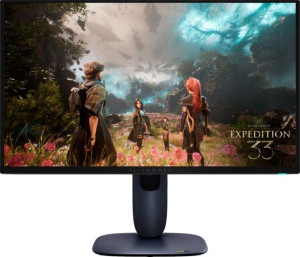
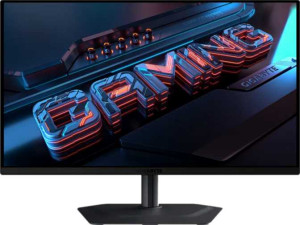
The most decisive difference between these two displays is resolution. The Dell Alienware AW2725Q offers a 3840 x 2160 (4K) panel at 166 ppi, while the Gigabyte MO27Q2 tops out at 2560 x 1440 (1440p) and 108 ppi. On a 27-inch screen, that gap is clearly visible: the AW2725Q renders noticeably sharper text, finer UI details, and more lifelike image depth, whereas the MO27Q2's pixel density — while adequate for gaming — shows its limits in productivity and content creation tasks at normal viewing distances. The trade-off, of course, is that driving 4K at 240Hz demands significantly more GPU headroom.
Panel technology is another meaningful split. The AW2725Q uses QD-OLED, which layers quantum dot color enhancement on top of the OLED base — producing wider color gamut coverage and higher peak brightness than standard OLED, while retaining OLED's hallmark perfect blacks and per-pixel control. The MO27Q2 is listed as OLED/AMOLED without the QD layer, meaning it should still deliver excellent contrast and response times but will likely fall short on color volume. Both panels share an identical 0.03 ms response time and 240Hz refresh rate, so motion clarity is effectively equal.
On adaptive sync, the AW2725Q supports AMD FreeSync Premium Pro, Nvidia G-Sync Compatible, and VESA Adaptive Sync — making it a flexible choice regardless of GPU brand. The MO27Q2 is limited to AMD FreeSync alone, which is a real constraint for Nvidia users. Both panels are matte with anti-glare coating and share identical 178°/178° viewing angles, so those factors are a wash. Overall, the AW2725Q holds a clear advantage in this group: superior resolution, a more advanced panel technology, and broader adaptive sync compatibility make it the stronger display on every differentiating axis.