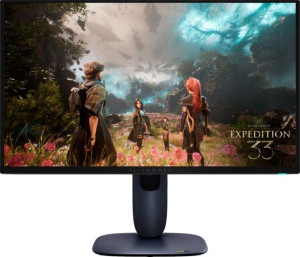
Dell Alienware AW2725Q 27"
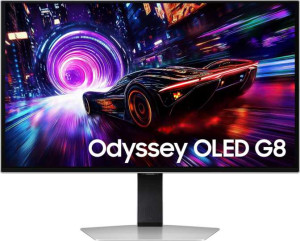
Samsung Odyssey OLED G8 (G81SF) 27"

Dell Alienware AW2725Q 27" Samsung Odyssey OLED G8 (G81SF) 27"

Common Features

  • The response time is 0.03 ms on both products.
  • The resolution is 3840 x 2160 px on both products.
  • Both displays have an anti-glare coating.
  • The refresh rate is 240Hz on both products.
  • The maximum horizontal viewing angle is 178º on both products.
  • The maximum vertical viewing angle is 178º on both products.
  • Both displays have a matte panel and do not have a glossy panel.
  • Both products are classified as Gaming type.
  • The EU energy label is G for both products.
  • Both products have a swivel stand.
  • Both products support VESA mount.
  • The maximum operating temperature is 40 °C for both products.
  • The typical brightness is 250 nits on both displays.
  • Both products have 2 HDMI ports.
  • DisplayPort outputs are present on both products and use DisplayPort 1.4.
  • Neither product has a DVI connector.
  • Both products use USB version 3.1.
  • Both products have HDMI version 2.1.
  • Neither product supports Ethernet.
  • Both products have PiP functionality.

Main Differences

  • Display type is QD-OLED, OLED/AMOLED on Dell Alienware AW2725Q 27″ and OLED/AMOLED on Samsung Odyssey OLED G8 (G81SF) 27″.
  • Screen size is 26.7″ on Dell Alienware AW2725Q 27″ and 27″ on Samsung Odyssey OLED G8 (G81SF) 27″.
  • Pixel density is 166 ppi on Dell Alienware AW2725Q 27″ and 163 ppi on Samsung Odyssey OLED G8 (G81SF) 27″.
  • Adaptive synchronization supports AMD FreeSync Premium Pro, Nvidia G-Sync Compatible, VESA Adaptive Sync on Dell Alienware AW2725Q 27″ and only AMD FreeSync Premium Pro on Samsung Odyssey OLED G8 (G81SF) 27″.
  • Dell Alienware AW2725Q 27″ does not support total tilt while Samsung Odyssey OLED G8 (G81SF) 27″ supports total tilt.
  • Height is 355.97 mm on Dell Alienware AW2725Q 27″ and 353.8 mm on Samsung Odyssey OLED G8 (G81SF) 27″.
  • Width is 609.51 mm on Dell Alienware AW2725Q 27″ and 611.7 mm on Samsung Odyssey OLED G8 (G81SF) 27″.
  • Thickness is 72.63 mm on Dell Alienware AW2725Q 27″ and 49.2 mm on Samsung Odyssey OLED G8 (G81SF) 27″.
  • Weight is 6370 g on Dell Alienware AW2725Q 27″ and 6900 g on Samsung Odyssey OLED G8 (G81SF) 27″.
  • Dell Alienware AW2725Q 27″ does not support portrait mode while Samsung Odyssey OLED G8 (G81SF) 27″ supports portrait mode.
  • Lowest potential operating temperature is 0 °C on Dell Alienware AW2725Q 27″ and 10 °C on Samsung Odyssey OLED G8 (G81SF) 27″.
  • Volume is 15758.33 cm³ on Dell Alienware AW2725Q 27″ and 10647.84 cm³ on Samsung Odyssey OLED G8 (G81SF) 27″.
  • Supports color calibration is not available on Dell Alienware AW2725Q 27″ but available on Samsung Odyssey OLED G8 (G81SF) 27″.
  • Display colors are 1070 million on Dell Alienware AW2725Q 27″ and 1000 million on Samsung Odyssey OLED G8 (G81SF) 27″.
  • Contrast ratio is 1500000:1 on Dell Alienware AW2725Q 27″ and 1000000:1 on Samsung Odyssey OLED G8 (G81SF) 27″.
  • Dell Alienware AW2725Q 27″ does not have a socket for a 3.5 mm audio jack while Samsung Odyssey OLED G8 (G81SF) 27″ has a 3.5 mm audio jack.
  • USB ports are 5 on Dell Alienware AW2725Q 27″ and 3 on Samsung Odyssey OLED G8 (G81SF) 27″.
  • Dell Alienware AW2725Q 27″ has USB Type-C support while Samsung Odyssey OLED G8 (G81SF) 27″ does not.
  • Operating power consumption is 39.4W on Dell Alienware AW2725Q 27″ and 45W on Samsung Odyssey OLED G8 (G81SF) 27″.
Specs Comparison
Dell Alienware AW2725Q 27"

Dell Alienware AW2725Q 27"

Samsung Odyssey OLED G8 (G81SF) 27"

Samsung Odyssey OLED G8 (G81SF) 27"

Display:
Display type QD-OLED, OLED/AMOLED OLED/AMOLED
response time 0.03 ms 0.03 ms
screen size 26.7" 27"
resolution 3840 x 2160 px 3840 x 2160 px
pixel density 166 ppi 163 ppi
Adaptive synchronization AMD FreeSync Premium Pro, Nvidia G-Sync Compatible, VESA Adaptive Sync AMD FreeSync Premium Pro
has anti-glare coating
refresh rate 240Hz 240Hz
maximum horizontal viewing angle 178º 178º
maximum vertical viewing angle 178º 178º
has a matte panel
has a glossy panel
has a touch screen

The Dell Alienware AW2725Q and the Samsung Odyssey OLED G8 both feature OLED displays with a 3840 x 2160 resolution, providing sharp, detailed visuals. The Alienware has a QD-OLED panel, while the Odyssey uses a standard OLED/AMOLED panel. Both have a response time of 0.03 ms, which is extremely fast and ideal for gaming or fast-paced content. In terms of screen size, the Alienware is slightly smaller at 26.7″ compared to the Odyssey’s 27″, though the difference is minimal.

Both displays have a pixel density of over 160 ppi, with the Alienware offering 166 ppi and the Odyssey 163 ppi. The viewing angles on both monitors are identical, with both providing 178º horizontal and vertical maximum viewing angles. They also both include anti-glare coatings and matte panels, ensuring less reflection and a more comfortable viewing experience in bright environments. Neither monitor has a glossy panel or touch functionality.

When it comes to adaptive synchronization, the Alienware supports AMD FreeSync Premium Pro, Nvidia G-Sync Compatible, and VESA Adaptive Sync, giving it more flexibility compared to the Odyssey, which only supports AMD FreeSync Premium Pro.

General info:
Type Gaming Gaming
release date May 2025 April 2025
EU energy label G G
supports total tilt
Has a swivel stand
Supports VESA mount
height 355.97 mm 353.8 mm
width 609.51 mm 611.7 mm
thickness 72.63 mm 49.2 mm
weight 6370 g 6900 g
supports portrait mode
maximum operating temperature 40 °C 40 °C
lowest potential operating temperature 0 °C 10 °C
volume 15758.333161461 cm³ 10647.837432 cm³

Both the Dell Alienware AW2725Q and the Samsung Odyssey OLED G8 are gaming monitors with similar specifications, including an EU energy label of G, which indicates they fall within the same energy efficiency category. However, the two products differ in a few physical and functional aspects. The Alienware does not support total tilt or portrait mode, whereas the Odyssey offers both tilt adjustment and supports portrait mode, making it more versatile in terms of positioning.

In terms of size, the Alienware is slightly taller (355.97 mm) and thicker (72.63 mm) than the Odyssey, which stands at 353.8 mm tall and has a thickness of 49.2 mm. The Odyssey is also heavier, weighing 6900 g, compared to the Alienware’s 6370 g. The volume of the Alienware is 15758.33 cm³, while the Odyssey is smaller at 10647.84 cm³.

Both monitors feature VESA mount compatibility and have swivel stands, providing flexibility in positioning. The maximum operating temperature for both products is the same at 40 °C, but the Alienware can operate in colder conditions, down to 0 °C, whereas the Odyssey has a slightly higher minimum operating temperature of 10 °C.

Colors:
brightness (typical) 250 nits 250 nits
supports color calibration
display colors 1070 million 1000 million
contrast ratio 1500000:1 1000000:1

The Dell Alienware AW2725Q and the Samsung Odyssey OLED G8 both have a typical brightness of 250 nits, which means they should perform similarly in terms of screen brightness under normal conditions. When it comes to color support, the Alienware can display up to 1070 million colors, while the Odyssey supports 1000 million colors, offering a slightly larger color range on the Alienware.

In terms of contrast ratio, the Alienware has a higher ratio at 1500000:1, compared to the Odyssey’s 1000000:1. This suggests that the Alienware is capable of deeper blacks and more distinct contrasts between dark and light areas on the screen.

Another key difference is that the Odyssey supports color calibration, while the Alienware does not. This means users of the Odyssey have the option to adjust and fine-tune the display’s color accuracy, which could be beneficial for professional work or those who require precise color representation.

Connectivity:
HDMI ports 2 2
supports Thunderbolt
DisplayPort outputs 1 1
DisplayPort version DisplayPort 1.4 DisplayPort 1.4
has a socket for a 3.5 mm audio jack
has a DVI connector
USB ports 5 3
USB version 3.1 3.1
Has USB Type-C
HDMI version HDMI 2.1 HDMI 2.1
supports Ethernet
supports Wi-Fi
has AirPlay
mini DisplayPort outputs 0 0
has a VGA connector

Both the Dell Alienware AW2725Q and the Samsung Odyssey OLED G8 are well-equipped for connectivity, featuring two HDMI ports each and supporting HDMI 2.1. Both monitors also include a single DisplayPort output with DisplayPort 1.4 compatibility. However, there are a few differences between the two when it comes to additional features. The Alienware includes a USB Type-C port, while the Odyssey does not. On the other hand, the Odyssey has a 3.5 mm audio jack, while the Alienware lacks this feature.

In terms of USB ports, the Alienware offers more options with five USB 3.1 ports, compared to the Odyssey's three. Both monitors support USB 3.1, so they share the same USB version. Neither product supports Thunderbolt, Ethernet, Wi-Fi, or AirPlay, and neither has mini DisplayPort or VGA connectors.

Overall, the Alienware offers more USB connectivity and a USB Type-C port, while the Odyssey provides the added convenience of a 3.5 mm audio jack.

Power:
operating power consumption 39.4W 45W
standby power consumption 0.5W 0.5W

The Dell Alienware AW2725Q and the Samsung Odyssey OLED G8 both have low standby power consumption, with both monitors drawing 0.5W when not in use. However, there is a difference in their operating power consumption. The Alienware consumes 39.4W during operation, while the Odyssey uses slightly more power at 45W.

This difference in operating power consumption may be due to the overall design or additional features, but both products remain relatively energy-efficient for high-performance gaming monitors.

Features:
has PiP
has stereo speakers
has built-in smart TV
has a remote control
supports Dolby Digital
supports Dolby Digital Plus
has DTS Surround
has an ambient light sensor
has a front camera

Both the Dell Alienware AW2725Q and the Samsung Odyssey OLED G8 offer the Picture-in-Picture (PiP) feature, allowing users to view content from multiple sources simultaneously. Neither monitor includes stereo speakers, built-in smart TV functionality, or a remote control. Additionally, both monitors lack support for Dolby Digital, Dolby Digital Plus, and DTS Surround sound.

Neither the Alienware nor the Odyssey has an ambient light sensor or a front camera, making them similar in terms of these particular features.

In summary, while both monitors share the same set of features, neither offers advanced audio or smart TV functionalities, with the only key feature being the inclusion of PiP support on both models.

Comparison Summary

This is a specification comparison between Dell Alienware AW2725Q 27″ and Samsung Odyssey OLED G8 (G81SF) 27″. Both products feature a 4K resolution of 3840 x 2160 px, 240Hz refresh rate, and 178º maximum viewing angles, with anti-glare matte panels. Dell Alienware AW2725Q 27″ uses a QD-OLED display while Samsung Odyssey OLED G8 (G81SF) 27″ uses standard OLED, and the screen sizes are slightly different at 26.7″ versus 27″. The Dell model has a higher pixel density of 166 ppi compared to 163 ppi and supports multiple adaptive sync standards, whereas Samsung supports only AMD FreeSync Premium Pro. The Dell unit consumes 39.4W during operation while Samsung uses 45W, and Dell includes USB Type-C and more USB ports, whereas Samsung provides a 3.5 mm audio jack and supports portrait and total tilt modes. Both monitors are gaming-oriented, have VESA mount support, swivel stands, 250 nits typical brightness, DisplayPort 1.4, and PiP functionality.