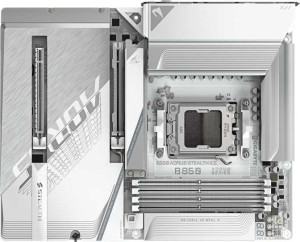
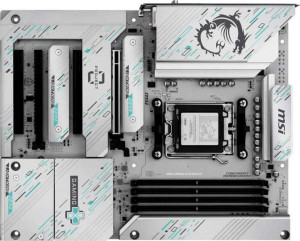
Storage expansion is where these boards diverge most sharply. The Gigabyte Aorus Stealth Ice offers 4 M.2 sockets versus the MSI's 3 — a meaningful difference for NVMe-heavy builds targeting multiple fast SSDs without touching the SATA bus. The MSI compensates on the SATA side, however, providing 4 SATA 3 connectors compared to the Gigabyte's 2. This makes the MSI the more practical choice for users with large libraries of traditional HDDs or older SATA SSDs, while the Gigabyte caters more directly to all-NVMe storage configurations.
Thermal management headroom also differs. The Gigabyte's 8 fan headers versus the MSI's 6 gives it a clear advantage in complex cooling setups — whether that means managing multiple radiator fans in a custom loop, running several case fans, or accommodating pump headers alongside standard fan channels. Two extra headers may sound minor, but in a high-airflow or water-cooled build, they can eliminate the need for a fan hub entirely. On the internal USB front, the Gigabyte adds a USB 3.2 Gen 2x2 header (capable of 20Gbps) that the MSI lacks, useful for front-panel USB-C ports on premium cases.
Neither board dominates unconditionally: the Gigabyte wins for M.2 density, fan control flexibility, and high-speed internal USB, while the MSI is the stronger pick for SATA-heavy storage arrays. Builders planning a multi-NVMe, actively cooled system will find the Gigabyte's internal connector set more capable overall.