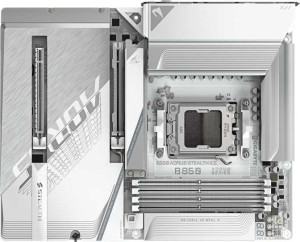
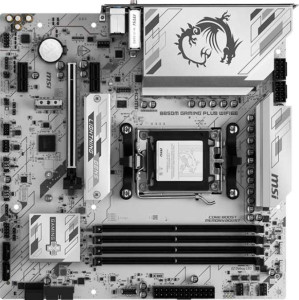
Both boards share a strong common foundation: the AM5 socket with a B850 chipset, dual BIOS, RGB lighting, HDMI 2.1, overclocking support, and a 3-year warranty. The most impactful general difference is form factor — the Gigabyte B850 Aorus Stealth Ice is a full ATX board (305 × 244 mm), while the MSI B850M Gaming Plus Wi-Fi 6E is Micro-ATX (243.8 × 243.8 mm). This means the MSI fits in smaller cases and is the better pick for compact builds, whereas the Gigabyte offers more physical room for additional slots and headers in a standard mid-tower.
On wireless connectivity, the Gigabyte pulls ahead in a meaningful way: it supports Wi-Fi 7 (802.11be), the latest generation, while the MSI tops out at Wi-Fi 6E. Wi-Fi 7 delivers substantially higher theoretical throughput and lower latency, which matters for users with compatible routers. The Gigabyte also edges out with Bluetooth 5.4 versus the MSI's 5.3 — a minor but real improvement in connection stability and efficiency. The MSI, however, has a practical usability advantage: it supports easy BIOS reset, which the Gigabyte lacks, making recovery from a bad overclock or failed update less stressful for less experienced builders.
Overall, the Gigabyte B850 Aorus Stealth Ice has a clear edge in this group for users prioritizing cutting-edge wireless and a standard ATX layout. The MSI B850M Gaming Plus Wi-Fi 6E is the better fit for compact builds and users who value straightforward BIOS management, but it concedes on wireless capability. Neither board has integrated graphics or a CPU, as expected at this tier.