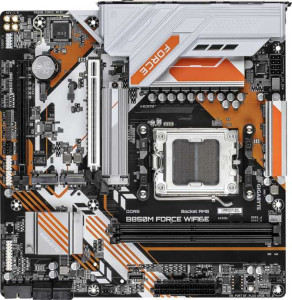
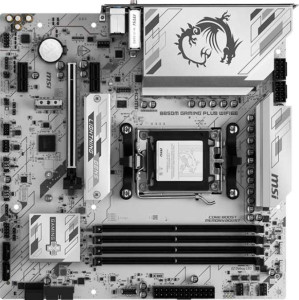
Port density is where these two boards diverge most sharply. The MSI B850M Gaming Plus Wi-Fi6E delivers a considerably richer rear I/O, with 4 USB 3.2 Gen 2 (USB-A) and 4 USB 3.2 Gen 1 (USB-A) ports — eight high-speed USB-A connections in total — alongside a USB 3.2 Gen 2 Type-C. That kind of port density means fewer dongles and hubs for users running multiple peripherals, external drives, or capture devices simultaneously. The Gigabyte B850M Force Wi-Fi6E, by comparison, offers just 3 USB-A ports across Gen 1 and Gen 2, plus a single USB 3.2 Gen 1 Type-C — a noticeably leaner selection that may require hub supplementation in a busy desktop setup.
A few secondary details are worth flagging. The Gigabyte retains a PS/2 port, a legacy connector that a small subset of users with older keyboards or mice will appreciate, while the MSI omits it entirely. The Gigabyte also includes 2 USB 2.0 ports, which, while slower, are perfectly adequate for low-bandwidth devices like wireless receivers or authentication dongles. The MSI drops USB 2.0 altogether in favor of keeping every port at Gen 1 speeds or above — a cleaner, more forward-looking approach. Both boards match on video output, each offering HDMI and DisplayPort, plus a single RJ45 Ethernet port.
The MSI holds a clear and meaningful advantage in this category. Its substantially higher USB port count, combined with a faster Type-C offering, makes it the more practical and future-ready choice for users who demand a well-equipped rear I/O without relying on expansion cards or hubs.