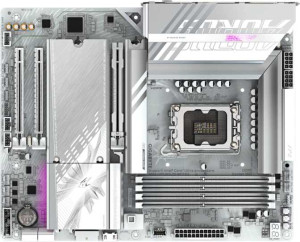
Gigabyte B860 Aorus Elite WiFi7 Ice
MSI MAG B860 Tomahawk WiFi

Gigabyte B860 Aorus Elite WiFi7 Ice MSI MAG B860 Tomahawk WiFi

Overview

When choosing between the Gigabyte B860 Aorus Elite WiFi7 Ice and the MSI MAG B860 Tomahawk WiFi, buyers are looking at two ATX motherboards sharing the same B860 chipset and LGA 1851 socket, yet differing in meaningful ways. From rear USB port configurations to PCIe 5.0 slot counts and extra quality-of-life features, each board makes distinct trade-offs that suit different builder priorities. Read on to discover which one fits your next build.

Common Features

  • Both boards use the LGA 1851 CPU socket.
  • Both boards feature the B860 chipset.
  • Both boards use the ATX form factor.
  • Wi-Fi is supported on both boards, covering Wi-Fi 4, Wi-Fi 5, Wi-Fi 6, Wi-Fi 6E, and Wi-Fi 7.
  • Bluetooth 5.4 is present on both boards.
  • Both boards support HDMI 2.1 output.
  • Both boards support a maximum of 256GB of RAM.
  • Both boards support a maximum native RAM speed of 6400 MHz.
  • Both boards support overclocked RAM speeds up to 9200 MHz.
  • Both boards have 4 memory slots and use DDR5 across 2 memory channels.
  • ECC memory is not supported on either board.
  • Neither board has USB 3.2 Gen 1 USB-C ports on the rear panel.
  • Neither board has USB 3.2 Gen 2x2 ports.
  • Neither board has USB 4 20Gbps ports.
  • Both boards have 4 USB 2.0 rear ports, 1 USB 4 40Gbps port, and 1 Thunderbolt 4 port.
  • Both boards provide 2 USB 3.2 Gen 1 and 2 USB 3.0 ports through expansion, plus 4 USB 2.0 ports through expansion.
  • Both boards have 4 SATA 3 connectors and 3 M.2 sockets.
  • A TPM connector is present on both boards, while neither board has a U.2 socket or mSATA connector.
  • Both boards deliver 7.1 audio channels with 2 audio connectors and an S/PDIF Out port.
  • Both boards support RAID 0, RAID 1, RAID 5, and RAID 10, but neither supports RAID 0+1.

Main Differences

  • RGB lighting is present on MSI MAG B860 Tomahawk WiFi but not available on Gigabyte B860 Aorus Elite WiFi7 Ice.
  • An easy BIOS reset feature is available on MSI MAG B860 Tomahawk WiFi but not on Gigabyte B860 Aorus Elite WiFi7 Ice.
  • The board height is 244 mm on Gigabyte B860 Aorus Elite WiFi7 Ice and 243.8 mm on MSI MAG B860 Tomahawk WiFi.
  • The board width is 305 mm on Gigabyte B860 Aorus Elite WiFi7 Ice and 304.8 mm on MSI MAG B860 Tomahawk WiFi.
  • USB 3.2 Gen 2 ports (USB-A) number 2 on Gigabyte B860 Aorus Elite WiFi7 Ice and 4 on MSI MAG B860 Tomahawk WiFi.
  • USB 3.2 Gen 1 ports (USB-A) number 4 on Gigabyte B860 Aorus Elite WiFi7 Ice and 0 on MSI MAG B860 Tomahawk WiFi.
  • A USB 3.2 Gen 2 USB-C rear port is absent on Gigabyte B860 Aorus Elite WiFi7 Ice but present on MSI MAG B860 Tomahawk WiFi.
  • Fan headers number 6 on Gigabyte B860 Aorus Elite WiFi7 Ice and 7 on MSI MAG B860 Tomahawk WiFi.
  • PCIe 5.0 x16 slots number 1 on Gigabyte B860 Aorus Elite WiFi7 Ice and 2 on MSI MAG B860 Tomahawk WiFi.
  • PCIe x1 slots number 2 on Gigabyte B860 Aorus Elite WiFi7 Ice and 1 on MSI MAG B860 Tomahawk WiFi.
Specs Comparison
Gigabyte B860 Aorus Elite WiFi7 Ice

Gigabyte B860 Aorus Elite WiFi7 Ice

MSI MAG B860 Tomahawk WiFi

MSI MAG B860 Tomahawk WiFi

General info:
CPU socket LGA 1851 LGA 1851
chipset B860 B860
form factor ATX ATX
release date January 2025 January 2025
supports Wi-Fi
Wi-Fi version Wi-Fi 4 (802.11n), Wi-Fi 5 (802.11ac), Wi-Fi 6 (802.11ax), Wi-Fi 6E (802.11ax), Wi-Fi 7 (802.11be) Wi-Fi 4 (802.11n), Wi-Fi 5 (802.11ac), Wi-Fi 6 (802.11ax), Wi-Fi 6E (802.11ax), Wi-Fi 7 (802.11be)
Has Bluetooth
Bluetooth version 5.4 5.4
HDMI version HDMI 2.1 HDMI 2.1
Easy to overclock
has RGB lighting
Easy to reset BIOS
Has dual BIOS
has aptX
CPU sockets 1 1
Has integrated graphics
warranty period 3 years 3 years
height 244 mm 243.8 mm
width 305 mm 304.8 mm
Has integrated CPU

At the platform level, these two boards are virtually identical twins: both use the LGA 1851 socket with the B860 chipset, follow the standard ATX form factor with near-pixel-perfect matching dimensions, and share the same comprehensive wireless stack — Wi-Fi 7 (802.11be) with backwards compatibility down to Wi-Fi 4, plus Bluetooth 5.4. Both also output video via HDMI 2.1, support memory overclocking (as allowed by B860), and carry a dual BIOS chip — a meaningful safety net that lets the board recover from a failed firmware flash without extra tools. The 3-year warranty is identical on both sides as well.

The real separation comes down to two practical features. The MSI MAG B860 Tomahawk WiFi includes both RGB lighting and an easy BIOS reset mechanism, while the Gigabyte B860 Aorus Elite WiFi7 Ice offers neither. The BIOS reset difference is the more functionally significant of the two: a dedicated physical reset method (typically a button or jumper-free solution) means faster recovery when an overclock or bad setting renders the system unbootable, which matters during initial system builds or tuning sessions. RGB is purely aesthetic, but it does add ecosystem integration value for users building themed rigs.

Overall, the MSI MAG B860 Tomahawk WiFi holds a modest but clear edge in this spec group. The shared platform foundation means neither board concedes anything on core connectivity or compatibility, but the Tomahawk's addition of an easy BIOS reset is a tangible quality-of-life advantage for builders and enthusiasts — not just a cosmetic differentiator.

Memory:
maximum memory amount 256GB 256GB
RAM speed (max) 6400 MHz 6400 MHz
overclocked RAM speed 9200 MHz 9200 MHz
memory slots 4 4
DDR memory version 5 5
memory channels 2 2
Supports ECC memory

The Gigabyte B860 Aorus Elite WiFi7 Ice and MSI MAG B860 Tomahawk WiFi share identical memory specifications. Both motherboards support a maximum memory amount of 256GB, feature a maximum RAM speed of 6400 MHz, and can overclock RAM to 9200 MHz. They also have 4 memory slots, support DDR5 memory, and operate with 2 memory channels. Neither motherboard supports ECC memory.

These specifications are exactly the same across both products, meaning there is no difference in terms of memory capacity, speed, or configuration between the two models.

Ports:
USB 3.2 Gen 2 ports (USB-A) 2 4
USB 3.2 Gen 1 ports (USB-A) 4 0
USB 3.2 Gen 2 ports (USB-C) 0 1
USB 3.2 Gen 1 ports (USB-C) 0 0
USB 2.0 ports 4 4
USB 3.2 Gen 2x2 ports 0 0
USB 4 40Gbps ports 1 1
USB 4 20Gbps ports 0 0
Thunderbolt 4 ports 1 1
Thunderbolt 3 ports 0 0
has an HDMI output
DisplayPort outputs 1 1
RJ45 ports 1 1
Has USB Type-C
eSATA ports 0 0
DVI outputs 0 0
has a VGA connector
PS/2 ports 0 0

The Gigabyte B860 Aorus Elite WiFi7 Ice and MSI MAG B860 Tomahawk WiFi both offer a range of ports, with some similarities and a few key differences. Both motherboards provide 4 USB 2.0 ports, 1 RJ45 port, an HDMI output, a DisplayPort output, and 1 USB Type-C port. They also each feature a USB 4 40Gbps port and a Thunderbolt 4 port.

One of the main differences is in the USB 3.2 Gen 2 ports: the Gigabyte board has 2 USB-A ports, while the MSI board has 4. The Gigabyte board lacks USB 3.2 Gen 2 USB-C ports, while the MSI board includes 1. Additionally, the MSI motherboard supports a USB 3.2 Gen 1 USB-A port, but the Gigabyte board does not. Both boards do not include eSATA ports, DVI outputs, or a VGA connector, and neither has PS/2 ports.

In terms of display connections, both boards have an HDMI output and a DisplayPort output, so there is no difference here. The Gigabyte board also has 0 USB 3.2 Gen 2x2 and 0 USB 4 20Gbps ports, while the MSI model shares the same specifications, offering 0 in these categories as well.

Connectors:
USB 3.2 Gen 1 ports (through expansion) 2 2
USB 2.0 ports (through expansion) 4 4
SATA 3 connectors 4 4
fan headers 6 7
USB 3.0 ports (through expansion) 2 2
M.2 sockets 3 3
Has TPM connector
U.2 sockets 0 0
Has mSATA connector
SATA 2 connectors 0 0

The Gigabyte B860 Aorus Elite WiFi7 Ice and MSI MAG B860 Tomahawk WiFi are similar in many of their connector specifications. Both motherboards feature 2 USB 3.2 Gen 1 ports through expansion, 4 USB 2.0 ports through expansion, and 2 USB 3.0 ports through expansion. They also both have 4 SATA 3 connectors and 3 M.2 sockets. Neither board includes U.2 sockets or mSATA connectors, and both support a TPM connector.

However, one difference is in the number of fan headers. The Gigabyte board has 6 fan headers, while the MSI board offers 7, providing an additional fan connection option. Both motherboards do not have SATA 2 connectors.

Expansion slots:
PCIe 4.0 x16 slots 0 0
PCIe 5.0 x16 slots 1 2
PCIe 3.0 x16 slots 0 0
PCIe x1 slots 2 1
PCI slots 0 0
PCIe 2.0 x16 slots 0 0
PCIe x4 slots 0 0
PCIe x8 slots 0 0

The Gigabyte B860 Aorus Elite WiFi7 Ice and MSI MAG B860 Tomahawk WiFi differ in their expansion slot configurations. The Gigabyte motherboard has 1 PCIe 5.0 x16 slot and 2 PCIe x1 slots, with no PCIe 4.0 x16, PCIe 3.0 x16, or PCI slots. It also lacks PCIe x4, PCIe x8, and PCIe 2.0 x16 slots.

In comparison, the MSI motherboard offers 2 PCIe 5.0 x16 slots and 1 PCIe x1 slot, but it does not feature PCIe 4.0 x16, PCIe 3.0 x16, PCI slots, or PCIe x4 and PCIe x8 slots. Like the Gigabyte board, it lacks PCIe 2.0 x16 slots.

While both motherboards include similar expansion options, the MSI model provides an additional PCIe 5.0 x16 slot, offering greater flexibility for expansion in comparison to the Gigabyte model.

Audio:
audio channels 7.1 7.1
Has S/PDIF Out port
audio connectors 2 2

The audio specifications for the Gigabyte B860 Aorus Elite WiFi7 Ice and MSI MAG B860 Tomahawk WiFi are identical. Both motherboards support 7.1 audio channels, feature an S/PDIF Out port, and have 2 audio connectors.

There is no difference between the two models in terms of their audio capabilities, as both offer the same number of channels, port options, and audio connectors.

Storage:
Supports RAID 1
Supports RAID 10 (1+0)
Supports RAID 5
Supports RAID 0
Supports RAID 0+1

The storage capabilities of the Gigabyte B860 Aorus Elite WiFi7 Ice and MSI MAG B860 Tomahawk WiFi are identical. Both motherboards support RAID 1, RAID 10 (1+0), RAID 5, and RAID 0, but neither supports RAID 0+1.

Since the RAID options are the same for both products, there are no differences in their storage configurations based on the provided data.

Comparison Summary & Verdict

Both boards deliver a strong foundation with Wi-Fi 7, DDR5 support up to 256GB, and identical audio and storage capabilities. However, the differences reveal two distinct personalities. The MSI MAG B860 Tomahawk WiFi stands out with two PCIe 5.0 x16 slots, an extra fan header, a rear USB 3.2 Gen 2 USB-C port, more USB 3.2 Gen 2 USB-A ports, RGB lighting, and a convenient easy BIOS reset feature, making it the stronger pick for enthusiasts who want flexibility and flair. The Gigabyte B860 Aorus Elite WiFi7 Ice, on the other hand, offers four USB 3.2 Gen 1 USB-A ports and two PCIe x1 slots, suiting builders who need broader legacy USB-A connectivity and an extra expansion slot for add-in cards. Neither board is objectively superior; the right choice depends entirely on your connectivity and expansion priorities.

Gigabyte B860 Aorus Elite WiFi7 Ice
Buy Gigabyte B860 Aorus Elite WiFi7 Ice if...

Buy the Gigabyte B860 Aorus Elite WiFi7 Ice if you need more USB 3.2 Gen 1 USB-A rear ports and an additional PCIe x1 expansion slot for your build.

MSI MAG B860 Tomahawk WiFi
Buy MSI MAG B860 Tomahawk WiFi if...

Buy the MSI MAG B860 Tomahawk WiFi if you want two PCIe 5.0 x16 slots, more fan headers, a rear USB-C port, RGB lighting, and an easy BIOS reset feature.