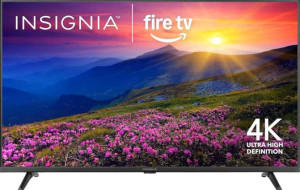
Insignia NS-85F501NA26 85"
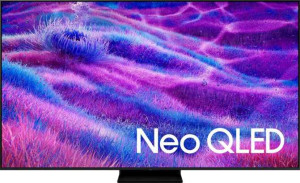
Samsung QN100QN80FF 100"

Insignia NS-85F501NA26 85" Samsung QN100QN80FF 100"

Overview

Welcome to our in-depth spec comparison between the Insignia NS-85F501NA26 85″ and the Samsung QN100QN80FF 100″. Both televisions deliver 4K UHD resolution and share a solid foundation of smart features, but they diverge sharply in areas like display technology, refresh rate, and gaming capabilities. Whether screen size, picture format support, or audio hardware is your priority, this comparison will help you navigate the key battlegrounds before making your decision.

Common Features

  • Both TVs have a 4K (UHD) display resolution of 3840 x 2160 px.
  • Both TVs display 1070 million colors with a 10-bit bit depth.
  • HDR10 support is available on both products.
  • HLG support is available on both products.
  • An anti-reflection coating is present on both products.
  • An ambient light sensor is included on both products.
  • Bluetooth connectivity is available on both products.
  • Wi-Fi support is available on both products, including Wi-Fi 4 (802.11n) and Wi-Fi 5 (802.11ac).
  • Both TVs have one RJ45 port.
  • Miracast support is available on both products.
  • Neither product has an external memory slot.
  • Neither product has a VGA or DVI connector.
  • Both TVs support Digital Out audio.
  • Stereo speakers are present on both products.
  • Dolby Atmos and Dolby Audio support are available on both products.
  • Neither product supports Dolby Virtual.
  • Both TVs feature HDMI ARC and HDMI eARC.
  • Both TVs support VESA mounting.
  • AirPlay is available on both products.
  • A built-in smart TV platform is present on both products.
  • Both TVs work with Alexa.
  • Neither product works with Siri or Apple HomeKit.
  • Remote smartphone control is supported on both products.
  • Neither product has a rechargeable remote control.
  • USB recording is supported on both products.
  • Standby power consumption is 0.5W on both products.

Main Differences

  • The display type is LED-backlit LCD on Insignia NS-85F501NA26 85″ and QLED LED-backlit LCD with Mini-LED on Samsung QN100QN80FF 100″.
  • Screen size is 84.56″ on Insignia NS-85F501NA26 85″ and 99.5″ on Samsung QN100QN80FF 100″.
  • Pixel density is 52 ppi on Insignia NS-85F501NA26 85″ and 44 ppi on Samsung QN100QN80FF 100″.
  • Refresh rate is 60Hz on Insignia NS-85F501NA26 85″ and 144Hz on Samsung QN100QN80FF 100″.
  • HDR10+ support is present on Samsung QN100QN80FF 100″ but not available on Insignia NS-85F501NA26 85″.
  • Dolby Vision support is present on Insignia NS-85F501NA26 85″ but not available on Samsung QN100QN80FF 100″.
  • Adaptive synchronization is not available on Insignia NS-85F501NA26 85″, while Samsung QN100QN80FF 100″ supports AMD FreeSync, AMD FreeSync Premium, and AMD FreeSync Premium Pro.
  • HDMI port count is 3 on Insignia NS-85F501NA26 85″ and 4 on Samsung QN100QN80FF 100″.
  • Bluetooth version is 5 on Insignia NS-85F501NA26 85″ and 5.3 on Samsung QN100QN80FF 100″.
  • USB port count is 1 on Insignia NS-85F501NA26 85″ and 2 on Samsung QN100QN80FF 100″.
  • A 3.5 mm audio jack is present on Insignia NS-85F501NA26 85″ but not available on Samsung QN100QN80FF 100″.
  • A built-in subwoofer is not present on Insignia NS-85F501NA26 85″ but is included on Samsung QN100QN80FF 100″.
  • Width is 1890 mm on Insignia NS-85F501NA26 85″ and 2230.1 mm on Samsung QN100QN80FF 100″.
  • Weight is 29901 g on Insignia NS-85F501NA26 85″ and 27352 g on Samsung QN100QN80FF 100″.
  • Thickness is 93.2 mm on Insignia NS-85F501NA26 85″ and 58.4 mm on Samsung QN100QN80FF 100″.
  • Height is 1082.3 mm on Insignia NS-85F501NA26 85″ and 1272.5 mm on Samsung QN100QN80FF 100″.
  • Volume is 190644.9804 cm³ on Insignia NS-85F501NA26 85″ and 165727.6514 cm³ on Samsung QN100QN80FF 100″.
  • Google Assistant compatibility is not present on Insignia NS-85F501NA26 85″ but is available on Samsung QN100QN80FF 100″.
Specs Comparison
Insignia NS-85F501NA26 85"

Insignia NS-85F501NA26 85"

Samsung QN100QN80FF 100"

Samsung QN100QN80FF 100"

Display:
display resolution 4K (UHD) 4K (UHD)
Display type LED-backlit, LCD QLED, LED-backlit, LCD, Mini-LED
screen size 84.56" 99.5"
resolution 3840 x 2160 px 3840 x 2160 px
pixel density 52 ppi 44 ppi
display colors 1070 million 1070 million
bit depth 10-bit 10-bit
refresh rate 60Hz 144Hz
supports HDR10
supports HDR10+
supports Dolby Vision
supports HLG
Adaptive synchronization None AMD FreeSync, AMD FreeSync Premium, AMD FreeSync Premium Pro
has anti-reflection coating
has an ambient light sensor
maximum horizontal viewing angle 178º 178º
maximum vertical viewing angle 178º 178º

Both the Insignia NS-85F501NA26 and the Samsung QN100QN80FF share the same 4K (3840 x 2160) resolution and 10-bit color depth with 1070 million colors, so picture sharpness and color volume start from an equal baseline. However, because the Samsung's panel is nearly 15 inches larger (99.5″ vs. 84.56″), its pixel density drops to 44 ppi compared to the Insignia's 52 ppi — meaning the Insignia will render slightly crisper fine detail when viewed at the same distance. The Samsung also adds QLED and Mini-LED backlighting on top of standard LED-backlit LCD, which typically translates to higher peak brightness, better local dimming, and richer contrast — a meaningful panel technology advantage not present on the Insignia.

Where the two TVs diverge most sharply is in motion handling and HDR ecosystem support. The Samsung's 144Hz refresh rate versus the Insignia's 60Hz is a substantial real-world difference: faster motion in sports and gaming appears smoother and less blurry on the Samsung. The Samsung also adds AMD FreeSync Premium Pro adaptive sync, eliminating screen tearing for compatible games — a feature entirely absent on the Insignia. On HDR, the split goes the other way: the Insignia supports Dolby Vision (the Insignia's exclusive HDR format here), while the Samsung supports HDR10+ (its exclusive). Both cover HDR10 and HLG. Neither format is universally superior, but content availability on your preferred streaming services should guide which matters more to you.

Both displays share identical 178° horizontal and vertical viewing angles, anti-reflection coatings, and ambient light sensors, so those factors are a wash. Overall, the Samsung holds a clear edge for motion-intensive use cases — gaming and sports — thanks to its higher refresh rate and adaptive sync support, plus its more advanced panel technology. The Insignia counters with a slight pixel density advantage and Dolby Vision support, making it the stronger fit for cinematic HDR content from Dolby Vision sources. The better choice depends on your primary use: the Samsung for performance and gaming, the Insignia for Dolby Vision-centric home theater viewing.

Connectivity:
Has Bluetooth
HDMI ports 3 4
supports Wi-Fi
Wi-Fi version Wi-Fi 4 (802.11n), Wi-Fi 5 (802.11ac) Wi-Fi 5 (802.11ac), Wi-Fi 4 (802.11n)
Bluetooth version 5 5.3
USB ports 1 2
RJ45 ports 1 1
supports Miracast
has a socket for a 3.5 mm audio jack
has an external memory slot
has a VGA connector
has a DVI connector

The Samsung QN100QN80FF edges ahead in wired connectivity with 4 HDMI ports versus the Insignia's 3, and 2 USB ports to the Insignia's single port. In a large-screen setup where soundbars, gaming consoles, streaming sticks, and Blu-ray players all compete for inputs, that extra HDMI and USB port can meaningfully reduce the need for a separate switcher. Both share a single RJ45 Ethernet port, and their Wi-Fi support is functionally equivalent — both top out at Wi-Fi 5 (802.11ac), which is sufficient for 4K streaming but falls short of the Wi-Fi 6 standard now common on newer TVs.

Wireless peripheral support tells a similar story. Both carry Bluetooth 5 as a baseline, but the Samsung's Bluetooth 5.3 is a more current revision, offering incremental improvements in connection stability and energy efficiency — relevant if you plan to pair wireless headphones or a Bluetooth soundbar. Miracast wireless screen mirroring is present on both, so casting from a mobile device is equally supported across either TV.

The one notable trade-off unique to each model is the 3.5mm audio jack: the Insignia includes one, the Samsung does not. For users who want to privately listen via wired headphones without a separate adapter or Bluetooth pairing, this is a practical convenience the Insignia retains. Overall, the Samsung holds a modest connectivity edge through its additional HDMI and USB ports and newer Bluetooth version — the more versatile hub for a complex home theater setup — while the Insignia's headphone jack is a small but real advantage for direct wired audio use.

Audio:
supports Digital Out
has SRS TheaterSound HD
has stereo speakers
has Dolby Atmos
has Dolby Audio
supports Dolby Virtual
has a subwoofer
HDMI ARC / eARC HDMI ARC, HDMI eARC HDMI ARC, HDMI eARC

For two TVs at opposite ends of the price and size spectrum, their audio feature sets are remarkably alike. Both support Dolby Atmos and Dolby Audio, both carry stereo speakers, and both include HDMI ARC and eARC — meaning either TV can pass high-quality audio to a compatible external soundbar or receiver, with eARC specifically enabling lossless formats like Dolby TrueHD and DTS-HD Master Audio. Digital Out is also present on both, rounding out the external audio routing options equally.

The single hardware differentiator is the Samsung's inclusion of a built-in subwoofer, which the Insignia lacks. In practice, a dedicated subwoofer driver handles low-frequency reproduction — bass in music, explosions in action films, rumble in games — that standard stereo drivers typically struggle to deliver convincingly. For users who plan to rely on the TV's internal speakers rather than adding an external audio system, this is a meaningful distinction: the Samsung's built-in audio should produce fuller, more grounded sound out of the box.

That said, both TVs support Dolby Atmos passthrough and eARC, so anyone pairing either set with a quality external soundbar or AV receiver will find the playing field essentially level. The Samsung holds a clear edge for standalone speaker performance thanks to its subwoofer, but for dedicated home theater setups driven by external audio gear, the two are functionally tied on audio connectivity and format support.

Design:
width 1890 mm 2230.1 mm
weight 29901 g 27352 g
thickness 93.2 mm 58.4 mm
height 1082.3 mm 1272.5 mm
volume 190644.9804 cm³ 165727.6514 cm³
Supports VESA mount

Given that the Samsung QN100QN80FF carries a 15-inch larger screen, its physical footprint is expectedly bigger — wider at 2230 mm versus the Insignia's 1890 mm, and taller by nearly 190 mm. Anyone planning a wall installation or selecting a TV stand should account for that difference carefully, as the Samsung will demand significantly more horizontal real estate in the room.

What is genuinely surprising is that despite its larger panel, the Samsung is actually lighter at 27.4 kg compared to the Insignia's 29.9 kg — a roughly 2.5 kg difference. More striking still is the thickness gap: the Samsung measures just 58.4 mm deep, versus the Insignia's 93.2 mm, making it nearly 40% slimmer. That slimmer profile is reflected in the Samsung's lower total volume (165,727 cm³ vs. 190,644 cm³), meaning it occupies less physical bulk despite its larger screen area. For wall mounting in particular, a thinner chassis sits closer to the wall and presents a cleaner, more integrated look.

Both TVs support VESA mounting, so installation flexibility is equal on that front. Overall, the Samsung holds a clear design advantage — it is simultaneously lighter, thinner, and more compact in volume than the Insignia, which is a notable engineering achievement at 100 inches. The Insignia's smaller footprint in width and height may suit tighter spaces, but anyone prioritizing a sleek, low-profile installation will find the Samsung the more refined physical package.
Features:
release date March 2025 March 2025
has AirPlay
has built-in smart TV
compatible with Google Assistant
works with Alexa
works with Siri/Apple HomeKit
supports a remote smartphone
has a rechargeable remote control
supports USB recording
standby power consumption 0.5W 0.5W
has a search browser
has a sleep timer
has a child lock
warranty period 1 years 1 years
has voice commands

Across the smart feature set, these two TVs are nearly identical — both include a built-in smart platform, AirPlay, Alexa, smartphone remote support, USB recording, voice commands, and standard utility features like a sleep timer and child lock. Standby power consumption is equally matched at 0.5W, and both carry a 1-year warranty. For the vast majority of users, day-to-day smart TV operation will feel essentially the same on either set.

The only meaningful differentiator in this category is the Samsung's support for Google Assistant, which the Insignia lacks. In a smart home environment built around Google's ecosystem — Nest devices, Android phones, Google Home routines — the Samsung integrates more naturally, allowing voice control that extends beyond the TV itself. The Insignia's Alexa support covers similar ground for Amazon ecosystem users, but the absence of Google Assistant does narrow its voice assistant compatibility.

Neither Apple HomeKit nor Siri is supported by either TV, so that is a shared limitation for users embedded in Apple's smart home ecosystem. On balance, the Samsung holds a slight edge here solely due to its broader voice assistant support with the addition of Google Assistant — a meaningful advantage for Google-centric households, but inconsequential for everyone else. All other smart features in this group are a complete tie.

Comparison Summary & Verdict

After examining every specification, these two TVs serve clearly different audiences. The Insignia NS-85F501NA26 85″ stands out for its support of Dolby Vision, its inclusion of a 3.5 mm audio jack, and its higher pixel density, making it a compelling choice for everyday home cinema use at a more accessible size. The Samsung QN100QN80FF 100″, on the other hand, dominates with its Mini-LED QLED panel, a blazing 144Hz refresh rate, AMD FreeSync Premium Pro adaptive sync, a built-in subwoofer, and a massive 100-inch screen, positioning it firmly as a premium large-format display for both serious gamers and dedicated home theater enthusiasts. Both share strong smart TV credentials, Dolby Atmos, and AirPlay support, so the decision ultimately comes down to use-case priorities and budget.

Insignia NS-85F501NA26 85
Buy Insignia NS-85F501NA26 85" if...

Buy the Insignia NS-85F501NA26 85″ if you want Dolby Vision support, a higher pixel density, and a more compact form factor for everyday home entertainment.

Samsung QN100QN80FF 100
Buy Samsung QN100QN80FF 100" if...

Buy the Samsung QN100QN80FF 100″ if you demand a massive 100-inch Mini-LED QLED screen, a 144Hz refresh rate with AMD FreeSync Premium Pro for gaming, and a built-in subwoofer for immersive audio.