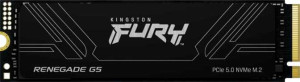
Kingston Fury Renegade G5 4TB
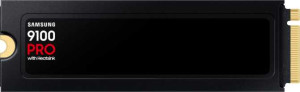
Samsung 9100 Pro 4TB

Kingston Fury Renegade G5 4TB Samsung 9100 Pro 4TB

Overview

Welcome to our in-depth spec comparison between the Kingston Fury Renegade G5 4TB and the Samsung 9100 Pro 4TB — two of the most powerful PCIe 5.0 NVMe SSDs on the market today. Both drives share a strong foundation of common specs, yet differ in key areas such as write performance, endurance ratings, and controller choice. Read on to see how they stack up against each other across every major specification.

Common Features

  • Sequential read speed is 14800 MB/s on both Kingston Fury Renegade G5 4TB and Samsung 9100 Pro 4TB.
  • Random read speed is 2200000 IOPS on both Kingston Fury Renegade G5 4TB and Samsung 9100 Pro 4TB.
  • Both Kingston Fury Renegade G5 4TB and Samsung 9100 Pro 4TB use the M.2 form factor.
  • Both Kingston Fury Renegade G5 4TB and Samsung 9100 Pro 4TB are equipped with a DRAM cache.
  • Both Kingston Fury Renegade G5 4TB and Samsung 9100 Pro 4TB are NVMe SSDs.
  • NVMe version is 2 on both Kingston Fury Renegade G5 4TB and Samsung 9100 Pro 4TB.
  • Internal storage capacity is 4000 GB on both Kingston Fury Renegade G5 4TB and Samsung 9100 Pro 4TB.
  • SSD storage type is TLC on both Kingston Fury Renegade G5 4TB and Samsung 9100 Pro 4TB.
  • PCI Express version is 5 on both Kingston Fury Renegade G5 4TB and Samsung 9100 Pro 4TB.
  • Controller channel count is 8 on both Kingston Fury Renegade G5 4TB and Samsung 9100 Pro 4TB.

Main Differences

  • Sequential write speed is 14000 MB/s on Kingston Fury Renegade G5 4TB and 13400 MB/s on Samsung 9100 Pro 4TB.
  • Random write speed is 2200000 IOPS on Kingston Fury Renegade G5 4TB and 2600000 IOPS on Samsung 9100 Pro 4TB.
  • The controller is Silicon Motion SM2508 on Kingston Fury Renegade G5 4TB and Samsung Presto (S4LY027) on Samsung 9100 Pro 4TB.
  • Terabytes Written (TBW) is 4000 TB on Kingston Fury Renegade G5 4TB and 2400 TB on Samsung 9100 Pro 4TB.
  • MTBF is 2 million hours on Kingston Fury Renegade G5 4TB and 1.5 million hours on Samsung 9100 Pro 4TB.
Specs Comparison
Kingston Fury Renegade G5 4TB

Kingston Fury Renegade G5 4TB

Samsung 9100 Pro 4TB

Samsung 9100 Pro 4TB

Read speed:
sequential read speed 14800 MB/s 14800 MB/s
random read speed 2200000 IOPS 2200000 IOPS

In read speed performance, the Kingston Fury Renegade G5 4TB and the Samsung 9100 Pro 4TB are in complete lockstep. Both drives deliver identical 14,800 MB/s sequential read throughput and 2,200,000 IOPS of random read performance — figures that place them firmly at the top tier of consumer NVMe storage.

The sequential read figure of 14,800 MB/s is significant in practice: at this level, large file transfers — think 4K video projects, virtual machine images, or game library migrations — complete in a fraction of the time compared to previous-generation drives. Meanwhile, the 2.2 million IOPS random read rating speaks to how the drive handles the scattered, unpredictable workloads typical of operating system tasks, application launches, and database queries. Both numbers suggest Gen 5 NVMe controllers pushing their theoretical limits.

With no measurable difference across either metric, read speed is a dead tie. Neither drive holds any advantage here, and this category should not influence a purchasing decision between the two.

Write speed:
sequential write speed 14000 MB/s 13400 MB/s
random write speed 2200000 IOPS 2600000 IOPS

Write speed is where these two drives finally diverge, and the split is genuinely interesting. The Kingston Fury Renegade G5 holds the sequential write crown at 14,000 MB/s versus the Samsung 9100 Pro's 13,400 MB/s — a roughly 4.5% gap that translates to a real but modest advantage when dumping large, contiguous data to the drive, such as rendering video exports or writing large compressed archives.

Flip the workload to random writes, however, and the Samsung reasserts itself decisively: 2,600,000 IOPS against the Kingston's 2,200,000 IOPS is an 18% lead — a far more significant margin. Random write IOPS directly governs how a drive handles the fragmented, concurrent write operations that dominate everyday computing: installing software, saving project files across multiple directories, or running a busy virtual machine. That nearly 400K IOPS advantage for the Samsung is not a paper spec — it reflects meaningfully snappier behavior under the mixed workloads most users actually encounter.

The verdict here depends on use case. For sustained large-file write throughput — content creation pipelines, bulk data ingestion — the Kingston Fury Renegade G5 has a narrow edge. For everything else, the Samsung 9100 Pro's commanding random write lead makes it the stronger performer in this category overall.

General info:
type M2 M2
SSD cache DRAM cache DRAM cache
Is an NVMe SSD
NVMe version 2 2
internal storage 4000GB 4000GB
release date April 2025 February 2025
controller Silicon Motion SM2508 Samsung Presto (S4LY027)
SSD storage type TLC TLC
PCI Express (PCIe) version 5 5
Controller channels 8 8
Terabytes Written (TBW) 4000 2400
MTBF 2million hours 1.5million hours
warranty period 5 years 5 years
Has an integrated heatsink
has RGB lighting

At the architectural level, these two drives share the same fundamental blueprint: both are M.2 PCIe 5.0 NVMe 2.0 SSDs using TLC NAND, DRAM cache, and an 8-channel controller. That common foundation explains much of the performance parity seen in read speeds. Where they diverge is in the silicon doing the work — the Kingston Fury Renegade G5 uses a Silicon Motion SM2508 controller, while the Samsung 9100 Pro is powered by Samsung's own Presto (S4LY027) — a fully vertically integrated solution where Samsung designs both the controller and the NAND. Neither approach is inherently superior on paper, but the in-house controller gives Samsung tighter optimization potential over time through firmware updates.

The more consequential difference for long-term ownership is endurance. The Kingston rates at 4,000 TBW (Terabytes Written) against the Samsung's 2,400 TBW — a 67% advantage that is far from trivial. For a 4TB drive, TBW directly governs how much data you can write before the warranty no longer covers drive failure. Power users, NAS operators, or anyone running write-intensive workloads like video editing or database operations will find the Kingston's endurance headroom significantly more reassuring. The MTBF figures reinforce this picture: 2 million hours for the Kingston versus 1.5 million hours for the Samsung.

Both drives carry identical 5-year warranties, so the warranty period itself is a wash. Overall, the Kingston Fury Renegade G5 holds a clear reliability and longevity edge in this category — the superior TBW and MTBF ratings make it the more durable long-term proposition, especially for users who push write loads hard.

Comparison Summary & Verdict

Both the Kingston Fury Renegade G5 4TB and the Samsung 9100 Pro 4TB are exceptional PCIe 5.0 NVMe SSDs that share identical sequential read speeds, TLC NAND, and DRAM cache support. However, their differences reveal distinct strengths. The Kingston Fury Renegade G5 4TB stands out with a higher sequential write speed of 14000 MB/s and a significantly greater TBW endurance of 4000 TB, alongside a superior MTBF of 2 million hours — making it the stronger choice for users who write large amounts of data regularly or demand long-term reliability. The Samsung 9100 Pro 4TB, on the other hand, edges ahead with a faster random write speed of 2600000 IOPS, making it better suited for workloads involving massive numbers of small, random write operations. Your ideal choice ultimately depends on your specific workload priorities.

Kingston Fury Renegade G5 4TB
Buy Kingston Fury Renegade G5 4TB if...

Buy the Kingston Fury Renegade G5 4TB if you prioritize higher sequential write speeds, greater long-term endurance with a 4000 TB TBW rating, and a higher MTBF of 2 million hours.

Samsung 9100 Pro 4TB
Buy Samsung 9100 Pro 4TB if...

Buy the Samsung 9100 Pro 4TB if your workload demands superior random write performance, as its 2600000 IOPS random write speed gives it an edge in small-file intensive tasks.