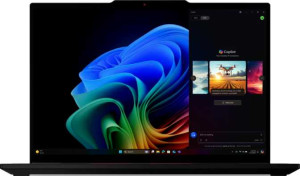
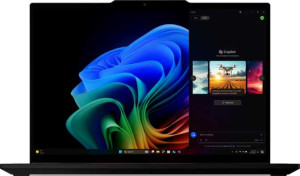
Lenovo ThinkPad T14s Gen 6 14"
Lenovo ThinkPad T14s Gen 6 14" (Ultra 5 238V / 32GB RAM / 1TB)

Lenovo ThinkPad T14s Gen 6 14" Lenovo ThinkPad T14s Gen 6 14" (Ultra 5 238V / 32GB RAM / 1TB)

Overview

Welcome to our in-depth spec comparison between the Lenovo ThinkPad T14s Gen 6 14″ and the Lenovo ThinkPad T14s Gen 6 14″ (Ultra 5 238V / 32GB RAM / 1TB). Both laptops share the same iconic ThinkPad chassis, display size, and core feature set, yet they differ in meaningful ways across CPU and GPU performance, benchmark results, and display interaction. Read on to see exactly where these two configurations diverge and which one might be the right fit for your needs.

Common Features

  • Both laptops weigh 1280 g.
  • Neither laptop uses a fanless design.
  • Both laptops have a backlit keyboard.
  • Both laptops come with a 3-year warranty period.
  • Both laptops have a volume of 754.017 cm³.
  • Both laptops have a width of 313 mm, a height of 219 mm, and a thickness of 11 mm.
  • Both laptops have a 14″ screen with a resolution of 1920 x 1200 px and a pixel density of 161 ppi.
  • Both laptops use an LCD, LED-backlit, IPS display type.
  • Both laptops have a typical brightness of 400 nits and a refresh rate of 60Hz.
  • Both laptops have an anti-reflection coating on the display.
  • Both laptops support up to 3 external displays.
  • Both laptops come with 32GB of RAM running at 8533 MHz.
  • Both laptops use flash storage with an NVMe SSD of 1024GB.
  • Both laptops have a CPU with 8 threads and support multithreading.
  • Both laptops support DirectX 12 Ultimate.
  • Both laptops have 2 USB 4 40Gbps ports, 2 Thunderbolt 4 ports, and 2 USB 3.2 Gen 1 Type-A ports.
  • Both laptops have a 58 Wh battery.
  • Both laptops have sleep-and-charge USB ports, but neither has a MagSafe power adapter.
  • Both laptops have stereo speakers, a 3.5 mm audio jack, a 5MP front camera, 2 microphones, Dolby Atmos, and a fingerprint scanner.
  • Both laptops do not support ray tracing or DLSS.

Main Differences

  • Touch screen support is present on Lenovo ThinkPad T14s Gen 6 14″ but not available on Lenovo ThinkPad T14s Gen 6 14″ (Ultra 5 238V / 32GB RAM / 1TB).
  • CPU speed is 4 x 2.2 & 4 x 2.2 GHz on Lenovo ThinkPad T14s Gen 6 14″ and 4 x 2.1 & 4 x 2.1 GHz on Lenovo ThinkPad T14s Gen 6 14″ (Ultra 5 238V / 32GB RAM / 1TB).
  • Turbo clock speed is 5 GHz on Lenovo ThinkPad T14s Gen 6 14″ and 4.7 GHz on Lenovo ThinkPad T14s Gen 6 14″ (Ultra 5 238V / 32GB RAM / 1TB).
  • GPU turbo clock is 2000 MHz on Lenovo ThinkPad T14s Gen 6 14″ and 1850 MHz on Lenovo ThinkPad T14s Gen 6 14″ (Ultra 5 238V / 32GB RAM / 1TB).
  • PassMark multi-core result is 20232 on Lenovo ThinkPad T14s Gen 6 14″ and 18462 on Lenovo ThinkPad T14s Gen 6 14″ (Ultra 5 238V / 32GB RAM / 1TB).
  • PassMark single-core result is 4212 on Lenovo ThinkPad T14s Gen 6 14″ and 3854 on Lenovo ThinkPad T14s Gen 6 14″ (Ultra 5 238V / 32GB RAM / 1TB).
  • Clock multiplier is 22 on Lenovo ThinkPad T14s Gen 6 14″ and 21 on Lenovo ThinkPad T14s Gen 6 14″ (Ultra 5 238V / 32GB RAM / 1TB).
  • L3 cache is 12 MB on Lenovo ThinkPad T14s Gen 6 14″ and 8 MB on Lenovo ThinkPad T14s Gen 6 14″ (Ultra 5 238V / 32GB RAM / 1TB).
  • GPU execution units number 8 on Lenovo ThinkPad T14s Gen 6 14″ and 7 on Lenovo ThinkPad T14s Gen 6 14″ (Ultra 5 238V / 32GB RAM / 1TB).
  • The GPU is Arc Graphics 140V on Lenovo ThinkPad T14s Gen 6 14″ and Arc Graphics 130V on Lenovo ThinkPad T14s Gen 6 14″ (Ultra 5 238V / 32GB RAM / 1TB).
Specs Comparison
Lenovo ThinkPad T14s Gen 6 14"

Lenovo ThinkPad T14s Gen 6 14"

Lenovo ThinkPad T14s Gen 6 14" (Ultra 5 238V / 32GB RAM / 1TB)

Lenovo ThinkPad T14s Gen 6 14" (Ultra 5 238V / 32GB RAM / 1TB)

Design:
weight 1280 g 1280 g
Uses a fanless design
Has a backlit keyboard
warranty period 3 years 3 years
volume 754.017 cm³ 754.017 cm³
width 313 mm 313 mm
height 219 mm 219 mm
thickness 11 mm 11 mm
is weather-sealed (splashproof)
has a rugged build

In terms of design, the Lenovo ThinkPad T14s Gen 6 14″ and its Ultra 5 238V / 32GB RAM / 1TB variant are completely identical across every measured dimension and build characteristic. Both share the same 313 × 219 × 11 mm footprint, a 1280 g weight, and a calculated volume of 754.017 cm³. At 11 mm thin and under 1.3 kg, this is a genuinely slim and portable business ultrabook — the kind of chassis you can slip into a bag and carry all day without fatigue.

Both models include a backlit keyboard and a 3-year warranty, which are meaningful shared strengths for business users. Neither uses a fanless design, meaning both rely on active cooling — relevant for sustained workloads but not a differentiator here. Neither is weather-sealed or ruggedized, so users in demanding environments should be aware of those shared limitations.

From a pure design standpoint, these two configurations are completely tied. The hardware shell, dimensions, weight, and build features are indistinguishable. Any purchase decision between them based on design alone is effectively a coin flip — the differentiators, if any, lie entirely in the internal hardware configurations, not the chassis.

Display:
screen size 14" 14"
resolution 1920 x 1200 px 1920 x 1200 px
pixel density 161 ppi 161 ppi
Display type LCD, LED-backlit, IPS LCD, LED-backlit, IPS
has a touch screen
brightness (typical) 400 nits 400 nits
refresh rate 60Hz 60Hz
has anti-reflection coating
supported displays 3 3

The display hardware is nearly identical across both configurations — a 14″ IPS LCD panel running at 1920 × 1200 resolution (161 ppi), with a 400-nit typical brightness and a 60Hz refresh rate. The 16:10 aspect ratio implied by the 1920 × 1200 resolution is a genuine productivity advantage over standard 16:9 screens, offering meaningfully more vertical space for documents, code, and web pages. The anti-reflection coating on both models helps usability in mixed-lighting office environments.

The one concrete differentiator here is touchscreen support: the base T14s Gen 6 includes it, while the Ultra 5 238V / 32GB / 1TB variant does not. For most keyboard-and-mouse workflows, this makes no practical difference — but users who annotate documents, use stylus input, or prefer touch navigation will find the base model more versatile in that regard.

On display, the base T14s Gen 6 holds a narrow edge solely due to its touchscreen. Every other display attribute — panel type, resolution, brightness, refresh rate, external display support — is exactly matched. The Ultra 5 variant's omission of touch is not a critical flaw, but it is a feature reduction worth noting for buyers who value that input method.

Performance:
RAM 32GB 32GB
RAM speed 8533 MHz 8533 MHz
Uses flash storage
internal storage 1024GB 1024GB
CPU speed 4 x 2.2 & 4 x 2.2 GHz 4 x 2.1 & 4 x 2.1 GHz
CPU threads 8 threads 8 threads
Is an NVMe SSD
DirectX version DirectX 12 Ultimate DirectX 12 Ultimate
uses multithreading
maximum memory amount 32GB 32GB
DDR memory version 5 5
turbo clock speed 5GHz 4.7GHz
GPU turbo 2000 MHz 1850 MHz
memory slots 0 0
PCI Express (PCIe) version 5 5
semiconductor size 3 nm 3 nm
Supports 64-bit

Underneath their identical chassis, these two configurations reveal meaningful differences in raw compute performance. The shared foundation is strong across both: 32GB of DDR5 RAM clocked at 8533 MHz, a 1TB NVMe PCIe 5 SSD, an 8-thread CPU built on a 3nm process, and full DirectX 12 Ultimate support. For everyday productivity, multitasking, and even moderately demanding workloads, both machines arrive well-equipped.

Where they diverge is in peak clock speeds. The base T14s Gen 6 pulls ahead with a 5.0 GHz turbo CPU clock versus the Ultra 5 238V variant's 4.7 GHz — a 6% gap that becomes relevant in single-threaded tasks like compiling code, running simulations, or processing large spreadsheets where peak frequency directly translates to wall-clock time. The GPU turbo frequency tells a similar story: 2000 MHz versus 1850 MHz, an 8% advantage for the base model that could produce noticeably snappier performance in GPU-accelerated workloads such as video export or machine learning inference.

On performance, the base T14s Gen 6 holds a clear edge. While the Ultra 5 238V variant is by no means slow — its clock speeds are still competitive — the base model's higher turbo ceiling across both CPU and GPU means it will sustain faster burst performance in the tasks that stress those limits most. For users who routinely push their hardware, that gap is a genuine consideration.

Benchmarks:
PassMark result 20232 18462
PassMark result (single) 4212 3854

Benchmark results put concrete numbers behind the clock speed gap identified in the Performance group. The base T14s Gen 6 scores 20,232 in PassMark's multi-threaded test, compared to 18,462 for the Ultra 5 238V / 32GB / 1TB variant — a difference of roughly 9.6%. In PassMark terms, both scores sit comfortably in the range associated with capable business ultrabooks, but the base model's lead is consistent and not a rounding artifact.

The single-core gap is equally telling: 4,212 versus 3,854, a ~9.3% advantage for the base configuration. Single-core performance is what drives responsiveness in everyday tasks — launching applications, browser tab switching, working in Office or similar tools — so this gap has real-world relevance beyond synthetic benchmarking. A ~400-point single-core difference in PassMark is perceptible in sustained, latency-sensitive workflows.

The benchmarks firmly reinforce the conclusion from the raw specs: the base T14s Gen 6 is the faster of the two by a meaningful margin in both multi-threaded and single-threaded workloads. For buyers choosing between these configurations on performance grounds alone, the data consistently points in the same direction.

Connectivity:
USB 3.2 Gen 2 ports (USB-C) 0 0
USB 3.2 Gen 2 ports (USB-A) 0 0
USB 4 20Gbps ports 0 0
USB 4 40Gbps ports 2 2
Thunderbolt 4 ports 2 2
USB 3.2 Gen 1 ports (USB-C) 0 0
USB 3.2 Gen 1 ports (USB-A) 2 2
Thunderbolt 3 ports 0 0
has an HDMI output
Has USB Type-C
supports Wi-Fi
Wi-Fi version Wi-Fi 7 (802.11be), Wi-Fi 6E (802.11ax), Wi-Fi 6 (802.11ax), Wi-Fi 5 (802.11ac), Wi-Fi 4 (802.11n) Wi-Fi 7 (802.11be), Wi-Fi 6E (802.11ax), Wi-Fi 6 (802.11ax), Wi-Fi 5 (802.11ac), Wi-Fi 4 (802.11n)
has an external memory slot
Bluetooth version 5.4 5.4
RJ45 ports 0 0
HDMI ports 1 1
HDMI version HDMI 2.1 HDMI 2.1
DisplayPort outputs 0 0
USB 2.0 ports 0 0
has AirPlay
mini DisplayPort outputs 0 0
has a VGA connector

Connectivity is one area where these two configurations offer absolutely no grounds for differentiation. Both carry an identical port layout: 2× Thunderbolt 4 ports (which also function as USB4 40Gbps), 2× USB 3.2 Gen 1 Type-A, and a single HDMI 2.1 output. The Thunderbolt 4 ports are particularly valuable — they support high-bandwidth docking stations, dual 4K displays, and fast external storage all through a single cable, making either machine highly capable in a modern deskbound setup.

Wireless connectivity is equally matched: both support Wi-Fi 7 (802.11be) with backwards compatibility down to Wi-Fi 4, and ship with Bluetooth 5.4. Wi-Fi 7 is the current leading standard, delivering higher throughput and lower latency on compatible routers — a forward-looking inclusion that should remain relevant for years. Bluetooth 5.4 similarly represents the current edge of the spec, benefiting peripherals like headsets and mice with improved connection stability.

With every connectivity spec in perfect lockstep, this category is an unambiguous tie. Neither configuration offers an additional port, a faster wireless standard, or any expanded I/O advantage over the other. Buyers can make their decision here entirely on other factors.

Battery:
battery size 58 Wh 58 Wh
Has sleep-and-charge USB ports
Has a MagSafe power adapter

Battery specs offer no basis for choosing between these two configurations. Both are equipped with a 58 Wh cell — a respectable capacity for a slim 14″ business ultrabook that balances runtime against the weight constraints of a sub-1.3 kg chassis. Both also support sleep-and-charge via USB, meaning the Thunderbolt 4 ports can top up a phone or peripheral even when the laptop is powered down.

Neither model uses a MagSafe-style proprietary power connector, which is consistent with their USB-C/Thunderbolt charging approach — a practical advantage in that any compatible USB-C charger or dock can power either machine, reducing cable dependency while traveling.

With an identical 58 Wh battery and matching charging features across the board, this category is a straightforward tie. Any real-world runtime differences between the two would stem from how efficiently each processor consumes power under load — a factor outside the scope of the provided specs — rather than from the battery hardware itself.

Features:
release date May 2025 April 2025
has stereo speakers
has a socket for a 3.5 mm audio jack
megapixels (front camera) 5MP 5MP
supports ray tracing
supports DLSS
has Dolby Atmos
Has a fingerprint scanner
number of microphones 2 2
Uses 3D facial recognition
has voice commands
has a front camera
Has S/PDIF Out port
has a gyroscope
has GPS
has an accelerometer
has a compass
Has an optical disc drive

Feature parity is total here — every capability listed applies equally to both configurations. The security package is notably well-rounded for a business device: both include a fingerprint scanner and 3D facial recognition, offering two distinct biometric login methods that together cover virtually any authentication preference or lighting condition. For corporate environments where Windows Hello adoption is standard, this is a meaningful shared strength.

The webcam and audio setup is identical across both: a 5MP front camera, dual microphones, stereo speakers with Dolby Atmos, and a 3.5mm audio jack. The 5MP resolution puts both above the 1080p baseline common in business laptops, which translates to sharper video call quality — a relevant consideration given how much of modern work happens over video conferencing. Dolby Atmos adds a layer of audio tuning that benefits both media consumption and call clarity through spatial processing.

With no feature present on one model and absent from the other, this category is a complete tie. Both machines are identically equipped for security, audio, and video — buyers gain or lose nothing in this department regardless of which configuration they choose.

Miscellaneous:
USB 3.0 ports 0 0
USB ports 4 4
Thunderbolt ports 2 2
clock multiplier 22 21
Type Laptop Laptop
instruction sets MMX, F16C, FMA3, AES, AVX, AVX2, SSE 4.1, SSE 4.2 MMX, F16C, FMA3, AES, AVX, AVX2, SSE 4.1, SSE 4.2
Has an unlocked multiplier
L3 cache 12 MB 8 MB
Has NX bit
CPU temperature 100 °C 100 °C
OpenCL version 3 3
OpenGL version 4.6 4.6
GPU execution units 8 7
GPU name Arc Graphics 140V Arc Graphics 130V
Has integrated graphics
Supports ECC memory
memory channels 2 2
RAM speed (max) 8533 MHz 8533 MHz
Thermal Design Power (TDP) 17W 17W
Uses big.LITTLE technology

Digging into the silicon details, two meaningful gaps emerge between these otherwise closely matched configurations. The base T14s Gen 6 carries the Arc Graphics 140V with 8 GPU execution units and 12 MB of L3 cache, while the Ultra 5 238V variant steps down to the Arc Graphics 130V with 7 execution units and only 8 MB of L3 cache. The extra execution unit translates directly to higher parallel graphics throughput, and the 50% larger L3 cache is significant — more cache means the CPU can resolve more data requests without reaching slower main memory, which benefits both compute-heavy and latency-sensitive tasks across the board.

Where the two are evenly matched: both operate under a 17W TDP, share the same dual-channel memory architecture with a maximum RAM speed of 8533 MHz, and use Intel's big.LITTLE heterogeneous core layout. The identical TDP is worth noting — both chips are drawing the same power envelope, meaning the base model's performance advantages come without any additional thermal cost to the system.

This group reinforces the pattern established across performance and benchmark data: the base T14s Gen 6 holds a clear hardware advantage, with a more capable GPU and a larger CPU cache at no difference in power consumption. For users whose workloads touch graphics acceleration or CPU-bound data throughput, these distinctions are tangible rather than theoretical.

Comparison Summary & Verdict

After examining every available data point, both configurations of the ThinkPad T14s Gen 6 deliver the same solid build, 14″ IPS display, 32GB RAM, 1TB NVMe storage, and a rich connectivity suite. However, the key distinctions lie in raw performance: the standard Lenovo ThinkPad T14s Gen 6 14″ pulls ahead with a higher turbo clock speed of 5 GHz, a larger 12 MB L3 cache, the more capable Arc Graphics 140V with 8 execution units, and notably stronger PassMark scores. Meanwhile, the Lenovo ThinkPad T14s Gen 6 14″ (Ultra 5 238V / 32GB RAM / 1TB) trades some of that performance headroom for a touch-free display experience. Choose the standard model if peak processing power matters most; opt for the Ultra 5 238V variant if its specific configuration aligns with your workflow and you do not require a touchscreen.

Lenovo ThinkPad T14s Gen 6 14
Buy Lenovo ThinkPad T14s Gen 6 14" if...

Buy the Lenovo ThinkPad T14s Gen 6 14″ if you want the strongest CPU and GPU performance, with a higher turbo clock speed, larger L3 cache, more powerful Arc Graphics 140V, and the added flexibility of a touch screen.

Lenovo ThinkPad T14s Gen 6 14
Buy Lenovo ThinkPad T14s Gen 6 14" (Ultra 5 238V / 32GB RAM / 1TB) if...

Buy the Lenovo ThinkPad T14s Gen 6 14″ (Ultra 5 238V / 32GB RAM / 1TB) if you prefer a non-touch display and can work comfortably within the slightly lower CPU turbo speed of 4.7 GHz and Arc Graphics 130V performance level.