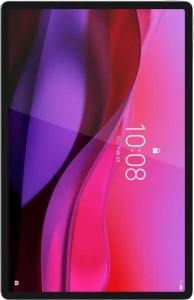
Lenovo Yoga Tab Plus
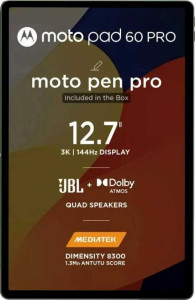
Motorola Moto Pad 60 Pro

Lenovo Yoga Tab Plus Motorola Moto Pad 60 Pro

Overview

Welcome to our in-depth spec comparison between the Lenovo Yoga Tab Plus and the Motorola Moto Pad 60 Pro — two feature-rich Android tablets sharing the same large 12.7″ IPS display and 144Hz refresh rate, yet diverging sharply in key areas. From raw CPU and GPU performance to design choices, storage options, and connectivity features, this head-to-head breakdown will help you decide which tablet truly fits your needs.

Common Features

  • Both tablets include a stylus in the box.
  • Neither tablet has a backlit keyboard.
  • Both tablets offer water resistance.
  • Both tablets feature a 12.7″ screen size.
  • Both tablets share a resolution of 2944 x 1840 px.
  • Both tablets have a pixel density of 273 ppi.
  • Both tablets use an LCD IPS display type.
  • Both tablets support a 144Hz refresh rate.
  • Neither tablet has branded damage-resistant glass.
  • Both tablets feature an anti-reflection coating.
  • Both tablets have a touch screen.
  • Both tablets are built on a 4 nm semiconductor process.
  • Both tablets support 64-bit processing.
  • Both tablets use big.LITTLE CPU technology.
  • Both tablets support DirectX 12.
  • Both tablets have integrated graphics.
  • Both tablets have 1 MB of L2 cache.
  • Both tablets have 8 CPU threads.
  • Both tablets support TrustZone security.
  • Both tablets have a 10200 mAh battery.
  • Both tablets support fast charging.
  • Neither tablet supports wireless charging.
  • Both tablets have stereo speakers.
  • Neither tablet has a 3.5 mm audio jack.
  • Neither tablet supports aptX, aptX HD, LDAC, aptX Low Latency, aptX Adaptive, or aptX Lossless.
  • Both tablets have a front camera.
  • Both tablets have a flash.
  • Both tablets support HDR mode in-camera.
  • Neither tablet can create panoramas in-camera.
  • Both tablets support touch autofocus.
  • Neither tablet has a BSI sensor.
  • Both tablets support manual white balance.
  • Both tablets have on-device machine learning.
  • Both tablets support split screen.
  • Both tablets offer location privacy options.
  • Both tablets offer camera and microphone privacy options.
  • Both tablets can block app tracking.
  • Both tablets use DDR5 memory.

Main Differences

  • Weight is 640 g on Lenovo Yoga Tab Plus and 620 g on Motorola Moto Pad 60 Pro.
  • Thickness is 8.5 mm on Lenovo Yoga Tab Plus and 6.9 mm on Motorola Moto Pad 60 Pro.
  • Volume is 465.6 cm³ on Lenovo Yoga Tab Plus and 380.7 cm³ on Motorola Moto Pad 60 Pro.
  • A detachable keyboard is supported on Lenovo Yoga Tab Plus but not available on Motorola Moto Pad 60 Pro.
  • Tilt sensitivity is supported on Lenovo Yoga Tab Plus but not available on Motorola Moto Pad 60 Pro.
  • HDR10 support is present on Motorola Moto Pad 60 Pro but not available on Lenovo Yoga Tab Plus.
  • Dolby Vision support is present on Lenovo Yoga Tab Plus but not available on Motorola Moto Pad 60 Pro.
  • Internal storage is 512 GB on Lenovo Yoga Tab Plus and 256 GB on Motorola Moto Pad 60 Pro.
  • RAM is 16 GB on Lenovo Yoga Tab Plus and 12 GB on Motorola Moto Pad 60 Pro.
  • The chipset is Qualcomm Snapdragon 8 Gen 3 on Lenovo Yoga Tab Plus and MediaTek Dimensity 8300 on Motorola Moto Pad 60 Pro.
  • The GPU is Adreno 750 on Lenovo Yoga Tab Plus and Mali G615 MP6 on Motorola Moto Pad 60 Pro.
  • Geekbench 6 multi-core score is 7325 on Lenovo Yoga Tab Plus and 4610 on Motorola Moto Pad 60 Pro.
  • Geekbench 6 single-core score is 2213 on Lenovo Yoga Tab Plus and 1485 on Motorola Moto Pad 60 Pro.
  • An external memory slot is available on Motorola Moto Pad 60 Pro but not on Lenovo Yoga Tab Plus.
  • GPU clock speed is 900 MHz on Lenovo Yoga Tab Plus and 1400 MHz on Motorola Moto Pad 60 Pro.
  • RAM speed is 4800 MHz on Lenovo Yoga Tab Plus and 8533 MHz on Motorola Moto Pad 60 Pro.
  • Thermal Design Power is 12.5 W on Lenovo Yoga Tab Plus and 6 W on Motorola Moto Pad 60 Pro.
  • L3 cache is 12 MB on Lenovo Yoga Tab Plus and 4 MB on Motorola Moto Pad 60 Pro.
  • The main camera resolution is 13 & 2 MP on Lenovo Yoga Tab Plus and 13 MP on Motorola Moto Pad 60 Pro.
  • The front camera resolution is 13 MP on Lenovo Yoga Tab Plus and 8 MP on Motorola Moto Pad 60 Pro.
  • Slow-motion video recording is supported on Lenovo Yoga Tab Plus but not available on Motorola Moto Pad 60 Pro.
  • GPS is available on Motorola Moto Pad 60 Pro but not on Lenovo Yoga Tab Plus.
  • A fingerprint scanner is present on Motorola Moto Pad 60 Pro but not on Lenovo Yoga Tab Plus.
  • USB version is 3.1 on Lenovo Yoga Tab Plus and 3.2 on Motorola Moto Pad 60 Pro.
  • Bluetooth version is 5.4 on Lenovo Yoga Tab Plus and 5.3 on Motorola Moto Pad 60 Pro.
  • Download speed is 10000 Mbit/s on Lenovo Yoga Tab Plus and 7900 Mbit/s on Motorola Moto Pad 60 Pro.
  • Upload speed is 3500 Mbit/s on Lenovo Yoga Tab Plus and 4200 Mbit/s on Motorola Moto Pad 60 Pro.
  • A compass is available on Motorola Moto Pad 60 Pro but not on Lenovo Yoga Tab Plus.
  • Galileo navigation support is present on Motorola Moto Pad 60 Pro but not on Lenovo Yoga Tab Plus.
Specs Comparison
Lenovo Yoga Tab Plus

Lenovo Yoga Tab Plus

Motorola Moto Pad 60 Pro

Motorola Moto Pad 60 Pro

Design:
weight 640 g 620 g
thickness 8.5 mm 6.9 mm
width 290.9 mm 291.8 mm
height 188.3 mm 189.1 mm
volume 465.599995 cm³ 380.737722 cm³
Stylus included
Has a detachable keyboard
Has a backlit keyboard
water resistance Water resistant Water resistant
Has tilt sensitivity

On paper, the Lenovo Yoga Tab Plus and the Motorola Moto Pad 60 Pro share nearly identical footprints — both are around 291 × 189 mm and both ship with a stylus and water resistance. For users focused purely on screen size and portability in the hand, they are essentially the same device dimensionally. However, beneath those surface-level similarities lie meaningful physical differences that will directly shape the ownership experience.

The most impactful divergence is thickness and overall volume. The Moto Pad 60 Pro measures just 6.9 mm thick, while the Yoga Tab Plus comes in at 8.5 mm — a 23% difference that translates to a noticeably more compact volume (380.7 cm³ vs 465.6 cm³). In practical terms, the Moto Pad 60 Pro will feel sleeker in a bag and sit more comfortably on a flat surface for media consumption. The Yoga Tab Plus is also slightly heavier at 640 g versus 620 g, though that 20 g gap is unlikely to be felt during normal use.

Where the Yoga Tab Plus decisively pulls ahead is productivity hardware. It ships with a detachable keyboard and supports tilt sensitivity on its included stylus, making it a more capable laptop-replacement candidate right out of the box. The Moto Pad 60 Pro offers neither. If your priority is a thin, clean slate for media and casual stylus use, the Moto Pad 60 Pro holds the design edge. But for users who want a tablet that doubles as a work machine, the Yoga Tab Plus carries a clear functional advantage despite its added bulk.

Display:
screen size 12.7" 12.7"
resolution 2944 x 1840 px 2944 x 1840 px
pixel density 273 ppi 273 ppi
Display type LCD, IPS LCD, IPS
refresh rate 144Hz 144Hz
has branded damage-resistant glass
has anti-reflection coating
supports HDR10
has a touch screen
Has sapphire glass display
supports HDR10+
supports Dolby Vision
Has an e-paper display

The display specs for these two tablets are remarkably close — both feature a 12.7″ LCD IPS panel running at 2944 × 1840 px, delivering an identical 273 ppi pixel density and a smooth 144Hz refresh rate. For everyday use, this means both screens will look equally sharp and feel equally fluid during scrolling or gaming. Neither uses OLED, so contrast and black levels will be comparable, and neither carries branded damage-resistant glass, which is a shared omission worth noting for long-term durability.

The one genuine split comes down to HDR format support. The Moto Pad 60 Pro supports HDR10, while the Yoga Tab Plus supports Dolby Vision instead. These are competing HDR standards: HDR10 is the industry baseline and is broadly supported across streaming platforms and content libraries, whereas Dolby Vision is a more premium, dynamic format that delivers superior scene-by-scene tone mapping — but only when the content and app explicitly support it. In practice, the Yoga Tab Plus user will find Dolby Vision content on Netflix and Apple TV+, while the Moto Pad 60 Pro user benefits from wider general compatibility across HDR-enabled content.

Neither HDR advantage is absolute, making this a question of ecosystem preference rather than a clear technical winner. Both tablets share anti-reflection coatings, which meaningfully improves outdoor and bright-room usability. Overall, the display category is essentially a tie — the core viewing experience is identical, and the HDR distinction matters only if you have strong content consumption habits tied to one standard over the other.

Performance:
internal storage 512GB 256GB
RAM 16GB 12GB
Chipset (SoC) name Qualcomm Snapdragon 8 Gen 3 MediaTek Dimensity 8300
GPU name Adreno 750 Mali G615 MP6
CPU speed 3 x 3.15 & 2 x 2.96 & 2 x 2.26 & 1 x 3.3 GHz 1 x 3.35 & 3 x 3 & 4 x 2.2 GHz
Geekbench 6 result (multi) 7325 4610
Geekbench 6 result (single) 2213 1485
has an external memory slot
semiconductor size 4 nm 4 nm
Supports 64-bit
Uses big.LITTLE technology
DirectX version DirectX 12 DirectX 12
Has integrated graphics
GPU clock speed 900 MHz 1400 MHz
L2 cache 1 MB 1 MB
CPU threads 8 threads 8 threads
RAM speed 4800 MHz 8533 MHz
Has TrustZone
maximum memory amount 24GB 24GB
Android version Android 14 Android 14
Thermal Design Power (TDP) 12.5W 6W
Uses HMP
L3 cache 12 MB 4 MB
maximum memory bandwidth 76.6 GB/s 68.2 GB/s
memory channels 2 4
OpenCL version 2 2

Raw horsepower firmly favors the Lenovo Yoga Tab Plus. Its Qualcomm Snapdragon 8 Gen 3 chip posts Geekbench 6 scores of 7325 multi-core and 2213 single-core, compared to the Moto Pad 60 Pro's MediaTek Dimensity 8300 at 4610 and 1485 respectively — roughly a 59% lead in multi-core throughput. Backed by 16 GB of RAM, a larger 12 MB L3 cache, and 512 GB of internal storage, the Yoga Tab Plus is built for demanding workloads: heavy multitasking, video editing, and high-fidelity gaming will all feel more fluid and responsive.

The Moto Pad 60 Pro punches back in a few specific areas. Its RAM runs at a substantially faster 8533 MHz versus 4800 MHz on the Yoga Tab Plus, and it uses 4 memory channels compared to 2, which can reduce latency in memory-bound tasks. Its GPU clock also runs higher at 1400 MHz versus 900 MHz, though the Adreno 750 in the Yoga Tab Plus is an architecturally superior GPU overall. The Moto Pad 60 Pro also carries a much lower TDP of 6W versus 12.5W, suggesting it will run cooler and place less strain on the battery under sustained loads — a real-world advantage during long sessions.

Practically speaking, the Yoga Tab Plus holds a commanding performance edge for anyone who pushes a tablet hard. The Moto Pad 60 Pro's lower thermal footprint and expandable storage via microSD (a feature the Yoga Tab Plus lacks entirely) make it more suited to users who prioritize efficiency and flexibility over peak power. But on raw processing capability, the Yoga Tab Plus is the clear winner in this category.

Cameras:
megapixels (main camera) 13 & 2 MP 13 MP
megapixels (front camera) 13MP 8MP
has a flash
has a front camera
has a built-in HDR mode
can create panoramas in-camera
supports slow-motion video recording
has touch autofocus
optical zoom 0x 0x
has a BSI sensor
has manual white balance
has a CMOS sensor
supports HDR10 recording
has continuous autofocus when recording movies
supports Dolby Vision recording
Has a front-facing LED flash
number of flash LEDs 1 1
has manual ISO
has a video light
Shoots 360° panorama
has a serial shot mode
has built-in optical image stabilization
has 3D photo/video recording capabilities
Has a dual-tone LED flash
has manual focus
Has a RGB LED flash
has manual exposure
has manual shutter speed

Tablet cameras are rarely a primary purchase driver, but the differences here are worth understanding. Both the Yoga Tab Plus and the Moto Pad 60 Pro share a 13 MP main sensor with identical manual controls — ISO, white balance, focus, and exposure — alongside continuous autofocus during video, a video light, and HDR mode. For document scanning, video calls, or casual shots, the rear camera experience will be functionally equivalent between the two.

The meaningful gaps emerge at the edges. The Yoga Tab Plus adds a secondary 2 MP depth sensor, which can assist with portrait-style shots, and notably supports slow-motion video recording — a feature entirely absent on the Moto Pad 60 Pro. For front-facing use, the Yoga Tab Plus again pulls ahead with a 13 MP selfie camera versus the Moto Pad 60 Pro's 8 MP shooter. On a large-screen tablet used frequently for video conferencing, that resolution gap translates directly to a sharper, more detailed image for remote participants.

Neither device offers optical zoom or optical image stabilization, keeping both firmly in the practical-use tier rather than any enthusiast photography category. Still, the Yoga Tab Plus holds a clear edge here — the combination of a higher-resolution front camera and slow-motion video support gives it a more versatile imaging package across both rear and front lenses.

Audio:
has aptX
has aptX HD
has LDAC
has aptX Low Latency
has aptX Adaptive
has aptX Lossless
has stereo speakers
has a socket for a 3.5 mm audio jack
Has a radio

Audio is one area where these two tablets arrive at exactly the same destination. Both the Yoga Tab Plus and the Moto Pad 60 Pro feature stereo speakers, lack a 3.5 mm headphone jack, omit FM radio, and support none of the premium Bluetooth audio codecs — no aptX, no LDAC, no aptX Adaptive. Wired audio users will need a USB-C adapter on either device.

The absence of high-resolution wireless codecs like LDAC or aptX Adaptive means neither tablet can take full advantage of high-fidelity Bluetooth headphones or earbuds that support those standards. Audio will be transmitted via standard SBC or AAC at best, which is adequate for casual listening but falls short for audiophiles. This is a shared limitation, not a differentiator.

With every measurable audio spec identical across both devices, this category is an unambiguous tie. Your choice between these tablets should rest entirely on the other specification groups — audio hardware offers no reason to favor one over the other.

Battery:
battery power 10200 mAh 10200 mAh
Supports fast charging
has wireless charging
has a battery level indicator
has a rechargeable battery
has a removable battery

Battery is another category where these two tablets are in complete lockstep. Both the Yoga Tab Plus and the Moto Pad 60 Pro carry a 10200 mAh cell, support fast charging, and forgo wireless charging entirely. For a large-screen tablet, 10200 mAh is a substantial reserve that should comfortably support extended media sessions or productivity use between charges.

One nuance worth considering: although the raw battery capacity is identical, real-world endurance can differ based on the power demands of each device's chipset. The Yoga Tab Plus runs a higher-TDP Snapdragon 8 Gen 3, while the Moto Pad 60 Pro's Dimensity 8300 operates at nearly half the thermal envelope. Under sustained heavy workloads, the Moto Pad 60 Pro may stretch that shared 10200 mAh further — though that inference comes from the performance specs, not the battery data itself.

Taken strictly on the provided battery specifications alone, this is a complete tie. Capacity, charging support, and all other battery attributes are identical. Neither device offers a differentiating advantage within this category.

Connectivity & Features:
release date February 2025 April 2025
Wi-Fi version Wi-Fi 4 (802.11n), Wi-Fi 5 (802.11ac), Wi-Fi 6 (802.11ax), Wi-Fi 6E (802.11ax) Wi-Fi 4 (802.11n), Wi-Fi 6 (802.11ax), Wi-Fi 5 (802.11ac), Wi-Fi 6E (802.11ax)
has Mail Privacy Protection
has on-device machine learning
has clipboard warnings
has location privacy options
has camera/microphone privacy options
can block app tracking
blocks cross-site tracking
supports split screen
has Live Text
has notification permissions
has full-page screenshots
has Quick Start
has theme customization
has Wi-Fi password sharing
has PiP
Can play games while they download
has an extra dim mode
can offload apps
has focus modes
has media picker
has dynamic theming
has dark mode
has battery health check
Has USB Type-C
has a cellular module
has 5G support
is a multi-user system
gets direct OS updates
has GPS
has a child lock
has an HDMI output
has NFC
Has a fingerprint scanner
USB version 3.1 3.2
Supports widgets
Bluetooth version 5.4 5.3
download speed 10000 MBits/s 7900 MBits/s
has a gyroscope
Is free and open source
Has offline voice recognition
has a compass
upload speed 3500 MBits/s 4200 MBits/s
supports Wi-Fi
Has sharing intents
Has customizable notifications
Uses 3D facial recognition
supports Galileo
Has a barometer
has an accelerometer
has voice commands
Has an iris scanner
Has a built-in projector
supports Ethernet
Has an infrared sensor
Tracks the current position of a mobile device

Across the broad sweep of software features — split-screen, dark mode, Picture-in-Picture, on-device machine learning, privacy controls — these two tablets are virtually indistinguishable. Both support Wi-Fi 6E and share the same core Android feature set. The divergences that matter are concentrated in hardware connectivity and sensor arrays, and they consistently tilt toward the Motorola Moto Pad 60 Pro.

Most significantly, the Moto Pad 60 Pro includes a GPS module with compass and Galileo satellite support, while the Yoga Tab Plus has none of these. For a Wi-Fi-only tablet, GPS is an underrated addition — it enables accurate navigation, location-aware apps, and outdoor use cases without relying on network-based positioning. The Moto Pad 60 Pro also adds a fingerprint scanner, a convenience the Yoga Tab Plus entirely omits, making secure unlocking meaningfully faster in daily use. Its USB 3.2 port also edges out the Yoga Tab Plus's USB 3.1 for faster wired data transfers.

The Yoga Tab Plus counters with a newer Bluetooth 5.4 (versus 5.3) and a higher peak Wi-Fi download speed of 10,000 Mbps versus 7,900 Mbps, though both figures exceed what real-world networks can deliver. These are marginal advantages. The Moto Pad 60 Pro's combination of GPS, biometric security, and Galileo support represents more tangible, everyday utility — giving it a clear edge in this category.

Miscellaneous:
DDR memory version 5 5

The Miscellaneous category yields just one data point: both the Yoga Tab Plus and the Moto Pad 60 Pro use LPDDR5 memory. This is the current mainstream standard for flagship and upper-mid-range mobile devices, offering improved bandwidth and power efficiency compared to its predecessor. The fact that both tablets share this specification means neither holds an advantage in memory generation.

This is a straightforward tie. With only a single shared spec available in this group, there is no differentiator to analyze and no edge to award to either device.

Comparison Summary & Verdict

Both tablets offer a compelling 12.7″ 144Hz display, a generous 10200 mAh battery, and a stylus in the box, making either a solid choice for productivity and media consumption. However, the differences are meaningful. The Lenovo Yoga Tab Plus stands out with its superior Snapdragon 8 Gen 3 chipset, higher Geekbench scores, 16 GB of RAM, 512 GB storage, a detachable keyboard, and Dolby Vision support — making it the stronger pick for power users and creative workflows. The Motorola Moto Pad 60 Pro counters with a slimmer and lighter build, HDR10 support, a fingerprint scanner, GPS and compass, expandable storage, and a lower TDP — appealing to users who value portability, navigation, and everyday versatility over peak performance.

Lenovo Yoga Tab Plus
Buy Lenovo Yoga Tab Plus if...

Buy the Lenovo Yoga Tab Plus if you want top-tier performance with the Snapdragon 8 Gen 3, more RAM and storage, a detachable keyboard, and Dolby Vision support for a premium productivity and media experience.

Motorola Moto Pad 60 Pro
Buy Motorola Moto Pad 60 Pro if...

Buy the Motorola Moto Pad 60 Pro if you prefer a slimmer, lighter tablet with built-in GPS, a fingerprint scanner, expandable storage, and HDR10 support for versatile everyday use.