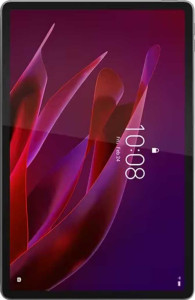
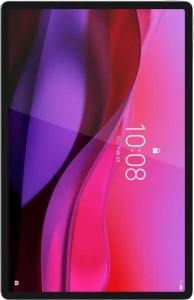
The most immediately felt difference between these two tablets is size and weight. The Yoga Tab weighs 458 g and fits within a 255.5 × 165.8 mm footprint, while the Yoga Tab Plus is noticeably larger at 290.9 × 188.3 mm and heavier at 640 g — a difference of 182 g that translates directly to hand fatigue during extended use. For users who plan to hold the tablet for reading, video calls, or light work, the standard Yoga Tab will feel significantly more manageable over time. The Plus, by contrast, offers more screen real estate at the cost of portability.
Where the Yoga Tab Plus earns a clear functional edge is in two specific capabilities: water resistance and tilt sensitivity. The standard Yoga Tab has no rated water protection at all, meaning spills or use in humid environments carry real risk. The Plus adds water resistance, which meaningfully expands where you can safely use it — kitchens, bathrooms, or outdoor settings. Tilt sensitivity, absent on the base model, enables pressure-aware stylus interactions that matter for note-taking and sketching workflows. Both tablets include a stylus and a detachable keyboard (neither with backlighting), so those shared accessories aren't differentiators here.
Overall, the Yoga Tab has the design edge for everyday portability and one-handed use, while the Yoga Tab Plus has the advantage for durability and creative input precision. The right choice depends on use case: the Plus is better suited to users who want a more capable, resilient device; the standard Yoga Tab wins for those who prioritize a lighter, easier-to-carry form factor.