MSI MAG B850 Tomahawk Max WiFi
MSI MAG X870E Tomahawk Max Wi-Fi PZ

MSI MAG B850 Tomahawk Max WiFi MSI MAG X870E Tomahawk Max Wi-Fi PZ

Overview

Welcome to our detailed spec comparison of the MSI MAG B850 Tomahawk Max WiFi and the MSI MAG X870E Tomahawk Max Wi-Fi PZ, two AM5-platform motherboards from MSI’s popular Tomahawk lineup. While both boards share a strong foundation of DDR5 memory support, Wi-Fi 7 connectivity, and a generous M.2 storage array, their key battlegrounds lie in chipset tier, USB and Thunderbolt 4 connectivity, expansion slot configurations, and storage redundancy options.

Common Features

  • Both boards use the AM5 CPU socket.
  • Both boards have an ATX form factor.
  • Wi-Fi is supported on both boards, covering Wi-Fi 4, Wi-Fi 5, Wi-Fi 6, Wi-Fi 6E, and Wi-Fi 7.
  • Bluetooth 5.4 is available on both boards.
  • Both boards include an HDMI 2.1 output.
  • Overclocking support is present on both boards.
  • Both boards support a maximum memory capacity of 256GB.
  • The maximum native RAM speed is 5600 MHz on both boards.
  • Both boards support overclocked RAM speeds up to 8400 MHz.
  • Both boards have 4 memory slots and support 2 memory channels.
  • DDR5 memory is used on both boards.
  • ECC memory is not supported on either board.
  • Both boards feature 2 USB 3.2 Gen 2 Type-A ports on the rear.
  • Both boards include 4 USB 2.0 ports on the rear.
  • Neither board has any Thunderbolt 3 ports.
  • Both boards provide 4 SATA 3 connectors and 4 M.2 sockets.
  • Both boards include 8 fan headers.
  • A TPM connector is present on both boards.
  • Both boards feature 1 PCIe 5.0 x16 slot and 1 PCIe x1 slot.
  • Both boards deliver 7.1-channel audio with a 120 dB signal-to-noise ratio, an S/PDIF output, and 2 audio connectors.
  • RAID 0, RAID 1, and RAID 10 are supported on both boards, while RAID 0+1 is not supported on either.

Main Differences

  • The chipset is B850 on the MSI MAG B850 Tomahawk Max WiFi and X870E on the MSI MAG X870E Tomahawk Max Wi-Fi PZ.
  • Dual BIOS is present on the MSI MAG B850 Tomahawk Max WiFi but not available on the MSI MAG X870E Tomahawk Max Wi-Fi PZ.
  • USB 3.2 Gen 1 Type-A ports number 1 on the MSI MAG B850 Tomahawk Max WiFi and 3 on the MSI MAG X870E Tomahawk Max Wi-Fi PZ.
  • USB 3.2 Gen 2 Type-C ports number 3 on the MSI MAG B850 Tomahawk Max WiFi and 1 on the MSI MAG X870E Tomahawk Max Wi-Fi PZ.
  • USB 4 40Gbps ports are absent on the MSI MAG B850 Tomahawk Max WiFi but 2 are present on the MSI MAG X870E Tomahawk Max Wi-Fi PZ.
  • Thunderbolt 4 ports are absent on the MSI MAG B850 Tomahawk Max WiFi but 2 are present on the MSI MAG X870E Tomahawk Max Wi-Fi PZ.
  • The MSI MAG B850 Tomahawk Max WiFi includes 1 PCIe 4.0 x16 slot, while the MSI MAG X870E Tomahawk Max Wi-Fi PZ has none.
  • The MSI MAG X870E Tomahawk Max Wi-Fi PZ includes 1 PCIe x4 slot, while the MSI MAG B850 Tomahawk Max WiFi has none.
  • RAID 5 support is present on the MSI MAG X870E Tomahawk Max Wi-Fi PZ but not available on the MSI MAG B850 Tomahawk Max WiFi.
Specs Comparison
MSI MAG B850 Tomahawk Max WiFi

MSI MAG B850 Tomahawk Max WiFi

MSI MAG X870E Tomahawk Max Wi-Fi PZ

MSI MAG X870E Tomahawk Max Wi-Fi PZ

General info:
CPU socket AM5 AM5
chipset B850 X870
form factor ATX ATX
release date January 2025 October 2025
supports Wi-Fi
Wi-Fi version Wi-Fi 4 (802.11n), Wi-Fi 5 (802.11ac), Wi-Fi 6 (802.11ax), Wi-Fi 6E (802.11ax), Wi-Fi 7 (802.11be) Wi-Fi 4 (802.11n), Wi-Fi 5 (802.11ac), Wi-Fi 6 (802.11ax), Wi-Fi 6E (802.11ax), Wi-Fi 7 (802.11be)
Has Bluetooth
Bluetooth version 5.4 5.4
HDMI version HDMI 2.1 HDMI 2.1
Easy to overclock
has RGB lighting
Easy to reset BIOS
Has dual BIOS
has aptX
CPU sockets 1 1
Has integrated graphics
warranty period 3 years 3 years
height 243.8 mm 243.8 mm
width 304.8 mm 304.8 mm
Has integrated CPU

At the platform level, both the MSI MAG B850 Tomahawk Max WiFi and the MSI MAG X870E Tomahawk Max Wi-Fi PZ share the same foundational DNA: an AM5 socket in a standard ATX form factor, identical dimensions, Wi-Fi 7 support, Bluetooth 5.4, HDMI 2.1, RGB lighting, and a 3-year warranty. For everyday buyers, this means both boards slot into the same cases, support the same CPUs, and offer the same modern connectivity out of the box.

The most consequential difference lies in the chipset. The B850 targets the mainstream segment, while the X870E sits at AMD's enthusiast tier — a distinction that typically translates to more PCIe lanes, greater overclocking headroom, and broader feature expansion, though those specifics fall outside this data group. What this group does reveal is that both boards are flagged as easy to overclock, so neither imposes an artificial barrier for users who want to push their CPU.

The single concrete differentiator within this group is dual BIOS: the B850 Tomahawk Max includes it, the X870E Tomahawk Max does not. Dual BIOS is a meaningful reliability feature — it provides a backup firmware chip that can recover the board from a failed or corrupted BIOS flash, which is especially valuable for users who update firmware frequently or experiment with BIOS settings. On this specific point, the B850 Tomahawk Max WiFi holds a clear edge, offering an extra layer of protection that its pricier sibling foregoes.

Memory:
maximum memory amount 256GB 256GB
RAM speed (max) 5600 MHz 5600 MHz
overclocked RAM speed 8400 MHz 8400 MHz
memory slots 4 4
DDR memory version 5 5
memory channels 2 2
Supports ECC memory

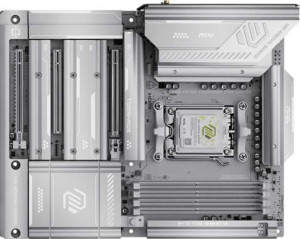
When it comes to memory, these two boards are in complete lockstep. Both support DDR5 with four slots across a dual-channel configuration, a maximum capacity of 256GB, a native speed ceiling of 5600 MHz, and an overclocked ceiling of 8400 MHz. For most users, that 5600 MHz native rate already delivers strong real-world throughput, while the 8400 MHz ceiling via XMP/EXPO gives enthusiasts meaningful headroom to push performance further without immediately hitting a wall.

The 256GB maximum capacity is well beyond what gaming or everyday productivity demands, but it signals that neither board artificially constrains users who run memory-intensive workloads like virtual machines, large dataset processing, or professional creative applications. Four physical slots also offer a practical advantage over two-slot designs: you can start with two sticks and upgrade later without replacing anything.

Since every memory specification is identical across both boards, this category is an unambiguous tie. Neither the B850 Tomahawk Max WiFi nor the X870E Tomahawk Max Wi-Fi PZ offers any memory-related advantage over the other, so this group should carry no weight in the buying decision between them.

Ports:
USB 3.2 Gen 2 ports (USB-A) 2 2
USB 3.2 Gen 1 ports (USB-A) 1 3
USB 3.2 Gen 2 ports (USB-C) 3 1
USB 3.2 Gen 1 ports (USB-C) 0 0
USB 2.0 ports 4 4
USB 3.2 Gen 2x2 ports 0 0
USB 4 40Gbps ports 0 2
USB 4 20Gbps ports 0 0
Thunderbolt 4 ports 0 2
Thunderbolt 3 ports 0 0
has an HDMI output
DisplayPort outputs 0 0
RJ45 ports 1 1
Has USB Type-C
eSATA ports 0 0
DVI outputs 0 0
has a VGA connector
PS/2 ports 0 0

The port selection is where these two boards begin to diverge meaningfully. Both share a common baseline — dual USB 3.2 Gen 2 Type-A ports, four USB 2.0 ports, a single RJ45 jack, and HDMI output — but the high-speed USB-C story tells very different tales. The B850 Tomahawk Max WiFi counters with three USB 3.2 Gen 2 Type-C ports (each capable of 10Gbps), making it notably more practical for users who regularly connect modern peripherals, fast external SSDs, or USB-C monitors without relying on adapters.

The X870E Tomahawk Max Wi-Fi PZ answers with something far more compelling at the top end: two Thunderbolt 4 ports paired with two USB4 40Gbps ports. Thunderbolt 4 operates at up to 40Gbps bidirectional, supports daisy-chaining up to six devices from a single port, and is fully compatible with external GPU enclosures and high-resolution displays — capabilities that the B850 simply cannot match. USB4 at 40Gbps similarly dwarfs the 10Gbps ceiling of Gen 2, meaning the X870E is equipped for the next generation of high-bandwidth peripherals and storage devices.

The tradeoff is that the X870E only offers one USB 3.2 Gen 2 Type-C rear port, versus three on the B850 — so users with multiple mid-range USB-C devices may find the B850's rear panel more immediately accommodating. That said, the presence of Thunderbolt 4 and USB4 on the X870E represents a qualitatively higher tier of connectivity, giving the X870E Tomahawk Max Wi-Fi PZ a clear edge in this category for users whose workflows can leverage those standards.

Connectors:
USB 3.2 Gen 1 ports (through expansion) 4 4
USB 3.2 Gen 2x2 ports (through expansion) 1 1
USB 2.0 ports (through expansion) 4 4
SATA 3 connectors 4 4
fan headers 8 8
USB 3.0 ports (through expansion) 4 4
M.2 sockets 4 4
Has TPM connector
U.2 sockets 0 0
Has mSATA connector
SATA 2 connectors 0 0

Strip away the branding and chipset tier, and the internal connector layout of these two boards is completely identical. Both offer four M.2 sockets for NVMe storage, four SATA 3 connectors for traditional drives, and a single USB 3.2 Gen 2x2 internal header — enough flexibility to build anything from a lean workstation to a heavily storage-loaded content creation rig without immediately running out of slots.

The eight fan headers shared by both boards deserve particular attention for builders targeting quiet operation or aggressive thermal management. Eight headers provide enough coverage to independently control every major airflow zone in a full-size ATX case — intake, exhaust, and radiator — without needing a separate fan hub. The four expansion USB headers also ensure front-panel connectivity won't be a bottleneck regardless of case choice.

Every single connector specification matches precisely between the two boards, making this category a clear tie. Buyers prioritizing internal expandability and build flexibility will find neither board holds any advantage over the other on this front.

Expansion slots:
PCIe 4.0 x16 slots 1 0
PCIe 5.0 x16 slots 1 1
PCIe 3.0 x16 slots 0 0
PCIe x1 slots 1 1
PCI slots 0 0
PCIe 2.0 x16 slots 0 0
PCIe x4 slots 0 1
PCIe x8 slots 0 0

Both boards lead with a single PCIe 5.0 x16 slot for the primary GPU — the current gold standard for discrete graphics cards, offering twice the bandwidth of PCIe 4.0 and future-proofing the platform for next-generation hardware. For the vast majority of single-GPU builds, this slot is the only one that matters, and neither board compromises here.

The secondary slot is where the two diverge. The B850 Tomahawk Max WiFi adds a PCIe 4.0 x16 slot, which — while wired at a lower bandwidth than the primary — is still a capable full-length slot well suited for a secondary GPU, a high-end capture card, or a 10GbE network adapter. The X870E Tomahawk Max Wi-Fi PZ instead provides a PCIe x4 slot, which is more bandwidth-constrained but still practical for NVMe expansion cards, RAID controllers, or other x4-compatible add-in cards. Both also include a PCIe x1 slot for low-bandwidth peripherals like sound cards.

For users who need a second full-bandwidth expansion slot — whether for multi-GPU setups or high-throughput PCIe cards — the B850 Tomahawk Max WiFi holds a practical edge here. The X870E's x4 secondary slot is functional but narrower in scope. That said, users whose secondary slot needs align with x4 bandwidth will find the X870E perfectly adequate, making this distinction most relevant to power users with specific multi-card requirements.

Audio:
Signal-to-Noise ratio (DAC) 120 dB 120 dB
audio channels 7.1 7.1
Has S/PDIF Out port
audio connectors 2 2

Onboard audio is one more area where these two boards offer no grounds for differentiation. Both deliver a 120 dB signal-to-noise ratio from their DAC — a figure that sits firmly in the high-fidelity tier for integrated audio, meaning background hiss and electrical interference are well suppressed even when driving quality headphones or studio monitors directly from the rear panel.

The shared 7.1-channel surround support, S/PDIF optical output, and two rear audio connectors round out an identical feature set. The S/PDIF output is worth noting for users with external DACs or AV receivers, as it allows a clean digital signal path that bypasses the onboard analog circuitry entirely — a useful escape hatch for audiophiles who still want to leverage a dedicated external audio stack.

With every audio specification matching exactly, this category is a complete tie. Neither board offers any advantage over the other for onboard sound, and audio quality should play no role in choosing between them.

Storage:
Supports RAID 1
Supports RAID 10 (1+0)
Supports RAID 5
Supports RAID 0
Supports RAID 0+1

RAID support is largely consistent between the two boards, with both covering the essential configurations: RAID 0 for striped performance, RAID 1 for mirrored redundancy, and RAID 10 for a combined approach that balances speed and data protection. For home users and enthusiasts, these three modes cover the overwhelming majority of real-world use cases.

The sole differentiator here is RAID 5 support, which the X870E Tomahawk Max Wi-Fi PZ offers and the B850 Tomahawk Max WiFi does not. RAID 5 distributes parity data across three or more drives, delivering read performance gains and fault tolerance — one drive can fail without data loss — while preserving more usable capacity than RAID 1. It is a configuration commonly favored in small workstation or light server environments where storage efficiency and redundancy must coexist.

For the typical desktop builder, the absence of RAID 5 on the B850 is unlikely to matter. But for users managing multi-drive arrays with a focus on storage efficiency and redundancy, the X870E Tomahawk Max Wi-Fi PZ holds a narrow but concrete edge in this category by virtue of that additional configuration option.

Comparison Summary & Verdict

Both boards are capable AM5 ATX motherboards that share an impressive common feature set, including Wi-Fi 7, Bluetooth 5.4, four M.2 sockets, and DDR5 support up to 8400 MHz. However, their differences define distinct audiences. The MSI MAG B850 Tomahawk Max WiFi stands out with its dual BIOS safety net, three USB 3.2 Gen 2 Type-C rear ports, and a second PCIe 4.0 x16 slot, making it a smart choice for builders who value resilience and USB-C versatility at a likely lower price point. The MSI MAG X870E Tomahawk Max Wi-Fi PZ, powered by the premium X870E chipset, counters with two Thunderbolt 4 ports, two USB 4 40Gbps ports, three USB 3.2 Gen 1 Type-A ports, and RAID 5 support, making it the stronger pick for power users, content creators, and professionals who need maximum connectivity bandwidth and advanced storage configurations.

MSI MAG B850 Tomahawk Max WiFi
Buy MSI MAG B850 Tomahawk Max WiFi if...

Buy the MSI MAG B850 Tomahawk Max WiFi if you want the added safety of dual BIOS, prefer more USB 3.2 Gen 2 Type-C rear ports, or need a second PCIe 4.0 x16 slot without stepping up to a premium chipset.

MSI MAG X870E Tomahawk Max Wi-Fi PZ
Buy MSI MAG X870E Tomahawk Max Wi-Fi PZ if...

Buy the MSI MAG X870E Tomahawk Max Wi-Fi PZ if you require Thunderbolt 4 and USB 4 40Gbps connectivity, need RAID 5 for advanced storage setups, or want the full capabilities of the top-tier X870E chipset.