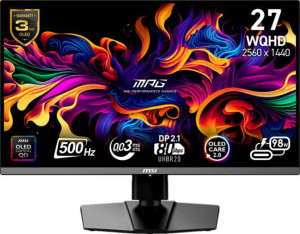
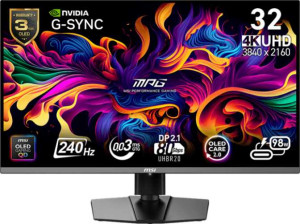
Both monitors share the same QD-OLED panel technology, delivering identical 0.03 ms response times and 178° viewing angles in both directions — so neither has an edge on raw panel quality or motion clarity. They also both feature a matte, anti-glare coating, which is a meaningful choice for QD-OLED since it reduces the reflectivity that glossy OLED panels are typically prone to. These shared fundamentals mean the real decision comes down to two very different use-case priorities.
The core tradeoff is speed versus resolution. The MPG 272QR is built for competitive gaming: its 500 Hz refresh rate is exceptional, nearly halving the frame delivery interval compared to a 240 Hz panel, which translates to measurably lower perceived motion blur and faster input feedback in fast-paced titles. It pairs this with 1440p at 26.5″, which is easier to drive at those extreme frame rates. The MPG 322URX, by contrast, prioritizes image fidelity — its 4K (3840 × 2160) resolution on a 31.5″ panel yields a higher pixel density of 139 ppi versus 110 ppi, resulting in noticeably sharper text and fine detail. Its 240 Hz ceiling is still very competitive for most gaming scenarios, just not in the same league as 500 Hz for esports.
The adaptive sync implementations also diverge: the 272QR uses VESA Adaptive Sync, a broadly compatible standard, while the 322URX carries Nvidia G-Sync and G-Sync Compatible certification — a slight edge for users on Nvidia GPUs who want validated, tear-free performance. Overall, the MPG 272QR has a clear display advantage for competitive, frame-rate-sensitive gaming, while the MPG 322URX wins for content creation, immersive gaming, and anyone who prioritizes pixel sharpness and screen real estate over maximum refresh rate.