MSI Vector 16 HX AI A2XW (2025) 16"
MSI Vector 16 HX AI A2XW (2025) 16" (Ultra 9 275HX / RTX 5080 Laptop / 32GB RAM / 2TB)

MSI Vector 16 HX AI A2XW (2025) 16" MSI Vector 16 HX AI A2XW (2025) 16" (Ultra 9 275HX / RTX 5080 Laptop / 32GB RAM / 2TB)

Overview

Welcome to this side-by-side comparison of the MSI Vector 16 HX AI A2XW (2025) 16″ and the MSI Vector 16 HX AI A2XW (2025) 16″ (Ultra 9 275HX / RTX 5080 Laptop / 32GB RAM / 2TB). Both are high-performance gaming laptops that share the same chassis, vivid display, and CPU, yet diverge sharply in GPU capability and storage capacity. Read on to discover which variant aligns best with your performance and storage priorities.

Common Features

  • Both products are classified as Gaming type laptops.
  • Both products weigh 2700 g.
  • Neither product uses a fanless design.
  • Both products have a backlit keyboard.
  • Both products have a volume of 2230.536 cm³.
  • Both products measure 357 mm in width, 284 mm in height, and 22 mm in thickness.
  • Both products have a 16″ screen size.
  • Both products have a resolution of 2560 x 1600 px with a pixel density of 188 ppi.
  • Both products use an LCD, LED-backlit, IPS display type.
  • Neither product has a touch screen.
  • Both products have a typical brightness of 305 nits.
  • Both products have a 240Hz refresh rate.
  • Neither product has an anti-reflection coating.
  • Both products come with 32GB of RAM running at 6400 MHz.
  • Both products use flash storage in NVMe SSD format.
  • Both products have a CPU speed of 8 x 2.7 & 16 x 2.1 GHz with 24 threads.
  • Both products use GDDR7 memory and support DirectX 12 Ultimate.
  • Both products achieve a PassMark result of 56426 and a single-core PassMark result of 4723.
  • Both products have 2 USB 3.2 Gen 2 ports (USB-A) and 2 USB 4 40Gbps ports, with no Thunderbolt 3 or 4 ports.
  • Both products have a battery life of 7 hours with a 90 Wh battery size.
  • Both products have sleep-and-charge USB ports, but neither has a MagSafe power adapter.
  • Both products have stereo speakers and a 3.5 mm audio jack socket.
  • Both products support ray tracing and DLSS.
  • Neither product has Dolby Atmos, a stylus, or a fingerprint scanner.
  • Both products have 1 microphone.
  • Both products have a total of 4 USB ports and 2 Thunderbolt ports.
  • Both products use Intel Resizable BAR and feature a Blackwell GPU architecture.
  • Neither product has LHR, and both support 3D.

Main Differences

  • Internal storage is 1024GB on MSI Vector 16 HX AI A2XW (2025) 16″ and 2048GB on MSI Vector 16 HX AI A2XW (2025) 16″ (Ultra 9 275HX / RTX 5080 Laptop / 32GB RAM / 2TB).
  • VRAM is 24GB on MSI Vector 16 HX AI A2XW (2025) 16″ and 16GB on MSI Vector 16 HX AI A2XW (2025) 16″ (Ultra 9 275HX / RTX 5080 Laptop / 32GB RAM / 2TB).
  • Floating-point performance is 31.8 TFLOPS on MSI Vector 16 HX AI A2XW (2025) 16″ and 23.04 TFLOPS on MSI Vector 16 HX AI A2XW (2025) 16″ (Ultra 9 275HX / RTX 5080 Laptop / 32GB RAM / 2TB).
  • Texture rate is 496.9 GTexels/s on MSI Vector 16 HX AI A2XW (2025) 16″ and 384 GTexels/s on MSI Vector 16 HX AI A2XW (2025) 16″ (Ultra 9 275HX / RTX 5080 Laptop / 32GB RAM / 2TB).
  • Pixel rate is 193.9 GPixel/s on MSI Vector 16 HX AI A2XW (2025) 16″ and 144 GPixel/s on MSI Vector 16 HX AI A2XW (2025) 16″ (Ultra 9 275HX / RTX 5080 Laptop / 32GB RAM / 2TB).
  • GPU clock speed is 990 MHz on MSI Vector 16 HX AI A2XW (2025) 16″ and 975 MHz on MSI Vector 16 HX AI A2XW (2025) 16″ (Ultra 9 275HX / RTX 5080 Laptop / 32GB RAM / 2TB).
  • GPU turbo speed is 1515 MHz on MSI Vector 16 HX AI A2XW (2025) 16″ and 1500 MHz on MSI Vector 16 HX AI A2XW (2025) 16″ (Ultra 9 275HX / RTX 5080 Laptop / 32GB RAM / 2TB).
  • Thermal Design Power (TDP) is 95W on MSI Vector 16 HX AI A2XW (2025) 16″ and 80W on MSI Vector 16 HX AI A2XW (2025) 16″ (Ultra 9 275HX / RTX 5080 Laptop / 32GB RAM / 2TB).
  • Render output units (ROPs) total 128 on MSI Vector 16 HX AI A2XW (2025) 16″ and 96 on MSI Vector 16 HX AI A2XW (2025) 16″ (Ultra 9 275HX / RTX 5080 Laptop / 32GB RAM / 2TB).
  • Texture mapping units (TMUs) total 328 on MSI Vector 16 HX AI A2XW (2025) 16″ and 256 on MSI Vector 16 HX AI A2XW (2025) 16″ (Ultra 9 275HX / RTX 5080 Laptop / 32GB RAM / 2TB).
  • Shading units total 10496 on MSI Vector 16 HX AI A2XW (2025) 16″ and 7680 on MSI Vector 16 HX AI A2XW (2025) 16″ (Ultra 9 275HX / RTX 5080 Laptop / 32GB RAM / 2TB).
Specs Comparison
MSI Vector 16 HX AI A2XW (2025) 16"

MSI Vector 16 HX AI A2XW (2025) 16"

MSI Vector 16 HX AI A2XW (2025) 16" (Ultra 9 275HX / RTX 5080 Laptop / 32GB RAM / 2TB)

MSI Vector 16 HX AI A2XW (2025) 16" (Ultra 9 275HX / RTX 5080 Laptop / 32GB RAM / 2TB)

Design:
Type Gaming Gaming
weight 2700 g 2700 g
Uses a fanless design
Has a backlit keyboard
volume 2230.536 cm³ 2230.536 cm³
width 357 mm 357 mm
height 284 mm 284 mm
thickness 22 mm 22 mm
is weather-sealed (splashproof)
has a rugged build

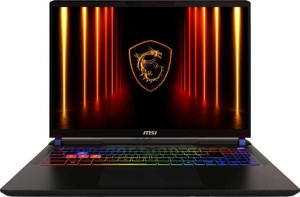
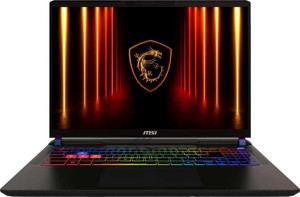
In terms of design, the MSI Vector 16 HX AI A2XW (2025) and its Ultra 9 275HX / RTX 5080 variant are, for all practical purposes, identical twins. Both share the same 357 × 284 × 22 mm footprint and an identical 2700 g weight, resulting in the same volumetric profile of 2230.536 cm³. At 22 mm thick and 2.7 kg, this is a chassis built squarely for performance-first users who accept a denser, more substantial build in exchange for what lies inside.

Both models are classified as Gaming laptops, feature an active cooling design (no fanless option), and include a backlit keyboard — a standard expectation in this class. Neither is weather-sealed nor ruggedized, which is entirely typical for high-performance gaming notebooks and should not be a surprise to buyers in this segment.

From a Design perspective, these two configurations are completely evenly matched — there is zero differentiation in any physical or structural attribute. The choice between them cannot and should not be made on design grounds; any decision must rest entirely on the internal hardware differences between the two configurations.

Display:
screen size 16" 16"
resolution 2560 x 1600 px 2560 x 1600 px
pixel density 188 ppi 188 ppi
Display type LCD, LED-backlit, IPS LCD, LED-backlit, IPS
has a touch screen
brightness (typical) 305 nits 305 nits
refresh rate 240Hz 240Hz
has anti-reflection coating
supported displays 4 4

The display story here is straightforward: both the base and the Ultra 9 / RTX 5080 variant of the MSI Vector 16 HX AI A2XW (2025) ship with an identical panel. The 16″ IPS LCD at 2560 × 1600 delivers a 188 ppi pixel density — the 16:10 aspect ratio being the more meaningful detail, as it provides noticeably more vertical screen real estate compared to standard 16:9 panels, benefiting both gaming and productivity workflows.

The 240Hz refresh rate is the headline strength of this display. At this tier of hardware, a high-refresh panel is essential to actually leverage the frame rates the GPU can produce — and 240Hz ensures smooth, low-latency rendering in fast-paced titles. Typical brightness sits at 305 nits, which is adequate for indoor use but may struggle in brighter ambient environments. The absence of an anti-reflection coating is a notable limitation in that regard. Both units also support up to 4 external displays, making them capable multi-monitor workstations.

As with the Design group, there is a complete tie across every display specification. No variant holds any panel advantage whatsoever — buyers prioritizing screen quality will find no reason to choose one configuration over the other on this basis alone.

Performance:
RAM 32GB 32GB
RAM speed 6400 MHz 6400 MHz
Uses flash storage
internal storage 1024GB 2048GB
CPU speed 8 x 2.7 & 16 x 2.1 GHz 8 x 2.7 & 16 x 2.1 GHz
CPU threads 24 threads 24 threads
VRAM 24GB 16GB
floating-point performance 31.8 TFLOPS 23.04 TFLOPS
GDDR version GDDR7 GDDR7
texture rate 496.9 GTexels/s 384 GTexels/s
pixel rate 193.9 GPixel/s 144 GPixel/s
Is an NVMe SSD
DirectX version DirectX 12 Ultimate DirectX 12 Ultimate
GPU clock speed 990 MHz 975 MHz
uses multithreading
maximum memory amount 96GB 96GB
DDR memory version 5 5
turbo clock speed 5.4GHz 5.4GHz
GPU turbo 1515 MHz 1500 MHz
memory slots 2 2
PCI Express (PCIe) version 4 4
semiconductor size 4 nm 4 nm
has XeSS (XMX)
Supports 64-bit

This is where the two configurations finally diverge in meaningful ways. The CPU foundation is identical — a 24-thread chip clocked at up to 5.4 GHz turbo, paired with 32GB of DDR5-6400 RAM across both units. The real split happens at the GPU. The base model carries a GPU with 24GB of VRAM and 31.8 TFLOPS of floating-point performance, while the Ultra 9 / RTX 5080 variant equips a GPU with 16GB of VRAM and 23.04 TFLOPS — a roughly 38% reduction in raw compute throughput and a significant drop in video memory capacity.

In practical terms, the base model's GPU advantage is substantial for GPU-bound workloads. The higher texture rate (496.9 GTexels/s vs 384 GTexels/s) and pixel rate (193.9 GPixel/s vs 144 GPixel/s) translate directly into faster rendering, better performance at high resolutions, and more headroom for AI-accelerated tasks. The extra 8GB of VRAM is also a meaningful differentiator for large generative AI models, complex 3D scenes, and memory-intensive creative workloads where the 16GB ceiling of the RTX 5080 variant can become a bottleneck.

The one counter-advantage belongs to the Ultra 9 / RTX 5080 variant: it ships with 2TB of NVMe SSD storage versus the base model's 1TB. For users who prioritize local storage capacity, that difference is real — but from a pure compute standpoint, the base configuration holds a clear GPU performance edge across every measurable metric provided.

Benchmarks:
PassMark result 56426 56426
PassMark result (single) 4723 4723

CPU benchmark scores tell a consistent story across both configurations. The multi-threaded PassMark score of 56,426 and single-threaded score of 4,723 are identical for both the base model and the Ultra 9 / RTX 5080 variant — which aligns directly with the Performance group finding that both share the same CPU architecture, core count, and turbo clock speeds.

A multi-threaded score in the 56,000 range places these machines firmly in the top tier of laptop processors, reflecting strong capability across parallelized workloads such as video encoding, compilation, and simulation tasks. The single-threaded score of 4,723 is equally competitive, indicating snappy responsiveness in tasks that depend on per-core speed — everyday application launches, gaming logic, and latency-sensitive operations.

Since every CPU benchmark figure is identical, this group is a complete tie. The differentiation between these two configurations remains purely at the GPU level, as established in the Performance group — CPU-bound workload decisions should carry no weight in choosing between them.

Connectivity:
USB 3.2 Gen 2 ports (USB-C) 0 0
USB 3.2 Gen 2 ports (USB-A) 2 2
USB 4 20Gbps ports 0 0
USB 4 40Gbps ports 2 2
Thunderbolt 4 ports 0 0
USB 3.2 Gen 1 ports (USB-C) 0 0
USB 3.2 Gen 1 ports (USB-A) 0 0
Thunderbolt 3 ports 0 0
has an HDMI output
Has USB Type-C
supports Wi-Fi
Wi-Fi version Wi-Fi 7 (802.11be), Wi-Fi 6E (802.11ax), Wi-Fi 6 (802.11ax), Wi-Fi 5 (802.11ac), Wi-Fi 4 (802.11n) Wi-Fi 7 (802.11be), Wi-Fi 6E (802.11ax), Wi-Fi 6 (802.11ax), Wi-Fi 5 (802.11ac), Wi-Fi 4 (802.11n)
has an external memory slot
Bluetooth version 5.4 5.4
RJ45 ports 0 0
HDMI ports 1 1
HDMI version HDMI 2.1 HDMI 2.1
DisplayPort outputs 0 0
USB 2.0 ports 0 0
has AirPlay
mini DisplayPort outputs 0 0
has a VGA connector

Connectivity is a genuine strength of this platform, and both configurations are equipped identically. The most notable feature is the pair of USB 4 40Gbps ports — a high-bandwidth standard that supports fast external storage, docking stations, and display output at speeds that rival Thunderbolt 3, making the absence of dedicated Thunderbolt ports a relatively minor trade-off in practice. Alongside these sit two USB 3.2 Gen 2 Type-A ports for conventional peripherals.

Wireless connectivity is top-of-the-line across both units, with Wi-Fi 7 support delivering the latest in wireless throughput and latency reduction, backed by Bluetooth 5.4 for stable, energy-efficient peripheral pairing. The single HDMI 2.1 output handles 4K and high-refresh external displays without issue, and an external memory card slot adds practical flexibility for content creators. The notable omission of an RJ45 ethernet port may give pause to users who prefer wired network stability for competitive gaming or large file transfers.

With every connectivity specification mirrored exactly across both variants, this group is once again a complete tie. The I/O suite is well-suited to a modern high-performance gaming laptop, and neither configuration offers any wired or wireless connectivity advantage over the other.

Battery:
Battery life 7 hours 7 hours
battery size 90 Wh 90 Wh
Has sleep-and-charge USB ports
Has a MagSafe power adapter

Battery expectations for a high-performance gaming laptop should be tempered by reality, and the 90 Wh cell paired with a rated 7-hour battery life reflects a reasonable ceiling for this class of hardware. That figure is best understood as a light-use estimate — productivity tasks, media consumption, and low-load browsing — rather than a promise during gaming or GPU-intensive workloads, where runtime will drop considerably.

A practical convenience both units share is support for sleep-and-charge USB ports, allowing connected devices to charge even when the laptop is powered down. Neither model includes a MagSafe-style magnetic power connector, which is standard for Windows gaming laptops and carries no real consequence for the target audience.

Every battery specification is identical across both configurations, making this another straight tie. Buyers should not factor battery life into their decision between these two variants — the experience at the wall and away from it will be indistinguishable.

Features:
release date August 2025 February 2025
has stereo speakers
has a socket for a 3.5 mm audio jack
supports ray tracing
supports DLSS
has Dolby Atmos
Stylus included
Has a fingerprint scanner
number of microphones 1 1
Uses 3D facial recognition
video recording (main camera) 1080 x 30 fps 1080 x 30 fps
has voice commands
has a front camera
Has S/PDIF Out port
has a gyroscope
has GPS
has an accelerometer
has a compass
Has an optical disc drive

From a features standpoint, both configurations are purpose-built gaming laptops with a focused, no-frills toolkit. The gaming-critical capabilities are well covered: both support ray tracing and DLSS, which are essential for extracting visual fidelity and performance from modern GPU architectures. Stereo speakers, a 3.5 mm audio jack, and a single microphone round out a functional but unremarkable audio setup.

On the security and camera front, 3D facial recognition is a notable inclusion — a more secure and convenient login method than a standard 2D webcam. The front camera tops out at 1080p at 30fps, which is adequate for video calls but nothing exceptional. The absence of a fingerprint scanner means facial recognition is the sole biometric option. Notably, neither unit includes motion sensors, GPS, or an optical drive — all expected omissions for a gaming-focused machine in this category.

With every feature attribute shared identically between the two variants, this group is a definitive tie. The software-adjacent capabilities like DLSS and ray tracing support are determined by the GPU, but since both entries list them equally here, no advantage can be assigned on that basis within the scope of this data.

Miscellaneous:
USB 3.0 ports 0 0
USB ports 4 4
Thunderbolt ports 2 2
clock multiplier 27 27
AMD SAM / Intel Resizable BAR Intel Resizable BAR Intel Resizable BAR
GPU architecture Blackwell Blackwell
has LHR
Thermal Design Power (TDP) 95W 80W
Supports 3D
Supports multi-display technology
OpenCL version 3 3
OpenGL version 4.6 4.6
Supports ECC memory
memory bus width 256-bit 256-bit
effective memory speed 25400 MHz 25400 MHz
maximum memory bandwidth 811.5 GB/s 811.5 GB/s
render output units (ROPs) 128 96
texture mapping units (TMUs) 328 256
shading units 10496 7680
Has Double Precision Floating Point (DPFP)
GPU memory speed 2000 MHz 2000 MHz
Type Laptop Laptop
CPU socket BGA 2114 BGA 2114
instruction sets MMX, F16C, FMA3, AES, AVX, AVX2, SSE 4.1, SSE 4.2 MMX, F16C, FMA3, AES, AVX, AVX2, SSE 4.1, SSE 4.2
Has an unlocked multiplier
L3 cache 36 MB 36 MB
L2 cache 40 MB 40 MB
Has NX bit
Turbo Boost version 2 2
CPU temperature 105 °C 105 °C
Has integrated graphics
memory channels 2 2
RAM speed (max) 6400 MHz 6400 MHz
Uses big.LITTLE technology

Digging into the GPU silicon confirms and deepens the performance gap established earlier. Both laptops house a Blackwell architecture GPU, but the base model's chip is meaningfully larger: 10,496 shading units, 328 TMUs, and 128 ROPs versus the RTX 5080 variant's 7,680 shading units, 256 TMUs, and 96 ROPs. These are not marginal differences — fewer shading units directly reduce parallel compute throughput, fewer TMUs slow texture processing, and fewer ROPs constrain pixel output, all of which compound under demanding rendering workloads.

The TDP gap is equally telling: the base model's GPU operates at 95W versus 80W for the RTX 5080 variant. A higher TDP envelope allows the GPU to sustain boost clocks longer and push more performance before thermal throttling intervenes — a real-world advantage in extended gaming sessions or heavy rendering tasks. The shared 256-bit memory bus, identical memory speeds, and matching 811.5 GB/s bandwidth mean neither chip is memory-bandwidth-constrained relative to the other, so the compute unit disparity is the dominant factor.

CPU-side miscellaneous specs — cache sizes, instruction set support, socket type, and big.LITTLE topology — are identical across both units, reinforcing that the CPU contributes nothing to differentiate them. The overall verdict for this group mirrors the Performance findings: the base MSI Vector 16 HX AI A2XW (2025) holds a clear GPU architecture advantage, with more compute resources and a higher sustained power budget than the RTX 5080-equipped variant.
Comparison Summary & Verdict

After reviewing all specifications, both gaming laptops share an identical chassis, a crisp 2560 x 1600 IPS display at 240Hz, 32GB of RAM, and the same CPU configuration. The key differences emerge in the GPU tier. The MSI Vector 16 HX AI A2XW (2025) 16″ offers greater raw graphics power with 24GB of VRAM and 31.8 TFLOPS at a higher 95W TDP, making it the stronger pick for intensive rendering or simulation workloads. Meanwhile, the MSI Vector 16 HX AI A2XW (2025) 16″ (Ultra 9 275HX / RTX 5080 Laptop / 32GB RAM / 2TB) trades some GPU muscle for a generous 2TB of built-in storage, better suiting users who manage large game libraries or media collections locally.

MSI Vector 16 HX AI A2XW (2025) 16
Buy MSI Vector 16 HX AI A2XW (2025) 16" if...

Choose the MSI Vector 16 HX AI A2XW (2025) 16″ if you demand maximum GPU performance, as its 24GB of VRAM, 31.8 TFLOPS, and higher 95W TDP make it the more powerful graphics option.

MSI Vector 16 HX AI A2XW (2025) 16
Buy MSI Vector 16 HX AI A2XW (2025) 16" (Ultra 9 275HX / RTX 5080 Laptop / 32GB RAM / 2TB) if...

Choose the MSI Vector 16 HX AI A2XW (2025) 16″ (Ultra 9 275HX / RTX 5080 Laptop / 32GB RAM / 2TB) if generous local storage is a priority and you are comfortable trading some raw GPU performance for a 2TB internal drive.