MSI Vector 17 HX AI A2XW (2025) 17" (Ultra 9 275HX / RTX 5080 Laptop / 32GB RAM / 2TB)
MSI Vector 18 HX AI A2XW (2025) 18"

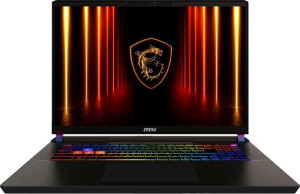
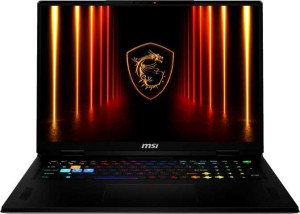
MSI Vector 17 HX AI A2XW (2025) 17" (Ultra 9 275HX / RTX 5080 Laptop / 32GB RAM / 2TB) MSI Vector 18 HX AI A2XW (2025) 18"

Overview

Welcome to our in-depth specification comparison between the MSI Vector 17 HX AI A2XW (2025) 17″ (Ultra 9 275HX / RTX 5080 Laptop / 32GB RAM / 2TB) and the MSI Vector 18 HX AI A2XW (2025) 18″. Both are high-performance gaming laptops sharing the same Blackwell GPU architecture and Intel platform, yet they diverge in meaningful ways across GPU power and VRAM, system memory, physical dimensions, and thermal design — making the choice between them far from straightforward.

Common Features

  • Both are gaming laptops.
  • Neither product uses a fanless design.
  • Both products feature a backlit keyboard.
  • Neither product is weather-sealed or splashproof.
  • Neither product has a rugged build.
  • Both products share the same screen size of 18″.
  • Both products have a resolution of 2560 x 1600 px.
  • Both products use an LCD, LED-backlit, IPS display type.
  • Neither product has a touch screen.
  • Both products have a refresh rate of 240Hz.
  • Neither product has an anti-reflection coating.
  • Both products support up to 4 external displays.
  • Both products have RAM running at 6400 MHz.
  • Both products use flash storage.
  • Both products have 2048GB of internal storage.
  • Both products share the same CPU speed of 8 x 2.7 & 16 x 2.1 GHz.
  • Both products have 24 CPU threads.
  • Both products use GDDR7 video memory.
  • Both products use an NVMe SSD.
  • Both products support DirectX 12 Ultimate.
  • Both products achieve the same PassMark result of 56426.
  • Both products achieve the same single-core PassMark result of 4723.
  • Neither product has USB 3.2 Gen 2 ports (USB-C).
  • Both products have 2 USB 3.2 Gen 2 ports (USB-A).
  • Neither product has USB 4 20Gbps ports.
  • Both products have 2 USB 4 40Gbps ports.
  • Neither product has Thunderbolt 4 ports.
  • Neither product has USB 3.2 Gen 1 ports (USB-C or USB-A).
  • Neither product has Thunderbolt 3 ports.
  • Both products have sleep-and-charge USB ports.
  • Neither product uses a MagSafe power adapter.
  • Both products have stereo speakers.
  • Both products have a 3.5 mm audio jack socket.
  • Both products support ray tracing.
  • Both products support DLSS.
  • Neither product has Dolby Atmos.
  • Neither product includes a stylus.
  • Neither product has a fingerprint scanner.
  • Both products have 1 microphone.
  • Neither product has USB 3.0 ports.
  • Both products have 2 Thunderbolt ports.
  • Both products share a clock multiplier of 27.
  • Both products support Intel Resizable BAR.
  • Both products use the Blackwell GPU architecture.
  • Neither product has LHR.
  • Both products support 3D.
  • Both products support multi-display technology.

Main Differences

  • Weight is 3000 g on MSI Vector 17 HX AI A2XW (2025) 17″ (Ultra 9 275HX / RTX 5080 Laptop / 32GB RAM / 2TB) and 3600 g on MSI Vector 18 HX AI A2XW (2025) 18″.
  • Volume is 2482.92 cm³ on MSI Vector 17 HX AI A2XW (2025) 17″ (Ultra 9 275HX / RTX 5080 Laptop / 32GB RAM / 2TB) and 2976.672 cm³ on MSI Vector 18 HX AI A2XW (2025) 18″.
  • Width is 380 mm on MSI Vector 17 HX AI A2XW (2025) 17″ (Ultra 9 275HX / RTX 5080 Laptop / 32GB RAM / 2TB) and 404 mm on MSI Vector 18 HX AI A2XW (2025) 18″.
  • Height is 297 mm on MSI Vector 17 HX AI A2XW (2025) 17″ (Ultra 9 275HX / RTX 5080 Laptop / 32GB RAM / 2TB) and 307 mm on MSI Vector 18 HX AI A2XW (2025) 18″.
  • Thickness is 22 mm on MSI Vector 17 HX AI A2XW (2025) 17″ (Ultra 9 275HX / RTX 5080 Laptop / 32GB RAM / 2TB) and 24 mm on MSI Vector 18 HX AI A2XW (2025) 18″.
  • Pixel density is 177 ppi on MSI Vector 17 HX AI A2XW (2025) 17″ (Ultra 9 275HX / RTX 5080 Laptop / 32GB RAM / 2TB) and 167 ppi on MSI Vector 18 HX AI A2XW (2025) 18″.
  • RAM is 32GB on MSI Vector 17 HX AI A2XW (2025) 17″ (Ultra 9 275HX / RTX 5080 Laptop / 32GB RAM / 2TB) and 64GB on MSI Vector 18 HX AI A2XW (2025) 18″.
  • VRAM is 16GB on MSI Vector 17 HX AI A2XW (2025) 17″ (Ultra 9 275HX / RTX 5080 Laptop / 32GB RAM / 2TB) and 24GB on MSI Vector 18 HX AI A2XW (2025) 18″.
  • Floating-point performance is 23.04 TFLOPS on MSI Vector 17 HX AI A2XW (2025) 17″ (Ultra 9 275HX / RTX 5080 Laptop / 32GB RAM / 2TB) and 31.8 TFLOPS on MSI Vector 18 HX AI A2XW (2025) 18″.
  • Texture rate is 384 GTexels/s on MSI Vector 17 HX AI A2XW (2025) 17″ (Ultra 9 275HX / RTX 5080 Laptop / 32GB RAM / 2TB) and 496.9 GTexels/s on MSI Vector 18 HX AI A2XW (2025) 18″.
  • Pixel rate is 144 GPixel/s on MSI Vector 17 HX AI A2XW (2025) 17″ (Ultra 9 275HX / RTX 5080 Laptop / 32GB RAM / 2TB) and 193.9 GPixel/s on MSI Vector 18 HX AI A2XW (2025) 18″.
  • GPU clock speed is 975 MHz on MSI Vector 17 HX AI A2XW (2025) 17″ (Ultra 9 275HX / RTX 5080 Laptop / 32GB RAM / 2TB) and 990 MHz on MSI Vector 18 HX AI A2XW (2025) 18″.
  • GPU turbo speed is 1500 MHz on MSI Vector 17 HX AI A2XW (2025) 17″ (Ultra 9 275HX / RTX 5080 Laptop / 32GB RAM / 2TB) and 1515 MHz on MSI Vector 18 HX AI A2XW (2025) 18″.
  • Battery size is 90 Wh on MSI Vector 17 HX AI A2XW (2025) 17″ (Ultra 9 275HX / RTX 5080 Laptop / 32GB RAM / 2TB) and 99 Wh on MSI Vector 18 HX AI A2XW (2025) 18″.
  • 3D facial recognition is present on MSI Vector 17 HX AI A2XW (2025) 17″ (Ultra 9 275HX / RTX 5080 Laptop / 32GB RAM / 2TB) but not available on MSI Vector 18 HX AI A2XW (2025) 18″.
  • Total USB ports count is 4 on MSI Vector 17 HX AI A2XW (2025) 17″ (Ultra 9 275HX / RTX 5080 Laptop / 32GB RAM / 2TB) and 5 on MSI Vector 18 HX AI A2XW (2025) 18″.
  • Thermal Design Power (TDP) is 80W on MSI Vector 17 HX AI A2XW (2025) 17″ (Ultra 9 275HX / RTX 5080 Laptop / 32GB RAM / 2TB) and 95W on MSI Vector 18 HX AI A2XW (2025) 18″.
  • Render output units (ROPs) count is 96 on MSI Vector 17 HX AI A2XW (2025) 17″ (Ultra 9 275HX / RTX 5080 Laptop / 32GB RAM / 2TB) and 128 on MSI Vector 18 HX AI A2XW (2025) 18″.
  • Texture mapping units (TMUs) count is 256 on MSI Vector 17 HX AI A2XW (2025) 17″ (Ultra 9 275HX / RTX 5080 Laptop / 32GB RAM / 2TB) and 328 on MSI Vector 18 HX AI A2XW (2025) 18″.
  • Shading units count is 7680 on MSI Vector 17 HX AI A2XW (2025) 17″ (Ultra 9 275HX / RTX 5080 Laptop / 32GB RAM / 2TB) and 10496 on MSI Vector 18 HX AI A2XW (2025) 18″.
Specs Comparison
MSI Vector 17 HX AI A2XW (2025) 17" (Ultra 9 275HX / RTX 5080 Laptop / 32GB RAM / 2TB)

MSI Vector 17 HX AI A2XW (2025) 17" (Ultra 9 275HX / RTX 5080 Laptop / 32GB RAM / 2TB)

MSI Vector 18 HX AI A2XW (2025) 18"

MSI Vector 18 HX AI A2XW (2025) 18"

Design:
Type Gaming Gaming
weight 3000 g 3600 g
Uses a fanless design
Has a backlit keyboard
volume 2482.92 cm³ 2976.672 cm³
width 380 mm 404 mm
height 297 mm 307 mm
thickness 22 mm 24 mm
is weather-sealed (splashproof)
has a rugged build

Both the MSI Vector 17 HX AI and MSI Vector 18 HX AI are gaming laptops sharing the same design philosophy: active cooling (no fanless design), a backlit keyboard, and no weather-sealing or rugged build. The real differentiators lie in their physical footprint and weight, which directly reflect the screen size step-up.

The Vector 17 measures 380 × 297 × 22 mm and weighs 3000 g, while the Vector 18 grows to 404 × 307 × 24 mm at 3600 g. That 600 g difference is meaningful in daily carry — the 18-inch model is essentially 20% heavier, and its volume of 2976.67 cm³ versus 2482.92 cm³ means it occupies noticeably more bag space. The extra 2 mm of thickness on the 18-inch model also suggests slightly more room for cooling hardware or battery capacity, though that inference goes beyond design specs alone.

From a pure design standpoint, the Vector 17 HX AI has a clear portability edge: it is lighter, more compact, and thinner, making it the more practical choice for users who move between locations. The Vector 18 HX AI trades that convenience for a larger chassis, which is a worthwhile trade-off only if the bigger display or any hardware it accommodates is a priority. Neither laptop offers any environmental protection or rugged credentials, so both are best treated as desk-adjacent gaming machines rather than travel workhorses.

Display:
screen size 18" 18"
resolution 2560 x 1600 px 2560 x 1600 px
pixel density 177 ppi 167 ppi
Display type LCD, LED-backlit, IPS LCD, LED-backlit, IPS
has a touch screen
refresh rate 240Hz 240Hz
has anti-reflection coating
supported displays 4 4

Surprisingly, the display specs for these two laptops are nearly identical across the board — both ship with an 18″ IPS LCD panel running at 2560 × 1600 resolution and a 240Hz refresh rate, with no touch support, no anti-reflection coating, and the same four supported external displays. For gaming, the 240Hz ceiling ensures smooth, responsive visuals, and the 16:10 aspect ratio implied by the resolution adds useful vertical screen real estate compared to standard 16:9 panels.

The sole measurable difference is pixel density: the Vector 17 HX AI renders at 177 ppi versus 167 ppi on the Vector 18 HX AI. This gap exists because both panels share the same resolution stretched across the same physical screen size — yet the data assigns that 18″ panel to both units, making the ppi delta a subtle but real distinction. In practice, 10 ppi is a modest advantage; text and fine details will appear marginally crisper on the Vector 17 HX AI, though the difference is unlikely to be immediately obvious without direct side-by-side comparison.

On display alone, the Vector 17 HX AI holds a narrow edge due to its slightly higher pixel density, but this is far from a decisive advantage. Users prioritizing sharpness at close viewing distances may appreciate it, but for most gaming and productivity use cases, both screens are functionally equivalent. The absence of anti-reflection coating on either model is worth noting — both will struggle equally in brightly lit environments.

Performance:
RAM 32GB 64GB
RAM speed 6400 MHz 6400 MHz
Uses flash storage
internal storage 2048GB 2048GB
CPU speed 8 x 2.7 & 16 x 2.1 GHz 8 x 2.7 & 16 x 2.1 GHz
CPU threads 24 threads 24 threads
VRAM 16GB 24GB
floating-point performance 23.04 TFLOPS 31.8 TFLOPS
GDDR version GDDR7 GDDR7
texture rate 384 GTexels/s 496.9 GTexels/s
pixel rate 144 GPixel/s 193.9 GPixel/s
Is an NVMe SSD
DirectX version DirectX 12 Ultimate DirectX 12 Ultimate
GPU clock speed 975 MHz 990 MHz
uses multithreading
maximum memory amount 96GB 96GB
DDR memory version 5 5
turbo clock speed 5.4GHz 5.4GHz
GPU turbo 1500 MHz 1515 MHz
memory slots 2 2
PCI Express (PCIe) version 4 4
semiconductor size 4 nm 4 nm
has XeSS (XMX)
Supports 64-bit

The CPU configurations are identical — same core layout, same 5.4GHz turbo clock, same 24 threads, same PCIe 4.0 and DDR5-6400 memory platform. Where these two machines diverge significantly is on the GPU and system RAM side. The Vector 18 HX AI ships with 64GB of RAM versus 32GB on the Vector 17 HX AI, and packs a GPU with 24GB VRAM compared to 16GB — differences that have real, tangible consequences for demanding workloads.

The GPU gap runs deeper than just VRAM. The Vector 18 HX AI delivers 31.8 TFLOPS of floating-point performance against 23.04 TFLOPS — a roughly 38% compute advantage. Its texture rate of 496.9 GTexels/s and pixel rate of 193.9 GPixel/s similarly outpace the Vector 17 HX AI's 384 GTexels/s and 144 GPixel/s. In practice, this translates to higher sustained frame rates at demanding settings, faster AI inference, and greater headroom for GPU-accelerated creative work. The slightly higher GPU turbo clock of 1515 MHz versus 1500 MHz is marginal on its own, but it reinforces that the Vector 18 HX AI carries a more powerful GPU configuration overall.

The Vector 18 HX AI has a clear and meaningful performance advantage in this group. The extra VRAM makes it substantially more future-proof for next-generation game assets and large AI models, while the additional system RAM benefits memory-intensive tasks like video editing and virtualization. Users who primarily game at moderate settings may not exhaust the Vector 17 HX AI, but anyone pushing professional or high-fidelity workloads will find the Vector 18 HX AI the more capable machine by a notable margin.

Benchmarks:
PassMark result 56426 56426
PassMark result (single) 4723 4723

The PassMark results tell a straightforward story: both laptops score exactly 56,426 in the multi-core test and 4,723 in the single-core test — a perfect tie. This is entirely expected given that both share the same CPU configuration, as established in the Performance group. PassMark's CPU benchmark is processor-driven, so identical silicon produces identical scores.

A multi-core score of 56,426 places both machines firmly in the upper tier of laptop CPUs, reflecting strong parallel workload capability suited to tasks like video encoding, compilation, and multitasking. The single-core result of 4,723 is equally competitive, indicating snappy responsiveness in everyday tasks and games that rely more on per-core speed than thread count.

This group is an unambiguous tie. Neither laptop holds any CPU benchmark advantage over the other, and users should look to the GPU and RAM differences highlighted in the Performance group — where the Vector 18 HX AI pulls ahead — to differentiate the two machines in real-world compute scenarios.

Connectivity:
USB 3.2 Gen 2 ports (USB-C) 0 0
USB 3.2 Gen 2 ports (USB-A) 2 2
USB 4 20Gbps ports 0 0
USB 4 40Gbps ports 2 2
Thunderbolt 4 ports 0 0
USB 3.2 Gen 1 ports (USB-C) 0 0
USB 3.2 Gen 1 ports (USB-A) 0 0
Thunderbolt 3 ports 0 0
has an HDMI output
Has USB Type-C
supports Wi-Fi
Wi-Fi version Wi-Fi 7 (802.11be), Wi-Fi 6E (802.11ax), Wi-Fi 6 (802.11ax), Wi-Fi 5 (802.11ac), Wi-Fi 4 (802.11n) Wi-Fi 7 (802.11be), Wi-Fi 6E (802.11ax), Wi-Fi 6 (802.11ax), Wi-Fi 5 (802.11ac), Wi-Fi 4 (802.11n)
has an external memory slot
Bluetooth version 5.4 5.4
RJ45 ports 0 0
HDMI ports 1 1
HDMI version HDMI 2.1 HDMI 2.1
DisplayPort outputs 0 0
USB 2.0 ports 0 0
has AirPlay
mini DisplayPort outputs 0 0
has a VGA connector

Connectivity is another area where these two laptops are perfectly matched. Both carry two USB 4 40Gbps ports and two USB 3.2 Gen 2 Type-A ports as their core wired interface, alongside a single HDMI 2.1 output for external display connections. The USB 4 40Gbps ports are a highlight worth noting — at 40Gbps throughput, they support fast external SSDs, high-resolution displays, and docking stations without the need for Thunderbolt, making them highly versatile despite the absence of dedicated Thunderbolt 3 or 4 ports. The lack of a wired Ethernet (RJ45) port on either model is worth flagging for users who prefer a cabled network connection for gaming or stability.

Wirelessly, both machines are equally well-equipped: Wi-Fi 7 support delivers the latest in wireless throughput and latency reduction, and Bluetooth 5.4 ensures stable, low-energy connections to peripherals. Both also include an external memory card slot and AirPlay support, rounding out a solid and modern connectivity package on each side.

This group is a complete tie — every port, wireless standard, and interface is identical between the Vector 17 HX AI and the Vector 18 HX AI. Connectivity will not be a deciding factor between these two machines.

Battery:
battery size 90 Wh 99 Wh
Has sleep-and-charge USB ports
Has a MagSafe power adapter

Battery capacity is one of the few hardware specs where the Vector 18 HX AI pulls ahead in this group: it carries a 99 Wh pack versus 90 Wh in the Vector 17 HX AI — a 10% advantage. For power-hungry gaming laptops that drain batteries quickly under load, that extra 9 Wh offers a modest but real extension of unplugged runtime, whether for light productivity tasks or media consumption away from an outlet.

Both laptops share sleep-and-charge USB ports, which means they can top up phones or accessories even when the lid is closed or the system is off — a convenient feature for travel. Neither uses a MagSafe-style connector, so both rely on standard charging inputs, with no proprietary magnetic safety advantage on either side.

The Vector 18 HX AI edges ahead on battery, though the margin is narrow. The 9 Wh difference is unlikely to translate into dramatically longer sessions, but in a class where battery life is already constrained by high-performance hardware, every watt-hour counts. Users frequently working away from power outlets should factor this small but genuine advantage into their decision.

Features:
release date February 2025 July 2025
has stereo speakers
has a socket for a 3.5 mm audio jack
supports ray tracing
supports DLSS
has Dolby Atmos
Stylus included
Has a fingerprint scanner
number of microphones 1 1
Uses 3D facial recognition
video recording (main camera) 1080 x 30 fps 1080 x 30 fps
has voice commands
has a front camera
Has S/PDIF Out port
has a gyroscope
has GPS
has an accelerometer
has a compass
Has an optical disc drive

Across the bulk of this feature set, the two laptops are indistinguishable — stereo speakers, a 3.5mm audio jack, a single microphone, a 1080p/30fps front camera, and support for both ray tracing and DLSS are shared across both models. The gaming-relevant features like ray tracing and DLSS are meaningful inclusions, enabling hardware-accelerated lighting and AI-driven upscaling respectively, which are particularly valuable at the high-resolution settings these machines are built for.

The one concrete differentiator in this group is 3D facial recognition, which is present on the Vector 17 HX AI but absent on the Vector 18 HX AI. This feature enables secure, camera-based biometric login — a convenience for users who prefer not to type a password or PIN at every session. Its omission on the Vector 18 HX AI is a minor but notable gap, especially given that neither model includes a fingerprint scanner as an alternative biometric option, leaving the larger machine without any biometric authentication method based on the provided data.

The Vector 17 HX AI holds a narrow edge in features solely due to its 3D facial recognition capability. For users who value fast, secure biometric login, this is a practical daily-use advantage. That said, it is a modest differentiator — those indifferent to biometric authentication will find the feature sets of both laptops effectively equivalent.

Miscellaneous:
USB 3.0 ports 0 0
USB ports 4 5
Thunderbolt ports 2 2
clock multiplier 27 27
AMD SAM / Intel Resizable BAR Intel Resizable BAR Intel Resizable BAR
GPU architecture Blackwell Blackwell
has LHR
Thermal Design Power (TDP) 80W 95W
Supports 3D
Supports multi-display technology
OpenCL version 3 3
OpenGL version 4.6 4.6
Supports ECC memory
memory bus width 256-bit 256-bit
effective memory speed 25400 MHz 25400 MHz
maximum memory bandwidth 811.5 GB/s 811.5 GB/s
render output units (ROPs) 96 128
texture mapping units (TMUs) 256 328
shading units 7680 10496
Has Double Precision Floating Point (DPFP)
GPU memory speed 2000 MHz 2000 MHz
Type Laptop Laptop
CPU socket BGA 2114 BGA 2114
instruction sets MMX, F16C, FMA3, AES, AVX, AVX2, SSE 4.1, SSE 4.2 MMX, F16C, FMA3, AES, AVX, AVX2, SSE 4.1, SSE 4.2
Has an unlocked multiplier
L3 cache 36 MB 36 MB
L2 cache 40 MB 40 MB
Has NX bit
Turbo Boost version 2 2
CPU temperature 105 °C 105 °C
Has integrated graphics
memory channels 2 2
RAM speed (max) 6400 MHz 6400 MHz
Uses big.LITTLE technology

Digging into the GPU silicon, this group reveals just how substantial the gap between these two machines really is. The Vector 18 HX AI carries 10,496 shading units, 328 TMUs, and 128 ROPs, compared to 7,680 shading units, 256 TMUs, and 96 ROPs on the Vector 17 HX AI. These are not incremental differences — a roughly 37% increase in shading units points to a meaningfully more capable GPU die, which directly underpins the TFLOPS and texture rate gaps seen in the Performance group. Both share the same Blackwell architecture, 256-bit memory bus, and 811.5 GB/s memory bandwidth, confirming they operate on the same platform but at different performance tiers.

The TDP difference is also telling: the Vector 18 HX AI is rated at 95W versus 80W for the Vector 17 HX AI. A higher TDP means the GPU can sustain greater power draw — and by extension, higher performance — under prolonged load. This is particularly relevant for extended gaming sessions or GPU-accelerated workloads where thermal throttling can otherwise erode performance over time. The Vector 18 HX AI also adds one extra USB port (five total versus four), a small but occasionally practical convenience for users with multiple peripherals.

The Vector 18 HX AI holds a clear advantage in this group. The combination of significantly more shading units, higher TMU and ROP counts, and a higher TDP paints a consistent picture of a more powerful GPU configuration with greater sustained performance headroom. The shared architectural foundations mean both laptops benefit from the same driver ecosystem and feature support, but the Vector 18 HX AI is operating with considerably more rendering muscle underneath.
Comparison Summary & Verdict

After examining every specification, the two MSI Vector AI laptops serve subtly different audiences. The MSI Vector 17 HX AI A2XW (2025) 17″ (Ultra 9 275HX / RTX 5080 Laptop / 32GB RAM / 2TB) is the more portable option, weighing 600 g less and offering a thinner, narrower chassis, while also including 3D facial recognition — a convenience feature absent on its sibling. It is the better fit for users who move frequently and need a capable yet relatively compact gaming machine. The MSI Vector 18 HX AI A2XW (2025) 18″, on the other hand, pulls ahead decisively in raw horsepower: its 24GB VRAM, 10,496 shading units, 31.8 TFLOPS of floating-point performance, and a higher 95W TDP make it the stronger choice for demanding workloads, content creation, and future-proofed gaming. Its 64GB of RAM and larger 99 Wh battery further reinforce its role as a desktop-replacement powerhouse.

MSI Vector 17 HX AI A2XW (2025) 17
Buy MSI Vector 17 HX AI A2XW (2025) 17" (Ultra 9 275HX / RTX 5080 Laptop / 32GB RAM / 2TB) if...

Buy the MSI Vector 17 HX AI A2XW (2025) 17″ (Ultra 9 275HX / RTX 5080 Laptop / 32GB RAM / 2TB) if you want a lighter, more compact gaming laptop with 3D facial recognition and a smaller overall footprint.

MSI Vector 18 HX AI A2XW (2025) 18
Buy MSI Vector 18 HX AI A2XW (2025) 18" if...

Buy the MSI Vector 18 HX AI A2XW (2025) 18″ if you need maximum GPU performance with 24GB VRAM, higher floating-point throughput, 64GB of RAM, and a larger battery for intensive gaming or professional workloads.