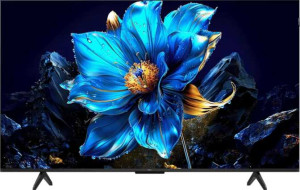
TCL 75P7K 75"
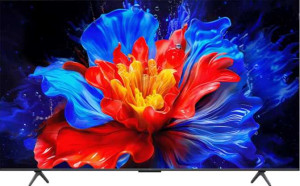
TCL 75P8K 75"

TCL 75P7K 75" TCL 75P8K 75"

Overview

Choosing between the TCL 75P7K 75″ and the TCL 75P8K 75″ means weighing a shared foundation of 4K QLED picture quality against some notable upgrades. Both 75-inch televisions deliver identical resolution, brightness, and a full smart TV platform, yet key areas such as refresh rate, audio hardware, and port configuration set them meaningfully apart. This side-by-side comparison breaks down every specification to help you identify which model truly matches your viewing habits and home setup.

Common Features

  • Both TVs have a 4K (UHD) display resolution of 3840 x 2160 px.
  • Both TVs feature a QLED, LED-backlit, LCD display type.
  • Both TVs have a screen size of 74.5″.
  • Both TVs have a pixel density of 59 ppi.
  • Both TVs support 1070 million display colors at 10-bit depth.
  • Both TVs have a typical brightness of 350 nits.
  • Both TVs support Bluetooth 5.4.
  • Both TVs support Wi-Fi 4 (802.11n) and Wi-Fi 5 (802.11ac).
  • Both TVs use HDMI 2.1 and include 1 RJ45 port.
  • Both TVs support Miracast.
  • Both TVs include a 3.5 mm audio jack.
  • Both TVs feature stereo speakers and support Dolby Atmos and DTS:X.
  • Neither TV has SRS TheaterSound HD or supports Dolby Virtual.
  • Both TVs support Digital Out.
  • Both TVs share the same physical dimensions: 1666 mm wide, 958 mm tall, and 69.5 mm thick.
  • Both TVs support VESA mounting.
  • Both TVs operate within a temperature range of 5 °C to 35 °C.
  • Both TVs have AirPlay and built-in smart TV functionality.
  • Both TVs are compatible with Google Assistant, but neither works with Siri or Apple HomeKit.
  • Both TVs have a standby power consumption of 0.5W and do not include a rechargeable remote control.

Main Differences

  • The refresh rate is 60Hz on TCL 75P7K 75″ and 144Hz on TCL 75P8K 75″.
  • The TCL 75P7K 75″ has 3 HDMI ports, while the TCL 75P8K 75″ has 4 HDMI ports.
  • The TCL 75P7K 75″ includes 2 USB ports, while the TCL 75P8K 75″ includes 1 USB port.
  • A subwoofer is present on TCL 75P8K 75″ but not available on TCL 75P7K 75″.
  • USB recording is supported on TCL 75P8K 75″ but not available on TCL 75P7K 75″.
  • The weight is 23200 g on TCL 75P7K 75″ and 24600 g on TCL 75P8K 75″.
Specs Comparison
TCL 75P7K 75"

TCL 75P7K 75"

TCL 75P8K 75"

TCL 75P8K 75"

Display:
display resolution 4K (UHD) 4K (UHD)
Display type QLED, LED-backlit, LCD QLED, LED-backlit, LCD
screen size 74.5" 74.5"
resolution 3840 x 2160 px 3840 x 2160 px
pixel density 59 ppi 59 ppi
display colors 1070 million 1070 million
bit depth 10-bit 10-bit
brightness (typical) 350 nits 350 nits
refresh rate 60Hz 144Hz
supports HDR10
supports HDR10+
supports Dolby Vision
supports HLG
Adaptive synchronization AMD FreeSync AMD FreeSync
has anti-reflection coating
has an ambient light sensor
maximum horizontal viewing angle 178º 178º
maximum vertical viewing angle 178º 178º

The TCL 75P7K and TCL 75P8K are nearly identical on paper when it comes to their displays: both are 74.5″ QLED LED-backlit LCD panels running at 4K (3840 x 2160) resolution, with the same 59 ppi pixel density, 10-bit color depth, 1.07 billion colors, 350 nits typical brightness, full HDR suite support (HDR10, HDR10+, Dolby Vision, HLG), AMD FreeSync, anti-reflection coating, ambient light sensor, and wide 178°/178° viewing angles. In almost every display dimension, these two TVs are carbon copies of each other.

The single — but meaningful — differentiator is the refresh rate: the P7K runs at 60Hz, while the P8K steps up to 144Hz. In practice, a higher refresh rate produces noticeably smoother motion in fast-paced content. For everyday TV watching and movies (which are mastered at 24–30fps), the difference is negligible. However, for sports, action-heavy programming, and especially gaming, 144Hz translates to much crisper motion and significantly reduced motion blur. Paired with AMD FreeSync, the P8K's higher refresh rate also makes it a far more capable gaming display, as FreeSync can operate across a wider and more effective range at 144Hz.

The P8K holds a clear edge in this group solely because of its 144Hz refresh rate. For a pure movie-watching household, the gap matters little; but for gamers or anyone sensitive to motion smoothness, the P8K is the more capable panel. All other display attributes being equal, the refresh rate is the deciding factor here.
Connectivity:
Has Bluetooth
HDMI version HDMI 2.1 HDMI 2.1
HDMI ports 3 4
supports Wi-Fi
Wi-Fi version Wi-Fi 4 (802.11n), Wi-Fi 5 (802.11ac) Wi-Fi 4 (802.11n), Wi-Fi 5 (802.11ac)
Bluetooth version 5.4 5.4
USB ports 2 1
RJ45 ports 1 1
supports Miracast
has a socket for a 3.5 mm audio jack
has an external memory slot
has a VGA connector
DVB standards DVB-C, DVB-S, DVB-S2, DVB-T, DVB-T2 DVB-T, DVB-T2, DVB-C, DVB-S, DVB-S2
has a DVI connector

Wireless connectivity is a wash between these two models — both carry Bluetooth 5.4, dual-band Wi-Fi (Wi-Fi 4 and Wi-Fi 5), Miracast screen mirroring, and a wired RJ45 Ethernet port. The shared Wi-Fi 5 ceiling means neither has an edge in wireless throughput or range, and Bluetooth 5.4 is current enough to handle peripherals like soundbars and remotes without issue.

Where the two diverge is in their wired port layout. The P8K gains a fourth HDMI 2.1 port over the P7K's three — a tangible benefit for users running multiple high-bandwidth sources simultaneously, such as a games console, a streaming stick, a Blu-ray player, and a PC, all without needing a switch. However, the P8K gives up one USB port in return, offering just 1 USB port versus the P7K's 2. For users who rely on USB for media playback or peripheral connections, that reduction is a real-world inconvenience.

On balance, the two models trade punches here rather than one clearly outclassing the other. The P8K edges ahead for home theater and gaming setups where multiple HDMI devices are the priority, while the P7K is the more practical choice for users who regularly plug in USB drives or accessories. Neither holds a decisive overall advantage in connectivity.

Audio:
supports Digital Out
has SRS TheaterSound HD
has stereo speakers
has Dolby Atmos
supports Dolby Virtual
has a subwoofer
has DTS:X
HDMI ARC / eARC HDMI eARC, HDMI ARC HDMI ARC, HDMI eARC

For the most part, these two TVs are evenly matched in audio capability. Both support Dolby Atmos and DTS:X — the two dominant object-based surround formats — alongside stereo speakers, digital audio output, and both HDMI ARC and eARC. The eARC port is worth noting for users connecting an external soundbar or AV receiver, as it carries significantly more bandwidth than standard ARC, enabling lossless audio formats like Dolby TrueHD and DTS-HD Master Audio to pass through without compression.

The one spec that sets them apart is the P8K's built-in subwoofer. A dedicated subwoofer handles low-frequency reproduction — the bass and rumble that give explosions, music, and cinematic scores their physical presence. Without one, the P7K relies entirely on its stereo drivers, which in a 75-inch TV can produce adequate mid-range sound but typically struggle to deliver convincing low-end depth. The P8K's subwoofer directly addresses this limitation for users watching without external audio equipment.

The P8K holds a clear audio advantage for standalone use. If you plan to pair either TV with a soundbar or surround system regardless, the difference shrinks considerably — both offer eARC for that purpose. But for out-of-the-box audio performance, the P8K's subwoofer gives it a meaningful edge over the P7K.

Design:
width 1666 mm 1666 mm
weight 23200 g 24600 g
thickness 69.5 mm 69.5 mm
height 958 mm 958 mm
volume 110923.946 cm³ 110923.946 cm³
Supports VESA mount
maximum operating temperature 35 °C 35 °C
lowest potential operating temperature 5 °C 5 °C

From a design and form factor perspective, these two TVs are virtually indistinguishable. Dimensions are identical across the board — same width, height, thickness, and overall volume — meaning they will occupy exactly the same space on a stand or wall, and the same VESA mount pattern applies to both. Installation planning requires no adjustments whichever model you choose.

The only measurable difference is weight: the P8K comes in at 24,600 g versus the P7K's 23,200 g, a gap of 1,400 g (roughly 1.4 kg or just over 3 lbs). For wall mounting, that difference is minor but worth noting — heavier panels place slightly more stress on wall brackets and may require an extra set of hands during installation. For stand placement, the difference is essentially irrelevant in day-to-day use.

In this category, the two models are effectively tied. The marginal weight difference has no practical impact on usability or installation for the vast majority of setups, and all other design attributes are identical. Neither product holds a meaningful advantage here.

Features:
release date March 2025 March 2025
has AirPlay
has built-in smart TV
compatible with Google Assistant
works with Siri/Apple HomeKit
supports a remote smartphone
has a rechargeable remote control
supports USB recording
standby power consumption 0.5W 0.5W
has a search browser
has a sleep timer
has a child lock
has voice commands

Across the smart TV feature set, these two models are essentially identical. Both run a built-in smart TV platform with Google Assistant, AirPlay, smartphone remote support, voice commands, and standard utilities like a sleep timer and child lock. Neither supports Apple HomeKit/Siri integration, and both share the same 0.5W standby consumption. For the vast majority of daily interactions, the feature experience will feel indistinguishable between the two.

The sole functional difference is USB recording, which the P8K supports and the P7K does not. This feature allows users to connect a USB storage device and record live broadcast content directly to it — a genuinely useful capability for households that rely on over-the-air or cable tuners and want to time-shift programming without a separate PVR device. For cord-cutters or antenna users, it removes the need for additional hardware.

The P8K has a narrow but practical edge here thanks to USB recording. For users who stream exclusively and have no interest in recording live TV, this distinction is irrelevant and the two models are functionally tied. But for anyone who watches broadcast content and values the ability to record it natively, the P8K offers a convenience the P7K simply cannot match.

Comparison Summary & Verdict

Both the TCL 75P7K 75″ and the TCL 75P8K 75″ share the same 4K QLED panel, 350-nit brightness, Dolby Atmos, DTS:X, and a full smart TV experience with AirPlay and Google Assistant. The distinctions, however, point clearly to different audiences. The TCL 75P8K 75″ earns its place as the more versatile performer, thanks to its 144Hz refresh rate, integrated subwoofer, four HDMI ports, and USB recording support, making it the natural choice for gamers, sports fans, and dedicated home cinema setups. The TCL 75P7K 75″, meanwhile, is the lighter of the two and offers two USB ports rather than one, suiting viewers who prioritize peripheral flexibility and a leaner, no-frills configuration without sacrificing core picture or smart platform quality.

TCL 75P7K 75
Buy TCL 75P7K 75" if...

Buy the TCL 75P7K 75″ if you value a lighter build and need two USB ports for connecting peripherals, and have no requirement for high-refresh-rate motion handling or a built-in subwoofer.

TCL 75P8K 75
Buy TCL 75P8K 75" if...

Buy the TCL 75P8K 75″ if you want a smoother 144Hz experience for gaming or sports content, richer built-in audio with a subwoofer, more HDMI connectivity, and the added convenience of USB recording.