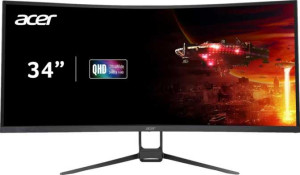
Acer Nitro ED3 EDA343CUR 34" specifications and in-depth review

Acer Nitro ED3 EDA343CUR 34"

Manufacturer: Acer

The Acer Nitro ED3 EDA343CUR is a 34-inch curved gaming monitor built around a VA, LED-backlit panel that delivers a 3440x1440 pixel resolution at 109 ppi. Designed with an ultrawide aspect ratio and a curved form factor, it targets users who want a broader field of view for both gaming and general desktop use. VESA Adaptive Sync support helps reduce screen tearing by synchronizing the display's refresh rate with the output of a compatible GPU, contributing to smoother motion during gameplay.

The panel operates at a 100Hz refresh rate with a 1ms response time, while wide viewing angles of 178 degrees horizontally and vertically keep image consistency across a broad range of positions. Color reproduction covers 90% of the Adobe RGB color space at 8-bit depth, rendering approximately 16.7 million colors, with a typical brightness of 300 nits. Connectivity options include two HDMI 2.0 ports and two DisplayPort outputs, alongside a 3.5mm audio jack. The monitor also integrates stereo speakers rated at 2x3W and supports VESA mounting, with tilt adjustment available for basic ergonomic positioning.

Pros
  • The 34-inch ultrawide panel with a 3440x1440 resolution and 109 ppi pixel density provides a broad, detailed image surface well-suited for gaming and multitasking
  • VESA Adaptive Sync support helps reduce screen tearing when paired with a compatible GPU, contributing to smoother gameplay
  • Two HDMI 2.0 ports and two DisplayPort outputs offer flexible source connectivity without needing adapters for most modern devices
  • Wide viewing angles of 178 degrees both horizontally and vertically ensure consistent image quality across a large range of positions
  • An anti-glare coating reduces reflections in lit environments, making the screen more comfortable for extended use
  • VESA mount compatibility allows the monitor to be used with third-party arms or wall mounts for more flexible desk setups
Cons
  • The 100Hz refresh rate is relatively modest for a dedicated gaming monitor, leaving less headroom for very high frame rate content
  • There are no USB ports of any kind, including no USB Type-C or hub functionality, limiting the monitor's utility as a desk connectivity hub
  • The stand does not support swivel movement or portrait mode rotation, restricting ergonomic adjustability to tilt only
  • Built-in stereo speakers deliver just 2x3W with no support for Dolby Digital, Dolby Digital Plus, or DTS Surround, limiting audio performance
  • Color calibration is not supported, which may be a drawback for users who require precise, hardware-verified color accuracy
  • The 8-bit panel with no mention of HDR or high-brightness modes may limit visual depth in content that benefits from wider dynamic range
Who is this for?

This monitor is a reasonable fit for users who spend extended sessions gaming at moderate to high frame rates, where the 34-inch ultrawide curved panel at 3440x1440 resolution provides a broad, immersive field of view without demanding extreme GPU output. The dual HDMI 2.0 and dual DisplayPort inputs make it convenient for users who switch between multiple source devices, such as a PC and a console. It also suits general desktop users who benefit from the wide screen real estate for multitasking across several windows or applications simultaneously, and those working in environments with ambient light where the anti-glare coating helps maintain screen legibility.

Who is this NOT for?

Users who prioritize competitive gaming at very high frame rates will find the 100Hz refresh rate limiting, as fast-paced titles often benefit from higher ceiling refresh rates. The absence of hardware color calibration support and the 8-bit panel make this monitor a poor match for professional color-critical workflows such as photo editing or video grading where verified color accuracy is essential. Additionally, users expecting a versatile desktop hub will be disappointed by the complete lack of USB ports, including no USB Type-C, which eliminates any peripheral connectivity or charging convenience through the monitor itself.

Display:

Display type VA, LED-backlit
response time 1 ms
screen size 34"
resolution 3440 x 1440 px
pixel density 109 ppi
Adaptive synchronization VESA Adaptive Sync
has anti-glare coating
refresh rate 100Hz
maximum horizontal viewing angle 178º
maximum vertical viewing angle 178º
has a matte panel
has a glossy panel
has a touch screen

The display uses a VA, LED-backlit panel measuring 34 inches with a resolution of 3440x1440 pixels at 109 ppi, offering a detailed ultrawide image. It operates at a 100Hz refresh rate paired with a 1ms response time, and supports VESA Adaptive Sync to help maintain smooth visuals during fast-moving content. Viewing angles reach 178 degrees both horizontally and vertically, keeping color and contrast consistent across a wide range of positions. The screen features an anti-glare coating, though it is neither a matte nor a glossy panel in the traditional categorized sense, and it does not support touch input.

General info:

Type Gaming, Curved
supports total tilt
Has a swivel stand
Supports VESA mount
height 475 mm
width 806 mm
thickness 231 mm
weight 9706 g
supports portrait mode
volume 88438.35 cm³

This is a curved gaming monitor with physical dimensions of 475mm in height, 806mm in width, and 231mm in thickness, weighing approximately 9706g. The stand supports tilt adjustment for basic ergonomic positioning, though it does not offer swivel movement or portrait mode orientation. VESA mount compatibility is included, allowing the display to be attached to third-party arms or wall mounts. The monitor does not support portrait mode rotation, and its overall volume is measured at 88438.35 cm³.

Colors:

brightness (typical) 300 nits
supports color calibration
display colors 16.7 million
bit depth 8-bit
Adobe RGB coverage 90%

The display produces 16.7 million colors at an 8-bit color depth, with an Adobe RGB coverage of 90%, making it reasonably well-suited for color-sensitive work within that color space. Typical brightness is rated at 300 nits, providing a moderate level of luminance for everyday use. Color calibration is not supported out of the box, meaning there is no built-in hardware calibration capability available on this monitor.

Connectivity:

HDMI ports 2
supports Thunderbolt
DisplayPort outputs 2
has a socket for a 3.5 mm audio jack
has a DVI connector
USB ports 0
Has USB Type-C
HDMI version HDMI 2.0
supports Ethernet
supports Wi-Fi
has AirPlay
mini DisplayPort outputs 0
has a VGA connector

The monitor offers a straightforward video input selection with two HDMI 2.0 ports and two DisplayPort outputs, covering the most common connection types used with modern GPUs and other source devices. A 3.5mm headset jack is also present for audio passthrough. There are no USB ports of any kind, including no USB Type-C or Thunderbolt support, and legacy interfaces such as DVI and VGA are absent as well. Wireless connectivity options are not available, as the monitor does not support Wi-Fi, Ethernet, or AirPlay.

Power:

operating power consumption 32W

The monitor has an operating power consumption of 32W, reflecting the energy draw during normal use.

Features:

has PiP
has stereo speakers
has built-in smart TV
audio output power 2 x 3W
has a remote control
supports Dolby Digital
supports Dolby Digital Plus
has DTS Surround
has an ambient light sensor
has a front camera

The monitor includes built-in stereo speakers rated at 2x3W, providing a basic integrated audio option without the need for external speakers. Audio enhancements such as Dolby Digital, Dolby Digital Plus, and DTS Surround are not supported, keeping the audio feature set minimal. There is no Picture-in-Picture functionality, no remote control, no ambient light sensor, and no front camera. The monitor also does not include built-in smart TV capabilities.
Final Verdict

The Acer Nitro ED3 EDA343CUR is a curved ultrawide gaming monitor that delivers a genuinely broad and detailed viewing experience through its 34-inch 3440x1440 VA panel, supported by VESA Adaptive Sync and a solid array of video inputs. It fits well in setups where immersive screen real estate and multi-source flexibility matter more than pushing the highest possible frame rates. The ergonomic limitations of its stand, the absence of USB connectivity, and the lack of hardware color calibration narrow its appeal for users with more demanding or specialized needs. Overall, it represents a capable option for casual to mid-level gamers and general desktop users who prioritize display width and image coverage, provided they can work within its connectivity and adjustability constraints.

Popular Comparisons

Acer Nitro ED3 EDA343CUR 34"
VS
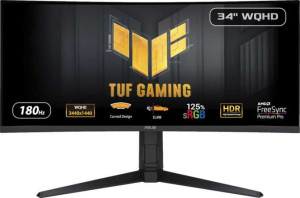
Asus TUF Gaming VG34VQL3A 34"
Acer Nitro ED3 EDA343CUR 34"
VS
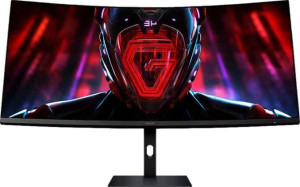
Xiaomi Curved Gaming Monitor G34WQi 34"
Acer Nitro ED3 EDA343CUR 34"
VS
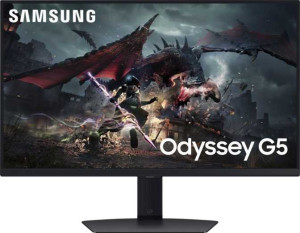
Samsung Odyssey G5 27" (G50D)