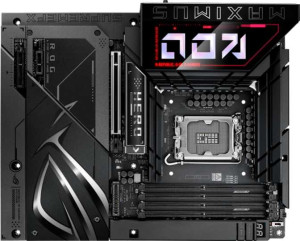
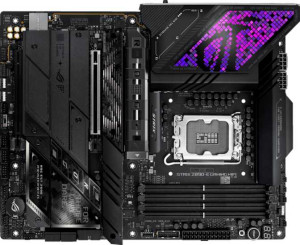
Asus ROG Maximus Z890 Hero specifications and in-depth review

Asus ROG Maximus Z890 Hero

Manufacturer: Asus

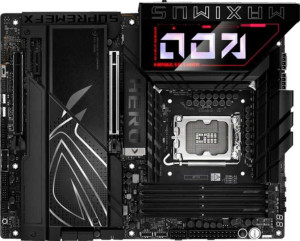
The Asus ROG Maximus Z890 Hero is a full-sized ATX motherboard built around Intel's LGA 1851 platform and the Z890 chipset, targeting enthusiasts who want a well-equipped foundation for high-performance builds. It includes RGB lighting, a clear CMOS button for straightforward BIOS resets, and overclocking support that extends RAM frequencies up to 9200 MHz. Wireless connectivity is covered by Wi-Fi 6E and Bluetooth 5.4, while two RJ45 ports handle wired networking duties. A three-year warranty rounds out the package.

On the expansion and connectivity front, the board offers one PCIe 5.0 x16 slot alongside a PCIe 4.0 x16 slot and a single PCIe x1 slot, complemented by six M.2 sockets and four SATA 3 connectors with full RAID 0, 1, 5, and 10 support. The rear I/O includes two Thunderbolt 4 ports, two USB 4 40Gbps ports, four USB 3.2 Gen 2 Type-A ports, and a single USB 3.2 Gen 2 Type-C port, alongside an HDMI 2.1 output. Audio is handled through a 7.1-channel solution rated at 120 dB signal-to-noise ratio, with an S/PDIF output also present. Four DDR5 memory slots support dual-channel operation with a maximum capacity of 192GB.

Pros
  • Six M.2 sockets provide substantial NVMe storage expansion without relying on adapter cards
  • Two Thunderbolt 4 ports and two USB 4 40Gbps ports offer fast, versatile high-speed connectivity at the rear
  • Wi-Fi 6E and Bluetooth 5.4 are built in, eliminating the need for separate wireless adapters
  • DDR5 memory can be overclocked up to 9200 MHz across four slots, with a maximum capacity of 192GB
  • RAID 0, 1, 5, and 10 support gives users meaningful flexibility in how they configure storage arrays
  • A clear CMOS button simplifies BIOS recovery without needing to physically remove the battery or jumper
Cons
  • No USB 2.0 ports on the rear I/O may cause compatibility issues with older peripherals
  • Only two analog audio connectors are available, which limits simultaneous analog audio device connections
  • Dual BIOS is absent, meaning there is no automatic firmware fallback if a BIOS update goes wrong
  • ECC memory is not supported, ruling out use cases that require error-correcting RAM
  • No DisplayPort output is available, restricting video output to the single HDMI 2.1 port
Who is this for?

This board is well-matched for enthusiast desktop builders targeting Intel's LGA 1851 platform who want room to grow — particularly those planning to run high-speed DDR5 memory with aggressive overclocking up to 9200 MHz. The six M.2 sockets and full RAID support make it a strong fit for users managing large or redundant storage setups, such as content creators or workstation users handling substantial local data. Those who rely heavily on fast peripheral connectivity will also find value here, given the combination of Thunderbolt 4 and USB 4 40Gbps ports, alongside built-in Wi-Fi 6E for low-latency wireless use.

Who is this NOT for?

Users who need ECC memory support for error-sensitive workloads — such as scientific computing, financial applications, or server-adjacent tasks — will find this board unsuitable, as that capability is absent. It is equally a poor fit for anyone working with legacy peripherals or older USB devices, since there are no USB 2.0 ports on the rear I/O panel. Those who require a dual BIOS safety net for frequent firmware experimentation may also find the lack of that feature a practical limitation in day-to-day use.

General info:

CPU socket LGA 1851
chipset Z890
form factor ATX
supports Wi-Fi
Wi-Fi version Wi-Fi 4 (802.11n), Wi-Fi 5 (802.11ac), Wi-Fi 6E (802.11ax)
Has Bluetooth
Bluetooth version 5.4
HDMI version HDMI 2.1
Easy to overclock
has RGB lighting
Easy to reset BIOS
Has dual BIOS
has aptX
CPU sockets 1
Has integrated graphics
warranty period 3 years
height 244 mm
width 305 mm
Has integrated CPU

The Asus ROG Maximus Z890 Hero uses an LGA 1851 socket paired with the Z890 chipset and comes in the standard ATX form factor, measuring 305 mm wide and 244 mm tall. It supports overclocking and includes RGB lighting, along with a clear CMOS button for easy BIOS resets, though it does not feature a dual BIOS or an integrated CPU or graphics solution. Wireless connectivity spans Wi-Fi 4, Wi-Fi 5, and Wi-Fi 6E, and Bluetooth 5.4 is also built in, though aptX is not supported. Video output is available via an HDMI 2.1 port, and the board carries a three-year warranty.

Memory:

maximum memory amount 192GB
overclocked RAM speed 9200 MHz
memory slots 4
DDR memory version 5
memory channels 2
Supports ECC memory

The board accommodates DDR5 memory across four slots in a dual-channel configuration, with a maximum supported capacity of 192GB. Overclocked RAM speeds can reach up to 9200 MHz, giving enthusiasts considerable headroom for memory tuning. ECC memory is not supported.

Ports:

USB 3.2 Gen 2 ports (USB-A) 4
USB 3.2 Gen 1 ports (USB-A) 4
USB 3.2 Gen 2 ports (USB-C) 1
USB 3.2 Gen 1 ports (USB-C) 0
USB 2.0 ports 0
USB 3.2 Gen 2x2 ports 0
USB 4 40Gbps ports 2
USB 4 20Gbps ports 0
Thunderbolt 4 ports 2
Thunderbolt 3 ports 0
has an HDMI output
DisplayPort outputs 0
RJ45 ports 2
Has USB Type-C
eSATA ports 0
DVI outputs 0
has a VGA connector
PS/2 ports 0

The rear I/O offers a well-stocked USB lineup, including four USB 3.2 Gen 2 Type-A ports, four USB 3.2 Gen 1 Type-A ports, and one USB 3.2 Gen 2 Type-C port, with no USB 2.0 or Gen 2x2 ports present. At the faster end, there are two USB 4 40Gbps ports and two Thunderbolt 4 ports, while USB 4 20Gbps and Thunderbolt 3 are absent. Video output is handled by a single HDMI output, with no DisplayPort, DVI, or VGA connectors available. Networking is served by two RJ45 ports, and there are no eSATA or PS/2 ports on this board.

Connectors:

USB 3.2 Gen 1 ports (through expansion) 4
USB 2.0 ports (through expansion) 4
SATA 3 connectors 4
fan headers 6
USB 3.0 ports (through expansion) 4
M.2 sockets 6
Has TPM connector
U.2 sockets 0
Has mSATA connector
SATA 2 connectors 0

For internal expansion, the board provides six M.2 sockets and four SATA 3 connectors, with no SATA 2, U.2, or mSATA options present. USB connectivity through headers includes four USB 3.2 Gen 1 ports, four USB 3.0 ports, and four USB 2.0 ports, all accessible via expansion headers. Six fan headers are available for cooling management, though there is no TPM connector on this board.

Expansion slots:

PCIe 4.0 x16 slots 1
PCIe 5.0 x16 slots 1
PCIe 3.0 x16 slots 0
PCIe x1 slots 1
PCI slots 0
PCIe 2.0 x16 slots 0
PCIe x4 slots 0
PCIe x8 slots 0

The board features one PCIe 5.0 x16 slot and one PCIe 4.0 x16 slot for primary expansion, along with a single PCIe x1 slot for smaller add-in cards. There are no PCIe 3.0, PCIe 2.0, PCIe x4, PCIe x8, or legacy PCI slots present.

Audio:

Signal-to-Noise ratio (DAC) 120 dB
audio channels 7.1
Has S/PDIF Out port
audio connectors 2

The onboard audio supports 7.1-channel output and delivers a DAC signal-to-noise ratio of 120 dB, with two analog audio connectors available on the rear I/O. A S/PDIF Out port is also present for digital audio passthrough to external receivers or DACs.

Storage:

Supports RAID 1
Supports RAID 10 (1+0)
Supports RAID 5
Supports RAID 0
Supports RAID 0+1

The board supports RAID 0, 1, 5, and 10 configurations, covering a broad range of storage setups from performance-focused striping to redundancy and combined modes. RAID 0+1 is not supported.
Final Verdict

The Asus ROG Maximus Z890 Hero is a well-specified ATX motherboard that makes a strong case for enthusiast builders committed to the LGA 1851 platform. Its combination of six M.2 sockets, Thunderbolt 4, and DDR5 overclocking support up to 9200 MHz gives it genuine depth for users who demand fast storage, versatile connectivity, and memory tuning headroom. Some practical limitations — the absence of ECC support, no dual BIOS, and a sparse rear USB legacy port selection — mean it is best suited to a specific type of builder rather than a universal audience. For those whose workloads and priorities align with what this board offers, it represents a thorough and capable platform with few obvious gaps in its intended use case.

Popular Comparisons

Asus ROG Maximus Z890 Hero
VS
ASRock Z890 Taichi
ASRock Z890 Taichi
Asus ROG Maximus Z890 Hero
VS
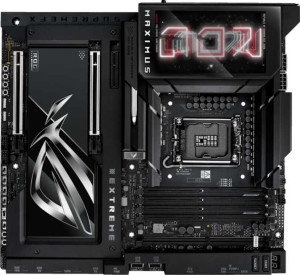
Asus ROG Maximus Z890 Extreme
Asus ROG Maximus Z890 Hero
VS
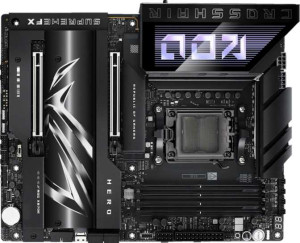
Asus ROG Crosshair X870E Hero
Asus ROG Maximus Z890 Hero
VS
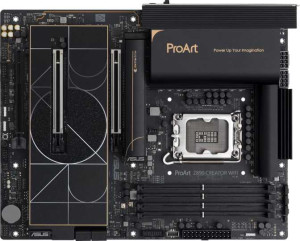
Asus ProArt Z890-Creator WiFi
Asus ROG Maximus Z890 Hero
VS
Asus ROG Maximus Z890 Hero BTF
Asus ROG Maximus Z890 Hero
VS
MSI MEG Z890 Unify-X
Asus ROG Maximus Z890 Hero
VS
Asus ROG Strix Z890-E Gaming WiFi
Asus ROG Maximus Z890 Hero
VS
Asus TUF Gaming Z890-Plus WiFi
Asus ROG Maximus Z890 Hero
VS
MSI MEG Z890 Ace
MSI MEG Z890 Ace
Asus ROG Maximus Z890 Hero
VS
Gigabyte Z890 Aorus Master