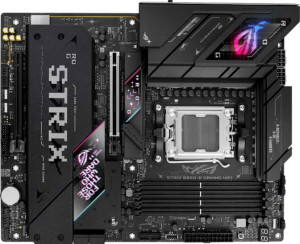
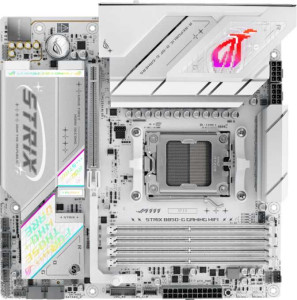
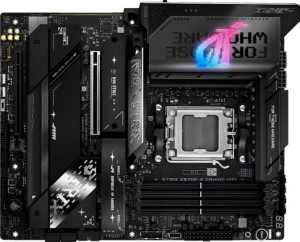
Asus ROG Strix X870-A Gaming WiFi specifications and in-depth review

Asus ROG Strix X870-A Gaming WiFi

Manufacturer: Asus

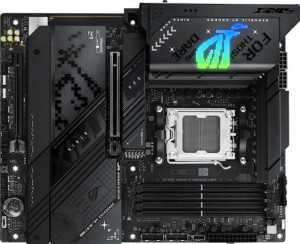
The Asus ROG Strix X870-A Gaming WiFi is an ATX form factor motherboard built around the AM5 socket and X870 chipset, designed for DDR5 platforms with a full suite of modern connectivity options. It includes RGB lighting and Wi-Fi 7 (802.11be) with Bluetooth 5.4, making it a well-equipped option for current-generation AMD builds. The board carries a three-year warranty and supports straightforward BIOS resets via a dedicated clear CMOS function.

On the expansion and storage side, the board provides one PCIe 5.0 x16 slot alongside a PCIe 4.0 x16 slot, and four M.2 sockets for NVMe drives, complemented by two SATA 3 connectors with support for RAID 0, 1, 5, and 10. Memory capacity reaches up to 256GB across four DDR5 slots in a dual-channel configuration, with overclocked speeds up to 8000 MHz supported. The rear I/O includes two Thunderbolt 4 ports, two USB 4 40Gbps ports, five USB 3.2 Gen 2 Type-A ports, and HDMI 2.1 with DisplayPort outputs, while the onboard audio delivers a 120 dB signal-to-noise ratio across a 7.1-channel setup.

Pros
  • Supports Wi-Fi 7 alongside all previous Wi-Fi generations down to Wi-Fi 4, covering the full range of wireless standards
  • Four M.2 sockets provide substantial NVMe storage expansion without relying on adapter cards
  • Two Thunderbolt 4 ports and two USB 4 40Gbps ports on the rear I/O offer high-bandwidth connectivity for demanding peripherals
  • Overclocked DDR5 RAM speeds up to 8000 MHz give enthusiasts considerable headroom for memory tuning
  • Seven fan headers allow for detailed cooling control across a full system build
  • RAID 0, 1, 5, and 10 support offers meaningful flexibility for storage redundancy and performance configurations
Cons
  • Only two SATA 3 connectors limits the number of traditional hard drives or SATA SSDs that can be connected directly
  • ECC memory is not supported, ruling out use cases that require error-correcting RAM
  • No dual BIOS means there is no hardware-level fallback if a firmware update fails
  • aptX Bluetooth audio is not supported, which may matter for users relying on aptX-compatible wireless audio devices
  • No USB 2.0 rear ports may create compatibility issues with older peripherals that perform better on USB 2.0
Who is this for?

This board is well-suited to enthusiast PC builders who want a current-generation AMD platform with room to grow. The combination of a PCIe 5.0 x16 slot and four M.2 sockets makes it a practical choice for users running high-end graphics cards and multiple NVMe drives simultaneously. Those who need versatile high-speed connectivity will benefit from the two Thunderbolt 4 and two USB 4 40Gbps ports, while the Wi-Fi 7 support appeals to users who want the latest wireless standard without adding a separate card. The seven fan headers and DDR5 overclocking up to 8000 MHz also make it a reasonable fit for builders who actively tune their systems for sustained workloads.

Who is this NOT for?

This board is a poor match for users who need ECC memory support, such as those running workstations or servers where data integrity is a priority, as that capability is entirely absent. With only two SATA 3 connectors, it also falls short for anyone planning a storage setup built around multiple traditional hard drives or SATA SSDs. The lack of a dual BIOS makes it less forgiving for users who frequently experiment with firmware updates, since there is no hardware fallback in the event of a failed flash. It is equally unsuitable for legacy system integrators, given the complete absence of PCI, PCIe x1, and older USB 2.0 rear ports.

General info:

CPU socket AM5
chipset X870
form factor ATX
supports Wi-Fi
Wi-Fi version Wi-Fi 4 (802.11n), Wi-Fi 5 (802.11ac), Wi-Fi 6 (802.11ax), Wi-Fi 6E (802.11ax), Wi-Fi 7 (802.11be)
Has Bluetooth
Bluetooth version 5.4
HDMI version HDMI 2.1
Easy to overclock
has RGB lighting
Easy to reset BIOS
Has dual BIOS
has aptX
CPU sockets 1
Has integrated graphics
warranty period 3 years
height 244 mm
width 305 mm
Has integrated CPU

The Asus ROG Strix X870-A Gaming WiFi uses the AM5 socket and is compatible with the X870 chipset, housed in a standard ATX form factor measuring 305 mm wide and 244 mm tall. It supports a single CPU without an integrated processor or integrated graphics. Wireless connectivity spans Wi-Fi 4 through Wi-Fi 7 (802.11be), and Bluetooth 5.4 is also built in, though aptX is not supported. The board features HDMI 2.1 output, RGB lighting, and an easy BIOS reset via a clear CMOS function, while overclocking is accessible through simplified controls. Dual BIOS is not present. The board carries a three-year warranty.

Memory:

maximum memory amount 256GB
overclocked RAM speed 8000 MHz
memory slots 4
DDR memory version 5
memory channels 2
Supports ECC memory

This board supports DDR5 memory across four slots in a dual-channel configuration, with a maximum capacity of 256GB. Overclocked RAM speeds can reach up to 8000 MHz, offering headroom for enthusiast memory kits. ECC memory is not supported.

Ports:

USB 3.2 Gen 2 ports (USB-A) 5
USB 3.2 Gen 1 ports (USB-A) 4
USB 3.2 Gen 2 ports (USB-C) 1
USB 3.2 Gen 1 ports (USB-C) 0
USB 2.0 ports 0
USB 3.2 Gen 2x2 ports 0
USB 4 40Gbps ports 2
USB 4 20Gbps ports 0
Thunderbolt 4 ports 2
Thunderbolt 3 ports 0
has an HDMI output
DisplayPort outputs 1
RJ45 ports 1
Has USB Type-C
eSATA ports 0
DVI outputs 0
has a VGA connector
PS/2 ports 0

The rear I/O offers a broad range of USB connectivity, including five USB 3.2 Gen 2 Type-A ports, four USB 3.2 Gen 1 Type-A ports, and one USB 3.2 Gen 2 Type-C port. Notably, there are two Thunderbolt 4 ports alongside two USB 4 40Gbps ports, while USB 3.2 Gen 2x2, USB 4 20Gbps, USB 2.0, Thunderbolt 3, eSATA, and PS/2 ports are absent. Display output is handled by one HDMI and one DisplayPort, with no DVI or VGA connectors present. Networking is served by a single RJ45 port.

Connectors:

USB 3.2 Gen 1 ports (through expansion) 4
USB 3.2 Gen 2x2 ports (through expansion) 1
USB 2.0 ports (through expansion) 4
SATA 3 connectors 2
fan headers 7
USB 3.0 ports (through expansion) 4
M.2 sockets 4
Has TPM connector
U.2 sockets 0
Has mSATA connector
SATA 2 connectors 0

For internal expansion, the board provides four M.2 sockets and two SATA 3 connectors, with no SATA 2, U.2, or mSATA connectors present. USB headers allow for four USB 3.2 Gen 1 ports, four USB 3.0 ports, four USB 2.0 ports, and one USB 3.2 Gen 2x2 port through expansion brackets or front-panel connections. Cooling is well covered with seven fan headers available across the board. A TPM connector is not included.

Expansion slots:

PCIe 4.0 x16 slots 1
PCIe 5.0 x16 slots 1
PCIe 3.0 x16 slots 0
PCIe x1 slots 0
PCI slots 0
PCIe 2.0 x16 slots 0
PCIe x4 slots 0
PCIe x8 slots 0

The board offers two full-length PCIe slots: one PCIe 5.0 x16 and one PCIe 4.0 x16, covering the current generation of discrete graphics cards and high-bandwidth add-in cards. There are no PCIe 3.0, 2.0, x8, x4, or x1 slots, and no legacy PCI slots are present.

Audio:

Signal-to-Noise ratio (DAC) 120 dB
audio channels 7.1
Has S/PDIF Out port
audio connectors 2

The onboard audio supports a 7.1-channel configuration with a DAC signal-to-noise ratio of 120 dB, and digital output is available through an S/PDIF Out port. Two analog audio connectors are provided on the rear panel.

Storage:

Supports RAID 1
Supports RAID 10 (1+0)
Supports RAID 5
Supports RAID 0
Supports RAID 0+1

The board supports four RAID modes — RAID 0, 1, 5, and 10 — covering a range of needs from performance striping to mirroring and combined configurations. RAID 0+1 is not supported.
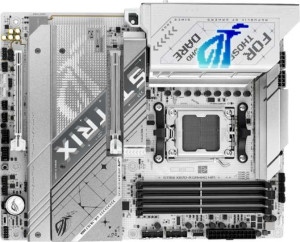
Final Verdict

The Asus ROG Strix X870-A Gaming WiFi is a well-specified ATX motherboard that covers most of what a serious AMD AM5 builder would need, from DDR5 overclocking and four M.2 sockets to a generous array of high-speed rear I/O. Its standout strength lies in its connectivity depth — particularly the dual Thunderbolt 4 and USB 4 40Gbps ports combined with Wi-Fi 7 — which gives it staying power as peripheral standards continue to evolve. The limited SATA connectivity and absence of ECC support and dual BIOS do narrow its appeal for certain workloads, but for enthusiast desktop builds centered on performance and modern I/O, it delivers a coherent and capable feature set that aligns well with the demands of the X870 platform.

Popular Comparisons

Asus ROG Strix X870-A Gaming WiFi
VS
ASRock B850 Steel Legend WiFi
Asus ROG Strix X870-A Gaming WiFi
VS
Asus ROG Strix B850-E Gaming WiFi
Asus ROG Strix X870-A Gaming WiFi
VS
Asus ROG Strix B850-A Gaming WiFi
Asus ROG Strix X870-A Gaming WiFi
VS
Asus ROG Strix B860-A Gaming WiFi
Asus ROG Strix X870-A Gaming WiFi
VS
ASRock X870 Steel Legend WiFi
Asus ROG Strix X870-A Gaming WiFi
VS
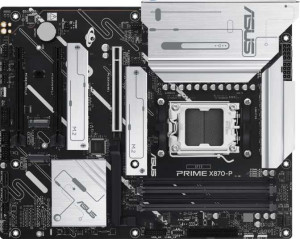
Asus Prime X870-P
Asus Prime X870-P
Asus ROG Strix X870-A Gaming WiFi
VS
Asus ROG Strix B850-G Gaming Wi-Fi
Asus ROG Strix X870-A Gaming WiFi
VS
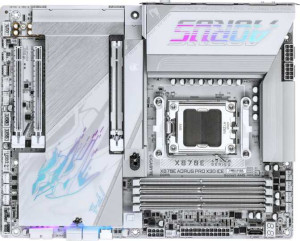
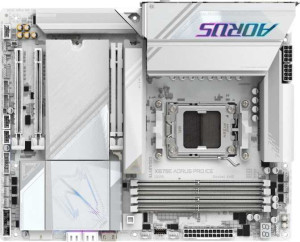
Gigabyte X870E Aorus Pro X3D Ice
Asus ROG Strix X870-A Gaming WiFi
VS
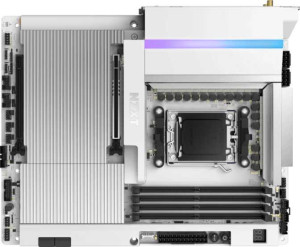
NZXT N9 X870E
NZXT N9 X870E
Asus ROG Strix X870-A Gaming WiFi
VS
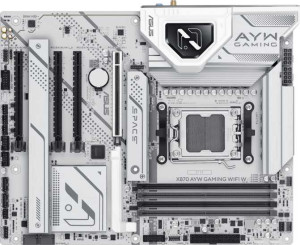
Asus X870 AYW Gaming Wi-Fi W
Asus ROG Strix X870-A Gaming WiFi
VS
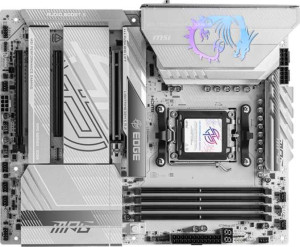
MSI MPG X870E Edge TI WiFi
Asus ROG Strix X870-A Gaming WiFi
VS
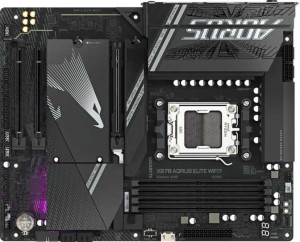
Gigabyte X870 Aorus Elite WiFi7
Asus ROG Strix X870-A Gaming WiFi
VS
Gigabyte X870E Aorus Pro Ice
Asus ROG Strix X870-A Gaming WiFi
VS
MSI MAG X870 Tomahawk WiFi
Asus ROG Strix X870-A Gaming WiFi
VS
Gigabyte X870E Aorus Pro
Asus ROG Strix X870-A Gaming WiFi
VS
Gigabyte X870 Aorus Elite WiFi7 Ice
Asus ROG Strix X870-A Gaming WiFi
VS
Asus ROG Strix X870-F Gaming WiFi
Asus ROG Strix X870-A Gaming WiFi
VS
Asus ROG Strix X870E-E Gaming WiFi
Asus ROG Strix X870-A Gaming WiFi
VS
Asus Z790-AYW OC WiFi
Asus ROG Strix X870-A Gaming WiFi
VS
Gigabyte X870E Aorus Elite WiFi7