Attack Shark R2 Pro specifications and in-depth review

Attack Shark R2 Pro

Manufacturer: Attack Shark

The Attack Shark R2 Pro is a lightweight ambidextrous gaming mouse designed for users who want versatile connectivity without sacrificing tracking precision. Weighing just 45 grams, its compact frame measures 117.6 mm in length and 61.8 mm in width, making it a compact option that fits a range of grip styles equally well on either hand. It supports USB wired, 2.4 GHz wireless, and Bluetooth 5.2 connections, giving users the flexibility to switch between setups as needed.

At the core of the R2 Pro sits the PixArt PAW3950 sensor, which operates across a DPI range of 800 to 42,000 and tracks at speeds up to 750 IPS with a maximum acceleration of 50G. The mouse runs at an 8000 Hz polling rate, and its rechargeable battery is rated for up to 200 hours of use on a single charge, with the option to continue using it while plugged in. Six fully programmable buttons are included alongside a DPI switching button, and the ambidextrous layout keeps the two side buttons accessible regardless of hand preference.

Pros
  • The ambidextrous design makes it usable comfortably by both left- and right-handed users
  • At 45 g, the body is notably light, which reduces hand fatigue during extended use
  • Three connection modes — USB, 2.4 GHz wireless, and Bluetooth 5.2 — allow flexible use across different setups
  • A rated battery life of 200 hours means infrequent recharging is needed during regular use
  • The mouse can continue to be used while it is charging, avoiding forced downtime
  • All 6 buttons are fully programmable, allowing complete input customization
Cons
  • No onboard memory profiles are available, so custom button configurations cannot be stored directly on the mouse
  • The minimum DPI is fixed at 800, which may be too high for users who prefer very low sensitivity settings
  • Wireless charging is not supported, requiring a physical cable connection to recharge
  • No RGB lighting is present for users who want visual customization
  • The scroll wheel does not tilt, limiting horizontal scrolling without additional button remapping
  • The warranty period covers only one year
Who is this for?

This mouse is well-suited to users who frequently switch between devices or connection types, as its support for USB, 2.4 GHz wireless, and Bluetooth 5.2 makes it adaptable across desktops, laptops, and other Bluetooth-enabled setups without needing separate hardware. The ambidextrous layout means left- and right-handed users alike can use it without compromise, and the 45 g weight makes it a practical choice for anyone who values a lighter mouse during long sessions. The 200-hour battery life and the ability to use it while charging also suit users who need consistent availability without frequent interruptions.

Who is this NOT for?

Users who rely on onboard memory profiles to carry custom configurations between systems will find this mouse lacking, as it stores no profiles on-board. Those who prefer very low sensitivity settings may also find the 800 DPI minimum too high for their workflow, particularly in tasks requiring precise, slow cursor control at low sensitivity. Additionally, users who want visual customization through RGB lighting or horizontal scrolling via a tilting scroll wheel will not find either feature here, making it a poor fit for setups where those elements play a role in day-to-day use.

Performance:

polling rate 8000 Hz
maximum speed 750 IPS
maximum acceleration 50G
maximum DPI 42000 DPI
minimum DPI 800 DPI
has adjustable DPI

The Performance section of the Attack Shark R2 Pro centers on a 8000 Hz polling rate, which allows the mouse to report its position to the system at a very high frequency for responsive cursor tracking. The sensor supports an adjustable DPI range spanning from 800 to 42,000 DPI, giving users fine-grained control over cursor sensitivity. Tracking capability extends up to 750 IPS at a maximum acceleration of 50G, reflecting the hardware limits within which accurate movement detection is maintained.

General info:

Type Gaming
connection type USB, Bluetooth, 2.4GHz wireless
sensor PixArt PAW3950
onboard memory profiles 0
Bluetooth version 5.2
has gesture support
Battery life 200 hours
can use while charging
has wireless charging
has a rechargeable battery
has a removable battery
warranty period 1 years

The Attack Shark R2 Pro is a gaming mouse built around the PixArt PAW3950 sensor and equipped with three connection options — USB, 2.4 GHz wireless, and Bluetooth 5.2 — though it does not support gesture input or store any onboard memory profiles. Its built-in rechargeable battery delivers up to 200 hours of battery life, and the mouse can remain in use while charging, though wireless charging is not supported and the battery is not removable. The product comes with a one-year warranty.

Buttons:

number of buttons 6
number of side buttons 2
number of programmable buttons 6
has a DPI switching button
has a profile switching button

The Attack Shark R2 Pro features 6 buttons in total, all of which are programmable, giving users full control over every input on the mouse. Two of these are side buttons, and a dedicated DPI switching button is also included for on-the-fly sensitivity adjustments. There is no profile switching button on the mouse itself.

Design:

Orientation Ambidextrous
weight 45 g
has RGB lighting
has a tilting scroll wheel
has a thumb scroll wheel
has extra weights
cable length 1.6 m
volume 282.712752 cm³
thickness 38.9 mm
height 117.6 mm
width 61.8 mm

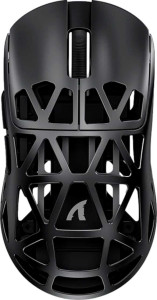
The Attack Shark R2 Pro uses an ambidextrous orientation and weighs just 45 g, with dimensions of 117.6 mm in length, 61.8 mm in width, and 38.9 mm in thickness, giving it a total volume of approximately 282.71 cm³. The included cable measures 1.6 m in length. The mouse does not feature RGB lighting, a tilting scroll wheel, a thumb scroll wheel, or any additional swappable weights.
Final Verdict

The Attack Shark R2 Pro is a well-defined lightweight gaming mouse that prioritizes versatility and endurance over feature density. Its triple connectivity support combined with a 200-hour battery life makes it a genuinely practical choice for users who move between devices or setups regularly, while the ambidextrous form factor and 45 g weight keep it accessible and comfortable across extended use. Certain limitations — no onboard profile storage, a relatively high minimum DPI, and the absence of RGB or a tilting scroll wheel — mean it will not suit every user, but these trade-offs appear intentional for a design focused on simplicity and all-day usability. For users whose priorities align with portability, flexible connectivity, and a clean no-frills experience, the R2 Pro delivers a coherent and focused package.

Popular Comparisons

Attack Shark R2 Pro
Attack Shark R2 Pro
VS
Attack Shark R2
Attack Shark R2
Attack Shark R2 Pro
Attack Shark R2 Pro
VS
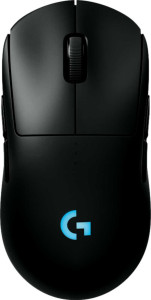
Logitech G Pro 2 Lightspeed
Attack Shark R2 Pro
Attack Shark R2 Pro
VS
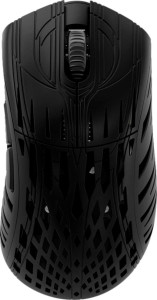
Pwnage Stormbreaker
Pwnage Stormbreaker
Attack Shark R2 Pro
Attack Shark R2 Pro
VS
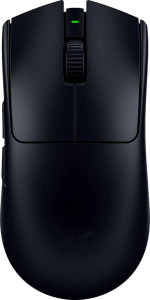
Razer Viper V3 Pro
Razer Viper V3 Pro