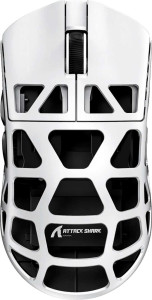
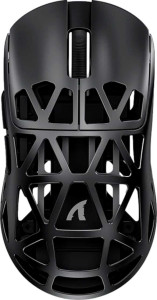
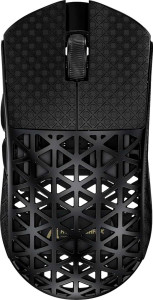
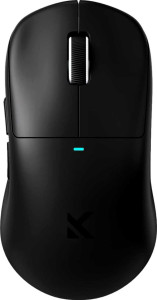
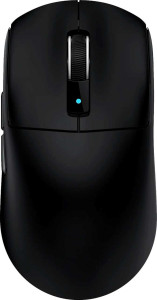
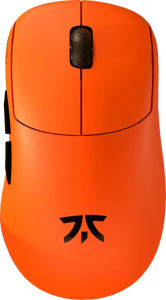
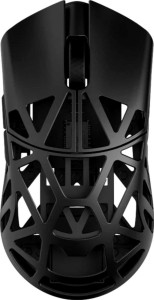
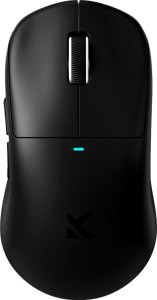
Attack Shark R3 Pro specifications and in-depth review

Attack Shark R3 Pro

Manufacturer: Attack Shark

The Attack Shark R3 Pro is a lightweight ambidextrous gaming mouse built around a tri-mode connection setup, supporting USB, 2.4GHz wireless, and Bluetooth 5.2. Weighing just 46 grams, it sits on the lighter end of the gaming mouse spectrum, making it a practical option for users who prioritize low mass during extended sessions. The mouse runs on a rechargeable battery rated for up to 200 hours of use and supports operation while charging, adding a degree of flexibility to its wireless-focused design.

Under the hood, the R3 Pro uses the PixArt PAW3395 sensor, which delivers a maximum tracking speed of 650 IPS, up to 50G of acceleration, and a DPI range spanning from 800 to 26000, adjustable across all 6 programmable buttons. The polling rate reaches 8000 Hz, and the mouse measures 119 mm in length, 61 mm in width, and 36 mm in thickness. It includes 2 side buttons, a DPI switching button, and a 1.8 m cable, while the design omits RGB lighting, onboard memory profiles, and a tilting scroll wheel.

Pros
  • Tri-mode connectivity via USB, 2.4GHz wireless, and Bluetooth 5.2 allows flexible use across different setups
  • At 46 grams, the mouse is very light, reducing hand fatigue during extended use
  • The 8000 Hz polling rate provides highly frequent positional updates for responsive tracking
  • A battery life rating of 200 hours means infrequent recharging is needed during wireless use
  • The mouse can continue to be used while charging, avoiding forced downtime
  • Ambidextrous shape accommodates both left- and right-handed users
  • All 6 buttons are programmable, offering full customization of inputs
Cons
  • No onboard memory profiles means settings cannot be stored directly on the mouse for use across different systems
  • Wireless charging is not supported, requiring a cable connection to recharge
  • The minimum DPI is fixed at 800, which may be too high for users who prefer very low sensitivity settings
  • No RGB lighting for users who want visual customization
  • The scroll wheel cannot tilt and there is no thumb scroll wheel, limiting navigation options
  • Only a one-year warranty period is provided
Who is this for?

This mouse is well-suited to users who frequently switch between devices or connection types, as its tri-mode connectivity via USB, Bluetooth 5.2, and 2.4GHz wireless supports varied desk setups without hassle. Its 46-gram weight and ambidextrous shape make it a practical choice for both left- and right-handed users who spend long hours at a computer and want to minimize physical strain. The high 8000 Hz polling rate and wide DPI range up to 26000 also make it relevant for users who require responsive, fine-tunable cursor control, such as those engaged in fast-paced gaming sessions.

Who is this NOT for?

Users who rely on onboard memory profiles to carry personalized settings between machines will find this mouse limiting, as it stores no profiles directly on the device. Those who prefer a fully wireless charging experience will also be disappointed, since wireless charging is not supported and the battery must be replenished via cable. Additionally, users who require a minimum DPI below 800 — such as those who use very large mousepads with low sensitivity for precision work — will find the sensitivity floor too high for their needs.

Performance:

polling rate 8000 Hz
maximum speed 650 IPS
maximum acceleration 50G
maximum DPI 26000 DPI
minimum DPI 800 DPI
has adjustable DPI

The Attack Shark R3 Pro operates at a polling rate of 8000 Hz, enabling very frequent positional updates between the mouse and the host device. It supports a maximum tracking speed of 650 IPS and handles up to 50G of acceleration. On the sensitivity side, the mouse offers an adjustable DPI range from 800 to 26000, giving users the ability to fine-tune cursor movement to their preference across a broad spectrum.

General info:

Type Gaming
connection type USB, Bluetooth, 2.4GHz wireless
sensor PixArt PAW3395
onboard memory profiles 0
Bluetooth version 5.2
has gesture support
Battery life 200 hours
can use while charging
has wireless charging
has a rechargeable battery
has a removable battery
warranty period 1 years

The Attack Shark R3 Pro is a gaming mouse that connects via USB, 2.4GHz wireless, or Bluetooth 5.2, offering flexibility across different setups. It is powered by the PixArt PAW3395 sensor and includes a built-in rechargeable battery rated for 200 hours of battery life, with the ability to remain in use while plugged in for charging. Wireless charging is not supported, and the battery is not removable. The mouse does not store any onboard memory profiles and lacks gesture support. It carries a one-year warranty.

Buttons:

number of buttons 6
number of side buttons 2
number of programmable buttons 6
has a DPI switching button
has a profile switching button

The Attack Shark R3 Pro features 6 buttons in total, all of which are programmable, giving users full control over button assignments. Two of these are side buttons, and a dedicated DPI switching button is also present for on-the-fly sensitivity adjustments. The mouse does not include a profile switching button.

Design:

Orientation Ambidextrous
weight 46 g
has RGB lighting
has a tilting scroll wheel
has a thumb scroll wheel
has extra weights
cable length 1.8 m
volume 261.324 cm³
thickness 36 mm
height 119 mm
width 61 mm

The Attack Shark R3 Pro uses an ambidextrous shape, making it suitable for both left- and right-handed users. It weighs 46 grams and measures 119 mm in height, 61 mm in width, and 36 mm in thickness, with a total volume of 261.324 cm³. A 1.8 m cable is included. The mouse does not feature RGB lighting, a tilting scroll wheel, a thumb scroll wheel, or additional weights for customizing heft.

Final Verdict

The Attack Shark R3 Pro is a lightweight, ambidextrous gaming mouse that brings together a capable feature set centered around versatility and responsive input. Its tri-mode connectivity and 200-hour battery life make it a practical option for users who move between wireless and wired workflows, while the 8000 Hz polling rate and PixArt PAW3395 sensor ensure the tracking side of things is well-covered. It does come with certain constraints — no onboard memory profiles, no wireless charging, and a sensitivity floor that may not suit every user — but for those whose needs align with what it offers, the R3 Pro presents a focused, no-frills package built around low weight, flexible connectivity, and full button programmability.

Popular Comparisons

Attack Shark R3 Pro
Attack Shark R3 Pro
VS
Attack Shark R2
Attack Shark R2
Attack Shark R3 Pro
Attack Shark R3 Pro
VS
Attack Shark R5 Ultra
Attack Shark R3 Pro
Attack Shark R3 Pro
VS
MCHOSE M7
MCHOSE M7
Attack Shark R3 Pro
Attack Shark R3 Pro
VS
Attack Shark R6
Attack Shark R6
Attack Shark R3 Pro
Attack Shark R3 Pro
VS
Lamzu x Fnatic Thorn
Attack Shark R3 Pro
Attack Shark R3 Pro
VS
WLmouse Beast X Max
WLmouse Beast X Max
Attack Shark R3 Pro
Attack Shark R3 Pro
VS
MCHOSE M7 Ultra
MCHOSE M7 Ultra