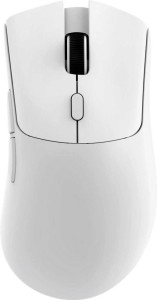
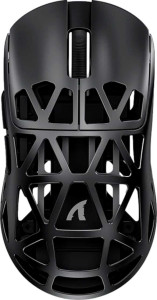
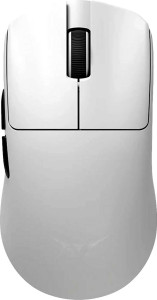
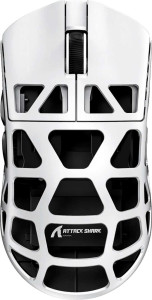
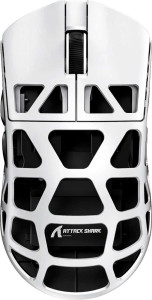
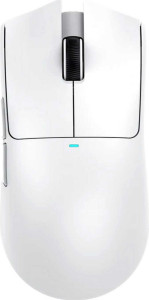
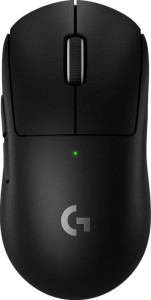
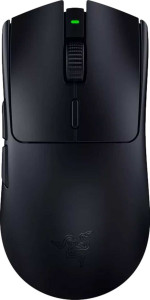
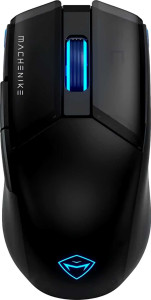
Attack Shark R6 specifications and in-depth review

Attack Shark R6

Manufacturer: Attack Shark

The Attack Shark R6 is an ambidextrous gaming mouse built around versatile wireless connectivity, supporting USB, 2.4GHz wireless, and Bluetooth 5.2. At just 39 grams, it takes a notably lightweight approach to its form factor, measuring 118 mm in length, 60 mm in width, and 38 mm in thickness. The mouse is rechargeable and can be used while charging, with a rated battery life of 200 hours.

Under the hood, the R6 uses the PixArt PAW3950 Max sensor, which supports a DPI range from 50 to 42000, a maximum tracking speed of 750 IPS, and a maximum acceleration of 50G. The polling rate reaches 8000 Hz, and all six buttons are programmable, including two side buttons and a dedicated DPI switching button. The design omits RGB lighting, extra weights, and onboard memory profiles, keeping the feature set focused on core performance and portability.

Pros
  • Tri-mode connectivity via USB, 2.4GHz wireless, and Bluetooth 5.2 offers flexible usage across different setups
  • At 39 g, the mouse is exceptionally light, reducing hand fatigue during extended sessions
  • A 200-hour battery life means infrequent charging interruptions during regular use
  • The mouse can be used while charging, so a low battery does not force a break in usage
  • All 6 buttons are fully programmable, giving complete control over input configuration
  • The ambidextrous shape accommodates both left- and right-handed users
Cons
  • No onboard memory profiles means settings cannot be stored directly on the mouse for use across different devices
  • Wireless charging is not supported, requiring a physical cable connection to recharge
  • The absence of RGB lighting may be a drawback for users who prefer visual customization
  • No profile switching button is available on the mouse itself
  • Extra tunable weights are not included, so the 39 g fixed weight cannot be adjusted to personal preference
  • The warranty period is limited to one year
Who is this for?

The Attack Shark R6 is well suited to users who prioritize lightweight, low-fatigue operation, particularly those who game or work across long sessions where a 39 g body makes a tangible difference in comfort. Its tri-mode connectivity — USB, 2.4GHz wireless, and Bluetooth 5.2 — makes it a practical choice for people who switch frequently between devices or setups. The 200-hour battery life and ability to use while charging also make it a strong fit for those who need uninterrupted availability without frequent power management. The ambidextrous shape further broadens its appeal to both left- and right-handed users.

Who is this NOT for?

Users who rely on onboard memory profiles to carry personalized settings between different systems will find this mouse limiting, as it stores no profiles on-device. Those who value visual desk aesthetics through RGB lighting will also find the design lacking in that regard. Additionally, users who prefer fine-tuned physical customization — such as adjusting mouse weight to match their preference — will be unable to do so, since no extra weights are included and the 39 g build is fixed.

Performance:

polling rate 8000 Hz
maximum speed 750 IPS
maximum acceleration 50G
maximum DPI 42000 DPI
minimum DPI 50 DPI
has adjustable DPI

The Attack Shark R6 operates at a polling rate of 8000 Hz, ensuring highly responsive input registration. Its sensor supports a wide DPI range, running from 50 DPI at the low end up to 42000 DPI at the maximum, with adjustable DPI stepping available throughout. Tracking performance is rated at a maximum speed of 750 IPS and a maximum acceleration of 50G, reflecting a capable motion-handling specification for fast and precise cursor movement.

General info:

Type Gaming
connection type USB, Bluetooth, 2.4GHz wireless
sensor PixArt PAW3950 Max
onboard memory profiles 0
Bluetooth version 5.2
has gesture support
Battery life 200 hours
can use while charging
has wireless charging
has a rechargeable battery
has a removable battery
warranty period 1 years

The Attack Shark R6 is a gaming mouse that connects via USB, 2.4GHz wireless, or Bluetooth 5.2, though it does not support wireless charging or gesture input. It is equipped with the PixArt PAW3950 Max sensor and carries no onboard memory profiles. The mouse features a built-in rechargeable battery — non-removable — rated for 200 hours of battery life, and it can be used while charging. Wireless charging is not supported. The product comes with a 1-year warranty.

Buttons:

number of buttons 6
number of side buttons 2
number of programmable buttons 6
has a DPI switching button
has a profile switching button

The Attack Shark R6 features 6 buttons in total, all of which are programmable, giving users full control over every input. Two of these are side buttons, and a dedicated DPI switching button is included for on-the-fly sensitivity adjustments. There is no profile switching button on the mouse itself.

Design:

Orientation Ambidextrous
weight 39 g
has RGB lighting
has a tilting scroll wheel
has a thumb scroll wheel
has extra weights
cable length 1.8 m
volume 269.04 cm³
thickness 38 mm
height 118 mm
width 60 mm

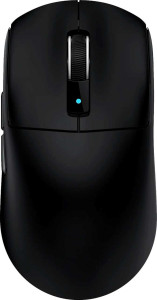
The Attack Shark R6 uses an ambidextrous shape, making it suitable for both left- and right-handed use, and comes in at a weight of just 39 g. Its dimensions are 118 mm in height, 60 mm in width, and 38 mm in thickness, with a total volume of 269.04 cm³. The included cable measures 1.8 m in length. The mouse does not feature RGB lighting, a tilting scroll wheel, a thumb scroll wheel, or extra tunable weights, keeping the design straightforward and uncluttered.
Final Verdict

The Attack Shark R6 presents a focused and deliberate design built around two defining qualities: an exceptionally lightweight 39 g ambidextrous body and versatile tri-mode wireless connectivity that keeps it adaptable across a range of setups and user types. Backed by a capable PixArt PAW3950 Max sensor, a 200-hour battery life, and full button programmability, it delivers a well-rounded specification sheet for a wireless gaming mouse. Its limitations — no onboard memory profiles, no RGB, and no weight customization — reflect clear trade-offs in favor of simplicity and portability rather than feature depth. For users whose priorities align with those trade-offs, the R6 makes a compelling and coherent case for itself.

Popular Comparisons

Attack Shark R6
Attack Shark R6
VS
Attack Shark R5 Ultra
Attack Shark R6
Attack Shark R6
VS
Attack Shark R1
Attack Shark R1
Attack Shark R6
Attack Shark R6
VS
Attack Shark R2
Attack Shark R2
Attack Shark R6
Attack Shark R6
VS
ATK Blazing Sky F1 Ultimate Edition
Attack Shark R6
Attack Shark R6
VS
Attack Shark R3 Pro
Attack Shark R3 Pro
Attack Shark R6
Attack Shark R6
VS
Attack Shark R3
Attack Shark R3
Attack Shark R6
Attack Shark R6
VS
Attack Shark X11
Attack Shark X11
Attack Shark R6
Attack Shark R6
VS
Logitech G Pro X Superlight 2
Attack Shark R6
Attack Shark R6
VS
Razer Viper V3 HyperSpeed
Attack Shark R6
Attack Shark R6
VS
Razer DeathAdder V3 HyperSpeed
Attack Shark R6
Attack Shark R6
VS
Glorious Model O 2 Pro
Attack Shark R6
Attack Shark R6
VS
Attack Shark X3 Pro
Attack Shark X3 Pro
Attack Shark R6
Attack Shark R6
VS
Attack Shark R6 Pro
Attack Shark R6 Pro
Attack Shark R6
Attack Shark R6
VS
Machenike M7 Pro
Machenike M7 Pro