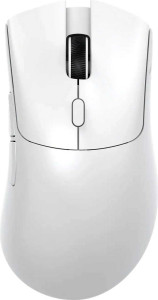
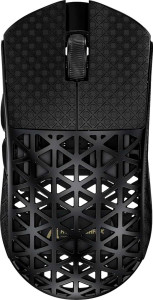
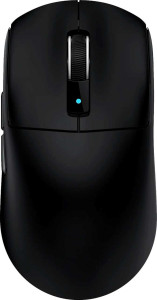
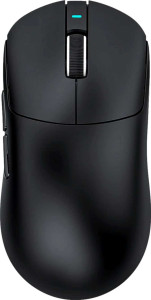
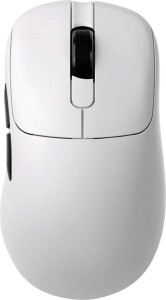
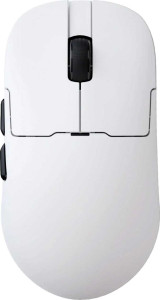
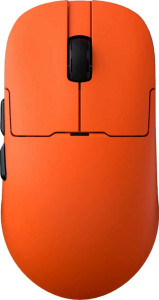
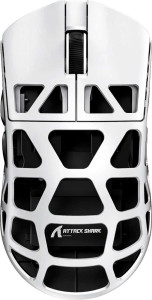
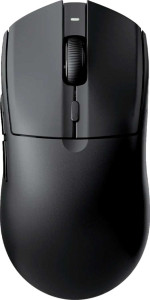
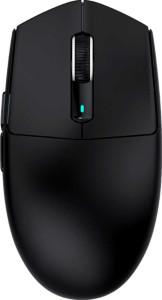
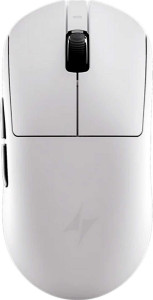
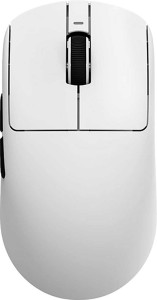
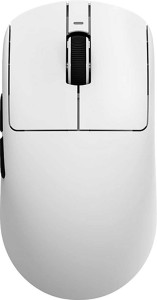
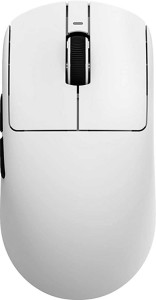
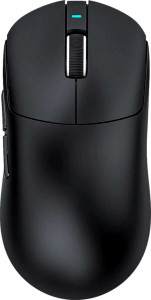
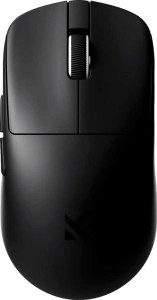
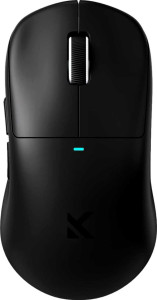
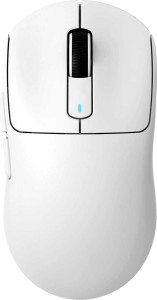
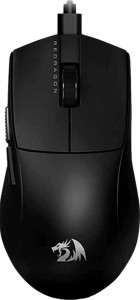
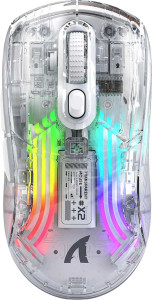
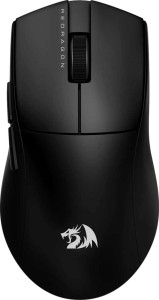
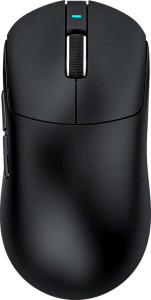
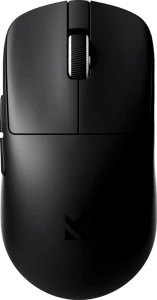
Attack Shark X11 specifications and in-depth review

Attack Shark X11

Manufacturer: Attack Shark

The Attack Shark X11 is a lightweight ambidextrous gaming mouse designed for users who want flexibility across multiple connection modes. It supports USB, Bluetooth 5.4, and 2.4GHz wireless, making it easy to switch between setups without being tied to a single workflow. At just 63 grams, the X11 keeps things manageable for extended sessions, and its ambidextrous shape means both left- and right-handed users can use it comfortably.

Under the hood, the X11 uses a PixArt PAW3311 sensor with a maximum resolution of 22000 DPI and a tracking speed of 400 IPS, backed by 40G maximum acceleration. The mouse offers five fully programmable buttons, including a dedicated DPI switcher, and connects via a 1.8 m cable when wired. Battery life is rated at 65 hours, wireless charging is supported, and the mouse can continue operating while charging. The Bluetooth version is 5.4, and the overall dimensions sit at 128 x 64 x 40 mm with a volume of 327.68 cm³.

Pros
  • Tri-mode connectivity via USB, 2.4GHz wireless, and Bluetooth 5.4 allows flexible use across different setups
  • Ambidextrous shape makes it usable for both left- and right-handed users
  • At 63 g, the mouse is light enough to reduce fatigue during extended use
  • 65-hour battery life means infrequent recharging is needed during regular use
  • Wireless charging support removes the need for a dedicated charging cable
  • All 5 buttons are programmable, offering full input customization
Cons
  • No onboard memory profiles means custom settings cannot be stored directly on the mouse
  • No RGB lighting for users who prefer visual customization on their peripherals
  • DPI range starts at 800, which may be too high for users who prefer very low sensitivity settings
  • No profile switching button on the mouse body limits on-the-fly profile changes
  • Battery is not removable, so replacement requires servicing rather than a simple swap
  • No tilting or thumb scroll wheel, limiting scrolling flexibility
Who is this for?

The Attack Shark X11 is well suited to users who regularly switch between multiple devices, as its tri-mode connectivity via USB, Bluetooth 5.4, and 2.4GHz wireless allows seamless transitions between setups. Its ambidextrous shape and 63 g weight make it a practical option for both left- and right-handed users who prefer a lighter mouse during long sessions. The 65-hour battery life and wireless charging support also make it a solid fit for users who want a low-maintenance wireless experience without frequent interruptions.

Who is this NOT for?

Users who rely on onboard memory profiles to carry custom configurations between systems will find this mouse limiting, as it stores no settings directly on the device. The absence of a profile switching button and the 800 DPI minimum sensitivity floor may also frustrate users who need very fine-grained control or frequently cycle through multiple sensitivity presets during use. Additionally, users who prioritize visual desk aesthetics through RGB lighting will not find that option here, as the mouse ships without any lighting features.

Performance:

polling rate 1000 Hz
maximum speed 400 IPS
maximum acceleration 40G
maximum DPI 22000 DPI
minimum DPI 800 DPI
has adjustable DPI

The Attack Shark X11 operates at a 1000 Hz polling rate, ensuring consistent cursor updates every millisecond. Its PixArt PAW3311 sensor handles a maximum resolution of 22000 DPI, with a floor of 800 DPI, and DPI is fully adjustable to suit different tasks or preferences. Tracking performance extends to 400 IPS at speeds up to 40G acceleration, giving the sensor enough headroom to handle fast, sweeping movements without losing accuracy.

General info:

Type Gaming
connection type USB, Bluetooth, 2.4GHz wireless
sensor PixArt PAW3311
onboard memory profiles 0
Bluetooth version 5.4
has gesture support
Battery life 65 hours
can use while charging
has wireless charging
has a rechargeable battery
has a removable battery
warranty period 1 years

The Attack Shark X11 is a gaming mouse built around the PixArt PAW3311 sensor and offers three connection options: USB, 2.4GHz wireless, and Bluetooth 5.4. It carries a rechargeable battery rated at 65 hours of battery life, and the mouse can be used while charging, though the battery is not removable. Wireless charging is supported, and there is no gesture support. The mouse stores no onboard memory profiles, and gesture input is not available. It comes with a one-year warranty.

Buttons:

number of buttons 5
number of side buttons 2
number of programmable buttons 5
has a DPI switching button
has a profile switching button

The Attack Shark X11 features 5 buttons in total, all of which are programmable, giving users full control over their input layout. Two of these are side buttons, and a dedicated DPI switching button is included for on-the-fly sensitivity adjustments. There is no profile switching button on the mouse itself.

Design:

Orientation Ambidextrous
weight 63 g
has RGB lighting
has a tilting scroll wheel
has a thumb scroll wheel
has extra weights
cable length 1.8 m
volume 327.68 cm³
thickness 40 mm
height 128 mm
width 64 mm

The Attack Shark X11 uses an ambidextrous design and weighs just 63 g, with dimensions of 128 x 64 x 40 mm and a total volume of 327.68 cm³. It comes with a 1.8 m cable and does not include RGB lighting, extra weights, a tilting scroll wheel, or a thumb scroll wheel. The shape and weight distribution are kept straightforward, with no additional customization features on the physical body.
Final Verdict

The Attack Shark X11 is a well-rounded ambidextrous gaming mouse that makes a clear case for users who value flexibility and low-maintenance wireless use. Its tri-mode connectivity combined with a 65-hour battery life and wireless charging sets it apart as a practical daily driver for multi-device users who move between setups regularly. The lightweight 63 g build and fully programmable button layout reinforce its appeal for longer sessions where comfort and control matter. Where it falls short — no onboard profiles, no RGB, and no profile switching button — reflects deliberate simplicity rather than oversight, which means it fits a specific kind of user well but leaves others wanting more. For anyone seeking a no-frills, connectivity-focused gaming mouse with solid core specifications, the Attack Shark X11 delivers a focused and capable package.

Popular Comparisons

Attack Shark X11
Attack Shark X11
VS
Attack Shark G3
Attack Shark G3
Attack Shark X11
Attack Shark X11
VS
Attack Shark X1
Attack Shark X1
Attack Shark X11
Attack Shark X11
VS
Attack Shark R5 Ultra
Attack Shark X11
Attack Shark X11
VS
Attack Shark R6
Attack Shark R6
Attack Shark X11
Attack Shark X11
VS
Attack Shark R6 Pro
Attack Shark R6 Pro
Attack Shark X11
Attack Shark X11
VS
Ajazz AJ179 Apex
Ajazz AJ179 Apex
Attack Shark X11
Attack Shark X11
VS
Ajazz AJ159
Ajazz AJ159
Attack Shark X11
Attack Shark X11
VS
Ajazz AJ159 Apex
Ajazz AJ159 Apex
Attack Shark X11
Attack Shark X11
VS
Attack Shark R3
Attack Shark R3
Attack Shark X11
Attack Shark X11
VS
Ajazz AJ139 Pro
Ajazz AJ139 Pro
Attack Shark X11
Attack Shark X11
VS
Attack Shark G3 Pro
Attack Shark G3 Pro
Attack Shark X11
Attack Shark X11
VS
ATK Dragonfly A9 Ultra
Attack Shark X11
Attack Shark X11
VS
ATK VXE Dragonfly R1 Pro
Attack Shark X11
Attack Shark X11
VS
ATK VXE Dragonfly R1 Pro Max
Attack Shark X11
Attack Shark X11
VS
ATK VXE Dragonfly R1 SE Plus
Attack Shark X11
Attack Shark X11
VS
Attack Shark X3
Attack Shark X3
Attack Shark X11
Attack Shark X11
VS
Attack Shark X6
Attack Shark X6
Attack Shark X11
Attack Shark X11
VS
Attack Shark X8 SE
Attack Shark X8 SE
Attack Shark X11
Attack Shark X11
VS
MCHOSE L7
MCHOSE L7
Attack Shark X11
Attack Shark X11
VS
MSI Versa Pro Wireless
Attack Shark X11
Attack Shark X11
VS
MCHOSE M7
MCHOSE M7
Attack Shark X11
Attack Shark X11
VS
Pulsar X3 Mini
Pulsar X3 Mini
Attack Shark X11
Attack Shark X11
VS
Attack Shark X3 Pro
Attack Shark X3 Pro
Attack Shark X11
Attack Shark X11
VS
Attack Shark X3 Max
Attack Shark X3 Max
Attack Shark X11
Attack Shark X11
VS
Redragon M916AK Pro
Redragon M916AK Pro
Attack Shark X11
Attack Shark X11
VS
Scyrox V8
Scyrox V8
Attack Shark X11
Attack Shark X11
VS
Redragon M724 K1NG 1K
Attack Shark X11
Attack Shark X11
VS
Attack Shark X2 Pro
Attack Shark X2 Pro
Attack Shark X11
Attack Shark X11
VS
Redragon M916 Pro 4K
Attack Shark X11
Attack Shark X11
VS
Attack Shark X8 Plus
Attack Shark X11
Attack Shark X11
VS
MCHOSE L7 Pro
MCHOSE L7 Pro
Attack Shark X11
Attack Shark X11
VS
Pulsar X2H x Demon Slayer