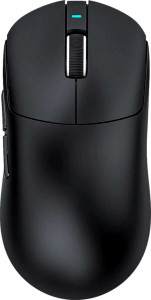
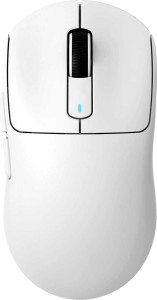
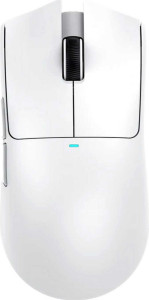
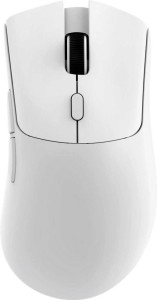
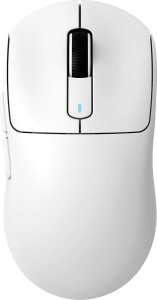
Attack Shark X8 SE specifications and in-depth review

Attack Shark X8 SE

Manufacturer: Attack Shark

The Attack Shark X8 is a gaming mouse designed for precision and versatility. It offers multiple connectivity options, including USB, Bluetooth, and 2.4GHz wireless. With a PixArt PAW3311 sensor, it ensures smooth tracking and response. The mouse features a maximum DPI of 25000, allowing for highly customizable sensitivity. Its ambidextrous design and lightweight build make it suitable for various gaming styles.

In terms of technical specifications, the Attack Shark X8 delivers a maximum speed of 400 IPS and a maximum acceleration of 40G, ensuring fast and accurate movements. It also offers adjustable DPI settings and boasts a battery life of up to 192 hours, making it ideal for extended gaming sessions. However, it does not support wireless charging and has no onboard memory profiles for saved settings.

Pros
  • Ambidextrous design makes the mouse suitable for both left- and right-handed users.
  • Weighs only 55 g, providing a lightweight and comfortable experience for extended gaming sessions.
  • Offers multiple connectivity options: USB, Bluetooth 5.4, and 2.4GHz wireless for flexible usage.
  • Equipped with a PixArt PAW3311 sensor for accurate tracking and gaming performance.
  • Has 6 programmable buttons, allowing for customization to suit individual gameplay preferences.
Cons
  • Lacks RGB lighting, which may be a drawback for users who prefer customizable lighting effects.
  • Does not feature wireless charging, limiting convenience for users who prefer a charging dock.
  • No onboard memory profiles, meaning settings are not saved on the mouse itself.
  • Lacks a profile switching button, reducing the ease of switching between custom profiles.
  • Does not support gesture controls, limiting its functionality for certain advanced input methods.
Who is this for?

The Attack Shark X8 is well-suited for gamers who require precision and flexibility. Its ambidextrous design makes it a great choice for both left- and right-handed users, while the 6 programmable buttons provide extensive customization options for a wide range of gameplay styles. Additionally, the multiple connection options—USB, Bluetooth, and 2.4GHz wireless—ensure seamless connectivity for various setups. With a PixArt PAW3311 sensor and adjustable DPI up to 25000, it is perfect for users seeking high responsiveness and accuracy during intense gaming sessions.

Who is this NOT for?
RGB lighting or wireless charging may find the Attack Shark X8 lacking. It does not support wireless charging, has no RGB lighting, and does not feature onboard memory profiles to save custom settings. Additionally, it is not ideal for those who need advanced gesture support or quick profile switching, as these features are not available on this model. Its lack of these specific features could be limiting for users who prioritize high levels of personalization and convenience in their gaming peripherals.

Performance:

polling rate 1000 Hz
maximum speed 400 IPS
maximum acceleration 40G
maximum DPI 25000 DPI
minimum DPI 800 DPI
has adjustable DPI

The performance of the Attack Shark X8 is optimized for high-speed gaming with a maximum DPI of 25000 and a maximum speed of 400 IPS, ensuring smooth and precise tracking. It supports adjustable DPI for customization, allowing users to fine-tune sensitivity from 800 DPI to 25000 DPI. With a polling rate of 1000 Hz and a maximum acceleration of 40G, this mouse delivers fast, responsive actions suitable for competitive play.

General info:

Type Gaming
connection type USB, Bluetooth, 2.4GHz wireless
sensor PixArt PAW3311
onboard memory profiles 0
Bluetooth version 5.4
has gesture support
Battery life 192 hours
can use while charging
has wireless charging
has a rechargeable battery
has a removable battery
warranty period 1 years
release date July 2025

The Attack Shark X8 is a gaming mouse with multiple connection options, including USB, Bluetooth 5.4, and 2.4GHz wireless, offering flexibility for various setups. It features a PixArt PAW3311 sensor for accurate tracking and comes with a rechargeable battery that provides up to 192 hours of battery life. However, it lacks wireless charging, gesture support, and onboard memory profiles for saving custom settings.

Buttons:

number of buttons 6
number of side buttons 2
number of programmable buttons 6
has a DPI switching button
has a profile switching button

The Attack Shark X8 is equipped with a total of 6 buttons, including 2 side buttons for added functionality. All 6 buttons are programmable, allowing for full customization to suit various gaming needs. It also features a DPI switching button for quick adjustments, though it does not have a profile switching button for toggling between different configurations.

Design:

Orientation Ambidextrous
weight 55 g
has RGB lighting
has a tilting scroll wheel
has a thumb scroll wheel
has extra weights
cable length 1.8 m
volume 316.26 cm³
thickness 40 mm
height 125.5 mm
width 63 mm

The Attack Shark X8 features an ambidextrous design, making it suitable for both left- and right-handed users. With a lightweight of 55 g, it offers comfortable handling for extended gaming sessions. The mouse is equipped with a 1.8 m cable for flexible movement, though it lacks RGB lighting, a tilting scroll wheel, and extra weights for further customization.

Final Verdict

The Attack Shark X8 is a versatile and precise gaming mouse ideal for both left- and right-handed users. With its ambidextrous design and high-performance features like the PixArt PAW3311 sensor and adjustable DPI up to 25000, it delivers excellent tracking and responsiveness. Its multiple connectivity options and 6 programmable buttons further enhance its customization potential. However, the lack of advanced features like RGB lighting, wireless charging, and gesture support may limit its appeal to users seeking more extensive personalization. Overall, the Attack Shark X8 is a solid choice for gamers who prioritize performance and customization within a simple, reliable design.

Popular Comparisons

Attack Shark X8 SE
Attack Shark X8 SE
VS
Attack Shark X3 Pro
Attack Shark X3 Pro
Attack Shark X8 SE
Attack Shark X8 SE
VS
Attack Shark X11
Attack Shark X11
Attack Shark X8 SE
Attack Shark X8 SE
VS
Attack Shark R1
Attack Shark R1
Attack Shark X8 SE
Attack Shark X8 SE
VS
Attack Shark X3 Max
Attack Shark X3 Max
Attack Shark X8 SE
Attack Shark X8 SE
VS
Pulsar X2 V3
Pulsar X2 V3
Attack Shark X8 SE
Attack Shark X8 SE
VS
Logitech G Pro X Superlight 2