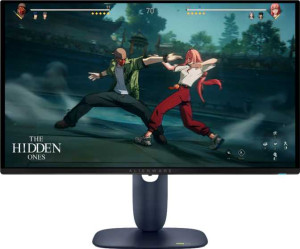
The Display section of the Dell Alienware AW2725D is built around a QD-OLED panel measuring 26.7 inches with a resolution of 2560x1440 pixels and a pixel density of 111 ppi. It runs at a 280Hz refresh rate with an exceptionally low response time of 0.03ms, and supports adaptive sync through Nvidia G-Sync Compatible, AMD FreeSync Premium, and VESA Adaptive Sync. The panel is glossy without any anti-glare coating, and does not offer a matte surface or touch input. Both horizontal and vertical viewing angles reach 178 degrees, and the screen is not a touchscreen.
Classified as a gaming monitor, the Dell Alienware AW2725D carries an EU energy label of F and operates within a temperature range of 0°C to 40°C. Its stand supports tilt, swivel, and portrait mode, offering a reasonable degree of physical adjustability, and the monitor is also compatible with VESA mounting for users who prefer a third-party arm or wall mount solution.
The AW2725D delivers a contrast ratio of 1,500,000:1 alongside a color depth of 1,070 million colors, making for a wide tonal range across the panel. Typical brightness is rated at 250 nits, and the monitor supports color calibration, allowing users to adjust and verify color accuracy to their own standards.
The AW2725D offers a varied set of connections, including two HDMI ports, one DisplayPort output, and a DVI connector, covering most standard video input scenarios. On the data side, it provides three USB ports, USB Type-C, and wired Ethernet, while Thunderbolt, Wi-Fi, AirPlay, mini DisplayPort, VGA, and a 3.5mm headset jack are not included.
The AW2725D has an operating power consumption of 25W and drops to 0.5W in standby mode, reflecting a modest draw during both active use and idle states.
The AW2725D does not include stereo speakers, Dolby Digital, Dolby Digital Plus, or DTS Surround, meaning audio output relies entirely on an external solution. It also lacks Picture-in-Picture, a remote control, an ambient light sensor, a front camera, and built-in smart TV functionality, positioning it as a straightforward display without supplementary multimedia or smart features.