Gigabyte M27Q3 27" specifications and in-depth review

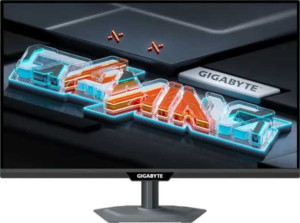
Gigabyte M27Q3 27"

Manufacturer: Gigabyte

The Gigabyte M27Q3 is a 27-inch gaming monitor built around an IPS panel with LED backlighting, designed to meet the demands of fast-paced gaming and everyday desktop use alike. With a 300Hz refresh rate, it targets users who prioritize smooth, fluid motion in competitive gaming scenarios. The panel carries an anti-glare matte coating, and the stand supports tilt, swivel, and portrait mode, offering considerable flexibility for different workspace setups.

Visually, the M27Q3 delivers a 2560 x 1440 resolution at 108 ppi across its 27-inch screen, paired with a contrast ratio of 1000:1, a typical brightness of 400 nits, and a wide color gamut covering 132% of sRGB across 1.07 billion colors. Response time is rated at 1ms, and viewing angles reach 178 degrees both horizontally and vertically. On the connectivity side, the monitor includes two HDMI 2.1 ports, one DisplayPort 1.4 output, four USB 3.2 ports with a USB Type-C option, and a 3.5mm audio jack. An ambient light sensor is also built in, and operating power consumption is rated at 27W.

Pros
  • The 300Hz refresh rate combined with a 1ms response time makes the panel well-suited for fast-paced gaming where smooth motion and low input lag matter
  • Adaptive sync support for both AMD FreeSync Premium and Nvidia G-Sync Compatible means it works across a wide range of GPU setups without screen tearing
  • The stand supports tilt, swivel, and portrait mode, along with VESA mount compatibility, offering a high degree of physical flexibility for different desk configurations
  • Two HDMI 2.1 ports and a DisplayPort 1.4 output provide multiple modern video input options, while four USB 3.2 ports including a Type-C connection add useful peripheral hub functionality
  • 132% sRGB coverage and support for 1.07 billion colors along with color calibration make it capable of reproducing a broad and accurate color range
  • The matte, anti-glare panel surface helps reduce reflections in environments with varied or uncontrolled lighting
Cons
  • The EU energy label of F indicates relatively poor energy efficiency for a monitor in this category
  • There are no built-in speakers, meaning a separate audio solution is always required
  • Picture-in-Picture mode is not supported, limiting multitasking options for users who work with multiple video sources simultaneously
  • Wi-Fi, Ethernet, and AirPlay are absent, so the monitor cannot function as a standalone networked display
  • No front camera is included, which may be inconvenient for users who rely on video calls at their desk
Who is this for?

This monitor is a strong fit for competitive and fast-paced gamers who benefit from the 300Hz refresh rate and 1ms response time, where fluid motion and minimal lag are directly tied to in-game performance. The dual AMD FreeSync Premium and Nvidia G-Sync Compatible support makes it practical across a broad range of GPU setups without additional configuration. Users who value flexible workspace ergonomics will also find the tilt, swivel, portrait mode, and VESA compatibility useful, and the four USB 3.2 ports with Type-C make it a convenient peripheral hub for those who want to consolidate desk cabling. The wide color gamut and color calibration support also make it a reasonable choice for users who need accurate color reproduction alongside gaming use.

Who is this NOT for?

Users who rely on built-in audio will find this monitor lacking, as it has no speakers, no Dolby Digital or DTS Surround support, and no remote control, requiring a fully separate audio setup at all times. It is also a poor match for those working in multi-source or broadcast-style workflows, since Picture-in-Picture functionality is not available. Users who are particularly mindful of energy consumption may find the EU F energy rating a drawback, and anyone seeking a display for a networked or smart environment will be disappointed by the absence of Wi-Fi, Ethernet, and AirPlay support.

Display:

Display type LED-backlit, LCD, IPS
response time 1 ms
screen size 27"
resolution 2560 x 1440 px
pixel density 108 ppi
Adaptive synchronization AMD FreeSync Premium, Nvidia G-Sync Compatible
has anti-glare coating
refresh rate 300Hz
maximum horizontal viewing angle 178º
maximum vertical viewing angle 178º
has a matte panel
has a glossy panel
has a touch screen

The Display section of the Gigabyte M27Q3 centers on a 27-inch IPS panel with LED backlighting, delivering a 2560 x 1440 resolution at a pixel density of 108 ppi. The panel runs at a 300Hz refresh rate with a 1ms response time, and supports both AMD FreeSync Premium and Nvidia G-Sync Compatible adaptive synchronization to reduce screen tearing during fast motion. Viewing angles extend to 178 degrees horizontally and vertically, and the matte, anti-glare surface helps manage reflections in varied lighting conditions. The panel is not glossy and does not support touch input.

General info:

Type Gaming
EU energy label F
supports total tilt
Has a swivel stand
Supports VESA mount
height 371 mm
width 612 mm
thickness 59 mm
weight 6480 g
supports portrait mode
volume 13396.068 cm³

The Gigabyte M27Q3 is classified as a gaming monitor and carries an EU energy label of F. Its stand supports tilt, swivel, and portrait mode, and the monitor is also compatible with VESA mounting for wall or arm installation. Physically, it measures 612 mm wide, 371 mm tall, and 59 mm thick, with a total weight of 6480 g and a volume of approximately 13396 cm³.

Colors:

brightness (typical) 400 nits
supports color calibration
display colors 1070 million
contrast ratio 1000:1
sRGB coverage 132%

The M27Q3 offers a typical brightness of 400 nits and a contrast ratio of 1000:1, providing a reasonable range between light and dark tones. It covers 132% of the sRGB color space and is capable of displaying up to 1070 million colors, supporting a wide and detailed color output. Color calibration is also supported, giving users the ability to fine-tune color accuracy to their specific requirements.

Connectivity:

HDMI ports 2
supports Thunderbolt
DisplayPort outputs 1
DisplayPort version DisplayPort 1.4
has a socket for a 3.5 mm audio jack
has a DVI connector
USB ports 4
USB version 3.2
Has USB Type-C
HDMI version HDMI 2.1
supports Ethernet
supports Wi-Fi
has AirPlay
mini DisplayPort outputs 0
has a VGA connector

The M27Q3 provides a solid range of video and data connectivity options. For video input, it includes two HDMI 2.1 ports and one DisplayPort 1.4 output, while mini DisplayPort, DVI, and VGA connectors are absent. On the USB side, there are four USB 3.2 ports, one of which is USB Type-C, making it straightforward to connect peripherals directly through the monitor. A 3.5mm headset jack is also present for audio output. Thunderbolt, Ethernet, Wi-Fi, and AirPlay are not supported.

Power:

operating power consumption 27W
standby power consumption 0.5W

The M27Q3 draws 27W during normal operation and drops to just 0.5W in standby mode, reflecting a modest power footprint for a 27-inch gaming monitor.

Features:

has PiP
has stereo speakers
has built-in smart TV
has a remote control
supports Dolby Digital
supports Dolby Digital Plus
has DTS Surround
has an ambient light sensor
has a front camera

In terms of additional features, the M27Q3 includes an ambient light sensor but is otherwise sparse on extras. It does not have stereo speakers, a front camera, a remote control, or Picture-in-Picture functionality. Audio enhancements such as Dolby Digital, Dolby Digital Plus, and DTS Surround are not supported, and there is no built-in smart TV platform.
Final Verdict

The Gigabyte M27Q3 is a purposefully built gaming monitor whose specifications are clearly aimed at users who prioritize smooth, responsive on-screen motion above all else. Its 300Hz refresh rate paired with 1ms response time and dual adaptive sync support form a cohesive core that serves fast-paced gaming well, while the IPS panel's wide color coverage and calibration support add meaningful versatility for color-conscious users. The ergonomic stand, modern connectivity suite, and matte anti-glare coating round out a thoughtfully specified package. That said, the absence of built-in audio, no Picture-in-Picture, and a less favorable energy rating mean it is best approached as a dedicated gaming display rather than an all-purpose desktop solution. For users whose primary need is a high-refresh-rate IPS monitor with flexible mounting and broad GPU compatibility, the M27Q3 delivers a focused and coherent specification set that fits that profile well.