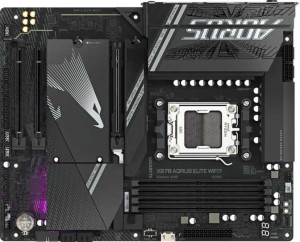
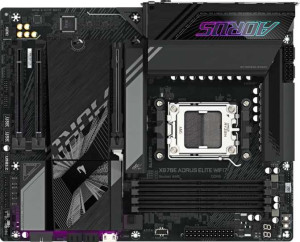
Gigabyte X870 Aorus Elite WiFi7 specifications and in-depth review

Gigabyte X870 Aorus Elite WiFi7

Manufacturer: Gigabyte

The Gigabyte X870 Aorus Elite WiFi7 is an ATX form factor motherboard built around the AM5 socket and X870 chipset, targeting users who need a capable and well-connected platform for current-generation AMD processors. It carries Wi-Fi 7 (802.11be) alongside Bluetooth 5.4, making it a solid choice for wireless-heavy setups without requiring a separate adapter. RGB lighting is included, and the board ships with a three-year warranty.

Memory support extends to 256 GB of DDR5 across four slots in a dual-channel configuration, with standard speeds up to 5200 MHz and overclocked profiles reaching 8200 MHz. Expansion is handled by a single PCIe 5.0 x16 slot and one PCIe x4 slot, while storage options include four M.2 sockets and four SATA 3 connectors with support for RAID 0, 1, 5, and 10. The rear I/O provides two USB 4 40 Gbps ports, two Thunderbolt 4 ports, and a mix of USB 3.2 Gen 2 and Gen 1 Type-A connections, complemented by an HDMI 2.1 output and a single RJ45 Ethernet port. Onboard audio delivers a 120 dB signal-to-noise ratio with 7.1-channel output and an S/PDIF out connector.

Pros
  • Supports Wi-Fi 7 along with all previous Wi-Fi generations down to Wi-Fi 4, covering a broad range of wireless environments
  • Two USB 4 40Gbps ports and two Thunderbolt 4 ports on the rear I/O provide high-bandwidth connectivity for demanding peripherals
  • Four M.2 sockets alongside four SATA 3 connectors offer substantial storage flexibility within a single build
  • DDR5 memory can be overclocked up to 8200 MHz across four slots, with a maximum capacity of 256 GB
  • Full RAID support across modes 0, 1, 5, and 10 gives meaningful options for storage redundancy and performance configurations
  • Eight fan headers allow for detailed cooling management across larger or more complex builds
Cons
  • No USB 3.2 Gen 2 or Gen 1 Type-C ports on the rear I/O limits connectivity for USB-C peripherals and devices
  • Dual BIOS is absent, meaning there is no built-in fallback if the primary BIOS becomes corrupted
  • Easy BIOS reset functionality is not available, which can complicate recovery in the event of a failed overclock or misconfiguration
  • Only a single PCIe x16 slot is present, leaving no room for a secondary full-size expansion card
  • No DisplayPort output is available, restricting video output to the single HDMI 2.1 connector
Who is this for?

This board is well suited to users building a high-end AMD AM5 system who need strong wireless capability, since Wi-Fi 7 support is built in alongside Bluetooth 5.4. The four M.2 sockets, full RAID support, and eight fan headers make it a solid fit for workstation-style builds that involve heavy storage configurations or complex cooling setups. Users who rely on fast external devices will appreciate the two Thunderbolt 4 and two USB 4 40Gbps ports, and those pushing memory performance will benefit from DDR5 overclocking headroom up to 8200 MHz across four slots supporting up to 256 GB.

Who is this NOT for?

Users who need multiple GPU slots or secondary full-size expansion cards will find this board limiting, as only a single PCIe 5.0 x16 slot is available alongside one PCIe x4 slot. Those with a large number of USB-C peripherals may also run into constraints, given the absence of any rear USB 3.2 Gen 2 or Gen 1 Type-C ports. Additionally, users who require a safety net when experimenting with BIOS settings will find the lack of dual BIOS and easy CMOS reset functionality a notable drawback in the event of an unstable configuration.

General info:

CPU socket AM5
chipset X870
form factor ATX
supports Wi-Fi
Wi-Fi version Wi-Fi 4 (802.11n), Wi-Fi 5 (802.11ac), Wi-Fi 6 (802.11ax), Wi-Fi 6E (802.11ax), Wi-Fi 7 (802.11be)
Has Bluetooth
Bluetooth version 5.4
HDMI version HDMI 2.1
Easy to overclock
has RGB lighting
Easy to reset BIOS
Has dual BIOS
has aptX
CPU sockets 1
Has integrated graphics
warranty period 3 years
height 244 mm
width 305 mm
Has integrated CPU

The Gigabyte X870 Aorus Elite WiFi7 is built around the AM5 socket with X870 chipset compatibility and follows the standard ATX form factor, measuring 305 mm wide and 244 mm tall. It accommodates a single CPU and has no integrated processor or integrated graphics. Wireless connectivity covers a wide range of standards from Wi-Fi 4 through Wi-Fi 7 (802.11be), and Bluetooth 5.4 is also built in, though aptX is not supported. The board includes an HDMI 2.1 output, RGB lighting, and overclocking support, while dual BIOS and an easy BIOS reset function are absent. There is no integrated CPU on this board, and it carries a three-year warranty.

Memory:

maximum memory amount 256GB
RAM speed (max) 5200 MHz
overclocked RAM speed 8200 MHz
memory slots 4
DDR memory version 5
memory channels 2
Supports ECC memory

This board supports DDR5 memory across four slots in a dual-channel configuration, with a maximum capacity of 256 GB. Standard RAM speeds top out at 5200 MHz, while overclocking can push that figure up to 8200 MHz. ECC memory is not supported.

Ports:

USB 3.2 Gen 2 ports (USB-A) 2
USB 3.2 Gen 1 ports (USB-A) 4
USB 3.2 Gen 2 ports (USB-C) 0
USB 3.2 Gen 1 ports (USB-C) 0
USB 2.0 ports 4
USB 3.2 Gen 2x2 ports 0
USB 4 40Gbps ports 2
USB 4 20Gbps ports 0
Thunderbolt 4 ports 2
Thunderbolt 3 ports 0
has an HDMI output
DisplayPort outputs 0
RJ45 ports 1
Has USB Type-C
eSATA ports 0
DVI outputs 0
has a VGA connector
PS/2 ports 0

The rear I/O offers a varied USB lineup, including two USB 4 40Gbps ports and two Thunderbolt 4 ports, two USB 3.2 Gen 2 Type-A ports, four USB 3.2 Gen 1 Type-A ports, and four USB 2.0 ports. USB Type-C is present, though there are no USB 3.2 Gen 2 or Gen 1 Type-C ports, and no USB 3.2 Gen 2x2 or USB 4 20Gbps ports. Video output is handled by a single HDMI output, with no DisplayPort, DVI, or VGA connectors available. Networking is covered by one RJ45 port, and there are no eSATA or PS/2 ports on this board.

Connectors:

USB 3.2 Gen 1 ports (through expansion) 2
USB 3.2 Gen 2x2 ports (through expansion) 1
USB 2.0 ports (through expansion) 4
SATA 3 connectors 4
fan headers 8
USB 3.0 ports (through expansion) 2
M.2 sockets 4
Has TPM connector
U.2 sockets 0
Has mSATA connector
SATA 2 connectors 0

For internal connectivity, the board provides four M.2 sockets and four SATA 3 connectors for storage, with no SATA 2, U.2, or mSATA options present. Expansion headers allow for two additional USB 3.2 Gen 1 ports, two USB 3.0 ports, one USB 3.2 Gen 2x2 port, and four USB 2.0 ports. Cooling is well catered for with eight fan headers on board, and a TPM connector is also included.

Expansion slots:

PCIe 4.0 x16 slots 0
PCIe 5.0 x16 slots 1
PCIe 3.0 x16 slots 0
PCIe x1 slots 0
PCI slots 0
PCIe 2.0 x16 slots 0
PCIe x4 slots 1
PCIe x8 slots 0

Expansion slot options are minimal but focused, with a single PCIe 5.0 x16 slot serving as the primary full-bandwidth slot for discrete cards, alongside one PCIe x4 slot. There are no PCIe 4.0, 3.0, or 2.0 x16 slots, and no PCIe x1, x8, or legacy PCI slots on this board.

Audio:

Signal-to-Noise ratio (DAC) 120 dB
audio channels 7.1
Has S/PDIF Out port
audio connectors 2

The onboard audio supports 7.1-channel output and delivers a DAC signal-to-noise ratio of 120 dB, with two analog audio connectors available on the rear panel. An S/PDIF Out port is also present for digital audio passthrough.

Storage:

Supports RAID 1
Supports RAID 10 (1+0)
Supports RAID 5
Supports RAID 0
Supports RAID 0+1

The board supports RAID 0, 1, 5, and 10 configurations for flexible storage setup and redundancy options. RAID 0+1 is not supported.

Final Verdict

The Gigabyte X870 Aorus Elite WiFi7 is a feature-rich ATX motherboard that makes a strong case for users building a capable AM5 system with modern connectivity demands. Its standout strength lies in the combination of Wi-Fi 7, Thunderbolt 4, and USB 4 40Gbps ports, which together form a rear I/O well equipped for both wireless and wired high-bandwidth use. Four M.2 sockets, broad RAID support, and generous DDR5 overclocking headroom round out a specification set that will serve storage-heavy and performance-oriented builds well. The absence of dual BIOS, limited USB-C rear ports, and a single x16 expansion slot are worth keeping in mind for users with more demanding expansion needs, but for those whose priorities align with fast connectivity, wireless flexibility, and solid storage options, this board delivers a well-balanced and coherent feature set.

Popular Comparisons

Gigabyte X870 Aorus Elite WiFi7
VS
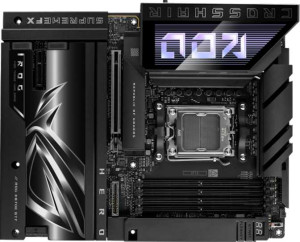
Asus ROG Crosshair X870E Hero BTF
Gigabyte X870 Aorus Elite WiFi7
VS
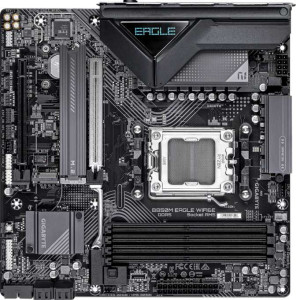
Gigabyte B850M Eagle Wi-Fi6E
Gigabyte X870 Aorus Elite WiFi7
VS
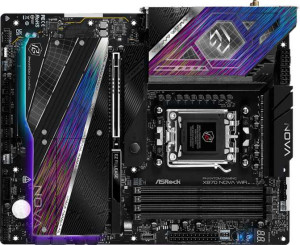
ASRock X870 Nova Wi-Fi
Gigabyte X870 Aorus Elite WiFi7
VS
Asus ROG Strix B850-A Gaming WiFi
Gigabyte X870 Aorus Elite WiFi7
VS
Gigabyte B850 Eagle WiFi6E
Gigabyte X870 Aorus Elite WiFi7
VS
Asus ROG Strix X870-A Gaming WiFi
Gigabyte X870 Aorus Elite WiFi7
VS
Asus TUF Gaming B850-Plus WiFi
Gigabyte X870 Aorus Elite WiFi7
VS
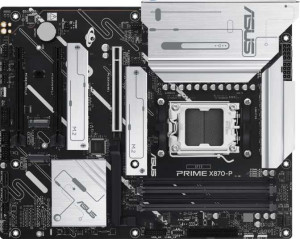
Asus Prime X870-P
Asus Prime X870-P
Gigabyte X870 Aorus Elite WiFi7
VS
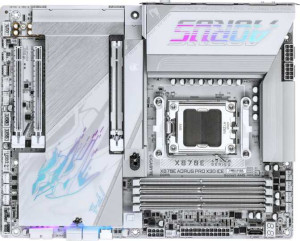
Gigabyte X870E Aorus Pro X3D Ice
Gigabyte X870 Aorus Elite WiFi7
VS
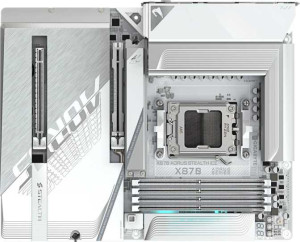
Gigabyte X870 Aorus Stealth Ice
Gigabyte X870 Aorus Elite WiFi7
VS
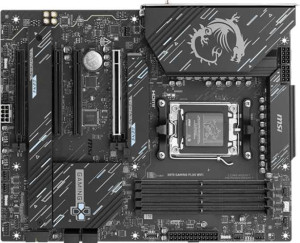
MSI X870 Gaming Plus WiFi
Gigabyte X870 Aorus Elite WiFi7
VS
MSI MAG B850 Tomahawk Max WiFi
Gigabyte X870 Aorus Elite WiFi7
VS
Gigabyte X870E Aorus Elite WiFi7
Gigabyte X870 Aorus Elite WiFi7
VS
Gigabyte X870E Aorus Pro