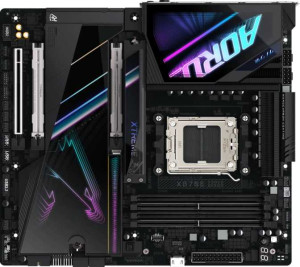
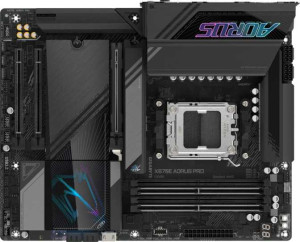
Gigabyte X870E Aorus Master specifications and in-depth review

Gigabyte X870E Aorus Master

Manufacturer: Gigabyte

The Gigabyte X870E Aorus Master is an ATX form factor motherboard built around the AM5 socket and X870 chipset, designed for DDR5 platforms. It includes built-in Wi-Fi 7 (802.11be) and Bluetooth 5.3, making wireless connectivity a native part of the package rather than an afterthought. The board supports overclocking, with BIOS reset functionality accessible directly from the rear panel for added convenience during tuning sessions.

Memory support extends to four DDR5 slots across two channels, accommodating up to 256GB at a standard speed of 5200 MHz or up to 8600 MHz with overclocking. On the connectivity side, the rear I/O includes two USB 4 40Gbps ports, two Thunderbolt 4 ports, four USB 3.2 Gen 2 Type-A ports, and two USB 2.0 ports, alongside a single RJ45 port and an HDMI 2.1 output. Internal expansion is handled by one PCIe 5.0 x16 slot and two PCIe x4 slots, while four M.2 sockets, four SATA 3 connectors, and full RAID 0, 1, 5, and 10 support round out the storage options. The onboard audio section delivers a 120 dB signal-to-noise ratio with 7.1-channel output and an S/PDIF port.

Pros
  • Supports Wi-Fi 7 (802.11be) along with all previous major Wi-Fi generations, providing broad wireless compatibility
  • Two Thunderbolt 4 ports and two USB 4 40Gbps ports on the rear I/O offer high-bandwidth connectivity for demanding peripherals
  • Four M.2 sockets combined with support for RAID 0, 1, 5, and 10 give considerable flexibility for storage configurations
  • DDR5 memory can be overclocked up to 8600 MHz across four slots, with a maximum capacity of 256GB
  • Eight fan headers allow detailed cooling management across the system
  • Onboard audio delivers a 120 dB signal-to-noise ratio with 7.1-channel support and an S/PDIF Out port
Cons
  • No USB 3.2 Gen 2 or Gen 1 Type-C ports on the rear I/O despite the board's positioning
  • Dual BIOS is absent, leaving the system with no automatic BIOS backup in case of a failed update
  • ECC memory is not supported, limiting use in workloads that require error-correcting RAM
  • No DisplayPort output is available, with only a single HDMI 2.1 port for display connectivity
  • RAID 0+1 is not supported, narrowing options for certain redundancy configurations
Who is this for?

This motherboard is well-suited to users building a high-end AM5 desktop system who need a broad range of connectivity and storage options. The combination of four M.2 sockets, RAID 0/1/5/10 support, and eight fan headers makes it a strong fit for content creators or workstation builders who manage large storage arrays and require precise thermal control. Users who rely on fast external devices will also benefit from the Thunderbolt 4 and USB 4 40Gbps ports, while those who push memory performance will find the DDR5 overclocking headroom up to 8600 MHz useful for latency-sensitive workloads.

Who is this NOT for?

This board is not a good match for users who need ECC memory support, such as those running servers, scientific computing workloads, or any environment where data integrity under continuous load is a requirement. The absence of a dual BIOS also makes it less forgiving for users who frequently experiment with BIOS updates or aggressive overclocking, as there is no automatic fallback in case of a failed flash. Additionally, users who depend on multiple display outputs will find the single HDMI 2.1 port limiting, since there is no DisplayPort or other video output available on the rear I/O.

General info:

CPU socket AM5
chipset X870
form factor ATX
supports Wi-Fi
Wi-Fi version Wi-Fi 4 (802.11n), Wi-Fi 5 (802.11ac), Wi-Fi 6 (802.11ax), Wi-Fi 6E (802.11ax), Wi-Fi 7 (802.11be)
Has Bluetooth
Bluetooth version 5.3
HDMI version HDMI 2.1
Easy to overclock
has RGB lighting
Easy to reset BIOS
Has dual BIOS
has aptX
CPU sockets 1
Has integrated graphics
warranty period 3 years
height 244 mm
width 305 mm
Has integrated CPU

The Gigabyte X870E Aorus Master uses the AM5 socket and is compatible with the X870 chipset, housed in a standard ATX form factor measuring 305 mm wide and 244 mm tall with a single CPU socket. It supports Wi-Fi across a wide range of standards — from Wi-Fi 4 (802.11n) through to Wi-Fi 7 (802.11be) — along with Bluetooth 5.3, though aptX is not included. The board features an HDMI 2.1 output, RGB lighting, and is designed to be easy to overclock, with a convenient BIOS reset option available. Integrated graphics and an integrated CPU are not present, and the board does not include a dual BIOS setup. It carries a 3-year warranty.

Memory:

maximum memory amount 256GB
RAM speed (max) 5200 MHz
overclocked RAM speed 8600 MHz
memory slots 4
DDR memory version 5
memory channels 2
Supports ECC memory

This board supports DDR5 memory across four slots arranged in a dual-channel configuration, with a maximum capacity of 256GB. Standard RAM speeds reach up to 5200 MHz, while overclocking can push that figure to 8600 MHz for users looking to maximize memory performance. ECC memory is not supported.

Ports:

USB 3.2 Gen 2 ports (USB-A) 4
USB 3.2 Gen 1 ports (USB-A) 4
USB 3.2 Gen 2 ports (USB-C) 0
USB 3.2 Gen 1 ports (USB-C) 0
USB 2.0 ports 2
USB 3.2 Gen 2x2 ports 0
USB 4 40Gbps ports 2
USB 4 20Gbps ports 0
Thunderbolt 4 ports 2
Thunderbolt 3 ports 0
has an HDMI output
DisplayPort outputs 0
RJ45 ports 1
Has USB Type-C
eSATA ports 0
DVI outputs 0
has a VGA connector
PS/2 ports 0

The rear I/O offers a broad USB selection, including four USB 3.2 Gen 2 Type-A ports, four USB 3.2 Gen 1 Type-A ports, and two USB 2.0 ports, with no USB 3.2 Gen 2 or Gen 1 Type-C ports present. Notably, there are two USB 4 40Gbps ports and two Thunderbolt 4 ports, while USB 4 20Gbps, Thunderbolt 3, and USB 3.2 Gen 2x2 are absent. USB Type-C connectivity is available on the board. For display output, an HDMI port is included, but there are no DisplayPort, DVI, or VGA outputs. Networking is handled by a single RJ45 port, and there are no eSATA or PS/2 ports.

Connectors:

USB 3.2 Gen 1 ports (through expansion) 4
USB 3.2 Gen 2x2 ports (through expansion) 1
USB 2.0 ports (through expansion) 4
SATA 3 connectors 4
fan headers 8
USB 3.0 ports (through expansion) 4
M.2 sockets 4
Has TPM connector
U.2 sockets 0
Has mSATA connector
SATA 2 connectors 0

Internal connectivity is well-provisioned, with four M.2 sockets and four SATA 3 connectors available for storage devices, while SATA 2, U.2, and mSATA are not present. USB expansion headers include four USB 3.2 Gen 1 ports, four USB 3.0 ports, four USB 2.0 ports, and one USB 3.2 Gen 2x2 port, all routed through internal connectors. The board also includes a TPM connector and eight fan headers for cooling management.

Expansion slots:

PCIe 4.0 x16 slots 0
PCIe 5.0 x16 slots 1
PCIe 3.0 x16 slots 0
PCIe x1 slots 0
PCI slots 0
PCIe 2.0 x16 slots 0
PCIe x4 slots 2
PCIe x8 slots 0

The board provides one PCIe 5.0 x16 slot as the primary expansion slot, along with two PCIe x4 slots for additional cards. There are no PCIe 4.0 x16, PCIe 3.0 x16, PCIe 2.0 x16, PCIe x8, PCIe x1, or legacy PCI slots present.

Audio:

Signal-to-Noise ratio (DAC) 120 dB
audio channels 7.1
Has S/PDIF Out port
audio connectors 2

The onboard audio supports 7.1-channel output and delivers a DAC signal-to-noise ratio of 120 dB, with two analog audio connectors available on the rear panel. An S/PDIF Out port is also included for digital audio passthrough.

Storage:

Supports RAID 1
Supports RAID 10 (1+0)
Supports RAID 5
Supports RAID 0
Supports RAID 0+1

The board supports RAID 0, 1, 5, and 10 (1+0) configurations, covering a range of common storage array setups for both performance and redundancy needs. RAID 0+1 is not supported.
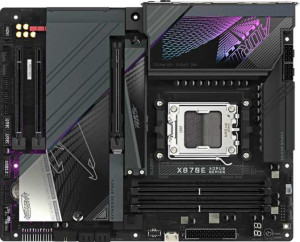
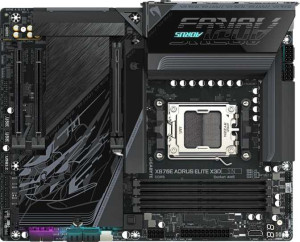
Final Verdict

The Gigabyte X870E Aorus Master is a feature-dense ATX motherboard that covers a wide range of connectivity and storage needs for AM5-based builds. Its Thunderbolt 4, USB 4 40Gbps ports, and four M.2 sockets make it a capable foundation for demanding desktop workloads, and the DDR5 overclocking support up to 8600 MHz adds meaningful flexibility for performance-oriented users. Certain limitations — notably the lack of ECC memory support, dual BIOS, and multiple display outputs — mean it is best directed at enthusiast desktop builders rather than server or workstation environments requiring strict reliability features. For users whose priorities align with high connectivity bandwidth, extensive storage expandability, and wireless versatility through Wi-Fi 7, this board represents a well-rounded and capable platform.

Popular Comparisons

Gigabyte X870E Aorus Master
VS
Gigabyte X870E Aorus Elite X3D
Gigabyte X870E Aorus Master
VS
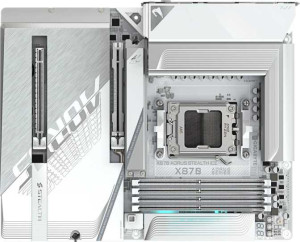
Gigabyte X870 Aorus Stealth Ice
Gigabyte X870E Aorus Master
VS
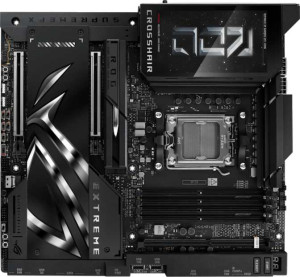
Asus ROG Crosshair X870E Extreme
Gigabyte X870E Aorus Master
VS
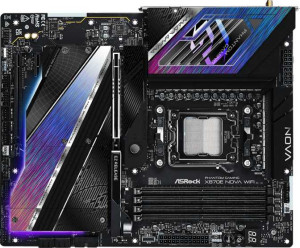
ASRock X870E Nova WiFi
Gigabyte X870E Aorus Master
VS
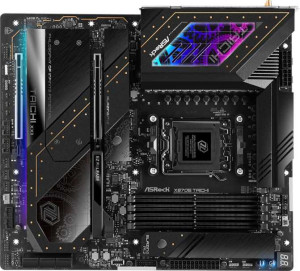
ASRock X870E Taichi
ASRock X870E Taichi
Gigabyte X870E Aorus Master
VS
Gigabyte X870E Aorus Elite WiFi7
Gigabyte X870E Aorus Master
VS
Asus ROG Strix X870E-E Gaming WiFi
Gigabyte X870E Aorus Master
VS
Asus ROG Crosshair X870E Hero
Gigabyte X870E Aorus Master
VS
Gigabyte X870E Aorus Xtreme X3D AI Top
Gigabyte X870E Aorus Master
VS
MSI MPG X870E Carbon WiFi
Gigabyte X870E Aorus Master
VS
Gigabyte X870E Aorus Xtreme AI Top
Gigabyte X870E Aorus Master
VS
Gigabyte Z890 Aorus Master
Gigabyte X870E Aorus Master
VS
MSI MEG X870E Godlike
Gigabyte X870E Aorus Master
VS
Gigabyte X870E Aorus Pro
Gigabyte X870E Aorus Master
VS
MSI MAG X870 Tomahawk WiFi