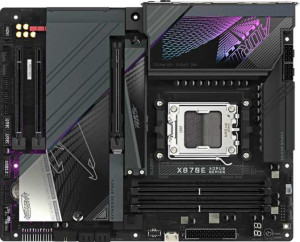
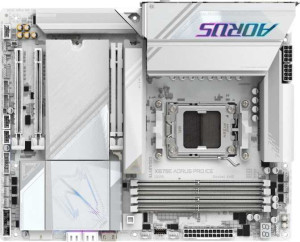
Gigabyte X870E Aorus Pro specifications and in-depth review

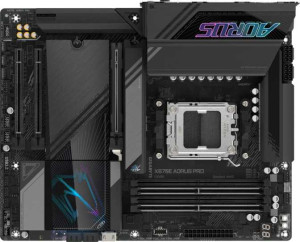
Gigabyte X870E Aorus Pro

Manufacturer: Gigabyte

The Gigabyte X870E Aorus Pro is an ATX-form-factor motherboard built around the AM5 socket and X870 chipset, targeting users who want a capable platform for current AMD processors. It includes Wi-Fi 7 (802.11be) alongside Bluetooth 5.3, RGB lighting, and an HDMI 2.1 output, with a three-year warranty backing the package.

On the connectivity side, the board offers two USB 4 40Gbps ports paired with two Thunderbolt 4 ports at the rear, complemented by USB 3.2 Gen 2 and Gen 1 Type-A ports. Internally, four M.2 sockets and four SATA 3 connectors handle storage, with full RAID 0, 1, 5, and 10 support. A single PCIe 5.0 x16 slot serves the primary graphics card, two PCIe x4 slots provide additional expansion, and the memory subsystem accommodates up to 256GB of DDR5 across four slots at speeds reaching 8000 MHz with overclocking.

Pros
  • Supports Wi-Fi 7 along with all previous Wi-Fi generations, providing broad wireless compatibility
  • Two USB 4 40Gbps ports and two Thunderbolt 4 ports offer high-bandwidth connectivity at the rear
  • Four M.2 sockets give ample room for fast storage expansion without relying on SATA slots
  • DDR5 memory can be overclocked up to 8000 MHz across four slots with a maximum capacity of 256GB
  • Full RAID 0, 1, 5, and 10 support offers meaningful flexibility for storage redundancy and performance configurations
  • Seven-point-one channel audio with a 120 dB signal-to-noise ratio and S/PDIF Out provides solid onboard sound output
Cons
  • No USB 3.2 Gen 2 or Gen 1 Type-C ports on the rear I/O despite USB Type-C being present only via USB 4
  • Only a single HDMI output with no DisplayPort, limiting multi-monitor setups without add-in cards
  • Does not support ECC memory, which restricts use in workloads requiring error-correcting RAM
  • No dual BIOS and no easy CMOS reset, making BIOS recovery less straightforward
  • Only four SATA 3 connectors, which may feel limiting for builds relying heavily on 2.5-inch or spinning drives
Who is this for?

This motherboard suits builders putting together a high-end AMD AM5 desktop system who want room to grow without compromising on connectivity. The combination of a PCIe 5.0 x16 slot and four M.2 sockets makes it a strong fit for users who prioritize fast storage and current-generation graphics. Those who need robust wireless capability will appreciate the Wi-Fi 7 support, and the two USB 4 40Gbps plus two Thunderbolt 4 rear ports make it well-suited for creative professionals who regularly connect high-speed external devices or displays.

Who is this NOT for?

Users who need ECC memory support for error-sensitive workloads such as scientific computing or certain server-adjacent tasks will find this board unsuitable, as that capability is absent. The single HDMI output with no DisplayPort means it is a poor match for anyone planning a multi-monitor setup driven from the board's video output alone. Additionally, the lack of a dual BIOS and easy CMOS reset makes this a less forgiving option for inexperienced overclockers or users who frequently push BIOS settings to unstable limits and need a straightforward recovery path.

General info:

CPU socket AM5
chipset X870
form factor ATX
supports Wi-Fi
Wi-Fi version Wi-Fi 4 (802.11n), Wi-Fi 5 (802.11ac), Wi-Fi 6 (802.11ax), Wi-Fi 6E (802.11ax), Wi-Fi 7 (802.11be)
Has Bluetooth
Bluetooth version 5.3
HDMI version HDMI 2.1
Easy to overclock
has RGB lighting
Easy to reset BIOS
Has dual BIOS
has aptX
CPU sockets 1
Has integrated graphics
warranty period 3 years
height 244 mm
width 305 mm
Has integrated CPU

The Gigabyte X870E Aorus Pro uses the AM5 socket paired with the X870 chipset and comes in the standard ATX form factor, measuring 305 mm wide and 244 mm tall. It supports overclocking and includes RGB lighting, while an HDMI 2.1 output handles display connectivity. Wireless communication is covered by Wi-Fi 7 (802.11be) — backward compatible with Wi-Fi 4, 5, 6, and 6E — along with Bluetooth 5.3, though aptX is not supported. The board does not feature dual BIOS, an easy CMOS reset, integrated graphics, or an embedded CPU, and it carries a three-year warranty.

Memory:

maximum memory amount 256GB
RAM speed (max) 5200 MHz
overclocked RAM speed 8000 MHz
memory slots 4
DDR memory version 5
memory channels 2
Supports ECC memory

The board supports DDR5 memory across four slots in a dual-channel configuration, with a maximum capacity of 256GB. Stock RAM speeds reach up to 5200 MHz, while overclocking can push that figure to 8000 MHz. ECC memory is not supported.

Ports:

USB 3.2 Gen 2 ports (USB-A) 3
USB 3.2 Gen 1 ports (USB-A) 4
USB 3.2 Gen 2 ports (USB-C) 0
USB 3.2 Gen 1 ports (USB-C) 0
USB 2.0 ports 2
USB 3.2 Gen 2x2 ports 0
USB 4 40Gbps ports 2
USB 4 20Gbps ports 0
Thunderbolt 4 ports 2
Thunderbolt 3 ports 0
has an HDMI output
DisplayPort outputs 0
RJ45 ports 1
Has USB Type-C
eSATA ports 0
DVI outputs 0
has a VGA connector
PS/2 ports 0

The rear I/O panel provides a solid range of USB connectivity, including two USB 4 40Gbps ports and two Thunderbolt 4 ports, three USB 3.2 Gen 2 Type-A ports, four USB 3.2 Gen 1 Type-A ports, and two USB 2.0 ports; USB Type-C is present, though there are no USB 3.2 Gen 2 or Gen 1 Type-C ports, nor any USB 3.2 Gen 2x2 or USB 4 20Gbps ports. Display output is handled by a single HDMI port, with no DisplayPort, DVI, or VGA connectors available. Networking is served by one RJ45 port, and there are no eSATA or PS/2 ports on the board.

Connectors:

USB 3.2 Gen 1 ports (through expansion) 4
USB 3.2 Gen 2x2 ports (through expansion) 1
USB 2.0 ports (through expansion) 4
SATA 3 connectors 4
fan headers 8
USB 3.0 ports (through expansion) 4
M.2 sockets 4
Has TPM connector
U.2 sockets 0
Has mSATA connector
SATA 2 connectors 0

Internal expansion is well catered for, with headers supporting four USB 3.2 Gen 1 ports, four USB 3.0 ports, four USB 2.0 ports, and one USB 3.2 Gen 2x2 port through add-in brackets. Storage options include four M.2 sockets and four SATA 3 connectors, while SATA 2, U.2, and mSATA are absent. The board also features a TPM connector and eight fan headers for cooling management.

Expansion slots:

PCIe 4.0 x16 slots 0
PCIe 5.0 x16 slots 1
PCIe 3.0 x16 slots 0
PCIe x1 slots 0
PCI slots 0
PCIe 2.0 x16 slots 0
PCIe x4 slots 2
PCIe x8 slots 0

The board provides one PCIe 5.0 x16 slot for the primary graphics card, alongside two PCIe x4 slots for additional expansion. There are no PCIe 2.0, 3.0, or 4.0 x16 slots, and no PCIe x1, PCIe x8, or legacy PCI slots are present.

Audio:

Signal-to-Noise ratio (DAC) 120 dB
audio channels 7.1
Has S/PDIF Out port
audio connectors 2

The onboard audio supports 7.1-channel output with a DAC signal-to-noise ratio of 120 dB, and two analog audio connectors are provided at the rear. A S/PDIF Out port is also included for digital audio passthrough to external receivers or DACs.

Storage:

Supports RAID 1
Supports RAID 10 (1+0)
Supports RAID 5
Supports RAID 0
Supports RAID 0+1

The board supports RAID 0, 1, 5, and 10 (1+0) configurations, covering a broad range of performance and redundancy setups. RAID 0+1 is not supported.
Final Verdict

The Gigabyte X870E Aorus Pro is a well-specified ATX motherboard for the AM5 platform that covers most bases a demanding desktop builder would expect. Its USB 4 40Gbps and Thunderbolt 4 rear connectivity, paired with Wi-Fi 7 and a PCIe 5.0 x16 slot, place it firmly in the category of boards designed for users who want current-generation features without having to compromise on expandability. The four M.2 sockets, full RAID support, and DDR5 headroom up to 8000 MHz with overclocking add further depth to its storage and memory credentials. The absence of ECC support, limited rear display outputs, and no dual BIOS do narrow its appeal for certain specialist use cases, but for mainstream high-end builds centred around AMD's AM5 ecosystem, it represents a capable and feature-rich foundation.

Popular Comparisons

Gigabyte X870E Aorus Pro
VS
Gigabyte X870E Aorus Elite X3D
Gigabyte X870E Aorus Pro
VS
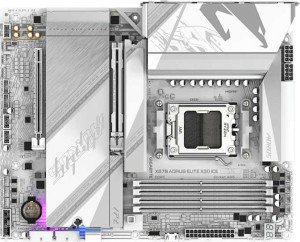
Gigabyte X870 Aorus Elite X3D Ice
Gigabyte X870E Aorus Pro
VS
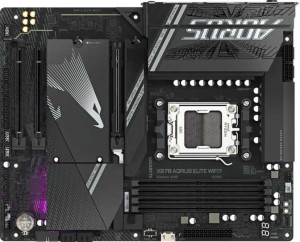
Gigabyte X870 Aorus Elite WiFi7
Gigabyte X870E Aorus Pro
VS
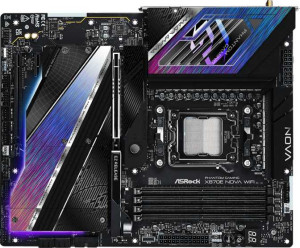
ASRock X870E Nova WiFi
Gigabyte X870E Aorus Pro
VS
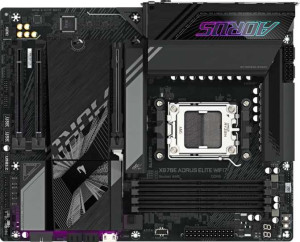
Gigabyte X870E Aorus Elite WiFi7
Gigabyte X870E Aorus Pro
VS
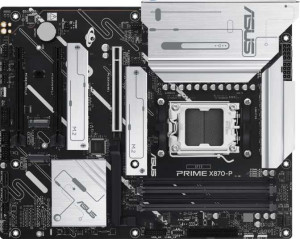
Asus Prime X870-P
Asus Prime X870-P
Gigabyte X870E Aorus Pro
VS
Gigabyte X870E Aorus Master
Gigabyte X870E Aorus Pro
VS
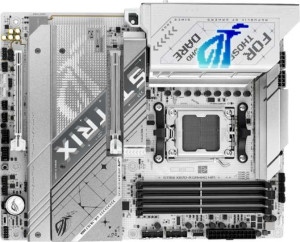
Asus ROG Strix X870-A Gaming WiFi
Gigabyte X870E Aorus Pro
VS
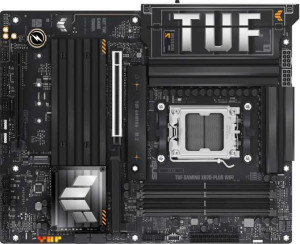
Asus TUF Gaming X870-Plus WiFi
Gigabyte X870E Aorus Pro
VS
ASRock X870E Taichi
ASRock X870E Taichi
Gigabyte X870E Aorus Pro
VS
Asus ROG Strix X870E-E Gaming WiFi
Gigabyte X870E Aorus Pro
VS
Gigabyte X870E Aorus Pro Ice
Gigabyte X870E Aorus Pro
VS
MSI MAG X870 Tomahawk WiFi