Gigabyte Z890 Aorus Master specifications and in-depth review

Gigabyte Z890 Aorus Master

Manufacturer: Gigabyte

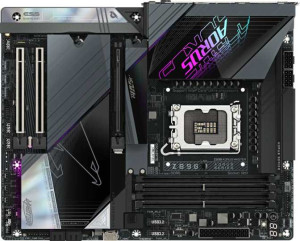
The Gigabyte Z890 Aorus Master is an ATX form factor motherboard built around the Z890 chipset and designed for processors using the LGA 1851 socket. It supports DDR5 memory across four slots with a maximum capacity of 256GB and standard speeds reaching up to 6400 MHz, with overclocked configurations supported up to 9500 MHz. The board includes RGB lighting and a clear CMOS button for straightforward BIOS resets, and carries a two-year warranty.

Connectivity is a notable aspect of this board, with rear I/O offering six USB 3.2 Gen 2 Type-A ports, four USB 3.2 Gen 1 Type-A ports, two USB 4 40Gbps ports, and two Thunderbolt 4 ports. Wireless communication is handled by an integrated adapter covering Wi-Fi 7 (802.11be) and Bluetooth 5.4. Storage options include five M.2 sockets, four SATA 3 connectors, and full support for RAID 0, 1, 5, 10, and 0+1 configurations. Expansion slots consist of one PCIe 5.0 x16, one PCIe 4.0 x16, and one PCIe 3.0 x16 slot, while onboard audio delivers a 108 dB signal-to-noise ratio with S/PDIF output and 5.1-channel support.

Pros
  • Five M.2 sockets provide ample high-speed storage expansion without relying on SATA slots
  • Wi-Fi 7 support alongside Bluetooth 5.4 covers the latest wireless standards for both networking and peripherals
  • Ten fan headers give considerable flexibility for managing cooling across complex builds
  • Full RAID support across RAID 0, 1, 5, 10, and 0+1 configurations suits a variety of storage redundancy and performance setups
  • Two Thunderbolt 4 ports and two USB 4 40Gbps ports offer fast and versatile high-bandwidth connectivity
  • DDR5 memory with overclocked speeds up to 9500 MHz and a 256GB maximum capacity leaves substantial headroom for demanding workloads
Cons
  • No RJ45 port means wired Ethernet requires an add-in card or adapter
  • Dual BIOS is absent, which removes a built-in fallback option in the event of a failed BIOS update
  • No USB-C ports at USB 3.2 Gen 2 or Gen 1 speeds on the rear I/O limits connectivity for newer peripherals that do not require Thunderbolt or USB 4
  • ECC memory is not supported, ruling out use cases that require error-correcting RAM
Who is this for?

This board is well-suited to enthusiast builders and power users who want to take full advantage of the latest Intel platform, particularly those planning to push memory performance through overclocking or run multiple high-speed storage devices simultaneously. The five M.2 sockets and broad RAID support make it a practical choice for content creators or workstation users who need fast, redundant storage configurations. The combination of Thunderbolt 4, USB 4 40Gbps, and Wi-Fi 7 also makes it appealing for users who regularly work with high-bandwidth peripherals or require cutting-edge wireless throughput in a demanding home or studio environment.

Who is this NOT for?

Users who rely on a wired network connection will find this board limiting, as there is no onboard RJ45 port and a separate adapter would be required. It is also not a suitable choice for anyone with ECC memory requirements, such as those running data-sensitive or server-adjacent workloads where error-correcting RAM is a necessity. Additionally, the absence of dual BIOS makes it less forgiving for users who frequently experiment with BIOS updates or aggressive overclocking, where BIOS recovery options are considered an important safety net.

General info:

CPU socket LGA 1851
chipset Z890
form factor ATX
supports Wi-Fi
Wi-Fi version Wi-Fi 4 (802.11n), Wi-Fi 5 (802.11ac), Wi-Fi 6 (802.11ax), Wi-Fi 6E (802.11ax), Wi-Fi 7 (802.11be)
Has Bluetooth
Bluetooth version 5.4
Easy to overclock
has RGB lighting
Easy to reset BIOS
Has dual BIOS
has aptX
CPU sockets 1
Has integrated graphics
warranty period 2 years
height 244 mm
width 305 mm
Has integrated CPU

The Gigabyte Z890 Aorus Master uses the LGA 1851 socket and is compatible with the Z890 chipset, built into a standard ATX form factor measuring 305 mm wide and 244 mm tall with a single CPU socket and no integrated CPU or graphics. Wireless connectivity is well-covered, with built-in support spanning Wi-Fi 4 through Wi-Fi 7 (802.11be) alongside Bluetooth 5.4, though aptX is not supported. The board supports easy overclocking and includes a clear CMOS button for straightforward BIOS resets, while RGB lighting is present; dual BIOS, however, is not featured. The board carries a two-year warranty.

Memory:

maximum memory amount 256GB
RAM speed (max) 6400 MHz
overclocked RAM speed 9500 MHz
memory slots 4
DDR memory version 5
memory channels 2
Supports ECC memory

This board supports DDR5 memory across four slots in a dual-channel configuration, with a maximum supported capacity of 256GB. Standard RAM speeds reach up to 6400 MHz, while overclocked profiles can push that figure up to 9500 MHz. ECC memory is not supported.

Ports:

USB 3.2 Gen 2 ports (USB-A) 6
USB 3.2 Gen 1 ports (USB-A) 4
USB 3.2 Gen 2 ports (USB-C) 0
USB 3.2 Gen 1 ports (USB-C) 0
USB 2.0 ports 0
USB 3.2 Gen 2x2 ports 0
USB 4 40Gbps ports 2
USB 4 20Gbps ports 0
Thunderbolt 4 ports 2
Thunderbolt 3 ports 0
has an HDMI output
DisplayPort outputs 0
RJ45 ports 0
Has USB Type-C
eSATA ports 0
DVI outputs 0
has a VGA connector
PS/2 ports 0

The rear I/O panel provides a solid range of USB connectivity, including six USB 3.2 Gen 2 Type-A ports, four USB 3.2 Gen 1 Type-A ports, two USB 4 40Gbps ports, and two Thunderbolt 4 ports, all in Type-C form factor. There are no USB 3.2 Gen 2x2, USB 4 20Gbps, Thunderbolt 3, or USB 2.0 ports present, and no PS/2 connector is included. Video output options consist of an HDMI port and a VGA connector, while DisplayPort and DVI outputs are absent. No RJ45 or eSATA ports are available on this board.

Connectors:

USB 3.2 Gen 1 ports (through expansion) 4
USB 3.2 Gen 2x2 ports (through expansion) 1
USB 2.0 ports (through expansion) 4
SATA 3 connectors 4
fan headers 10
USB 3.0 ports (through expansion) 4
M.2 sockets 5
Has TPM connector
U.2 sockets 0
Has mSATA connector
SATA 2 connectors 0

For internal expansion, the board offers four USB 3.2 Gen 1 headers, four USB 3.0 headers, one USB 3.2 Gen 2x2 header, and four USB 2.0 headers, giving cases with front-panel USB ports plenty of options. Storage connectivity is handled by five M.2 sockets and four SATA 3 connectors, while SATA 2, U.2, and mSATA connectors are not present. Cooling is well catered for with 10 fan headers on board, and a TPM connector is also included for security module support.

Expansion slots:

PCIe 4.0 x16 slots 1
PCIe 5.0 x16 slots 1
PCIe 3.0 x16 slots 1
PCIe x1 slots 0
PCI slots 0
PCIe 2.0 x16 slots 0
PCIe x4 slots 0
PCIe x8 slots 0

The board includes three full-length PCIe slots: one PCIe 5.0 x16, one PCIe 4.0 x16, and one PCIe 3.0 x16. There are no PCIe 2.0 x16, PCIe x8, PCIe x4, or PCIe x1 slots, and no legacy PCI slots are present.

Audio:

Signal-to-Noise ratio (DAC) 108 dB
audio channels 6
Has S/PDIF Out port
audio connectors 0

The onboard audio supports up to 6 channels and delivers a signal-to-noise ratio of 108 dB from the DAC. A S/PDIF output port is included for digital audio passthrough, though no analog audio connectors are present on the board.

Storage:

Supports RAID 1
Supports RAID 10 (1+0)
Supports RAID 5
Supports RAID 0
Supports RAID 0+1

The board offers comprehensive RAID support, covering RAID 0, 1, 5, 10 (1+0), and 0+1, giving users a full range of options for storage performance, redundancy, or a combination of both.
Final Verdict

The Gigabyte Z890 Aorus Master is a feature-dense ATX motherboard that covers most of what a serious enthusiast or high-demand workstation builder would look for on the LGA 1851 platform. Its five M.2 sockets, Thunderbolt 4 connectivity, and Wi-Fi 7 support reflect a board built for users who expect both storage depth and modern peripheral bandwidth without compromise. Certain omissions — notably the lack of an onboard RJ45 port, no ECC memory support, and no dual BIOS — mean it is better matched to performance-focused desktop builds than to reliability-critical or network-dependent environments. For users whose priorities align with its strengths, it represents a thorough and well-specified platform for the current Intel generation.

Popular Comparisons

Gigabyte Z890 Aorus Master
VS
Asus ROG Strix Z890-E Gaming WiFi
Gigabyte Z890 Aorus Master
VS
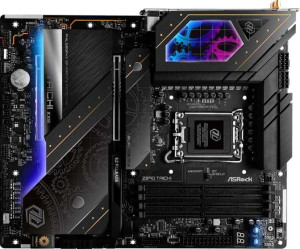
ASRock Z890 Taichi
ASRock Z890 Taichi
Gigabyte Z890 Aorus Master
VS
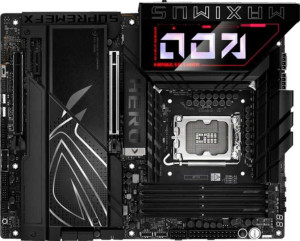
Asus ROG Maximus Z890 Hero
Gigabyte Z890 Aorus Master
VS
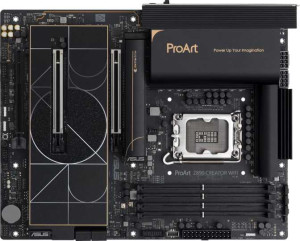
Asus ProArt Z890-Creator WiFi
Gigabyte Z890 Aorus Master
VS
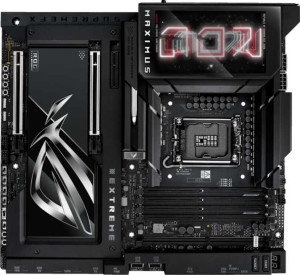
Asus ROG Maximus Z890 Extreme
Gigabyte Z890 Aorus Master
VS
Gigabyte Z890 Aorus Elite WiFi7
Gigabyte Z890 Aorus Master
VS
Gigabyte X870E Aorus Master
Gigabyte Z890 Aorus Master
VS
MSI MEG Z890 Unify-X
Gigabyte Z890 Aorus Master
VS
MSI MEG Z890 Ace
MSI MEG Z890 Ace
Gigabyte Z890 Aorus Master
VS
MSI MPG X870E Carbon WiFi