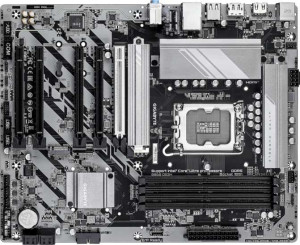
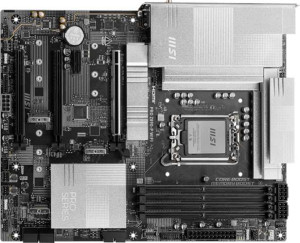
Gigabyte Z890 UD specifications and in-depth review

Gigabyte Z890 UD

Manufacturer: Gigabyte

The Gigabyte Z890 UD is an ATX form factor motherboard designed for Intel's LGA 1851 platform, pairing with the Z890 chipset to support the latest generation of processors. It carries a 3-year warranty, features RGB lighting, and is built with overclocking in mind, making it a capable option for users who want flexibility in tuning their system. The board measures 305 mm × 244 mm and occupies a single CPU socket layout typical of consumer desktop builds.

On the memory side, the Z890 UD accommodates up to 256 GB of DDR5 RAM across four slots in a dual-channel configuration, with standard speeds reaching 6400 MHz and overclocked profiles extending to 8800 MHz. Storage connectivity includes four SATA 3 connectors, four M.2 sockets, and support for RAID 0, 1, 5, and 10 arrays. The rear I/O provides a USB 4 40 Gbps port, a Thunderbolt 4 port, one USB 3.2 Gen 2 Type-A port, four USB 3.2 Gen 1 Type-A ports, four USB 2.0 ports, a single RJ45 port, a DisplayPort output, and a PS/2 connector, while the board also exposes internal headers for additional USB expansion and six fan headers for thermal management.

Pros
  • Supports overclocked DDR5 RAM speeds up to 8800 MHz across four slots, with a maximum capacity of 256 GB
  • Includes a PCIe 5.0 x16 slot alongside two PCIe 4.0 x16 slots, offering flexibility for expansion cards
  • Four M.2 sockets provide ample options for fast storage devices
  • A Thunderbolt 4 port and a USB 4 40Gbps port are available on the rear I/O for high-speed peripheral connectivity
  • RAID 0, 1, 5, and 10 are all supported, giving meaningful flexibility for storage configurations
  • Comes with a 3-year warranty
Cons
  • No built-in Wi-Fi or Bluetooth, requiring separate adapters for wireless connectivity
  • Does not support ECC memory, limiting suitability for workloads that require error-correcting RAM
  • Lacks a dual BIOS, offering no automatic fallback in the event of a corrupted firmware
  • No S/PDIF Out port, which may be limiting for users with digital audio equipment
  • CMOS reset is not simplified, which can make BIOS recovery less straightforward
  • No USB Type-C ports on the rear I/O beyond the USB 4 port, with no USB 3.2 Gen 2 or Gen 1 Type-C options available
Who is this for?

This board is a solid fit for desktop builders targeting Intel's LGA 1851 platform who want room to grow — particularly those interested in overclocking, given the support for DDR5 RAM speeds up to 8800 MHz and the easy overclock feature. The four M.2 sockets and broad RAID support (0, 1, 5, and 10) make it well-suited for users who need flexible and redundant storage configurations, such as content creators or workstation users managing large volumes of data. The presence of a Thunderbolt 4 port and a USB 4 40Gbps port also makes it a practical choice for users who regularly connect high-bandwidth peripherals like external SSDs or professional audio and video interfaces.

Who is this NOT for?

Users who rely on wireless connectivity will find this board lacking, as it offers no built-in Wi-Fi or Bluetooth, which is a meaningful inconvenience in setups where running ethernet cables is not practical. It is also a poor match for those with professional or server-grade reliability requirements, since ECC memory is not supported and there is no dual BIOS to fall back on in the event of a firmware issue. Additionally, users with digital audio setups that depend on an S/PDIF Out connection will need to look elsewhere, as that output is absent from this board.

General info:

CPU socket LGA 1851
chipset Z890
form factor ATX
supports Wi-Fi
Has Bluetooth
Easy to overclock
has RGB lighting
Easy to reset BIOS
Has dual BIOS
CPU sockets 1
Has integrated graphics
warranty period 3 years
height 244 mm
width 305 mm
Has integrated CPU

The Gigabyte Z890 UD is built around the LGA 1851 CPU socket and is compatible with the Z890 chipset, housed in a standard ATX form factor measuring 305 mm × 244 mm. It supports a single CPU socket configuration and does not include an integrated CPU or integrated graphics. The board is designed with overclocking in mind and features RGB lighting, while lacking built-in Wi-Fi and Bluetooth connectivity. It does not offer a dual BIOS setup or a simplified CMOS reset mechanism. A 3-year warranty is included with the board.

Memory:

maximum memory amount 256GB
RAM speed (max) 6400 MHz
overclocked RAM speed 8800 MHz
memory slots 4
DDR memory version 5
memory channels 2
Supports ECC memory

The board supports DDR5 memory across four slots in a dual-channel configuration, with a maximum capacity of 256 GB. Standard RAM speeds top out at 6400 MHz, while overclocked profiles can reach up to 8800 MHz. ECC memory is not supported on this board.

Ports:

USB 3.2 Gen 2 ports (USB-A) 1
USB 3.2 Gen 1 ports (USB-A) 4
USB 3.2 Gen 2 ports (USB-C) 0
USB 3.2 Gen 1 ports (USB-C) 0
USB 2.0 ports 4
USB 3.2 Gen 2x2 ports 0
USB 4 40Gbps ports 1
USB 4 20Gbps ports 0
Thunderbolt 4 ports 1
Thunderbolt 3 ports 0
has an HDMI output
DisplayPort outputs 1
RJ45 ports 1
Has USB Type-C
eSATA ports 0
DVI outputs 0
has a VGA connector
PS/2 ports 1

The rear I/O panel offers a solid range of connectivity, including one USB 4 40Gbps port, one Thunderbolt 4 port, one USB 3.2 Gen 2 Type-A port, four USB 3.2 Gen 1 Type-A ports, and four USB 2.0 ports. A USB Type-C port is present, though there are no USB 3.2 Gen 2 or Gen 1 Type-C ports, and no USB 3.2 Gen 2x2 or USB 4 20Gbps ports. For display output, there is one DisplayPort, while HDMI, DVI, and VGA outputs are absent. Networking is handled by a single RJ45 port, and legacy input device support is provided through one PS/2 port. There are no eSATA or Thunderbolt 3 ports on this board.

Connectors:

USB 3.2 Gen 1 ports (through expansion) 2
USB 2.0 ports (through expansion) 4
SATA 3 connectors 4
fan headers 6
USB 3.0 ports (through expansion) 2
M.2 sockets 4
Has TPM connector
U.2 sockets 0
Has mSATA connector
SATA 2 connectors 0

Internal connectivity is well-provisioned, with four M.2 sockets and four SATA 3 connectors for storage, while SATA 2 and U.2 sockets are not present, nor is an mSATA connector. Expansion headers include two USB 3.2 Gen 1 ports, two USB 3.0 ports, and four USB 2.0 ports, all accessible through internal connectors. Thermal management is supported by six fan headers, and a TPM connector is also included on the board.

Expansion slots:

PCIe 4.0 x16 slots 2
PCIe 5.0 x16 slots 1
PCIe 3.0 x16 slots 0
PCIe x1 slots 0
PCI slots 0
PCIe 2.0 x16 slots 0
PCIe x4 slots 0
PCIe x8 slots 0

The board provides three full-length PCIe slots in total: one PCIe 5.0 x16 slot and two PCIe 4.0 x16 slots. There are no PCIe 3.0, 2.0, x8, x4, or x1 slots, and no legacy PCI slots are present.

Audio:

audio channels 7.1
Has S/PDIF Out port
audio connectors 3

The board supports 7.1-channel audio and provides three analog audio connectors. An S/PDIF Out port is not included.

Storage:

Supports RAID 1
Supports RAID 10 (1+0)
Supports RAID 5
Supports RAID 0
Supports RAID 0+1

The board supports four RAID configurations: RAID 0, RAID 1, RAID 5, and RAID 10 (1+0). RAID 0+1 is not supported.
Final Verdict

The Gigabyte Z890 UD is a capable ATX motherboard for builders committed to Intel's LGA 1851 platform who want a well-rounded feature set without unnecessary compromises. Its DDR5 overclocking support up to 8800 MHz, four M.2 sockets, and Thunderbolt 4 connectivity give it genuine appeal for power users and content-focused workstations alike. That said, the absence of built-in wireless, ECC support, and a dual BIOS means it is best suited to wired desktop environments where redundancy and wireless flexibility are not priorities. For users who fit that profile, the Z890 UD delivers a solid and feature-complete foundation.

Popular Comparisons

Gigabyte Z890 UD
Gigabyte Z890 UD
VS
Gigabyte Z890 Eagle
Gigabyte Z890 Eagle
Gigabyte Z890 UD
Gigabyte Z890 UD
VS
Gigabyte B860 DS3H
Gigabyte B860 DS3H
Gigabyte Z890 UD
Gigabyte Z890 UD
VS
ASRock Z890 Pro RS
ASRock Z890 Pro RS
Gigabyte Z890 UD
Gigabyte Z890 UD
VS
ASRock X870 Pro RS
ASRock X870 Pro RS
Gigabyte Z890 UD
Gigabyte Z890 UD
VS
Gigabyte B860 Eagle WiFi6E
Gigabyte Z890 UD
Gigabyte Z890 UD
VS
MSI Pro Z890-P WiFi
MSI Pro Z890-P WiFi