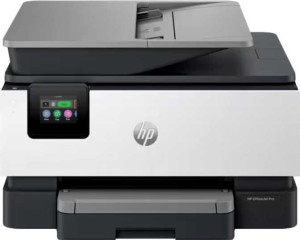
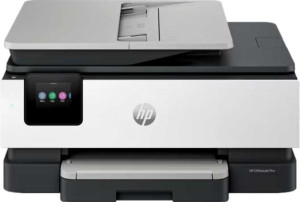
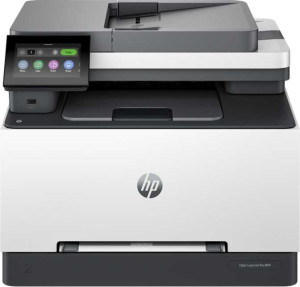
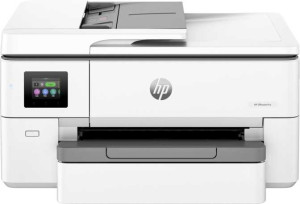
HP OfficeJet Pro 9135e All-in-One specifications and in-depth review

HP OfficeJet Pro 9135e All-in-One

Manufacturer: HP

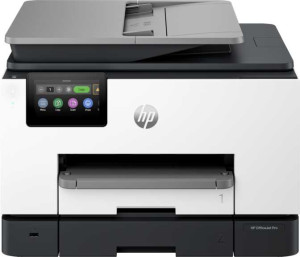
The HP OfficeJet Pro 9135e All-in-One is a versatile printer designed for office use, offering printing, scanning, and copying capabilities. With a 535-sheet feeder tray capacity, it can handle large print jobs efficiently, while its 4.3″ touch screen makes operation straightforward and user-friendly.

Key technical features include duplex printing for both color and black-and-white documents, a high 4800 x 1200 dpi print resolution, and support for Wi-Fi, Ethernet, and AirPrint. This model also offers a 1st copy out time of just 10 seconds for black prints and a monthly recommended print volume of 2000 pages, making it suitable for small to medium-sized businesses.

Pros
  • Supports color printing, making it versatile for a variety of document types.
  • Equipped with a 535-sheet feeder tray capacity, reducing the need for frequent paper reloads during high-volume tasks.
  • Includes a 4.3″ touch screen for easy and intuitive control.
  • Supports Wi-Fi Direct and AirPrint for convenient wireless printing from mobile devices.
  • Has a top energy efficiency rating, helping to minimize power consumption.
Cons
  • Lacks duplex scanning, limiting the ability to scan both sides of documents automatically.
  • Does not support automatic document synchronization to a network.
  • No optical character recognition (OCR) support for text recognition in scanned documents.
  • Does not include a page preview screen, which could be useful for reviewing scanned documents before printing.
  • No Bluetooth or NFC support for wireless connections.
Who is this for?

The HP OfficeJet Pro 9135e All-in-One is ideal for small to medium-sized businesses or home offices that require reliable, high-volume printing and scanning. With its 535-sheet feeder tray capacity and support for color printing, it’s well-suited for environments that need to process a variety of document types efficiently. Its 4.3″ touch screen and Wi-Fi connectivity features like AirPrint and Wi-Fi Direct make it user-friendly and convenient for wireless printing, especially in mobile-first or collaborative workspaces.

Who is this NOT for?

This printer may not be ideal for users who need more advanced scanning capabilities, as it lacks duplex scanning and optical character recognition (OCR). It is also not suitable for high-volume environments requiring automatic document synchronization to a network or features like a page preview screen for document verification before printing. Additionally, its lack of Bluetooth or NFC support may limit convenience for users who rely on these wireless options.

General info:

printer functions Print, Copy, Scan
release date January 2024
feeder tray capacity 535 sheets
output tray capacity 100
Has an Automatic Document Feeder (ADF)
number of input trays 2
volume 54904.608 cm³
operating power consumption 5.58W
standby power consumption 1.22W
height 396 mm
thickness 318 mm
width 436 mm
Is a flatbed scanner
Has a multi-feed detection
warranty period 1 years
weight 11838 g

The HP OfficeJet Pro 9135e All-in-One offers a range of useful features for office environments. It supports three main functions: Print, Copy, Scan, and includes a 535-sheet feeder tray capacity for high-volume tasks. The printer is equipped with an Automatic Document Feeder (ADF) and has two input trays, making it versatile for different types of jobs. The unit has a compact design with a height of 396 mm, width of 436 mm, and thickness of 318 mm. It weighs 11.838 kg and operates with low power consumption, requiring just 5.58W during operation and 1.22W in standby mode. Additionally, the printer includes a flatbed scanner but does not feature ultrasonic multi-feed detection.

Print quality:

Can print in color
Can print duplex
print resolution 4800 x 1200 dpi
black print speed 25 ppm
Is a laser printer
print speed color 20 ppm
1st copy out time - black 10 seconds
recommended monthly prints 2000
1st copy out time - color 11 seconds
Has adjustable copy density
printer duty cycle 30000

The HP OfficeJet Pro 9135e All-in-One provides high-quality printing with a print resolution of 4800 x 1200 dpi for sharp, detailed output. It supports both color and duplex printing, allowing for versatile and efficient document handling. The printer offers a black print speed of 25 ppm and a color print speed of 20 ppm, making it suitable for moderate to high-volume tasks. Additionally, the printer features adjustable copy density for enhanced output customization, with a recommended monthly print volume of 2000 pages and a duty cycle of up to 30,000 pages.

Scan quality:

scans documents to PDF
Has an Auto Scan Mode
Has a duplex scanning feature
maximum scan size 1200 x 1200 mm²

The HP OfficeJet Pro 9135e All-in-One offers solid scanning capabilities, including the ability to scan documents to PDF. While it does not feature an Auto Scan Mode or duplex scanning, it supports a maximum scan size of 1200 x 1200 mm², making it suitable for a wide range of document types and sizes.

Connectivity:

supports Wi-Fi
supports AirPrint
supports Wi-Fi Direct printing
supports Mopria
has an external memory slot
Has Bluetooth
supports Ethernet
Wi-Fi version Wi-Fi 5 (802.11ac), Wi-Fi 4 (802.11n)
works with Alexa
compatible with Google Assistant
USB ports 1
has NFC
USB-C ports 0

The HP OfficeJet Pro 9135e All-in-One offers extensive connectivity options, including Wi-Fi, Ethernet support, and the ability to print via Wi-Fi Direct and AirPrint. It also supports Mopria for mobile printing, while providing a single USB port for direct connections. The printer is not equipped with Bluetooth, NFC, or USB-C ports, and does not have an external memory slot. It is compatible with Wi-Fi 5 (802.11ac) and Wi-Fi 4 (802.11n) for flexible wireless networking.

Features:

has borderless printing
screen size 4.3"
has a touch screen
maximum print memory 512MB
Has a dedicated smartphone app
Has an Optical Character Recognition (OCR)
Has a page preview screen
printer memory 512MB
Has a Skip Blank Page function
Can synchronize your documents with a USB drive
Has an answering machine
fax page memory 100
fax resolution 300 x 300 dpi

The HP OfficeJet Pro 9135e All-in-One comes equipped with a 4.3″ touch screen for easy operation and a dedicated smartphone app for convenient mobile printing. It has a maximum print memory of 512MB, ensuring efficient processing of print jobs. While the printer lacks features like optical character recognition (OCR), a page preview screen, or a Skip Blank Page function, it does provide a fax resolution of 300 x 300 dpi and a fax memory of 100 pages, making it a reliable choice for basic faxing tasks.

Miscellaneous:

Can synchronize documents directly to network
has top energy efficiency rating

The HP OfficeJet Pro 9135e All-in-One is designed with energy efficiency in mind, boasting a top energy efficiency rating for reduced power consumption. However, it does not support the ability to synchronize documents directly to a network, limiting its integration capabilities in that regard.
Final Verdict

The HP OfficeJet Pro 9135e All-in-One is a solid choice for small to medium-sized businesses or home offices that need reliable, high-volume printing and scanning. With its 535-sheet feeder tray capacity and versatile color printing capabilities, it can handle a wide variety of tasks with ease. While it lacks certain advanced features like duplex scanning and OCR, its strong wireless connectivity options, including AirPrint and Wi-Fi Direct, make it a convenient option for modern office environments. Overall, this printer excels in everyday office tasks and offers great energy efficiency, making it a reliable and efficient choice for routine document handling.

Popular Comparisons

HP OfficeJet Pro 9135e All-in-One
VS
HP Envy 6065e All-in-One
HP OfficeJet Pro 9135e All-in-One
VS
HP OfficeJet Pro 9125e All-in-One
HP OfficeJet Pro 9135e All-in-One
VS
HP OfficeJet Pro 8135e All-in-One
HP OfficeJet Pro 9135e All-in-One
VS
HP Color LaserJet Pro MFP 3301fdw
HP OfficeJet Pro 9135e All-in-One
VS
HP OfficeJet Pro 9720e All-in-One