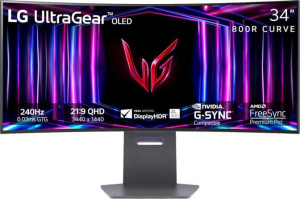
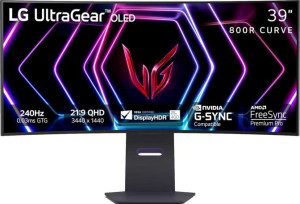
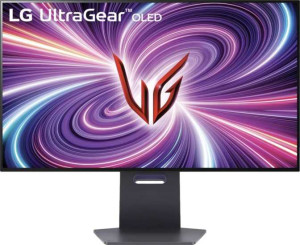
LG UltraGear 34GS95QE-B 34" specifications and in-depth review

LG UltraGear 34GS95QE-B 34"

Manufacturer: LG

The LG UltraGear 34GS95QE-B is a 34-inch curved ultrawide monitor aimed at gaming use, combining an OLED panel with a high refresh rate in a form factor that suits both immersive gameplay and productivity. The display carries a 240Hz refresh rate, which places it firmly in the upper tier of gaming-oriented screens, and the curved design wraps around the viewer's field of vision given its ultrawide 21:9 aspect ratio. The unit weighs approximately 9.3 kg and includes a stand with tilt, swivel, and height adjustment of up to 11 cm, offering reasonable ergonomic flexibility out of the box.

The panel resolves at 3440 x 1440 pixels across the 34-inch screen, yielding a pixel density of 110 ppi, and the OLED technology delivers a contrast ratio of 1,500,000:1 alongside 10-bit color depth covering 99% of the sRGB color space with 1.07 billion displayable colors. Brightness is rated at 275 nits typical. Connectivity includes two HDMI 2.1 ports, one DisplayPort 1.4 output, two USB ports, and a 3.5mm audio jack, while adaptive sync support spans both Nvidia G-Sync and AMD FreeSync Premium. The monitor also features stereo speakers and Picture-in-Picture functionality, and operating power consumption is rated at 42W.

Pros
  • The OLED panel delivers a contrast ratio of 1,500,000:1, producing deep blacks and vivid image depth across the 34-inch curved ultrawide screen
  • A 240Hz refresh rate combined with a 0.03ms response time makes the display well-suited for fast-paced gaming where motion clarity matters
  • Adaptive sync support covers both Nvidia G-Sync and AMD FreeSync Premium, giving compatibility across two major GPU ecosystems
  • The stand accommodates tilt, swivel, and 11 cm of height adjustment, offering meaningful ergonomic flexibility for different desk setups
  • HDMI 2.1 is available across both video inputs, supporting high-bandwidth connections from modern source devices
  • Stereo speakers and a 3.5mm audio jack are built in, removing the need for a separate audio device in basic use cases
Cons
  • Typical brightness is rated at 275 nits, which may limit visibility in brightly lit environments
  • The panel lacks both anti-glare coating and a matte finish, which could result in reflections in rooms with strong ambient light
  • Portrait mode is not supported, limiting orientation flexibility for users who rotate monitors for specific workflows
  • Color calibration is not supported, leaving color accuracy fixed at factory settings with no built-in adjustment tools
  • There is no USB Type-C port, which rules out single-cable connectivity for laptops and devices that rely on that interface
  • The EU energy label is rated F, indicating relatively lower energy efficiency for a monitor in its size class
Who is this for?

This monitor is well-matched to users who spend significant time in fast-paced gaming, particularly those using modern Nvidia or AMD graphics cards, as the 240Hz refresh rate, 0.03ms response time, and broad adaptive sync support work together to reduce motion blur and screen tearing. The 34-inch ultrawide curved format with a 3440x1440 resolution also suits users who benefit from an expanded horizontal field of view, such as those engaged in simulation, strategy, or immersive single-player titles. The built-in stereo speakers, Picture-in-Picture support, and ergonomic stand with tilt, swivel, and height adjustment make it a reasonable fit for a dedicated desktop gaming or multimedia setup where a self-contained, adjustable workstation is the goal.

Who is this NOT for?

Users who work in environments with strong ambient light or direct sunlight will likely find this monitor challenging to use comfortably, as the panel has no anti-glare coating and no matte finish, leaving it prone to reflections. Those with color-critical workflows such as photo editing or professional color grading will be constrained by the absence of color calibration support, which removes the ability to fine-tune output accuracy. The lack of USB Type-C connectivity makes it a poor fit for users who rely on single-cable docking with laptops, and the absence of portrait mode support means it will not accommodate users who prefer or require a vertically oriented display for tasks like reading long documents or coding.

Display:

Display type OLED/AMOLED
response time 0.03 ms
screen size 34"
resolution 3440 x 1440 px
pixel density 110 ppi
Adaptive synchronization Nvidia G-Sync, AMD FreeSync, AMD FreeSync Premium
has anti-glare coating
refresh rate 240Hz
maximum horizontal viewing angle 178º
maximum vertical viewing angle 178º
has a matte panel
has a glossy panel
has a touch screen

The LG UltraGear 34GS95QE-B uses an OLED/AMOLED panel measuring 34 inches with a resolution of 3440 x 1440 pixels and a pixel density of 110 ppi. The display runs at a 240Hz refresh rate and delivers an exceptionally fast 0.03ms response time, while supporting adaptive sync through Nvidia G-Sync, AMD FreeSync, and AMD FreeSync Premium. Horizontal and vertical viewing angles both reach 178 degrees, ensuring consistent image quality across a wide range of positions. The panel is neither matte nor glossy and does not feature an anti-glare coating or touch screen functionality.

General info:

Type Ultrawide, Gaming, Curved
EU energy label F
supports total tilt
Has a swivel stand
Supports VESA mount
height 358.1 mm
width 784.8 mm
thickness 167.6 mm
weight 9298 g
supports portrait mode
volume 47101.781088 cm³

The LG UltraGear 34GS95QE-B is classified as an ultrawide, curved gaming monitor and carries an EU energy label of F. Its physical dimensions come in at 784.8 mm wide, 358.1 mm tall, and 167.6 mm deep, with a total weight of 9298 g. The stand supports tilt, swivel, and height adjustment, and the monitor is also compatible with VESA wall mounts, offering some flexibility in how it can be positioned. Portrait mode is not supported. The monitor holds a VESA mount compatibility alongside its adjustable stand options, rounding out a reasonably adaptable physical setup for a fixed-orientation display.

Colors:

brightness (typical) 275 nits
supports color calibration
display colors 1070 million
bit depth 10-bit
contrast ratio 1500000:1
sRGB coverage 99%

The display operates at a 10-bit color depth and is capable of rendering 1.07 billion colors, with sRGB coverage reaching 99%. The contrast ratio stands at 1,500,000:1, a figure characteristic of OLED panel technology, which allows for a wide range between the darkest and brightest areas of an image. Typical brightness is rated at 275 nits. Color calibration is not supported out of the box.

Connectivity:

HDMI ports 2
supports Thunderbolt
DisplayPort outputs 1
DisplayPort version DisplayPort 1.4
has a socket for a 3.5 mm audio jack
has a DVI connector
USB ports 2
Has USB Type-C
HDMI version HDMI 2.1
supports Ethernet
supports Wi-Fi
has AirPlay
mini DisplayPort outputs 0
has a VGA connector

For video input, the monitor provides two HDMI 2.1 ports and one DisplayPort 1.4 output, with no mini DisplayPort, DVI, or VGA connectors included. Two USB ports and a 3.5mm headset jack round out the available connections on the rear. There is no USB Type-C or Thunderbolt support, and the monitor does not offer Ethernet, Wi-Fi, or AirPlay connectivity, keeping its connection options focused squarely on wired display and basic peripheral use.

Power:

operating power consumption 42W
standby power consumption 0.3W

The monitor draws 42W during normal operation and drops to just 0.3W in standby mode, reflecting a relatively low idle power draw when the display is not in active use.

Features:

has PiP
has stereo speakers
has built-in smart TV
has a remote control
supports Dolby Digital
supports Dolby Digital Plus
has DTS Surround
has an ambient light sensor
has a front camera

The monitor includes stereo speakers and supports Picture-in-Picture, allowing a secondary input source to be displayed within the main image. It does not feature a remote control, ambient light sensor, or front camera, and there is no built-in smart TV functionality. On the audio side, Dolby Digital, Dolby Digital Plus, and DTS Surround are all absent.

Miscellaneous:

height adjustment range 11 cm

The monitor's stand offers a height adjustment range of 11 cm, allowing the screen position to be shifted vertically to better suit different seating arrangements or desk setups.

Final Verdict

The LG UltraGear 34GS95QE-B is a focused gaming monitor that delivers where it counts for its intended audience — the 240Hz OLED panel with a 0.03ms response time and wide adaptive sync compatibility make it a technically capable choice for users who prioritize motion clarity and smooth gameplay on a large ultrawide screen. Its 3440x1440 resolution, extreme contrast ratio, and ergonomic stand add practical value for a dedicated desktop setup. That said, the absence of anti-glare protection, color calibration, and USB Type-C means it asks users to accept clear trade-offs in exchange for its display performance. For those whose primary use case aligns with fast-paced gaming in a controlled lighting environment, the 34GS95QE-B offers a well-defined and coherent specification set; users with broader or color-sensitive demands will find its limitations more consequential.

Popular Comparisons

LG UltraGear 34GS95QE-B 34"
VS
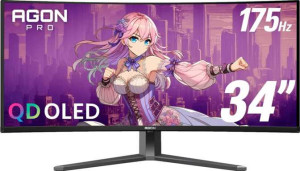
AOC Agon Pro AG346UCD 34"
LG UltraGear 34GS95QE-B 34"
VS
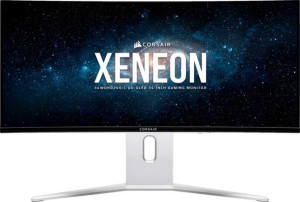
Corsair Xeneon 34WQHD240-C QD-OLED 34"
LG UltraGear 34GS95QE-B 34"
VS
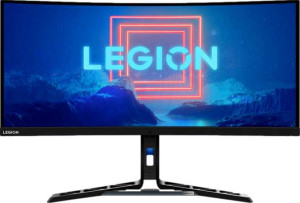
Lenovo Legion Y34wz-30 34"
LG UltraGear 34GS95QE-B 34"
VS
Dell Alienware AW3225QF 32"
LG UltraGear 34GS95QE-B 34"
VS
Asus ROG Swift OLED PG32UCDM 32"
LG UltraGear 34GS95QE-B 34"
VS
Samsung Odyssey OLED G8 (G85SD) 34"
LG UltraGear 34GS95QE-B 34"
VS
LG UltraGear 39GS95QE-B 39"
LG UltraGear 34GS95QE-B 34"
VS
MSI MAG 321UPX QD-OLED 32"
LG UltraGear 34GS95QE-B 34"
VS
LG UltraGear OLED 32GS95UE-B 32"
LG UltraGear 34GS95QE-B 34"
VS
MSI MEG 342C QD-OLED 34"