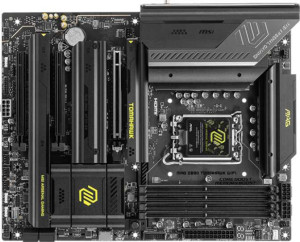
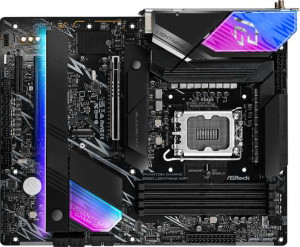
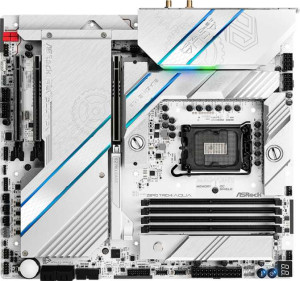
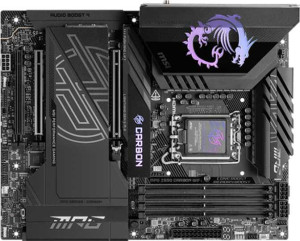
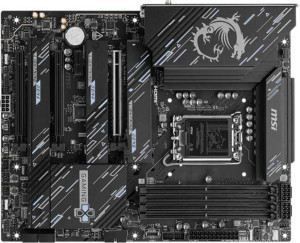
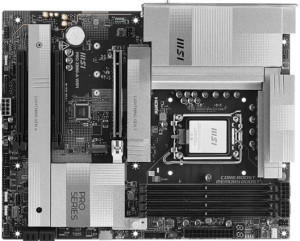
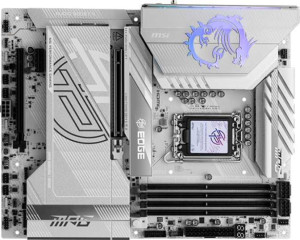
The MSI MAG Z890 Tomahawk WiFi is built around a single LGA 1851 socket and is compatible with the Z890 chipset, housed in a standard ATX form factor measuring 304.8 × 243.8 mm. It supports overclocking and includes RGB lighting, along with a clear CMOS button for easy BIOS resets, though it does not feature a dual BIOS setup. Wi-Fi 7 (802.11be) is built in alongside backward-compatible Wi-Fi standards going back to Wi-Fi 4, and Bluetooth 5.4 is also present, though aptX is not supported. Video output is available via an HDMI 2.1 port, but the board carries no integrated graphics or integrated CPU. The board does not support integrated graphics, carries no integrated CPU, and comes backed by a three-year warranty.
The board supports DDR5 memory across four slots in a dual-channel configuration, with a maximum capacity of 256 GB. Standard RAM speeds top out at 4800 MHz, while overclocked profiles can reach 9200 MHz. ECC memory is not supported.najlepsze
The rear I/O panel offers a well-rounded USB selection, including three USB 3.2 Gen 2 Type-A ports, four USB 3.2 Gen 1 Type-A ports, and one USB 3.2 Gen 2 Type-C port, with no USB 2.0 or Gen 1 Type-C ports present. At the faster end, two USB 4 40 Gbps ports and two Thunderbolt 4 ports are available, while USB 4 20 Gbps, USB 3.2 Gen 2x2, and Thunderbolt 3 are absent. Display output is limited to a single HDMI port, with no DisplayPort, DVI, or VGA connectors included. Networking is handled by one RJ45 port, and there are no eSATA or PS/2 ports on this board.
Internal connectivity is handled through four M.2 sockets and four SATA 3 connectors, while SATA 2 and U.2 sockets are not present, and there is no mSATA connector. Expansion headers cover two USB 3.2 Gen 1 ports, two USB 3.0 ports, and four USB 2.0 ports for adding front-panel connectivity. Cooling is well catered for with eight fan headers on board, and a TPM connector is also included for security module support.
The board's expansion slot layout centers on one PCIe 5.0 x16 slot and two PCIe 4.0 x16 slots, covering the primary needs for discrete graphics and high-bandwidth add-in cards. Older PCIe generations — including PCIe 3.0, 2.0, and the original PCIe standard — are not represented, nor are any PCIe x1, x4, or x8 slots, and there are no legacy PCI slots present.
The onboard audio solution supports 7.1-channel output and delivers a DAC signal-to-noise ratio of 120 dB, indicating a clean audio signal with low background noise. Two analog audio connectors are available on the rear panel, and an S/PDIF Out port is included for digital audio passthrough to external receivers or DACs.
The board supports RAID 0, 1, 5, and 10 (1+0) configurations, covering the most common setups for both performance-oriented and redundancy-focused storage arrangements. RAID 0+1, however, is not supported.