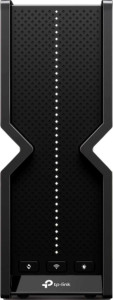
TP-Link Archer BE400 specifications and in-depth review

TP-Link Archer BE400

Manufacturer: TP-Link

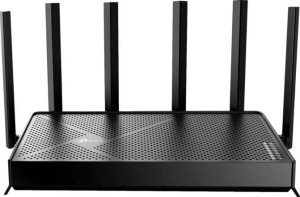
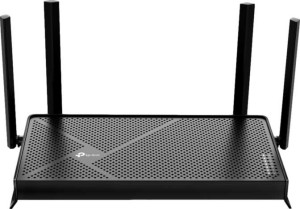
The TP-Link Archer BE400 is a dual-band router designed to bring Wi-Fi 7 connectivity to home and small-office networks. It supports multiple wireless generations — from Wi-Fi 4 through to Wi-Fi 7 (802.11be) — allowing it to communicate with a wide range of client devices. Six external antennas contribute to its signal distribution, and the unit can also participate in a mesh Wi-Fi setup for broader coverage across larger spaces.

On the technical side, the Archer BE400 delivers a combined wireless throughput of 5764 Mb/s and includes MU-MIMO and beamforming to help manage simultaneous connections more efficiently. Security is well covered, with WPA2 and WPA3 support, SPI intrusion protection, DoS protection, MAC address filtering, URL filtering, and parental controls all present. The router also supports IPv6, VLAN tagging, Inter-VLAN routing, dynamic and static routing, QoS, and UPnP, alongside a USB port with external memory slot support and a dedicated smartphone app for management.

Pros
  • Supports Wi-Fi 7 (802.11be) alongside Wi-Fi 4, 5, and 6, making it compatible with a wide range of wireless devices
  • Comprehensive security suite includes SPI intrusion protection, DoS protection, WPA3, MAC filtering, URL filtering, port filtering, and parental controls all in one device
  • Mesh Wi-Fi support allows the router to be expanded into a wider coverage network with compatible units
  • MU-MIMO and beamforming help distribute wireless signal more efficiently across multiple connected devices simultaneously
  • VLAN tagging with Inter-VLAN routing provides meaningful network segmentation options for users who need to separate traffic
  • Supports Matter, making it compatible with a growing ecosystem of smart home devices
Cons
  • Only a single USB port is available, limiting simultaneous external device connections
  • The one-year warranty period is relatively short for a networking device intended for long-term home use
  • Antennas are fixed and non-removable, so users cannot upgrade or replace them if signal output degrades
  • Not DLNA-certified, which limits its usefulness for users who rely on media streaming to DLNA-compatible devices
  • Dual-band configuration means there is no dedicated third band, which can affect performance when many devices are connected at once
  • No outdoor capability, restricting installation to indoor environments only
Who is this for?

This router is a solid fit for households or small offices that want to future-proof their network with Wi-Fi 7 support, particularly those already investing in newer client devices capable of taking advantage of the latest wireless standard. Its mesh Wi-Fi compatibility makes it well-suited for users looking to extend coverage across a multi-room environment without running additional cabling. The broad security toolkit — covering WPA3, SPI protection, parental controls, and traffic filtering — also makes it a practical choice for users who need granular control over network access, such as families or small teams managing shared internet connections. Those who work with segmented networks will appreciate the VLAN tagging and Inter-VLAN routing capabilities.

Who is this NOT for?

Users who need to cover outdoor spaces will find this router unsuitable, as it has no outdoor capability and is strictly designed for indoor deployment. The dual-band configuration, while sufficient for typical home use, may fall short for environments with a very high density of simultaneously connected devices, where a tri-band setup would better distribute the load. Additionally, users who rely on DLNA-based media streaming to compatible TVs or players will need to look elsewhere, as the router lacks DLNA certification. Those requiring longer hardware coverage may also find the one-year warranty limiting for a device expected to handle continuous network traffic over several years.

General info:

LAN ports 4
WAN ports 1
has outdoor capability
USB ports 1
warranty period 1 years
external antennas 6
internal antennas 0
Has removable antennas

The TP-Link Archer BE400 includes four LAN ports and one WAN port for wired connectivity, along with a single USB port that supports external storage. It features six external antennas, all of which are fixed rather than removable, and has no internal antennas. The router is intended for indoor use only, as it carries no outdoor capability. TP-Link backs the unit with a one-year warranty.

Performance:

Wi-Fi version Wi-Fi 4 (802.11n), Wi-Fi 5 (802.11ac), Wi-Fi 6 (802.11ax), Wi-Fi 7 (802.11be)
Wi-Fi bands Dual-band
Wi-Fi speed 5764 Mb/s
has an external memory slot
Has DNS relay

The Archer BE400 operates as a dual-band router and supports a broad range of Wi-Fi standards, spanning Wi-Fi 4 (802.11n), Wi-Fi 5 (802.11ac), Wi-Fi 6 (802.11ax), and Wi-Fi 7 (802.11be), with a combined wireless speed of 5764 Mb/s. It also includes an external memory slot for connecting storage devices via its USB port, and DNS relay is supported to help streamline local network name resolution.

Security:

Has a built-in network firewall
Has DoS protection
Wi-Fi security protocols WPA2, WPA, WPA3
Has MAC address filtering
Has L2TP Passthrough
Has IPsec Passthrough
Has SPI intrusion protection
Has a URL filter
Has a Network Services Filter
Has port filtering
Has Network Address Translation (NAT)
Has PPTP server
Has a static IP address
Has parental control
Has PPTP Passthrough
Has automatic IP

The Archer BE400 comes with a thorough set of security capabilities built in. At its core, it includes a built-in network firewall with SPI intrusion protection and DoS protection, helping guard against common network-level threats. Wi-Fi connections are secured through WPA, WPA2, and WPA3 protocols, while MAC address filtering, URL filtering, port filtering, and a Network Services Filter give administrators additional control over what traffic is permitted. VPN passthrough is supported for L2TP, IPsec, and PPTP, and a PPTP server is also available on the device itself. On the IP management side, the router handles both automatic and static IP addressing, and NAT is supported alongside parental controls for household-level access management.

Features:

IPv6 enabled
has beamforming
supports mesh Wi-Fi
supports Matter
has MU-MIMO
supports VLAN tagging
has a WPS button
Has a dedicated smartphone app
Can be used wirelessly
is DLNA-certified
Has Universal Plug n Play
Has QoS
Has dynamic routing
Has Inter-VLAN routing
Network Time Protocol enabled
Has static routing

The Archer BE400 supports a wide range of networking features suited to both everyday and more advanced home network setups. It includes MU-MIMO and beamforming for more efficient wireless communication, and is compatible with mesh Wi-Fi for extending coverage across multiple units. The router supports Matter, IPv6, and Network Time Protocol, and can be managed wirelessly or through a dedicated smartphone app, with a WPS button available for quick device pairing. Routing flexibility is covered through both static and dynamic routing options, and VLAN tagging with Inter-VLAN routing is supported for network segmentation. UPnP, QoS, and network time synchronization via NTP are also present, while DLNA certification is not included.
Final Verdict

The TP-Link Archer BE400 presents itself as a capable indoor router for users ready to step into the Wi-Fi 7 era, combining broad wireless standard support with a genuinely thorough security feature set. Its mesh compatibility and Wi-Fi 7 (802.11be) readiness make it a forward-looking choice for homes or small offices aiming to build a network that won't need replacing as newer devices arrive. While its dual-band design and fixed antennas impose some practical ceilings on scalability, the depth of its routing, security, and smart home integration features — including Matter support and VLAN capabilities — add real value beyond basic connectivity. Overall, the Archer BE400 is a well-specified router for users who want modern wireless performance and meaningful network control within an indoor environment.

Popular Comparisons

TP-Link Archer BE400
VS
TP-Link Archer BE3600
TP-Link Archer BE400
VS
TP-Link Archer BE550