Wacom Movink 13 specifications and in-depth review

Wacom Movink 13

Manufacturer: Wacom

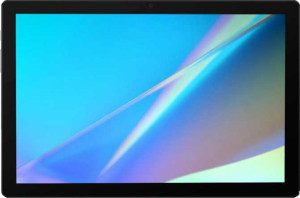
The Wacom Movink 13 is a pen display drawing tablet designed for digital artists who need a compact and capable screen-based workspace. At just 6.6 mm thin and weighing 420 g, the device occupies a notably slim footprint while still offering a 294 x 165 mm² active drawing area on its 13.3″ screen. It connects via a detachable cable and supports Windows, Mac, and Chromebook systems, though it does not offer wireless operation.

The display delivers a resolution of 1920 x 1080 px with a contrast ratio of 100000:1, a typical brightness of 350 nits, and 95% Adobe RGB color coverage, complemented by an anti-reflection coating and 170° viewing angles both horizontally and vertically. The included stylus supports 8192 pressure levels, 5080 LPI pen resolution, tilt sensitivity up to 60°, and features three buttons. Response time is rated at 0.2 ms, and connectivity is handled exclusively through the detachable cable as the unit carries no HDMI, DisplayPort, or Bluetooth options.

Pros
  • The 6.6 mm thickness and 420 g weight make it easy to carry and set up in different workspaces
  • 95% Adobe RGB coverage supports accurate color reproduction for color-sensitive creative work
  • A contrast ratio of 100000:1 combined with 350 nits brightness provides a well-defined and visible image on screen
  • 8192 pressure levels and 5080 LPI pen resolution allow for fine, detailed input with the stylus
  • Tilt sensitivity up to 60° adds meaningful control for angle-dependent drawing techniques
  • The detachable cable reduces wear on the device and simplifies replacement if needed
Cons
  • No wireless connectivity limits flexibility in how and where the device can be positioned
  • The 1920 x 1080 px resolution is modest for a 13.3″ display used in detailed visual work
  • No HDMI, DisplayPort, or mini DisplayPort outputs restrict how the device can be connected to a host system
  • No pen stand is included, leaving no dedicated resting place for the stylus
  • No 3.5 mm audio jack means audio accessories cannot be connected directly to the device
Who is this for?

This pen display is well-matched for digital illustrators and visual artists who prioritize accurate color reproduction, given its 95% Adobe RGB coverage and 100000:1 contrast ratio. The high pressure sensitivity of 8192 levels combined with 60° tilt support makes it a solid fit for those who rely on nuanced brushwork and angle-based techniques. Its slim 6.6 mm profile and 420 g weight also suit users who work across multiple locations and need a portable screen-based drawing surface that connects quickly via a detachable cable to a Windows, Mac, or Chromebook system.

Who is this NOT for?

Users who require a wireless or cable-free setup will find this device restrictive, as it offers no wireless connectivity and no Bluetooth. Those working in environments that demand flexible video routing will also run into limitations, since the device provides no HDMI, DisplayPort, or mini DisplayPort outputs. Additionally, professionals who work extensively with high-resolution display output — such as those editing 4K content or requiring a pixel-dense screen for fine detail — may find the 1920 x 1080 px resolution insufficient for their workflow at this screen size.

General info:

Type Pen display
Compatibility Chromebook, Mac, Windows
Has a display
active drawing area 294 x 165 mm²
Can be used wirelessly
volume 432.70524 cm³
has a socket for a 3.5 mm audio jack
has fold-out legs
pen stand included
has a detachable cable
weight 420 g
width 319.5 mm
thickness 6.6 mm
height 205.2 mm
travel bag is included
Stylus included

The Wacom Movink 13 is a pen display drawing tablet compatible with Chromebook, Mac, and Windows systems, offering an active drawing area of 294 x 165 mm² and a built-in display, with a stylus included in the box and a detachable cable for connectivity. Its physical footprint measures 319.5 mm wide, 205.2 mm tall, and just 6.6 mm thick, with a total weight of 420 g and a volume of 432.70524 cm³, making it a notably slim device. It does not support wireless use and lacks fold-out legs, a pen stand, a 3.5 mm audio jack, and a travel bag.

Display:

screen size 13.3"
resolution 1920 x 1080 px
response time 0.2 ms
has anti-reflection coating
maximum horizontal viewing angle 170º
maximum vertical viewing angle 170º
brightness (typical) 350 nits
contrast ratio 100000:1
Adobe RGB coverage 95%

The display measures 13.3″ and outputs a resolution of 1920 x 1080 px, with a rapid response time of 0.2 ms and a contrast ratio of 100000:1. Typical brightness is rated at 350 nits, and the panel covers 95% of the Adobe RGB color space, making it well-suited for color-sensitive work. Both horizontal and vertical viewing angles reach 170°, and an anti-reflection coating is present on the screen surface.

Pen:

pen pressure levels 8192
pen resolution 5080 LPI
Has tilt sensitivity
pen tilt capacity 60°
number of pen buttons 3

The included stylus supports 8192 levels of pressure sensitivity and a pen resolution of 5080 LPI, allowing for precise and nuanced input across a wide range of strokes. Tilt sensitivity is present, with a tilt capacity of up to 60°, which adds another dimension of control for techniques that rely on pen angle. The stylus also features three buttons for quick access to additional functions.

Connectivity:

HDMI ports 0
DisplayPort outputs 0
Has Bluetooth
mini DisplayPort outputs 0

The Wacom Movink 13 does not include any HDMI, DisplayPort, or mini DisplayPort outputs, and it lacks built-in Bluetooth, meaning none of these connection options are available on the device.
Final Verdict

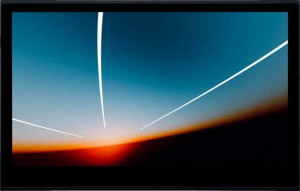
The Wacom Movink 13 is a capable pen display that brings together a well-rounded set of drawing-focused specifications in a notably slim and portable form factor. Its 95% Adobe RGB coverage paired with 8192 levels of pressure sensitivity make it a genuinely practical choice for digital artists and illustrators who need reliable color accuracy and expressive stylus control in a device they can carry between workspaces. That said, the absence of wireless connectivity and the 1080p display resolution do place real boundaries on how and where it fits into a professional workflow. For users whose needs align with its strengths — portable, wired pen display work with strong color and input fidelity — the Movink 13 delivers a focused and coherent feature set worth serious consideration.

Popular Comparisons

Wacom Movink 13
Wacom Movink 13
VS
Huion Kamvas 13 (Gen 3)
Wacom Movink 13
Wacom Movink 13
VS
Huion Kamvas Slate 10
Wacom Movink 13
Wacom Movink 13
VS
Xencelabs Pen Display 16
Wacom Movink 13
Wacom Movink 13
VS
XP-Pen Artist Pro 14 (Gen 2)