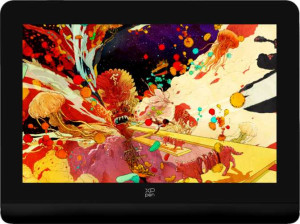
XP-Pen Artist 13.3 Pro V2 specifications and in-depth review

XP-Pen Artist 13.3 Pro V2

Manufacturer: XP-Pen

The XP-Pen Artist 13.3 Pro V2 is a pen display drawing tablet designed for digital artists who want a compact yet capable workspace. It ships with a stylus, a pen stand, and a detachable cable, and its fold-out legs allow for a more comfortable drawing angle on a desk. Weighing 1139 g with a footprint of 390 x 249 mm and a thickness of just 12 mm, the tablet strikes a balance between portability and a usable working surface. The active drawing area measures 294 x 166 mm², providing ample room for detailed illustration work. Eight physical buttons are built into the tablet body, and the unit connects to a host system via a single USB 3.2 Gen 1 USB-C port without any wireless option.

The 13.3-inch display runs at a resolution of 1920 x 1080 px with a brightness rating of 250 nits and wide viewing angles of 178° both horizontally and vertically. It covers 89% of the Adobe RGB color space, which is relevant for color-sensitive workflows, though it does not feature an anti-reflection coating. On the input side, the included stylus delivers 16384 levels of pressure sensitivity alongside a resolution of 5080 LPI, a report rate of 200 RPS, and tilt sensitivity up to 60°, with two buttons on the pen barrel. The tablet offers no HDMI, DisplayPort, mini DisplayPort, or Bluetooth connectivity, and there is no 3.5 mm audio jack present.

Pros
  • The pen supports 16384 pressure levels alongside tilt sensitivity up to 60°, giving artists fine-grained control over stroke behavior
  • An active drawing area of 294 x 166 mm² offers a spacious working surface for a 13.3-inch pen display
  • The display covers 89% of the Adobe RGB color space, making it suitable for color-conscious illustration and design work
  • Fold-out legs are built in, allowing the user to set a more comfortable drawing angle without additional accessories
  • The detachable cable simplifies transport and reduces wear on the connection point over time
  • Both a stylus and a pen stand are included in the box, providing a complete drawing setup out of the package
Cons
  • The display lacks an anti-reflection coating, which can make the screen harder to use in bright or strongly lit environments
  • The tablet does not support wireless use, requiring a physical cable connection at all times
  • With only one USB-C port and no HDMI, DisplayPort, or mini DisplayPort outputs, connectivity options are limited
  • At 1139 g, the unit may feel heavy for users who need to reposition or carry it frequently
  • No travel bag is included, leaving users to source their own protective solution for transport
  • The display resolution of 1920 x 1080 px may feel limiting for work that demands sharper detail at this screen size
Who is this for?

This pen display is well-suited to digital illustrators and concept artists who prioritize precise pen input, as the 16384 pressure levels, 60° tilt sensitivity, and 5080 LPI resolution give them meaningful control over line quality and stroke variation. The 89% Adobe RGB coverage also makes it a reasonable fit for color-sensitive creative work such as illustration, photo retouching, and digital painting, where accurate color representation on-screen matters during the creative process. The built-in fold-out legs, included pen stand, and detachable cable suggest it is designed for a stable, organized desk setup, making it a practical choice for users who work primarily at a fixed workstation.

Who is this NOT for?

Users who require versatile connectivity will likely find this tablet limiting, as it offers only a single USB-C port with no HDMI, DisplayPort, mini DisplayPort, or Bluetooth options, which can be restrictive in more complex multi-device setups. The absence of an anti-reflection coating also makes it a poor fit for anyone working in bright or naturally lit environments, where glare can significantly interfere with visibility and color accuracy. Additionally, professionals who depend on wide color gamut output beyond Adobe RGB, or who need a sharper display for highly detailed work at close viewing distances, may find the 1920 x 1080 px resolution at 13.3 inches insufficient for their workflow.

General info:

Type Pen display
Compatibility Chromebook, Windows, Mac
Has a display
active drawing area 294 x 166 mm²
number of tablet buttons 8
Can be used wirelessly
volume 1165.32 cm³
has a socket for a 3.5 mm audio jack
has fold-out legs
pen stand included
has a detachable cable
weight 1139 g
width 390 mm
thickness 12 mm
height 249 mm
travel bag is included
number of microphones 0
Stylus included

The XP-Pen Artist 13.3 Pro V2 is a pen display type drawing tablet compatible with Chromebook, Windows, and Mac systems. Its active drawing area spans 294 x 166 mm², and the unit physically measures 390 mm wide, 249 mm tall, and just 12 mm thick, with a total volume of 1165.32 cm³ and a weight of 1139 g. Eight buttons are built into the tablet body, and fold-out legs are included to adjust the working angle on a flat surface. The tablet ships with both a stylus and a pen stand, and its cable is detachable for easier management. It does not support wireless use, has no 3.5 mm audio jack, includes no microphones, and no travel bag is provided in the box.

Display:

screen size 13.3"
resolution 1920 x 1080 px
has anti-reflection coating
maximum horizontal viewing angle 178º
maximum vertical viewing angle 178º
brightness (typical) 250 nits
Adobe RGB coverage 89%

The display on this tablet measures 13.3 inches and outputs at a resolution of 1920 x 1080 px, with a typical brightness of 250 nits. Both the horizontal and vertical viewing angles reach 178°, allowing the screen content to remain visible from wide off-axis positions. Color coverage is rated at 89% of the Adobe RGB color space, which is relevant for work that involves color accuracy. The panel does not feature an anti-reflection coating.

Pen:

pen pressure levels 16384
pen resolution 5080 LPI
report rate 200 RPS
Has tilt sensitivity
pen tilt capacity 60°
number of pen buttons 2

The included stylus offers 16384 levels of pressure sensitivity alongside a pen resolution of 5080 LPI and a report rate of 200 RPS, enabling fine control over stroke input. Tilt sensitivity is supported up to a capacity of 60°, allowing the angle of the pen to influence the drawn output. Two buttons are located on the pen barrel for quick access to assigned functions.

Connectivity:

HDMI ports 0
DisplayPort outputs 0
Has Bluetooth
USB 3.2 Gen 1 ports (USB-C) 1
mini DisplayPort outputs 0

Connectivity on this tablet is handled through a single USB 3.2 Gen 1 USB-C port, which serves as the primary connection to a host system. There are no HDMI ports, no DisplayPort outputs, and no mini DisplayPort outputs available. Bluetooth is also not built in, making this a wired-only device with a straightforward single-cable setup.
Final Verdict

The XP-Pen Artist 13.3 Pro V2 is a focused pen display that delivers where it counts most for desk-based digital artists — particularly through its 16384-level pressure sensitivity combined with 60° tilt support and strong Adobe RGB color coverage, which together create a capable environment for illustration and color-aware creative work. Its physical design is practical, with fold-out legs, an included pen stand, and a detachable cable contributing to a tidy, stable workstation setup. That said, its single-port connectivity, lack of an anti-reflection coating, and 1080p resolution place real boundaries on who can use it effectively. For artists who work in a controlled lighting environment and need reliable pen performance on a 13.3-inch display without complex connectivity demands, this tablet presents a coherent and well-specified option — though users with more demanding display or connectivity requirements will need to weigh those limitations carefully before committing.

Popular Comparisons

XP-Pen Artist 13.3 Pro V2
VS
XP-Pen Artist 15.6 Pro V2
XP-Pen Artist 13.3 Pro V2
VS
XP-Pen Artist Pro 14 (Gen 2)